PCI DSS Payment Page Scripts: Requirements 6.4.3 and 11.6.1, the 2025 SAQ A Change, and Steps for OpenCart
What PCI DSS 4.0.1 requires for payment page scripts, how the 2025 SAQ A change affects stores with embedded payment forms, and five steps to protect an OpenCart checkout.
 Rupak NepaliPublished Nov 26, 2026
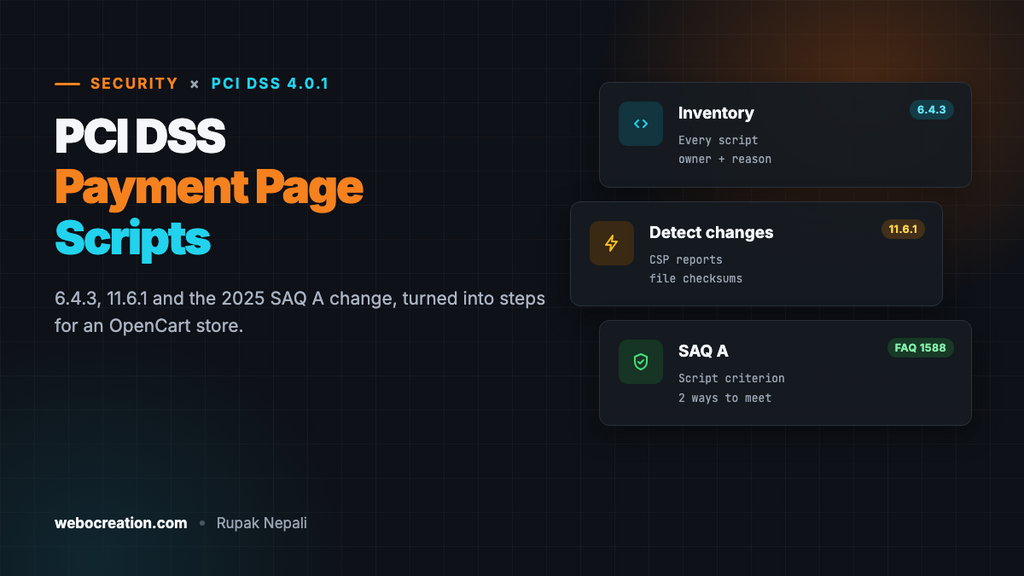
Card skimming no longer needs a device on a gas pump. A few lines of JavaScript added to a checkout page, through a hacked extension, a compromised third-party script or a stolen admin login, can copy every card number customers type and send it elsewhere. Shoppers see nothing unusual, and many stores only find out when their payment provider calls.
PCI DSS v4 answers this with two requirements about payment page scripts, 6.4.3 and 11.6.1, mandatory since 31 March 2025. Then, in 2025, the PCI Security Standards Council changed how they apply to small merchants with an embedded payment form. This post explains both in plain terms, then turns them into steps for an OpenCart store, using our 4.1.0.4 test store’s checkout page as the example. It’s not a substitute for your acquirer’s or assessor’s advice.
The payment page scripts requirements in plain terms
| Requirement | What it asks |
|---|---|
| 6.4.3 | Every script on a payment page is authorized, its integrity is assured, and it’s on an inventory with a written reason why it’s needed. |
| 11.6.1 | A mechanism detects unauthorized changes to the payment page’s scripts and security-relevant HTTP headers, as the customer’s browser receives them, and alerts you. |
Both were best practices in PCI DSS v4.0 and became requirements after 31 March 2025, together with 12.3.1 (targeted risk analysis, which you use to decide things like how often to check).
What changed for SAQ A merchants in 2025
Most small stores don’t touch card numbers at all: the card fields belong to the payment provider, either on the provider’s page or in an iframe on yours. Those stores usually validate with the short Self-Assessment Questionnaire A.
- In a revision published on 31 January 2025, the Council removed 6.4.3, 11.6.1 and 12.3.1 from SAQ A.
- In their place it added an eligibility criterion: the merchant confirms that their site is not susceptible to attacks from scripts that could affect the merchant’s e-commerce systems.
- FAQ 1588, explained on the Council’s blog on 28 February 2025, says how to meet that criterion: either protect your page with techniques such as, but not limited to, those in 6.4.3 and 11.6.1 (deployed by you or a third party), or get confirmation from your PCI DSS compliant payment provider that its embedded payment form, implemented as it instructs, includes techniques that protect the payment page from script attacks.
So SAQ A didn’t drop script security. It moved from “answer these two requirements” to “confirm you’re protected, and here are two ways to do it”.
Which applies to your OpenCart store
| How customers pay | Example | Script rules |
|---|---|---|
| Redirect to the provider’s page | A hosted payment page reached by an HTTP or JavaScript redirect | The SAQ A script criterion doesn’t apply, according to the Council’s blog. Your own checkout page still decides where customers are sent, so keep it clean anyway. |
| Payment form embedded in an iframe | Embedded card fields from Stripe, PayPal or similar | SAQ A with the script criterion: protect the page yourself (6.4.3 and 11.6.1 techniques) or get the provider’s confirmation. |
| Card data passes through your page or server | A form on your page that posts card data or builds it in your JavaScript | SAQ A-EP or SAQ D: 6.4.3 and 11.6.1 apply in full. |
| Payment fully outsourced | Customers pay by a link the provider emails them | Out of scope for the criterion. |
Our Stripe guide for OpenCart 4 compares Stripe Checkout and the Payment Element and what each means for PCI scope, and PCI-conscious architecture for OpenCart covers where card data should flow. Confirm your SAQ type with your acquirer.
Step 1: inventory the scripts on your checkout page
Open your checkout page as a customer would, with products in the cart, open the browser’s developer console (F12) and run:
[...document.scripts].map(s => s.src ? s.src + (s.integrity ? ' [SRI]' : '') : 'inline, ' + s.text.length + ' characters').join('\n')On our OpenCart 4.1.0.4 test store with the Webocreation Theme and several of our extensions, the checkout page loaded four script files and nine inline scripts:
http://localhost:8000/catalog/view/javascript/jquery/jquery-3.7.1.min.js
http://localhost:8000/catalog/view/javascript/common.js
http://localhost:8000/extension/livesearch/catalog/view/javascript/livesearch.js?v=1.0.0
inline, 329 characters
inline, 6931 characters
inline, 6321 characters
inline, 4395 characters
inline, 9148 characters
inline, 78 characters
inline, 244 characters
inline, 467 characters
http://localhost:8000/catalog/view/javascript/bootstrap/js/bootstrap.bundle.min.js
inline, 1448 characters
Write each one down with its owner and the reason it’s there. That list is your 6.4.3 inventory. Two things to look for:
- Scripts that don’t need to be on checkout. Live search, chat widgets, heatmaps and marketing tags are fine on product pages, but every script on the payment page is a way in. Our store’s live search loads on checkout because it’s in the header on every page.
- Inline scripts. OpenCart’s checkout steps are inline JavaScript in the templates. They’re part of your page, so they belong on the list, and a changed inline script is as dangerous as a changed file.
Repeat this for every payment method you offer; an embedded payment form adds the provider’s scripts.
Step 2: authorize scripts with a Content Security Policy
A Content Security Policy tells the browser which script sources are allowed. Anything else is blocked, or in report-only mode, reported to you. Our test checkout sent no CSP header at all, which is the OpenCart default. Our Content Security Policy extension for OpenCart 4 builds one with nonces for inline scripts and collects violation reports, and the manual CSP guide explains the directives. Start in report-only mode, fix what it reports, then enforce.
Step 3: pin third-party files with Subresource Integrity
For a static script from another domain, add an integrity hash so the browser refuses a changed file. To get the hash of a file:
openssl dgst -sha384 -binary jquery-3.7.1.min.js | openssl base64 -AFor OpenCart’s jQuery 3.7.1 that printed fUfntflcWdmBadn2ZKdZZbqJG1ve1GCdWq3w/Zi7dJMYo0sQryW+g2UZE8UeOEFP, the same whether we hashed the file on disk or the copy the store served. The attribute is then integrity="sha384-…". SRI doesn’t work for scripts the provider changes often (payment SDKs, tag managers); for those, rely on the provider’s confirmation and your CSP.
Step 4: detect changes
11.6.1 wants an alert when the scripts or security headers your customers receive change. Two layers work for a small store:
- CSP violation reports tell you when a browser sees a script source you didn’t authorize, including ones injected into the page from the database.
- A checksum baseline of your script files catches changed files on the server. On our store:
cd /var/www/html
find catalog/view/javascript extension -name "*.js" -type f -exec sha256sum {} + > /var/www/storage/js-baseline.sha256
sha256sum --quiet -c /var/www/storage/js-baseline.sha256
The baseline listed 12 files and the check printed nothing. When we appended one comment line to common.js in a copy of the files, the check printed catalog/view/javascript/common.js: FAILED and exited with 1, so a cron job can email you on a non-zero exit. Update the baseline after every intended change. It doesn’t see new files (compare the file list too), templates, or scripts stored in settings, which is why the CSP reports matter.
How often to check is your targeted risk analysis under 12.3.1; the requirement leaves the frequency to it.
Step 5: if you rely on your payment provider
If you use the provider route in FAQ 1588, ask for the confirmation in writing: that their embedded form, implemented as they instruct, includes protection against script attacks. Then implement it exactly as instructed; a modified integration may not be covered.
A checklist for OpenCart stores
- Know your payment flow: redirect, embedded iframe or card data through your page.
- Inventory every script on the checkout page, with an owner and a reason.
- Remove what checkout doesn’t need.
- Add a CSP, report-only first, then enforced.
- SRI for static third-party scripts.
- CSP reports plus a file checksum baseline, checked on a schedule you can justify.
- Admin accounts with 2FA and an activity log, because most script injections start with a login.
- Confirm your SAQ type with your acquirer.
Related posts
- Carding attacks 101
- Hardening your checkout: AVS, CVV and 3-D Secure
- Users, permissions and 2FA in OpenCart 4
- Admin activity log for OpenCart 4

Rupak Nepali is a web developer, manage Webocreation website and the author of six books:
Getting Started with OpenCart Module Development (Packt, 2013),
OpenCart Theme and Module Development (Packt, 2015),
OpenCart 4: Dev Guide for Themes & Extensions (2024),
OpenCart 4: User Manual (2025),
Cloudflare for the Enterprise Website (2026) and
The Technical Web Guide for Marketers (2026).
Rupak has built OpenCart stores and extensions since 2010, has published more than 600 tutorials on Webocreation, and shares free OpenCart extensions on GitHub.
Find Rupak on
GitHub | Amazon | LinkedIn | X | YouTube.