PDF Invoices for OpenCart 4: Email the Invoice as a PDF and Let Customers Download It (Free Extension)
A free OpenCart 4 extension that creates real PDF invoices, emails them when an order reaches a status you choose, and adds download buttons for you and your customers.
 Rupak NepaliPublished Nov 24, 2026
OpenCart 4 can print an invoice from the admin, but only as a web page you print from the browser. Customers never get a copy unless you save it as a PDF and email it yourself, and OpenCart’s order emails don’t attach anything. Business customers who need a PDF for their bookkeeping end up asking for one by email, order by order.
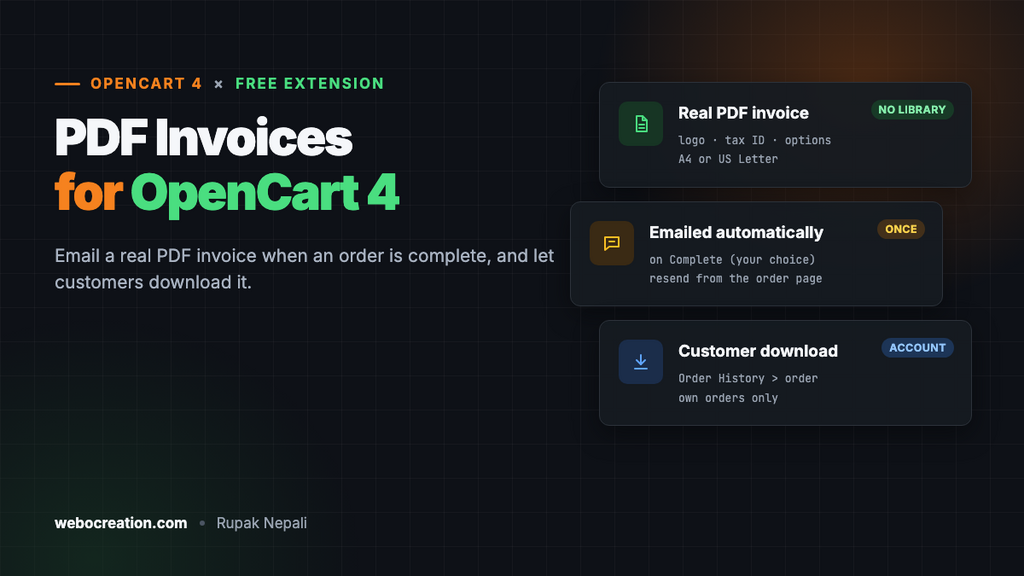
The free PDF Invoice extension creates a real PDF invoice for any order. It can email the invoice to the customer automatically when the order reaches a status you choose, and it adds download buttons to the admin order page and to the customer’s account. It uses no third-party PDF library and changes no core files.
Download PDF Invoice for OpenCart 4 (free, tested on OpenCart 4.1.0.4).
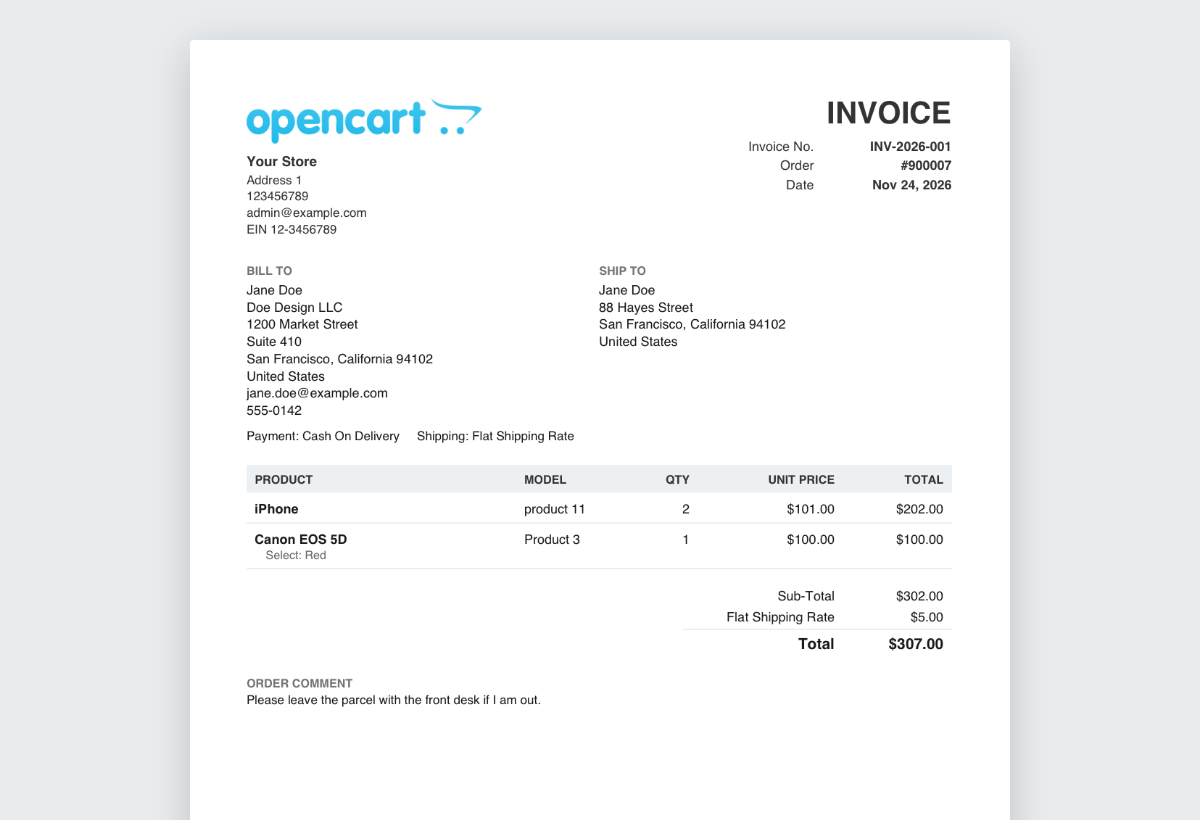
Open the sample PDF to see the actual file.
What the opencart pdf invoice extension does
- Emails the invoice as a PDF attachment the first time an order reaches one of the statuses you tick (by default your store’s Complete statuses). Each order is emailed automatically once; you can resend it from the order page.
- Admin buttons next to OpenCart’s own Print invoice button on Sales > Orders > (order): one opens the PDF, the other emails it to the customer and shows when it was last sent.
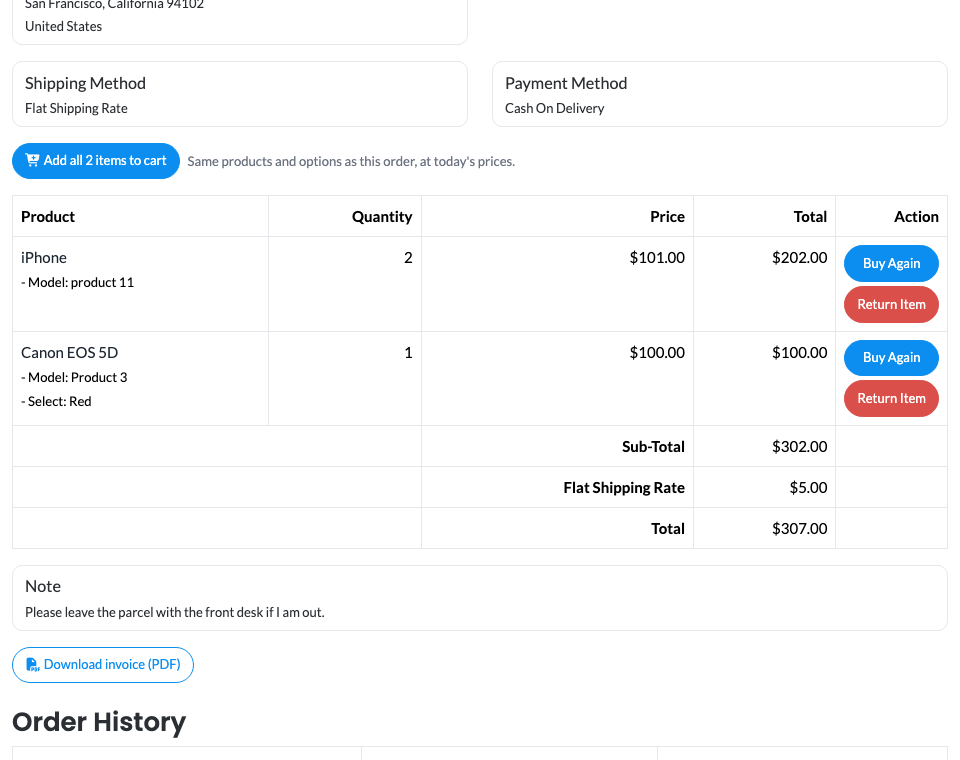
- Customer download: a Download invoice (PDF) button on Account > Order History > (order) for orders in a processing or complete status.
- Invoice numbers: if the order has none yet, it gets the next number in OpenCart’s own sequence (the same one the Generate button in the admin uses), so you don’t end up with invoices that say “TBC”.
- Your details on the PDF: store logo, address, phone and email from your store settings, plus an optional tax ID line (VAT, ABN, EIN) and a footer note. A4 or US Letter.
- Long orders continue on extra pages with the table header repeated and “Page 1 of 3” at the bottom.
Install
- Go to Extensions > Installer, upload
pdfinvoice.ocmod.zipand click the green + button in the list. - Go to Extensions > Extensions, choose Modules, install PDF Invoice and click the pencil.
- Turn Status on, check the settings below and save.
- For emails, OpenCart needs a mail engine: System > Settings > edit your store > Mail. The settings page shows a warning while mail isn’t set up. Downloads work without it. If your mail goes to spam, see sending OpenCart 4 email through SES, Mailgun, Brevo or Resend.
Installing creates one table (a log of sent invoices) and three events. Uninstalling removes the events and keeps the log, so reinstalling never emails old orders a second time.
Settings
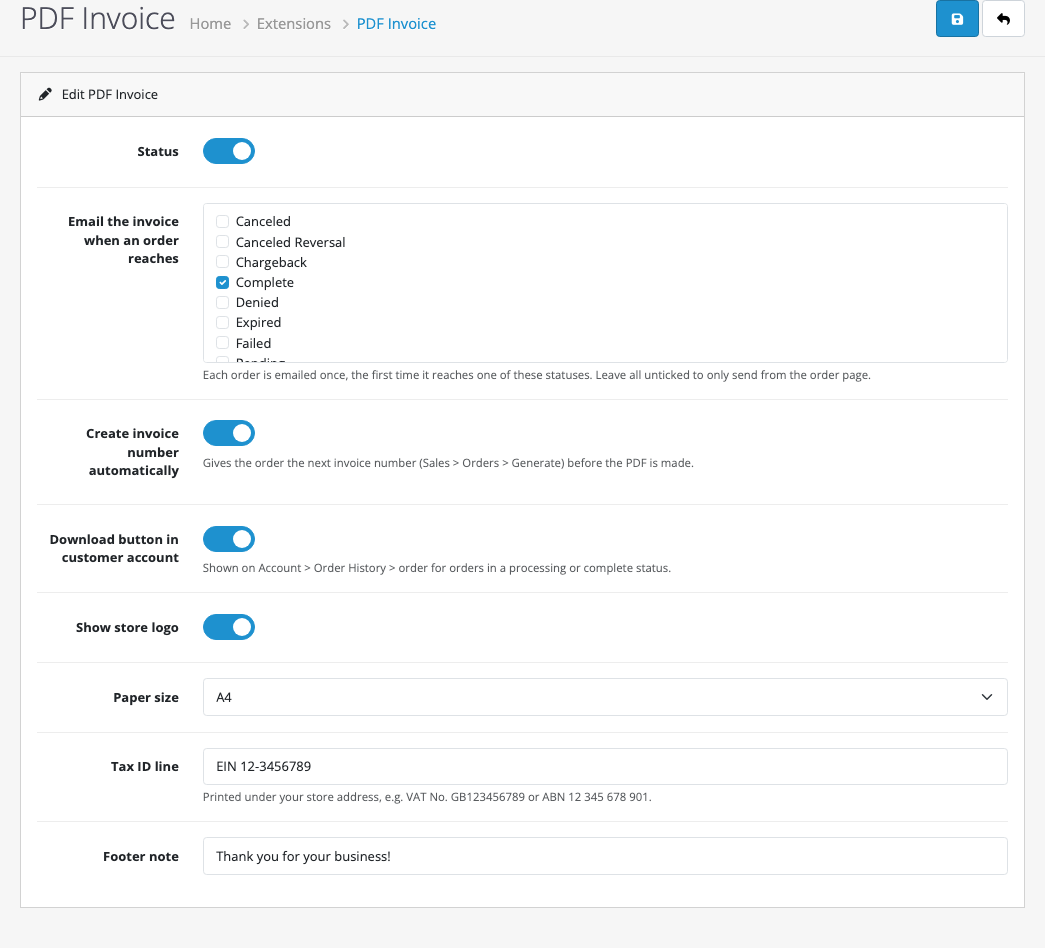
| Setting | What it does |
|---|---|
| Email the invoice when an order reaches | Tick one or more statuses. Untick all of them to send only from the order page. |
| Create invoice number automatically | Gives the order the next invoice number before the PDF is made. |
| Download button in customer account | Shows the button for orders in your processing or complete statuses, so unpaid or cancelled orders don’t get an invoice. |
| Show store logo | Uses the logo from System > Settings > Image (JPEG, PNG, GIF or WebP). |
| Paper size | A4 or US Letter. |
| Tax ID line | Printed under your address, for example VAT No. GB123456789. |
| Footer note | A short line at the bottom of every page. |
On the order page and in the customer account

How it works
The extension listens to catalog/model/checkout/order.addHistory/after. That event fires for every status change: checkout, payment callbacks and changes made in the admin (the admin order page runs the storefront’s order API). When the new status is one you ticked and the order hasn’t been emailed before, it builds the PDF and sends it. A mail problem is written to the error log and never stops checkout:
public function history(string &$route, array &$args, mixed &$output): void {
    if (!$this->config->get('module_pdfinvoice_status')) {
        return;
    }

    $order_id = (int)($args[0] ?? 0);
    $order_status_id = (int)($args[1] ?? 0);

    if (!in_array($order_status_id, array_map('intval', (array)$this->config->get('module_pdfinvoice_send_statuses')))) {
        return;
    }

    $invoice = $this->invoice();

    // Automatic emails go out once per order. The admin button can resend.
    if ($invoice->lastSent($order_id)) {
        return;
    }

    // Never let a mail problem break checkout or a status change.
    try {
        $error = $invoice->send($order_id, 'auto');

        if ($error) {
            $this->log->write('PDF Invoice: order ' . $order_id . ' not emailed (' . $error . ')');
        }
    } catch (\Throwable $e) {
        $this->log->write('PDF Invoice: order ' . $order_id . ' not emailed: ' . $e->getMessage());
    }
}
OpenCart’s mail library attaches files from disk and names the attachment after the file, so the extension writes the PDF to a random folder under storage/upload/, attaches it as Invoice-INV-2026-001.pdf and deletes it right after sending.
The customer download uses the same checks as OpenCart’s account pages: the customer must be logged in, the link must carry their customer_token, and OpenCart’s own model_account_order->getOrder() must return the order, which it only does for that customer’s orders. In testing, a wrong token and someone else’s order ID both redirected to the login page.
The PDF itself is drawn by a small PDF writer inside the extension (under 250 lines) using the two fonts every PDF reader has built in, Helvetica and Helvetica Bold. That keeps the whole zip at about 21 KB and avoids installing a PDF library with Composer.
What we tested
- Fresh install with no settings saved: the form showed Status off, the store’s Complete and Shipped statuses ticked (from System > Settings > Option) and the default footer.
- Order #900007 moved to Complete through the admin: one email with
Invoice-INV-2026-001.pdfattached arrived at our test mail server. Moving it on to Shipped (also ticked) didn’t send a second one. The Email button sent it again on request. - A 35-line order with long product names in euros: three pages, wrapped names, the € sign printed correctly, page numbers on every page.
- A customer download from Account > Order History, plus the wrong-token and wrong-order checks above.
Limitations
- Latin alphabets only. The built-in PDF fonts cover Western European characters (Windows-1252), including é, ü, ñ, € and £. Cyrillic, Greek, Arabic, Hebrew and Asian scripts print as question marks. Stores selling in those languages need an embedded Unicode font, which this extension doesn’t include.
- The attachment type is generic. OpenCart’s SMTP library sends every attachment as
application/octet-stream. Gmail, Outlook and Apple Mail still open it as a PDF because of the.pdfname. - Guests have no account page, so they only get the emailed copy.
- The PDF shows the order as it is now. If you edit an order after it was invoiced, a re-sent PDF shows the edited order.
Related
- OpenCart 4 invoices and packing slips: invoice numbers, prefixes and the built-in print view this extension builds on.
- Order Tracking for OpenCart 4: send tracking links with the same order emails.
- Review request emails a few days after an order is complete.

Rupak Nepali is a web developer, manage Webocreation website and the author of six books:
Getting Started with OpenCart Module Development (Packt, 2013),
OpenCart Theme and Module Development (Packt, 2015),
OpenCart 4: Dev Guide for Themes & Extensions (2024),
OpenCart 4: User Manual (2025),
Cloudflare for the Enterprise Website (2026) and
The Technical Web Guide for Marketers (2026).
Rupak has built OpenCart stores and extensions since 2010, has published more than 600 tutorials on Webocreation, and shares free OpenCart extensions on GitHub.
Find Rupak on
GitHub | Amazon | LinkedIn | X | YouTube.