Live Search for OpenCart 4: Product Suggestions With Images and Prices as Shoppers Type (Free Extension)
A free OpenCart 4 extension that shows matching products with images and prices under the header search box as shoppers type, using OpenCart's own search.
 Rupak NepaliPublished Nov 23, 2026
In OpenCart 4 the header search box does nothing until the shopper presses Enter, and then it loads a full results page. Most shoppers now expect suggestions while they type: a few matching products with a picture and a price, so they can jump straight to the one they want.
The free Live Search extension adds exactly that. It uses OpenCart’s own product search, so the suggestions match the search page, it needs no search server, and it works with the keyboard and with screen readers.
Download Live Search for OpenCart 4 (free, tested on OpenCart 4.1.0.4).
What it does
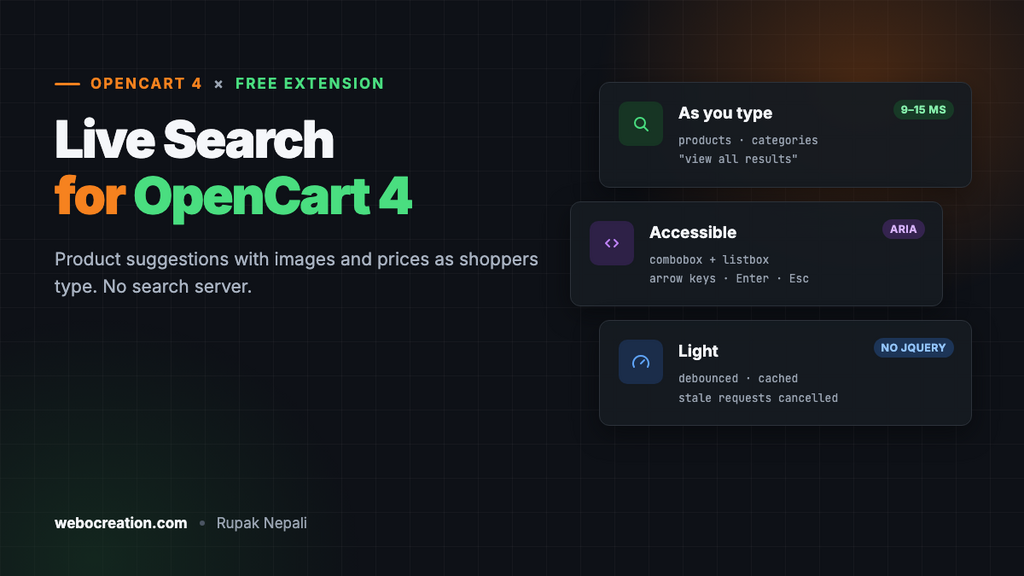
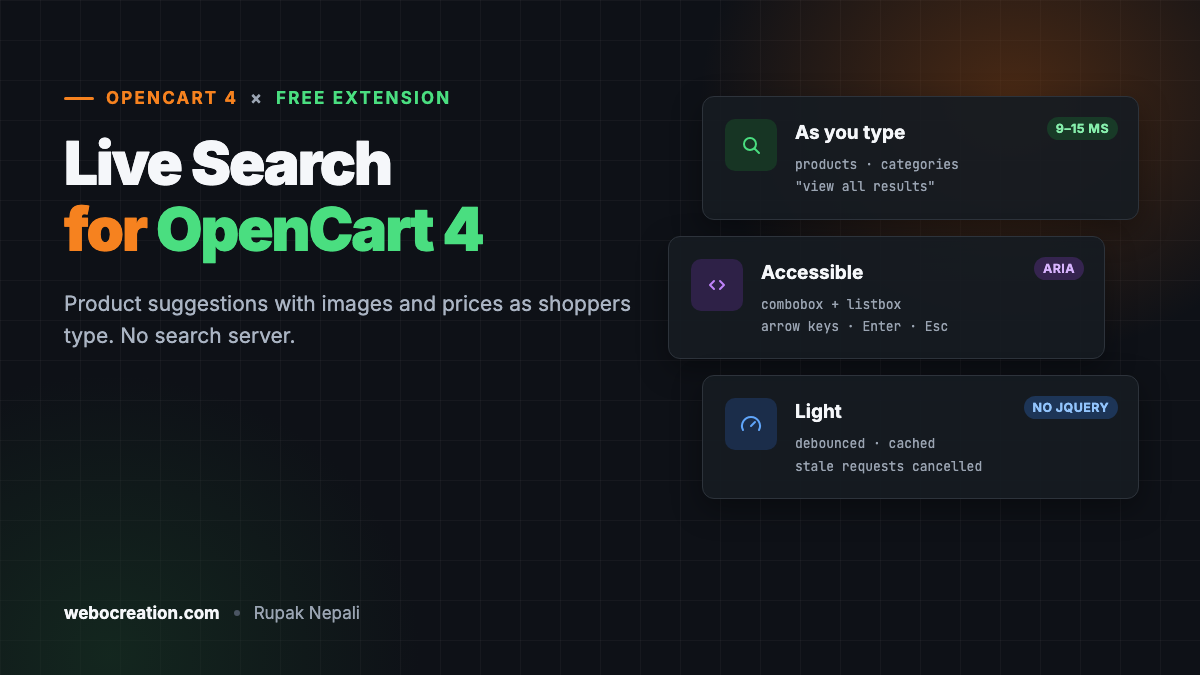
- Suggestions after two characters, 250 ms after the last keystroke, so it doesn’t send a request for every letter.
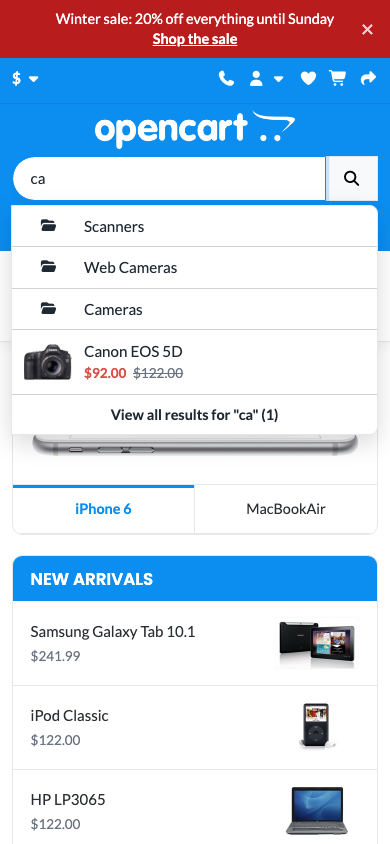
- Products with a thumbnail, name and price; specials show the new price and the old one struck through. Prices follow the store’s tax display and its “Login Display Prices” setting.
- Up to three categories whose name contains the search, linked with their full path.
- “View all results” opens OpenCart’s search page for the same words.
- Keyboard: arrow keys move through the suggestions, Enter opens the highlighted one, Escape closes the list.
- Screen readers: the box is an ARIA combobox with a listbox of options, so the number of suggestions and the highlighted one are announced.
Install
- Go to Extensions > Installer, upload
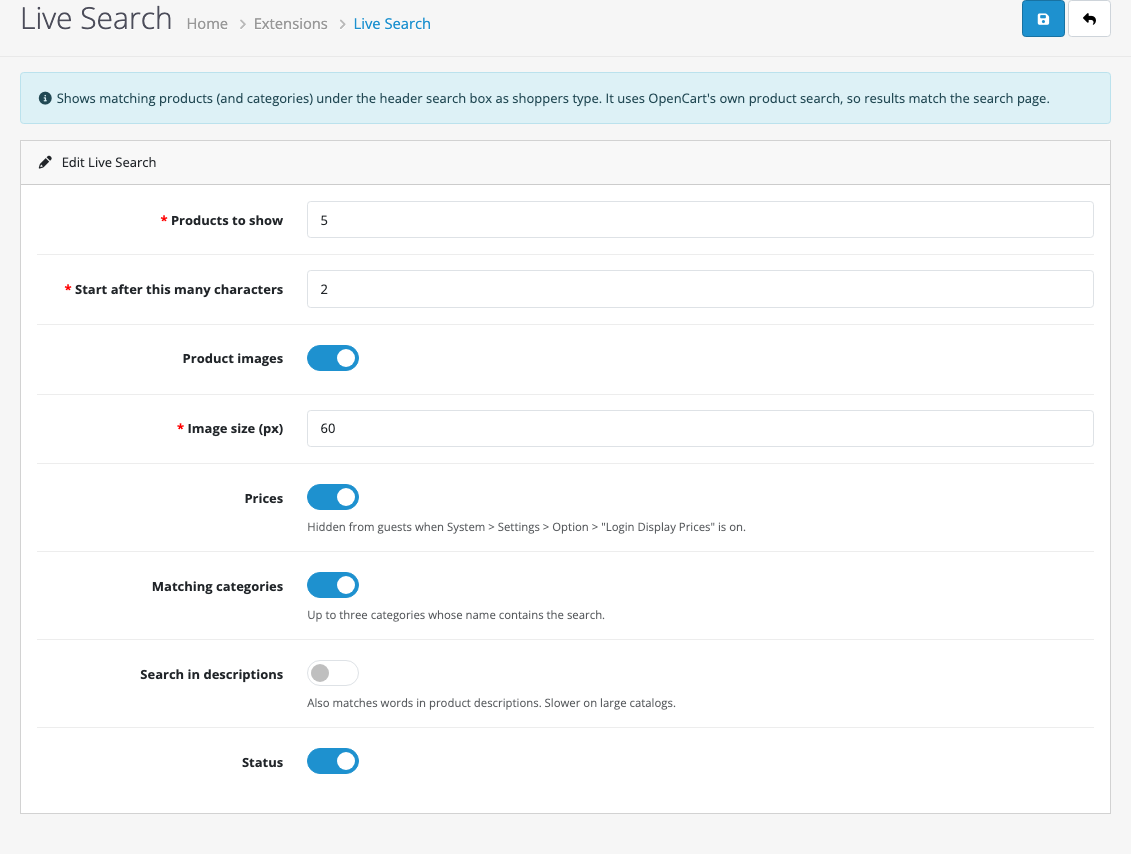
livesearch.ocmod.zipand click the green + button. - Go to Extensions > Extensions, choose Modules, install Live Search, click Edit, turn Status on and save.
There is no layout to set up: the suggestions attach to the header search box on every page.
How it works
Two events, no template edits
The extension registers two events when you install it: one adds its small script and stylesheet to every page, the other adds the settings to the search form as data attributes. OpenCart’s templates stay untouched, so the theme and other extensions keep working.
public function install(): void {
	$this->load->model('setting/event');

	$events = [
		'livesearch_assets' => ['catalog/controller/common/header/before', 'extension/livesearch/module/livesearch.assets', 'Live Search: load the script and stylesheet'],
		'livesearch_form'   => ['catalog/view/common/search/after', 'extension/livesearch/module/livesearch.form', 'Live Search: settings on the header search form']
	];

	foreach ($events as $code => [$trigger, $action, $description]) {
		$this->model_setting_event->deleteEventByCode($code);

		$this->model_setting_event->addEvent([
			'code'        => $code,
			'description' => $description,
			'trigger'     => $trigger,
			'action'      => $action,
			'status'      => 1,
			'sort_order'  => 0
		]);
	}
}
The same search as the search page
Suggestions come from a small JSON endpoint that calls OpenCart’s own catalog/product.getProducts() with the same search and tag filters as the search page, including the “Product Search: and/or” setting and, if you switch it on, descriptions. What the dropdown suggests is what the results page shows.
On the demo store the endpoint answered in 9 to 15 ms on average for “ca”, “iphone” and “mac”, with about 1.4 KB of JSON for four products and two categories.
Fewer requests, no stale results
Three details keep the dropdown quick and correct: a 250 ms pause after typing, a cache of answers already received (backspacing to an earlier search is instant), and cancelling the previous request when a new one starts, so a slow answer for “ma” can’t replace the answer for “mac”:
        function lookup(q) {
            if (cache.has(q)) return render(cache.get(q));
            if (controller) controller.abort();   // a newer keystroke wins; the older request is cancelled
            controller = new AbortController();

            list.textContent = '';
            list.appendChild(el('div', 'livesearch-status', form.dataset.loading || 'Searching…'));
            list.hidden = false;

            fetch(url + '&search=' + encodeURIComponent(q), { signal: controller.signal, headers: { 'Accept': 'application/json' } })
                .then(function (r) { return r.json(); })
                .then(function (data) { cache.set(q, data); if (input.value.trim() === q) render(data); })
                .catch(function (e) { if (e.name !== 'AbortError') close(); });
        }
Product names come from the database, so the script builds the list with textContent, never innerHTML; a product called <img onerror=…> shows as text.
When you need more than this
Live Search uses OpenCart’s LIKE-based search, which is fine for catalogs of a few thousand products but doesn’t forgive typos (“macbok” finds nothing) and slows down on very large catalogs, especially with descriptions switched on. For typo tolerance and instant results on big catalogs, see typo-tolerant product search with Meilisearch or Typesense.
Testing it
- “mac” returned iMac, MacBook, MacBook Air and MacBook Pro with prices including tax, plus the Macs and Mac categories, and “View all results for “mac” (4)”.
- “ca” showed the Canon EOS 5D special price ($92.00) with the regular $122.00 struck through.
- One character returned nothing, as did a search containing
<script>. - Pressing the down arrow twice highlighted the second suggestion and set
aria-activedescendanton the input.
Related
- Faceted filters for OpenCart 4 category pages
- Typo-tolerant search with Meilisearch or Typesense
- GA4 ecommerce tracking in OpenCart 4

Rupak Nepali is a web developer, manage Webocreation website and the author of six books:
Getting Started with OpenCart Module Development (Packt, 2013),
OpenCart Theme and Module Development (Packt, 2015),
OpenCart 4: Dev Guide for Themes & Extensions (2024),
OpenCart 4: User Manual (2025),
Cloudflare for the Enterprise Website (2026) and
The Technical Web Guide for Marketers (2026).
Rupak has built OpenCart stores and extensions since 2010, has published more than 600 tutorials on Webocreation, and shares free OpenCart extensions on GitHub.
Find Rupak on
GitHub | Amazon | LinkedIn | X | YouTube.