Typo-Tolerant Product Search for OpenCart 4 With Meilisearch or Typesense: Indexing, Instant Results and a Safe Fallback
OpenCart's built-in search uses SQL LIKE, so "iphnoe" finds nothing. Add typo-tolerant, relevance-ranked product search to OpenCart 4.1 with Meilisearch (or Typesense): running the server, indexing products per language, keeping the index in sync with events, replacing search results with a fallback, instant search, and tracking zero-result searches in GA4.
 Rupak NepaliPublished Oct 28, 2026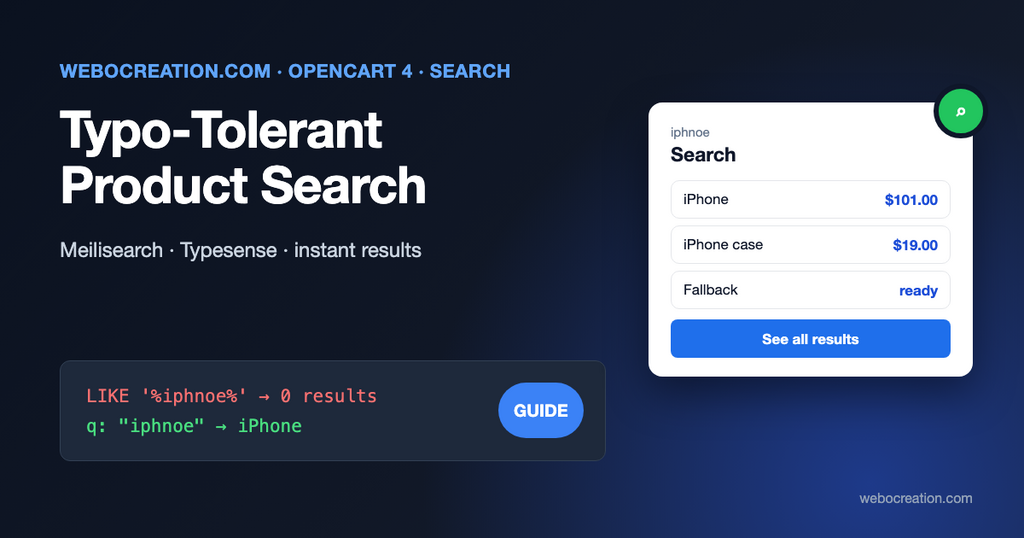
Shoppers who use site search usually know what they want, which makes them some of your most valuable visitors. OpenCart’s search lets many of them down. Type “iphnoe” in a default OpenCart 4 store and you get “There is no product that matches the search criteria”, although the iPhone is right there.
This post replaces OpenCart’s product search with a search engine built for it. We use Meilisearch, an open-source search engine that’s easy to run next to OpenCart, and show the Typesense equivalent at the end. The approach keeps OpenCart’s own search page, URLs, filters and templates, and falls back to the built-in search if the engine is ever down.
What OpenCart’s built-in search does
The search page (product/search) calls getProducts() in catalog/model/catalog/product.php with filter_search. For each word, it adds:
$implode[] = "`pd`.`name` LIKE '" . $this->db->escape('%' . $word . '%') . "'";It also matches the exact model and the start of product codes (such as SKU), and, if the customer ticks “Search in product descriptions”, the description. That has predictable limits:
- No typo tolerance.
%iphnoe%matches nothing. - Plurals and word forms only work one way. “shirt” finds “shirts”, but “shirts” doesn’t find “shirt”.
- No relevance ranking. Results are sorted by your product sort order, not by how well they match. A product with the word in its name and one with it buried in a description rank the same.
- AND or OR, nothing in between. Depending on System > Settings > Option > Product Search, a multi-word search either needs every word in the name (so “blue linen shirt” misses “Linen Shirt – Blue Stripe” if one word differs) or any word (so “blue linen shirt” returns every blue product).
- It gets slow.
LIKE '%word%'can’t use an index, so every search scans every product name. With tens of thousands of products, that’s noticeable.
Choosing a search engine
| Option | Typo tolerance | Runs where | Good for |
|---|---|---|---|
MySQL FULLTEXT | No | Your database | A small improvement without new software |
| Meilisearch | Yes, on by default | Your server (single binary or Docker) or Meilisearch Cloud | Most OpenCart stores; very little to configure |
| Typesense | Yes, on by default | Your server or Typesense Cloud | Similar to Meilisearch; schema-first, all data in memory |
| Elasticsearch / OpenSearch | Yes, with configuration | Usually a separate server | Very large catalogs and teams that already run it |
| Hosted (Algolia and others) | Yes | Their cloud | No server to run; priced per search/records |
For a typical OpenCart store, Meilisearch or Typesense gives the biggest improvement for the least work. The rest of this post uses Meilisearch.
Step 1: run Meilisearch
On the same server as OpenCart (or a small one next to it), with Docker:
docker run -d --name meilisearch --restart unless-stopped \
  -p 127.0.0.1:7700:7700 \
  -e MEILI_ENV=production \
  -e MEILI_MASTER_KEY='a-long-random-string-of-at-least-16-bytes' \
  -v /var/lib/meilisearch:/meili_data \
getmeili/meilisearch:latest127.0.0.1:7700keeps it off the public internet. Only OpenCart, on the same machine, talks to it. If it runs on a separate server, use a private network and a firewall rule instead.- In production mode, Meilisearch requires a master key. Don’t use the master key in OpenCart; ask Meilisearch for its default API keys and use those:
curl -s http://127.0.0.1:7700/keys -H "Authorization: Bearer a-long-random-string-of-at-least-16-bytes"The response includes a Default Admin API Key (for indexing) and a Default Search API Key (for searching). Store both as settings in your extension.
- Pin a version tag instead of
latestonce it works, and read the release notes before upgrading.
Step 2: decide what goes in the index
Create one index per language, because product names and descriptions are stored per language in OpenCart: products_en_gb, products_fr_fr. Each product becomes one document:
{
  "id": 40,
  "name": "iPhone",
  "model": "product 11",
  "sku": "IPH-001",
  "manufacturer": "Apple",
  "tags": ["phone", "smartphone"],
  "description": "iPhone is a revolutionary new mobile phone that allows you to make a call by simply tapping a name or number...",
  "category_ids": [20, 24],
  "store_ids": [0],
  "price": 101.00,
  "in_stock": true,
  "sort_order": 0
}
Only enabled products whose availability date has passed go in. Keep the description short (the first 1,000 characters is plenty) and strip the HTML.
Build documents with plain queries, so the same function works from the admin and from a cron job:
private function getDocument(int $product_id, int $language_id): ?array {
	$product = $this->db->query("SELECT `p`.*, `pd`.`name`, `pd`.`description`, `pd`.`tag`, `m`.`name` AS `manufacturer` FROM `" . DB_PREFIX . "product` `p` LEFT JOIN `" . DB_PREFIX . "product_description` `pd` ON (`p`.`product_id` = `pd`.`product_id` AND `pd`.`language_id` = '" . $language_id . "') LEFT JOIN `" . DB_PREFIX . "manufacturer` `m` ON (`p`.`manufacturer_id` = `m`.`manufacturer_id`) WHERE `p`.`product_id` = '" . $product_id . "' AND `p`.`status` = '1' AND `p`.`date_available` <= NOW()")->row;

	if (!$product || !$product['name']) {
		return null;
	}

	$sku = $this->db->query("SELECT `value` FROM `" . DB_PREFIX . "product_code` WHERE `product_id` = '" . $product_id . "' AND `code` = 'SKU' LIMIT 1")->row['value'] ?? '';

	$description = trim(preg_replace('/\s+/', ' ', strip_tags(html_entity_decode($product['description'], ENT_QUOTES, 'UTF-8'))));

	return [
		'id'           => $product_id,
		'name'         => html_entity_decode($product['name'], ENT_QUOTES, 'UTF-8'),
		'model'        => $product['model'],
		'sku'          => $sku,
		'manufacturer' => (string)$product['manufacturer'],
		'tags'         => array_values(array_filter(array_map('trim', explode(',', html_entity_decode((string)$product['tag'], ENT_QUOTES, 'UTF-8'))))),
		'description'  => mb_substr($description, 0, 1000),
		'category_ids' => array_map('intval', array_column($this->db->query("SELECT `category_id` FROM `" . DB_PREFIX . "product_to_category` WHERE `product_id` = '" . $product_id . "'")->rows, 'category_id')),
		'store_ids'    => array_map('intval', array_column($this->db->query("SELECT `store_id` FROM `" . DB_PREFIX . "product_to_store` WHERE `product_id` = '" . $product_id . "'")->rows, 'store_id')),
		'price'        => (float)$product['price'],
		'in_stock'     => (int)$product['quantity'] > 0,
		'sort_order'   => (int)$product['sort_order']
	];
}
The price is the base price, used only for sorting. The search page still shows prices from OpenCart, with specials, discounts, tax and currency applied.
Step 3: configure the index
Tell Meilisearch which fields to search, in order of importance, and which can be filtered and sorted:
curl -X PATCH http://127.0.0.1:7700/indexes/products_en_gb/settings \
  -H "Authorization: Bearer ADMIN_API_KEY" \
  -H "Content-Type: application/json" \
  --data '{
    "searchableAttributes": ["name", "model", "sku", "manufacturer", "tags", "description"],
    "filterableAttributes": ["store_ids", "category_ids", "in_stock"],
    "sortableAttributes": ["price", "name", "sort_order"],
    "typoTolerance": {"disableOnAttributes": ["model", "sku"]},
    "synonyms": {
      "tee": ["t-shirt"],
      "t-shirt": ["tee"],
      "sneakers": ["trainers"],
      "trainers": ["sneakers"]
    }
}'- The order of
searchableAttributesmatters. A match in the name ranks above a match in the description. - Typo tolerance is on by default. With the default settings, words of 5 or more characters can have one typo and words of 9 or more can have two, so “iphnoe” finds “iphone”. It’s switched off for model and SKU here, because a customer typing “IPH-002” wants exactly that product, not IPH-001.
- Synonyms are where your search logs pay off (see “Track searches that find nothing” below). Add the words your customers use that your product names don’t.
Step 4: index everything, then keep it in sync
For the first full index, and nightly as a safety net, send documents in batches of 500 or 1,000:
private function request(string $method, string $path, ?array $body = null, float $timeout = 10): ?array {
	$curl = curl_init(rtrim($this->config->get('module_meili_search_host'), '/') . $path);

	curl_setopt_array($curl, [
		CURLOPT_CUSTOMREQUEST  => $method,
		CURLOPT_HTTPHEADER     => ['Authorization: Bearer ' . $this->config->get('module_meili_search_admin_key'), 'Content-Type: application/json'],
		CURLOPT_POSTFIELDS     => $body !== null ? json_encode($body) : null,
		CURLOPT_RETURNTRANSFER => true,
		CURLOPT_TIMEOUT_MS     => (int)($timeout * 1000)
	]);

	$response = curl_exec($curl);
	$status = (int)curl_getinfo($curl, CURLINFO_RESPONSE_CODE);

	if ($response === false || $status >= 400) {
		$this->log->write('Meilisearch ' . $method . ' ' . $path . ': HTTP ' . $status . ' ' . substr((string)$response, 0, 300));

		return null;
	}

	return json_decode((string)$response, true);
}

public function reindex(): void {
	$this->load->model('localisation/language');

	foreach ($this->model_localisation_language->getLanguages() as $language) {
		$index = 'products_' . str_replace('-', '_', $language['code']);
		$product_ids = array_column($this->db->query("SELECT `product_id` FROM `" . DB_PREFIX . "product`")->rows, 'product_id');

		foreach (array_chunk($product_ids, 500) as $chunk) {
			$documents = array_values(array_filter(array_map(fn ($id) => $this->getDocument((int)$id, (int)$language['language_id']), $chunk)));

			$this->request('POST', '/indexes/' . $index . '/documents?primaryKey=id', $documents);
		}
	}
}
Meilisearch creates the index on the first upload and processes documents in the background: a 202 response means “queued”, and the products are searchable a moment later. A full reindex replaces existing documents with the same id; to clear out products that were deleted or disabled, reindex into a fresh index and swap it in (POST /swap-indexes), or delete those IDs as below.
Between full reindexes, update single products when they change, with admin events:
| Event | Action |
|---|---|
admin/model/catalog/product.addProduct/after | Index the new product (its ID is $output) |
admin/model/catalog/product.editProduct/after | Re-index $args[0]; if it’s now disabled, delete it |
admin/model/catalog/product.deleteProduct/after | DELETE /indexes/{index}/documents/{id} |
public function editProduct(string &$route, array &$args, &$output): void {
	$product_id = (int)$args[0];

	foreach ($this->getLanguages() as $language_id => $index) {
		$document = $this->getDocument($product_id, $language_id);

		if ($document) {
			$this->request('POST', '/indexes/' . $index . '/documents', [$document], 3);
		} else {
			$this->request('DELETE', '/indexes/' . $index . '/documents/' . $product_id, null, 3);
		}
	}
}
Stock changes from orders don’t go through editProduct. If you filter or rank by in_stock, also re-index the ordered products on catalog/model/checkout/order.addHistory/after, or rely on the nightly reindex if that’s fresh enough. Price and stock updates from a bulk CSV import or an ERP need the same treatment.
Step 5: use Meilisearch for OpenCart’s search page
Now the key part. OpenCart 4.1’s before events on models can change the arguments but can’t skip the original method, so the extension works after it: when getProducts() was called with a search, it asks Meilisearch and replaces the result. getTotalProducts() gets the matching total, so pagination is correct.
Register two catalog events:
catalog/model/catalog/product.getProducts/after→productscatalog/model/catalog/product.getTotalProducts/after→total
private static array $cache = [];

public function products(string &$route, array &$args, &$output): void {
	$result = $this->search($args[0] ?? []);

	if ($result === null) {
		return; // Not a search, or Meilisearch failed: keep OpenCart's own results.
	}

	$this->load->model('catalog/product');

	$products = [];

	foreach ($result['ids'] as $product_id) {
		$product = $this->model_catalog_product->getProduct($product_id);

		if ($product) {
			$products[$product_id] = $product;
		}
	}

	$output = $products;
}

public function total(string &$route, array &$args, &$output): void {
	$result = $this->search($args[0] ?? []);

	if ($result !== null) {
		$output = $result['total'];
	}
}

private function search(array $filter): ?array {
	// The search page sends the term as both filter_search and filter_tag; tag links send only filter_tag.
	$q = trim((string)(($filter['filter_search'] ?? '') ?: ($filter['filter_tag'] ?? '')));

	if ($q === '' || !$this->config->get('module_meili_search_status')) {
		return null;
	}

	$limit = max(1, (int)($filter['limit'] ?? 20));
	$page = (int)floor((int)($filter['start'] ?? 0) / $limit) + 1;

	$key = md5(json_encode([$q, $filter['filter_category_id'] ?? 0, $filter['filter_sub_category'] ?? false, $filter['sort'] ?? '', $filter['order'] ?? '', $page, $limit]));

	if (array_key_exists($key, self::$cache)) {
		return self::$cache[$key];
	}

	$filters = ['store_ids = ' . (int)$this->config->get('config_store_id')];

	if (!empty($filter['filter_category_id'])) {
		$category_ids = [(int)$filter['filter_category_id']];

		if (!empty($filter['filter_sub_category'])) {
			$category_ids = array_merge($category_ids, array_map('intval', array_column($this->db->query("SELECT `category_id` FROM `" . DB_PREFIX . "category_path` WHERE `path_id` = '" . (int)$filter['filter_category_id'] . "'")->rows, 'category_id')));
		}

		$filters[] = 'category_ids IN [' . implode(', ', array_unique($category_ids)) . ']';
	}

	$body = [
		'q'                    => $q,
		'filter'               => implode(' AND ', $filters),
		'page'                 => $page,
		'hitsPerPage'          => $limit,
		'attributesToRetrieve' => ['id']
	];

	// OpenCart's default sort (p.sort_order) means "best match". Other choices map to sortable attributes.
	$sorts = ['p.price' => 'price', 'pd.name' => 'name'];
	$sort = (string)($filter['sort'] ?? '');

	if (isset($sorts[$sort])) {
		$body['sort'] = [$sorts[$sort] . ':' . (strtoupper((string)($filter['order'] ?? 'ASC')) == 'DESC' ? 'desc' : 'asc')];
	}

	$index = 'products_' . str_replace('-', '_', $this->config->get('config_language'));

	$response = $this->request('POST', '/indexes/' . $index . '/search', $body, 0.8);

	self::$cache[$key] = $response === null ? null : [
		'ids'   => array_map('intval', array_column($response['hits'] ?? [], 'id')),
		'total' => (int)($response['totalHits'] ?? 0)
	];

	return self::$cache[$key];
}
(Here request() sends the search key, not the admin key, with a short timeout.)
Details that matter:
- The fallback is free. OpenCart’s own query runs first, so if Meilisearch times out (0.8 seconds here) or returns an error, the customer gets the normal results instead of an error page. Log the failures and watch for them.
- Order is kept. The array of products follows Meilisearch’s ranking, and the search template shows them in that order.
pageandhitsPerPagemake Meilisearch return an exacttotalHits, which OpenCart’s pagination needs. Withoffset/limityou only get an estimate.- Prices still come from OpenCart.
getProduct()applies the customer group, specials and discounts, so there’s no risk of the index showing an out-of-date price. - The tag link (
index.php?route=product/search&tag=...on product pages) also goes through Meilisearch here. If you prefer exact tag matches for those, returnnullwhenfilter_searchis empty. - The core
LIKEquery still runs on every search. If that’s a problem on a very large catalog, add abeforeevent that sets$args[0]['limit']to 1 for searches, so the wasted query returns one row.
Step 6: instant results as customers type
The search box in OpenCart’s header submits a form. Instant results, a dropdown of products under the box, need a small JSON endpoint and a few lines of JavaScript. Keep Meilisearch private and go through OpenCart:
// catalog/controller/module/meili_search.php, route extension/meili_search/module/meili_search.suggest
public function suggest(): void {
	$q = trim((string)($this->request->get['q'] ?? ''));
	$json = [];

	if (oc_strlen($q) >= 2) {
		$result = $this->search(['filter_search' => $q, 'start' => 0, 'limit' => 6]);

		$this->load->model('catalog/product');

		foreach ($result['ids'] ?? [] as $product_id) {
			$product = $this->model_catalog_product->getProduct($product_id);

			if ($product) {
				$json[] = [
					'name' => html_entity_decode($product['name'], ENT_QUOTES, 'UTF-8'),
					'href' => html_entity_decode($this->url->link('product/product', 'language=' . $this->config->get('config_language') . '&product_id=' . $product_id), ENT_QUOTES, 'UTF-8')
				];
			}
		}
	}

	$this->response->addHeader('Content-Type: application/json');
	$this->response->setOutput(json_encode($json));
}
var timer;
$('#search input[name=\'search\']').attr('autocomplete', 'off').on('input', function() {
var input = this;
clearTimeout(timer);
timer = setTimeout(function() {
$.getJSON('index.php?route=extension/meili_search/module/meili_search.suggest', {q: input.value}, function(items) {
var $menu = $('#search-suggest').length ? $('#search-suggest') : $('<ul id="search-suggest" class="dropdown-menu show w-100"></ul>').insertAfter(input);
$menu.empty().toggle(items.length > 0);
items.forEach(function(item) {
$('<li><a class="dropdown-item"></a></li>').find('a').attr('href', item.href).text(item.name).end().appendTo($menu);
});
});
}, 200);
});The 200 ms delay means one request per pause in typing, not one per key. .text() keeps product names from being treated as HTML. Add the script from a catalog/view/common/header/after event so no theme file changes; if you also want images and prices in the dropdown, return them from suggest().
Step 7: track searches that find nothing
Searches with no results are a to-do list: missing products, missing synonyms, or words your customers use that your catalog doesn’t. GA4’s enhanced measurement already records site search as view_search_results when the URL has a search parameter, which OpenCart’s search page does. To see the ones that failed, send one more event when the search page has no products:
gtag('event', 'search_no_results', {search_term: 'iphnoe'});Print it from a catalog/view/product/search/after event when $data['products'] is empty, encoding the search term with json_encode() as in our GA4 ecommerce extension. Register search_term as a custom dimension in GA4 and review the list monthly. Each fix is usually a synonym in Step 3 or a missing product tag.
The Typesense version
Typesense works the same way with different calls:
| Meilisearch | Typesense | |
|---|---|---|
| Auth header | Authorization: Bearer KEY | X-TYPESENSE-API-KEY: KEY |
| Index | Index, created on first upload | Collection, with a schema you define first |
| Add products | POST /indexes/{index}/documents | POST /collections/{name}/documents/import?action=upsert (JSON lines) |
| Search | POST /indexes/{index}/search with q | GET /collections/{name}/documents/search?q=...&query_by=name,model,sku,manufacturer,tags,description |
| Filter | store_ids = 0 AND category_ids IN [20, 24] | filter_by=store_ids:=0 && category_ids:=[20,24] |
| Typos | On by default | On by default (num_typos, default 2) |
| IDs | Numbers or strings | id must be a string: "40" |
Typesense keeps the whole index in memory, which makes it very fast and means you size the server by catalog size. Either engine handles a typical OpenCart catalog comfortably on a small server.
Before you go live
- Search for your 20 most common queries (from GA4 or your server logs) on a staging copy, and compare the results with the built-in search.
- Test with Meilisearch stopped: searches should still work, with OpenCart’s normal results.
- Check a category-filtered search and a sorted search (price low to high) for correct counts and pages.
- Add Meilisearch to your backups and monitoring, or simply make sure a full reindex from OpenCart is quick, since the index can always be rebuilt from the database.
Fast search depends on a fast store too: see OPcache, APCu and Redis for OpenCart 4 and OpenCart 4 on Nginx. And customers increasingly search through AI assistants rather than your search box; our AI shopping product feed and AI shop assistant posts cover that side.

Author of four Opencart book.
The recent are Opencart 4 developer book and Opencart 4 user manual