Bulk Update Prices and Stock in OpenCart 4 with CSV: Export, Edit in Excel, Preview and Import (Free Extension)
Update hundreds of OpenCart 4 prices, quantities and statuses at once from a spreadsheet. Free extension: export to CSV, edit in Excel or Google Sheets, preview every change, then import. Matches by product ID, model or SKU.
 Rupak NepaliPublished Oct 26, 2026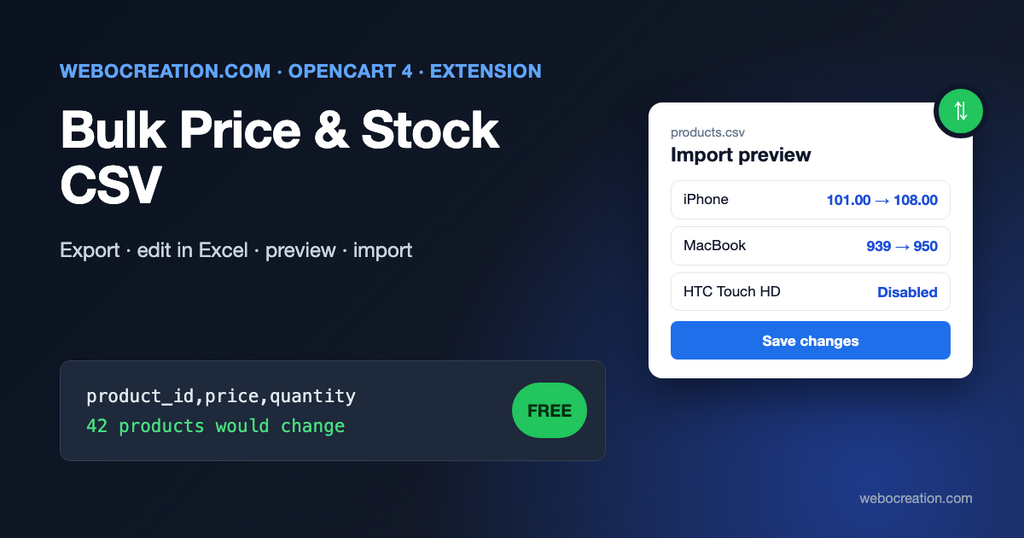
OpenCart 4 has no bulk editor. To change the price of 300 products after a supplier increase, you open 300 product forms, find the Data tab, change one field and save, 300 times. Stock counts from a warehouse spreadsheet are the same story.
Full import/export extensions exist, and they’re the right tool for creating products, categories and images in bulk. But most day-to-day bulk work is much smaller: prices, quantities and on/off status. Our free extension does exactly that, with a preview of every change before anything is saved.
What the extension does
- Exports every product to CSV:
product_id,master_id,model,sku,name,price,quantity,status. - Imports changes to price, quantity and status only. Names, descriptions and everything else are never touched, so a mistake in the spreadsheet can’t wipe your product content.
- Matches rows by product ID (safest), model or SKU.
- Previews first: you see each change as old value → new value, plus every row it skipped and why. Nothing is saved until you switch on Save changes and import again.
- Understands spreadsheets: comma, semicolon and tab separated files, Excel’s UTF-8 marker, and prices written as
1234.50,1,234.50,1234,50or1.234,50. - Admin only: no storefront code, no events, no core file changes.
Why CSV files go wrong
CSV looks simple, which is why it causes so many broken imports. The format is defined in RFC 4180, and two of its rules explain most problems:
Fields containing line breaks (CRLF), double quotes, and commas should be enclosed in double-quotes.
RFC 4180, Common Format and MIME Type for CSV Files
A product called Shirt, blue must be written as "Shirt, blue", and a product called 27" Monitor as "27"" Monitor". Excel and Google Sheets do this for you when they save. Problems start when someone builds the file by hand or with a script, or when a spreadsheet changes your data on the way:
- Excel removes leading zeros: the SKU
00123becomes123. Match by product ID, or format the SKU column as Text before you paste. - Excel turns long numbers into
1.23E+12: EAN and UPC codes. Same fix: format as Text. - Decimal commas: in many European locales Excel saves
19,99and separates columns with;. The extension detects the separator and the decimal comma for you. - Wrong encoding: names with
éorübecomeé. Use CSV UTF-8 in Excel’s Save As dialog. The export already includes the marker that makes Excel open it correctly.
For developers: since PHP 8.4, fgetcsv() and fputcsv() log a deprecation unless you pass the escape parameter. The extension passes an empty string, which makes PHP follow RFC 4180 strictly. Our PHP 8 compatibility guide covers this and other changes.
Installation
- Download product_csv.ocmod.zip with the button above.
- In the OpenCart admin go to Extensions > Installer and upload the zip.
- Click the green Install button next to “Bulk Price & Stock CSV” in the installed packages list.
- Go to Extensions > Extensions, choose Modules, find Bulk Price & Stock CSV and click the green +.
- Click the blue pencil to open it.
There are no settings. Admin users need access permission to export and modify permission to import (System > Users > User Groups). New extension routes are added to your own user group automatically when you install.
Step by step: a supplier price increase
Say a supplier raised prices by 8% on everything from one brand.
1. Export. Click Download CSV. You get a file such as products-2026-10-26-101500.csv. On a store with OpenCart’s demo data it starts like this (the demo products have no SKU, so that column is empty):
product_id,master_id,model,sku,name,price,quantity,status
28,0,"Product 1",,"HTC Touch HD",100.0000,939,1
40,0,"product 11",,iPhone,101.0000,970,1
42,0,"Product 15",,"Apple Cinema 30""",100.0000,990,1
Note how the name Apple Cinema 30" is written: in quotes, with its own quote doubled.
Prices are without tax, exactly as stored in OpenCart, with four decimals. Quantity is the product quantity. Status is 1 (enabled) or 0 (disabled).
2. Edit. Open it in Excel or Google Sheets. Filter to the brand’s products, and in an empty column calculate the new price, for example =ROUND(F2*1.08, 2). Copy the results and paste as values into the price column. Delete the helper column.
You can delete rows you don’t want to change, and delete whole columns too: a file with only product_id and quantity updates stock and nothing else. Empty cells are also left unchanged.
3. Save. Save as CSV (CSV UTF-8 in Excel).
4. Preview. Back in OpenCart, choose the file, leave Match products by on product_id and Save changes off, and click Import. The result shows:
- “Preview: 42 products would change. Nothing has been saved yet.”
- A table of changes, for example
100.00 → 108.00in the Price column. - Skipped rows with the line number and the reason: “No product with product_id “999”.”, “Price “12,5O” is not a number.” (that’s a letter O).
- How many rows already matched the store.
5. Save for real. If the preview looks right, switch on Save changes and import the same file again. The switch turns itself off afterwards, so you can’t apply the file twice by accident.
Matching by model or SKU
If your supplier sends a stock file with their codes, you don’t need product IDs. Rename their code column to model or sku (whichever field holds that code in OpenCart) and choose the same option under Match products by.
- Model is the required Model field on the product’s Data tab.
- SKU is read from the product identifiers. In OpenCart 4.1 these moved: 4.1.0.4 no longer has SKU, UPC, EAN, JAN, ISBN and MPN columns on the product table, and stores them as identifiers (
product_codetable) that you manage under Catalog > Identifiers and on the product form. The extension reads them from there, so it works on 4.1.0.3 and 4.1.0.4.
Model and SKU aren’t required to be unique in OpenCart. If a value matches two products, that row is skipped with “matches 2 products. Use product_id instead.” Better a skipped row than the wrong product’s stock changed.
Things to know
- Variants. OpenCart 4 variant products (see master and variant products) are separate products with their own IDs, marked with a
master_idin the export. When you later save the master product in the admin, OpenCart copies its values to every variant whose override switch for that field is off. If you set variant prices or quantities by CSV, turn on the price and quantity overrides in those variants, or your changes will be overwritten. The preview marks variants so you notice. - Option quantities aren’t included. If you track stock per size or color as product options, those quantities live on the option values and need the product form or a full import extension.
- Specials and discounts aren’t changed. A product with an active special keeps showing the special price. Customer-group prices and quantity discounts are covered in our B2B and wholesale pricing guide.
- No events fire. The import updates the product table directly, like most import tools. Extensions that react to the product form being saved won’t notice. Our back-in-stock notifications extension checks quantities on a cron schedule, so restocks done by CSV still send emails.
- The product cache is cleared after an import, so the storefront shows new prices right away.
- Back up first. System > Maintenance > Backup / Restore. An import can’t be undone from the extension, but you can always re-import yesterday’s export.
Ideas for regular use
- Weekly stock sync: ask your warehouse or supplier for a CSV with
sku,quantity, import, done. Combine it with the low-stock thinking in inventory management mistakes that sink small ecommerce businesses. - Seasonal on/off: export, set
statusto 0 for out-of-season products, import. Reverse it next season. - Price audit: export and sort by price to spot products still at 0.00 or at a placeholder price before a campaign.
If you need more than price, quantity and status, the code is short and readable, so it’s a good base to extend. It’s on GitHub with our other free OpenCart extensions. Found a problem or need another column? Open an issue there or contact us.

Author of four Opencart book.
The recent are Opencart 4 developer book and Opencart 4 user manual