Recently Viewed Products for OpenCart 4: Help Shoppers Find Their Way Back (Free Extension)
A free OpenCart 4 extension that remembers the last 20 products each shopper viewed and shows them as a "Recently viewed" row on product, category or home pages, using OpenCart's own product cards.
 Rupak NepaliPublished Nov 15, 2026
Shoppers rarely buy on the first look. They compare three jackets, read about a fourth, go back to the category, and then can’t remember which one they liked. A “Recently viewed” row brings those products back without a search, and it’s one of the cheapest conversion wins a store can add.
OpenCart 4 doesn’t include one. This free extension adds it: a layout module that shows each shopper the products they viewed last, rendered with your theme’s own product cards.
Download Recently Viewed Products for OpenCart 4 (free, tested on OpenCart 4.1.0.4)
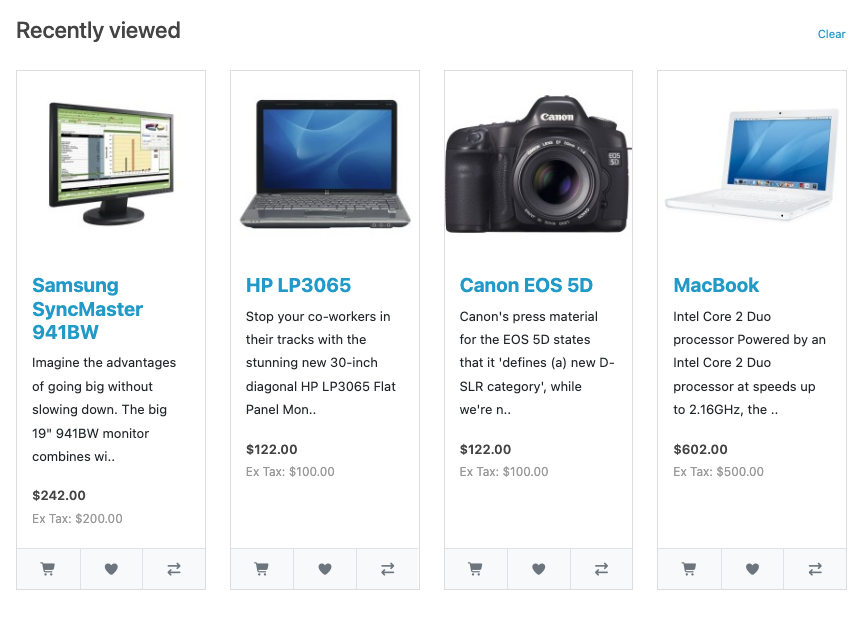
What it does
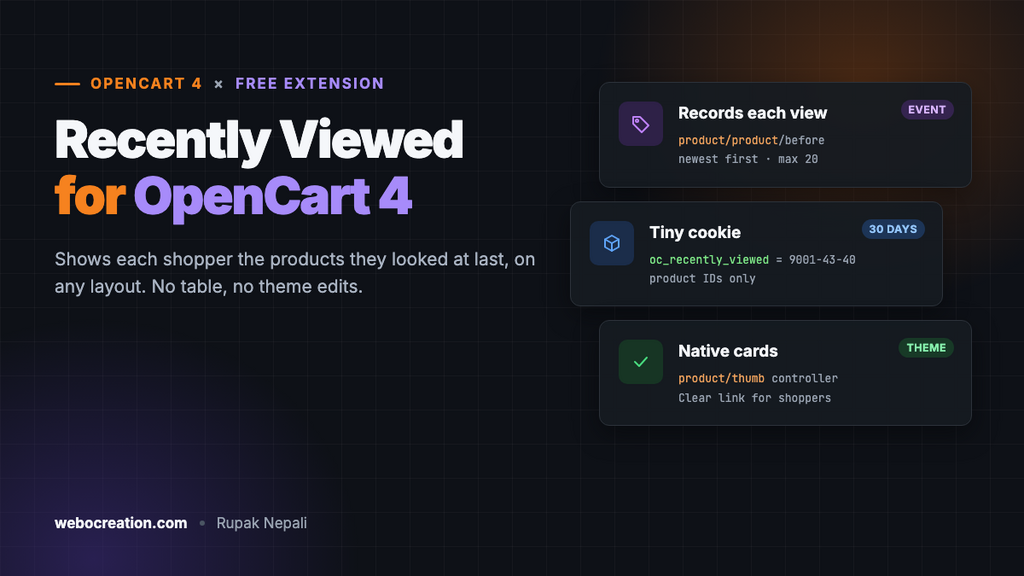
- Remembers the last 20 products each shopper opened, newest first, for 30 days.
- Works on any layout: Product, Category, Home, Search, even the cart page. Add it to as many layouts as you like.
- Uses OpenCart’s own product card, so it matches your theme, prices respect your tax and customer-group settings, and other card extensions (such as Quick View) apply to it too.
- Skips what shouldn’t show: the product on screen, disabled products and products from another store.
- A “Clear” link lets shoppers wipe their own history. You can turn it off.
- No database table and no theme edits. The history lives in a small cookie, and one event records each view.
Install it
- Download
recentlyviewed.ocmod.zip. - Go to Extensions → Installer, upload it, and click the green + next to it.
- Go to Extensions → Extensions, choose Modules, and install Recently Viewed Products.
- Click Edit, check the settings, turn Status on and save.
- Go to Design → Layouts, edit the Product layout (and any others you want), add Recently Viewed Products to Content Bottom, and save.
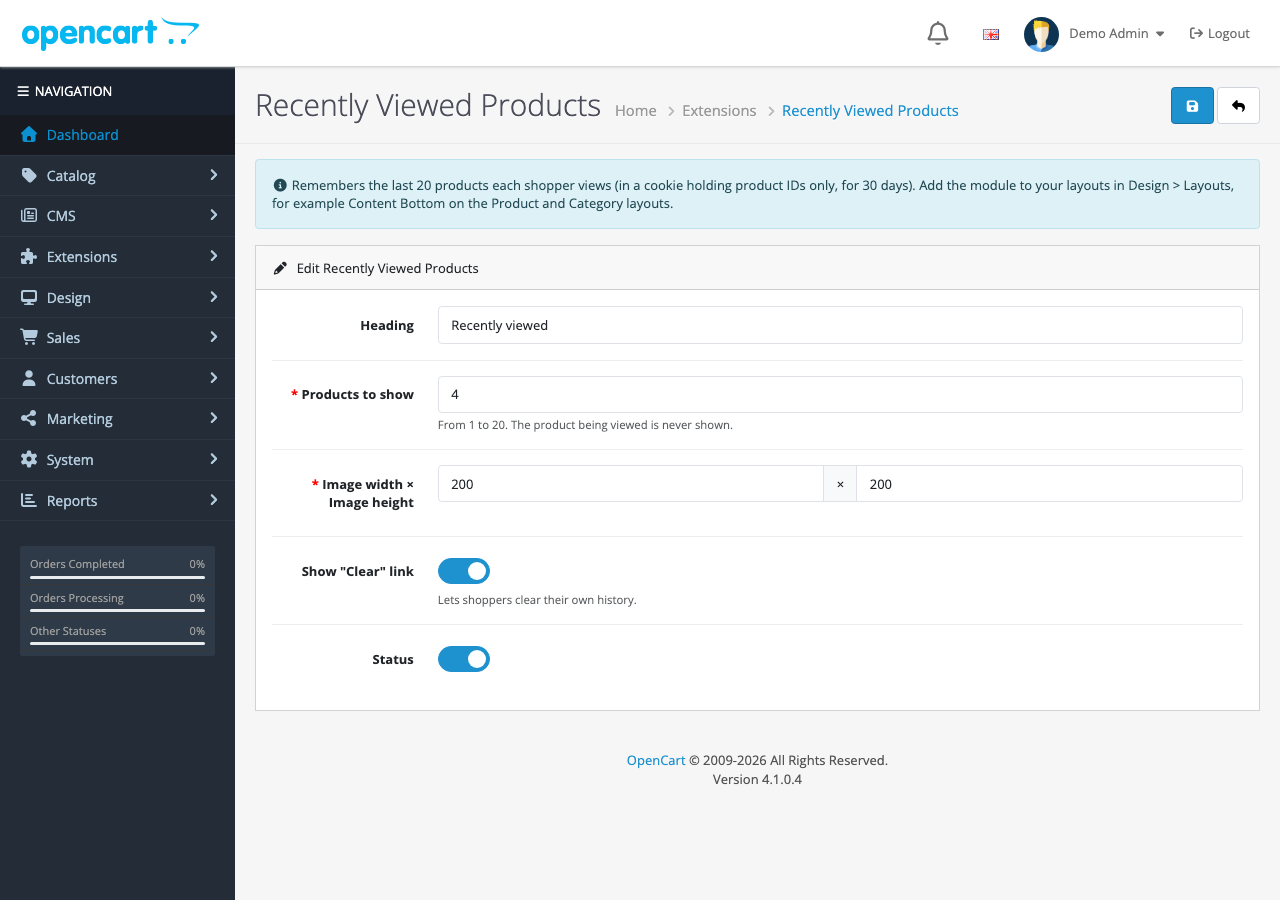
The row appears once a shopper has viewed at least one other product, so open two or three products to see it.
How it works
Two small pieces, neither of which touches your theme:
| Part | Trigger or position | What it does |
|---|---|---|
| Event | catalog/view/product/product/before | Adds the product to the shopper’s history each time a product page is shown |
| Layout module | Any layout position | Reads the history and shows the products as cards |
Recording a view
The event runs just before the product page template is rendered. Hooking the view, not the controller, means only products that actually display get recorded: a mistyped product ID or a disabled product never reaches this point.
public function track(string &$route, array &$args): void {
	if (!$this->config->get('module_recentlyviewed_status') || empty($args['product_id'])) {
		return;
	}

	$product_id = (int)$args['product_id'];

	// Newest first, no duplicates, at most 20 IDs.
	$ids = array_diff($this->read($this->request->cookie[self::COOKIE] ?? ''), [$product_id]);
	array_unshift($ids, $product_id);
	$ids = array_slice($ids, 0, self::MAX);

	// The cookie holds product IDs only. It isn't HttpOnly, so the "Clear" link can delete it in the browser.
	setcookie(self::COOKIE, implode('-', $ids), [
		'expires'  => time() + 60 * 60 * 24 * 30,
		'path'     => '/',
		'secure'   => !empty($this->request->server['HTTPS']),
		'httponly' => false,
		'samesite' => 'Lax'
	]);

	// Make the new list visible to modules rendered later in this request.
	$this->request->cookie[self::COOKIE] = implode('-', $ids);
}
The cookie value is just IDs joined with dashes, such as 9001-43-40. Every value read back is cast to an integer, so a tampered cookie can’t inject anything.
Why a cookie and not the database?
A database table would let logged-in customers see their history on another device, but it means a write on every product view, a table that grows forever, and history only for logged-in customers. Most shoppers browse as guests. A cookie works for everyone, costs nothing on the server, and expires on its own after 30 days.
Showing the products
The module reads the cookie, leaves out the product on screen, and loads each product through OpenCart’s catalog model. getProduct() returns nothing for disabled products or products assigned to another store, so those drop out without extra checks. Each product is rendered with OpenCart’s own card controller:
// Rendered with OpenCart's own product card, so it matches the theme (and other card extensions apply).
$data['products'][] = $this->load->controller('product/thumb', [
	'product_id'  => $product['product_id'],
	'thumb'       => $this->model_tool_image->resize($image, $width, $height),
	'name'        => $product['name'],
	'description' => oc_substr(trim(strip_tags(html_entity_decode($product['description'], ENT_QUOTES, 'UTF-8'))), 0, $this->config->get('config_product_description_length')) . '..',
	'price'       => $price,
	'special'     => $special,
	'tax'         => $tax,
	'minimum'     => $product['minimum'] > 0 ? $product['minimum'] : 1,
	'rating'      => $product['rating'],
	'href'        => $this->url->link('product/product', 'language=' . $this->config->get('config_language') . '&product_id=' . $product['product_id'])
]);
Because product/thumb is the same controller category pages use, the cards inherit your theme’s design, the add-to-cart and wishlist buttons work, and extensions that hook the card (Quick View adds its button that way) apply here too.
One OpenCart 4 detail: layout module codes
When we first added the module to a layout by inserting a row into oc_layout_module directly, nothing appeared. OpenCart 4 stores layout modules as extension.code (here recentlyviewed.recentlyviewed), and silently skips a bare recentlyviewed. Adding the module through Design → Layouts writes the right code, so this only matters if you script layout changes.
Privacy
The cookie holds product IDs only: no name, email or tracking ID. It’s set by your own store, isn’t shared with anyone, and powers a feature the shopper can see and clear. Many stores treat that as a functional cookie; if your cookie policy lists cookies individually, add oc_recently_viewed to it.
Troubleshooting
| Problem | Cause and fix |
|---|---|
| The row never appears | Check Status is on, the module is in a layout, and you’ve viewed at least two products (the current one is left out). Also check the recentlyviewed_track event is enabled in Extensions → Events. |
| It shows on desktop but not on phones | You added it to Column Left or Right. The default theme hides side columns on small screens; use Content Top or Content Bottom. |
| History doesn’t update behind a full-page cache | A cached product page never runs the event. Exclude product pages from full-page caching, or accept that cached views aren’t recorded. |
| Products from another store appear | They can’t: getProduct() only returns products assigned to the current store. |
More free OpenCart 4 extensions: frequently bought together, automatic related products, product quick view and the low-stock message. The event pattern they share is explained in OpenCart 4 Events by Examples.

Rupak Nepali is a web developer, manage Webocreation website and the author of six books:
Getting Started with OpenCart Module Development (Packt, 2013),
OpenCart Theme and Module Development (Packt, 2015),
OpenCart 4: Dev Guide for Themes & Extensions (2024),
OpenCart 4: User Manual (2025),
Cloudflare for the Enterprise Website (2026) and
The Technical Web Guide for Marketers (2026).
Rupak has built OpenCart stores and extensions since 2010, has published more than 600 tutorials on Webocreation, and shares free OpenCart extensions on GitHub.
Find Rupak on
GitHub | Amazon | LinkedIn | X | YouTube.