AI Alt Text for OpenCart Product Images: Describe Every Photo in Every Language With Claude (Free Extension)
OpenCart 4 uses the product name as the alt text of every product image. This free extension has Claude look at each image and suggest real descriptions in all your languages, which you review before they go live. Why alt text matters, good and bad examples, setup and costs.
 Rupak NepaliPublished Oct 26, 2026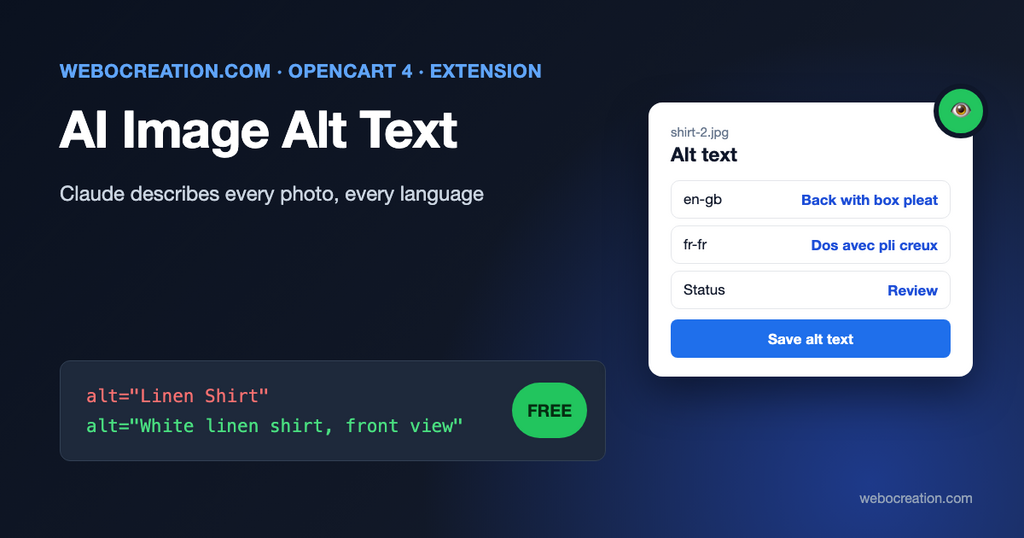
Open any product page in OpenCart 4’s default theme and look at the image tags. The main image, every additional image and every thumbnail in product lists has the same alt text: the product name. This is catalog/view/template/product/product.twig in OpenCart 4.1:
<img src="{{ thumb }}" title="{{ heading_title }}" alt="{{ heading_title }}" class="img-thumbnail mb-3"/>So a product with five photos, showing the front, the back, the label, the size chart and someone wearing it, tells a screen reader user “Linen Shirt, Linen Shirt, Linen Shirt, Linen Shirt, Linen Shirt”. Google Images learns nothing about what each photo shows.
Writing alt text by hand for every image in every language is the job nobody gets to. This free extension has Claude look at each product image and suggest a description in each of your store’s languages. You read the suggestions, edit them, and save. The storefront then uses them in place of the product name.
What good alt text is
The W3C’s alt text decision tree gives simple rules. For an image that carries information:
Use a brief description of the image in a way that conveys that meaning in the alt attribute.
W3C Web Accessibility Initiative, An alt Decision Tree
And for purely decorative images, “Use an empty alt attribute.” Product photos are never decorative: they’re the main information on the page for many shoppers. Some examples:
| Image | Bad alt | Good alt |
|---|---|---|
| Main photo of a shirt | Linen Shirt | Men's white linen shirt, front view, button-down collar |
| Back view | Linen Shirt | Back of the white linen shirt with a box pleat |
| Label close-up | Linen Shirt | Care label: 100% linen, machine wash 30°C |
| Size chart | Linen Shirt | Size chart: chest and length in cm for sizes S to XXL |
| Lifestyle photo | Image of linen shirt | Man wearing the linen shirt with rolled sleeves on a beach |
| Any photo | best linen shirt cheap linen shirt buy | (keyword stuffing helps nobody and can hurt) |
Alt text is required for accessibility under WCAG success criterion 1.1.1 (Non-text Content), which is the basis of most accessibility laws for online stores. Our post on accessibility for ecommerce stores covers the legal side. It also helps image search: Google uses alt text to understand images.
How the extension works
- In the admin, the Images tab lists your products with all their images (main image first) and one text field per language for each image.
- Click Generate next to an image, or Generate missing on this page to do every image that has an empty field.
- The extension scales the image down to at most 1,024 pixels, sends it to Claude with the product name and model, and asks for alt text in each selected language, returned as structured JSON (one string per language).
- The suggestions appear in the fields, highlighted. Nothing is saved yet.
- Read them, fix anything wrong, and click Save alt text.
- With Show on store on, product pages and product lists use the saved text instead of the product name.
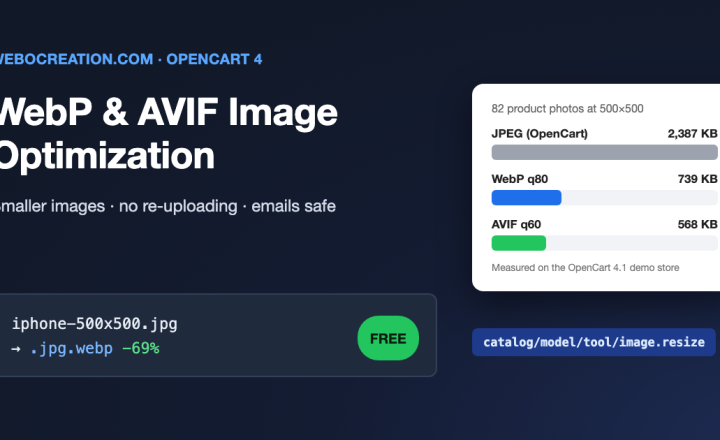
The storefront part uses two OpenCart events (product/product and product/thumb view output). It finds each product image’s resized URL, such as image/cache/catalog/demo/shirt-1-500x500.webp, maps it back to the original image (catalog/demo/shirt-1), and replaces the alt attribute with the saved text for the visitor’s language. If no text is saved, the product name stays, as before. The match ignores the file extension, so it keeps working with our WebP and AVIF extension.
Why there’s a review step
AI image descriptions are good, and sometimes wrong in ways that matter for a store: a color that looks different under studio light, a material that can’t be seen in a photo, a model number guessed from a similar product. The prompt tells Claude to use the product name for brand and model and not to guess details it can’t see, but you know your products. Anthropic’s own vision documentation says: “Always carefully review and verify Claude’s image interpretations, especially for high-stakes use cases.” Reviewing a suggestion takes seconds; writing from scratch takes minutes.
Installation
- Create an API key in the Claude Console under API Keys (it starts with
sk-ant-), and set a spend limit. - Download ai_alt_text.ocmod.zip with the button above.
- Extensions > Installer, upload, and click the green Install button in the list.
- Extensions > Extensions > Modules, find AI Image Alt Text, click +, then the pencil.
- On the Settings tab, paste the API key, choose the model and languages, and save.
- On the Images tab, try Generate on a few images first.
- When you’re happy, switch Show on store on in Settings.
Installing creates one table (oc_image_alt) and two events. Uninstalling removes them and all saved texts, so export your database first if you might reinstall.
Settings
| Setting | What it does |
|---|---|
| Anthropic API key | Used only from the admin, never on the storefront |
| Model | claude-opus-5-5 (default), claude-sonnet-5-5 or claude-haiku-5-5 |
| Languages | Which languages to write. None ticked means all enabled languages. |
| Extra instructions | Store-specific guidance, for example “Mention the fabric for clothing” or “We sell refurbished phones; say Refurbished” |
| Show on store | Use the saved texts on the storefront |
What it costs
You pay Anthropic per request with your own key; there’s one request per image, covering all languages. Images cost tokens by size: Anthropic’s vision documentation counts a 28 × 28-pixel patch as one token, so the 1,024-pixel square image the extension sends is about 1,400 tokens. With the prompt and the answer, a rough estimate per image at October 2026 list prices:
| Model | Price per 1M input / output tokens | About per 1,000 images |
|---|---|---|
| Claude Opus 5.5 | $4 / $20 | $12 to $16 |
| Claude Sonnet 5.5 | $2 / $10 | $6 to $8 |
| Claude Haiku 5.5 | $0.10 / $0.50 | under $1 |
More languages mean more output tokens, and Claude’s thinking is billed as output too, so treat these as ballpark figures. Try 20 images with each model and compare the texts and the cost in the Claude Console before running your catalog.
Tips for better results
- Filter by “Only products whose main image has no alt text” to work through the catalog in batches of 10 products.
- Use extra instructions for your category: furniture stores might ask for material and dimensions when visible; fashion stores for fit and how it’s worn.
- Check additional images first: main images are often similar packshots, while additional images (labels, details, size charts) are where alt text adds the most.
- Product names still matter: the extension doesn’t change titles. For names, descriptions and meta tags, see our AI description generator extension.
Privacy
Product images are sent to Anthropic’s API to generate the text. According to Anthropic’s documentation, images sent through the API aren’t used to train models. Only send images you have the right to process this way, which for product photos from suppliers is usually covered by your reseller agreement; check if unsure.
Limitations
- Product images only: banners, category images, manufacturer logos and images inside descriptions aren’t included.
- Themes that build image URLs differently from OpenCart’s resize (
image/cache/...-WIDTHxHEIGHT.ext) won’t be matched. Check one product page after switching it on. - The admin list shows 10 products per page; very large catalogs take a while.
- Built for OpenCart 4.1.0.x.
The code is on GitHub with our other free OpenCart extensions. For more on AI and product data, see AI shopping product feeds and how AI crawlers read your website.

Author of four Opencart book.
The recent are Opencart 4 developer book and Opencart 4 user manual