Product Questions & Answers for OpenCart 4: Let Shoppers Ask Before They Buy (Free Extension)
A free OpenCart 4 extension that adds a Questions & Answers block to product pages: shoppers ask, you answer and publish from a new Catalog > Product Questions page with an unanswered count, and spam is filtered without a captcha.
 Rupak NepaliPublished Nov 15, 2026
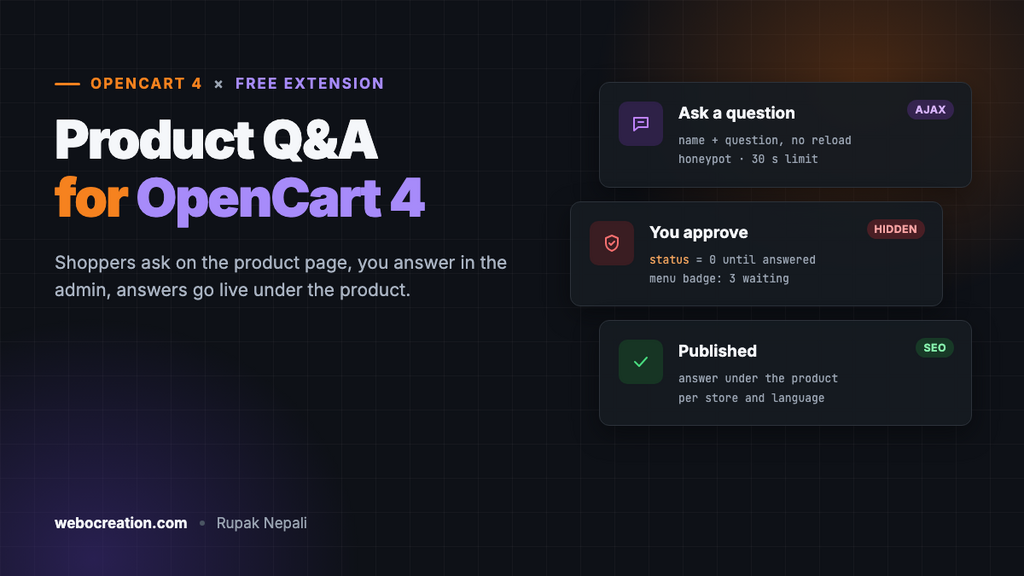
“Does it shrink in the wash?” “Is the fit true to size?” “Will this work with my model?” Shoppers who can’t get an answer on the product page either email you, which costs you time, or leave, which costs you the sale. A Q&A block answers the question once, in public, for everyone who has it next.
OpenCart 4 has reviews but no questions. This free extension adds them: a block on product pages where shoppers ask, an admin page where you answer, and published answers under the product.
Download Product Questions & Answers for OpenCart 4 (free, tested on OpenCart 4.1.0.4)
What it does
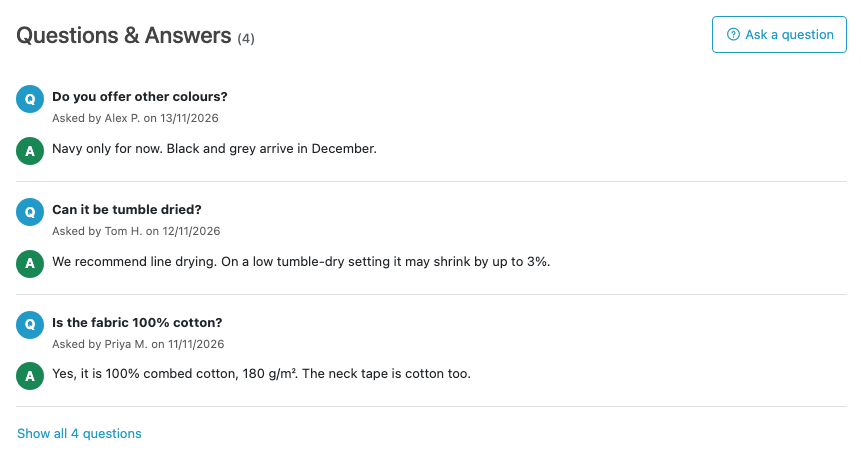
- Shoppers ask on the product page. The form opens from an “Ask a question” button: name and question, nothing else. Logged-in customers don’t even type their name.
- Nothing goes live without you. New questions are hidden until you write an answer and switch Published on.
- An admin page with an unanswered count. Catalog → Product Questions shows a red badge with the number waiting, and opens straight to them.
- Spam filtering without a captcha: a hidden honeypot field, a 30-second limit between questions per visitor, and length limits.
- Long lists stay tidy. The first few questions show (3 by default); a “Show all” link reveals the rest.
- Per store and per language. Each question is saved with the store and language it was asked in, and shown only there.
Install it
- Download
productqa.ocmod.zip. - Go to Extensions → Installer, upload it, and click the green +.
- Go to Extensions → Extensions → Modules and install Product Questions & Answers. This creates the
oc_product_questiontable and adds the menu item. - Click Edit, open the Settings tab, turn Status on and save.
- Go to Design → Layouts → Product, add Product Questions & Answers to Content Bottom and save.
Asking a question
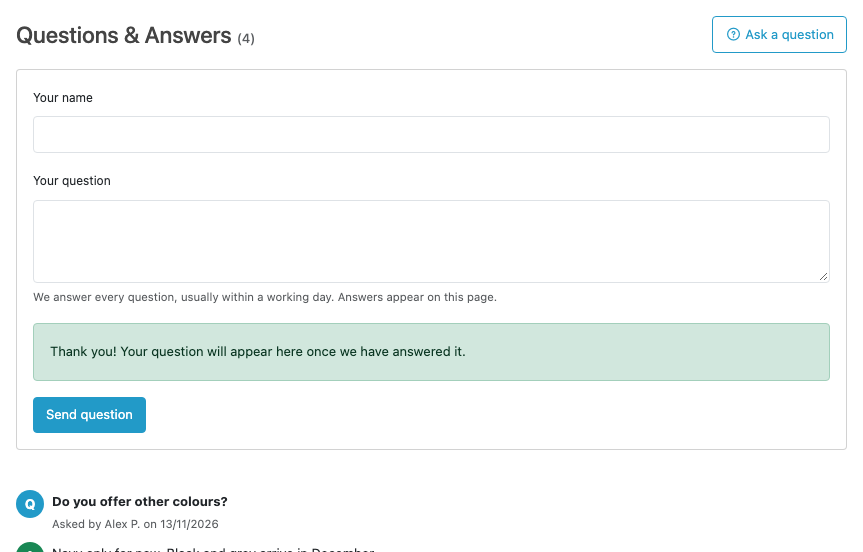
The form posts to the extension’s ask endpoint and shows errors next to each field without reloading the page. We tested each rule against the live endpoint:
| Request | Response |
|---|---|
| Name “A”, question “short” | Errors on both fields: names are 2 to 64 characters, questions 10 to 1000 |
| Hidden “website” field filled in (what bots do) | “Questions cannot be sent right now.” Nothing saved |
| A valid question | Saved as hidden, with a thank-you message |
| A second question within 30 seconds | “Please wait a moment before asking another question.” |
| A product ID that doesn’t exist | Refused |
If you get more spam than that stops, turn on Only logged-in customers can ask in the settings. Guests then see a “log in to ask” link instead of the form.
Answering questions
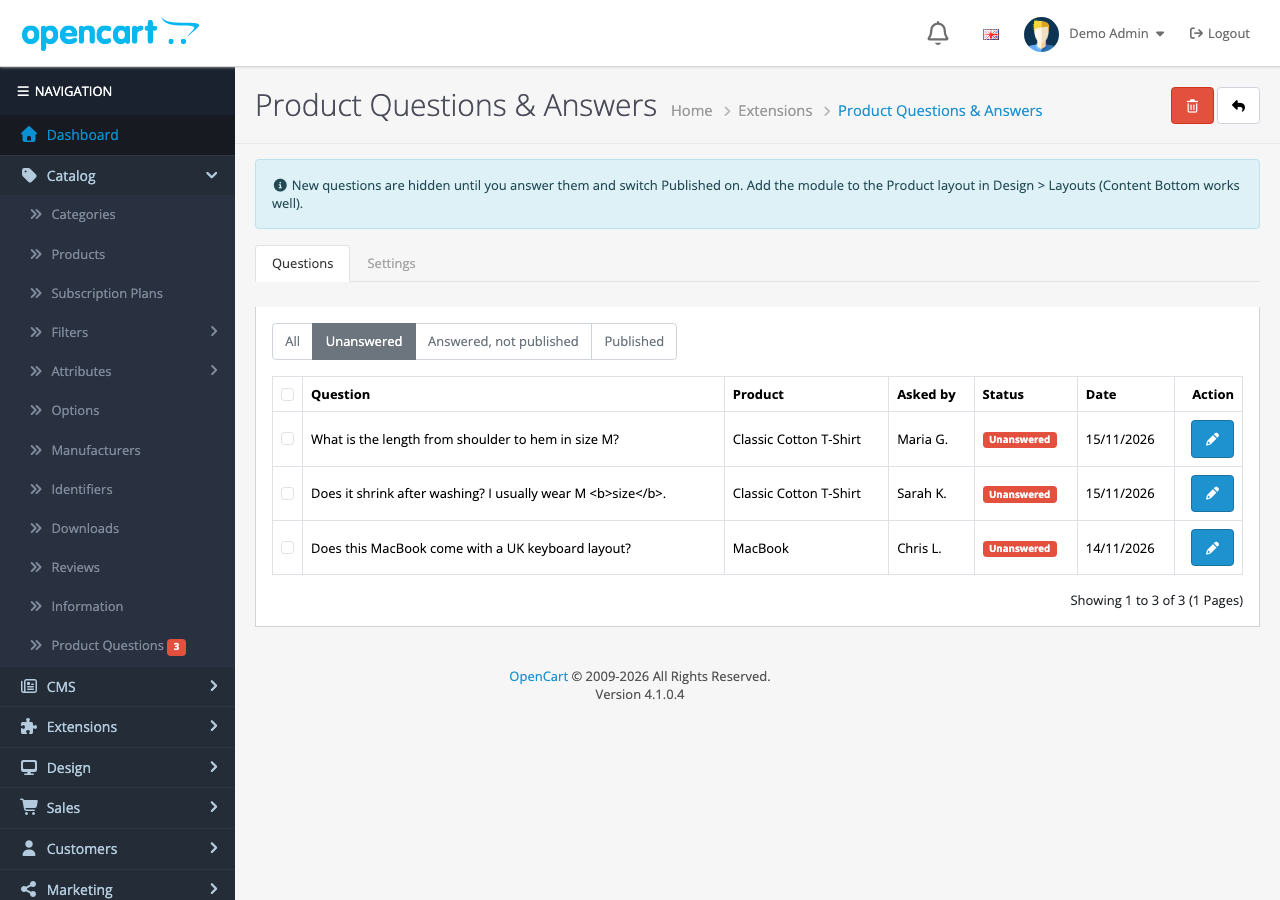
Click the pencil to answer:
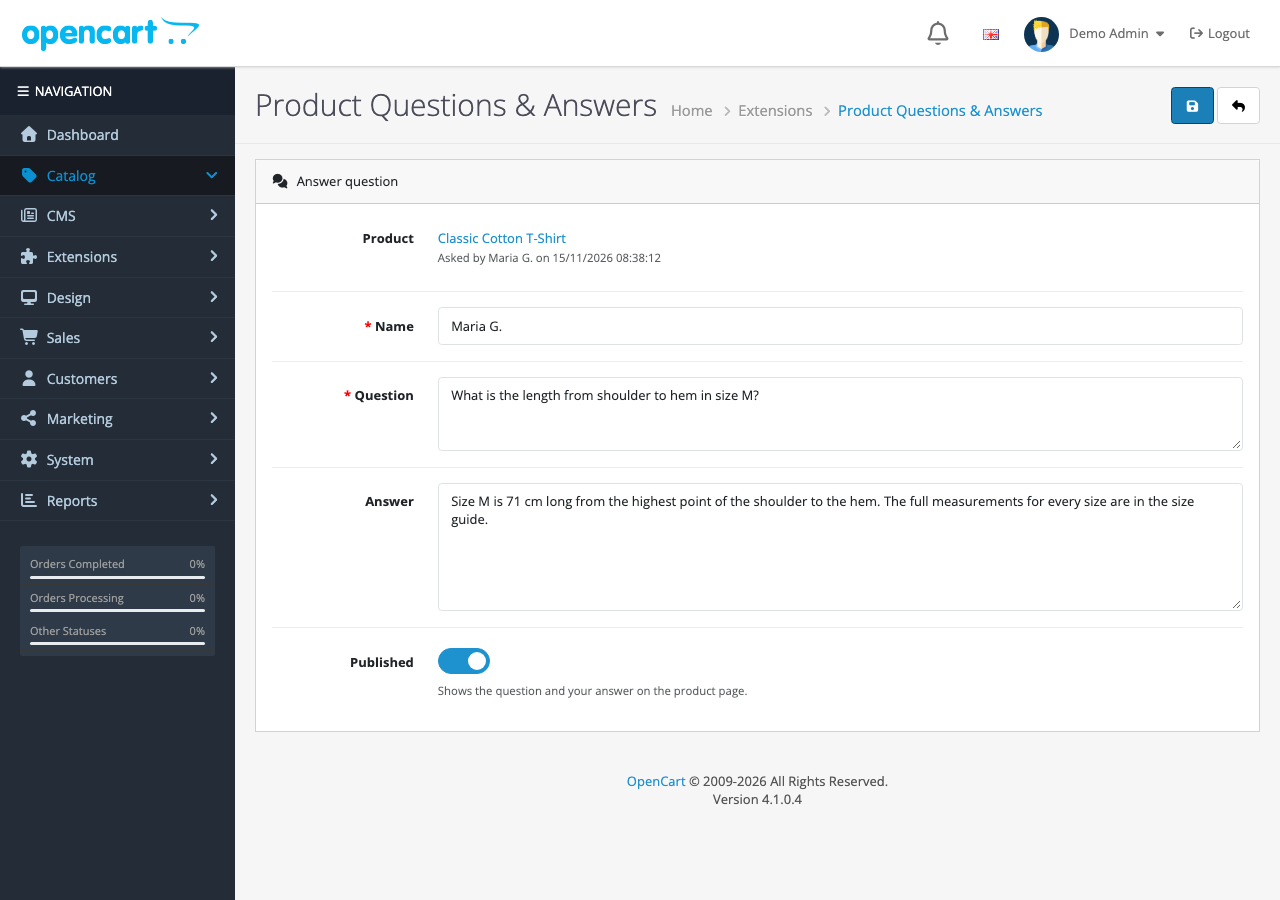
Write the answer, switch Published on, and save. The question and answer appear on the product page at once. Trying to publish without an answer is refused with “Write an answer before publishing the question!”, so the page never shows a question with an empty reply.
Some questions don’t belong on the page: an order enquiry, a complaint, a duplicate. Answer the customer another way and delete the question, or leave it unpublished.
How it’s built
| Part | Where | What it does |
|---|---|---|
| Table | oc_product_question | Question, answer, name, product, store, language, status and dates |
| Storefront module | Product layout | Lists published questions and shows the form |
ask endpoint | extension/productqa/module/productqa.ask | Validates and saves a question |
| Admin page | Extension settings, with a Questions tab | List, filters, answer form, delete |
| Admin event | admin/view/common/column_left/before | Adds Catalog → Product Questions with the unanswered count |
Adding an admin menu item with an event
OpenCart 4 builds the admin menu as an array before rendering it, so an event on the menu’s view can add an item without editing core files. The extension finds the Catalog menu and appends its page, with a badge when questions are waiting:
public function menu(string &$route, array &$args): void {
	if (!$this->user->hasPermission('access', 'extension/productqa/module/productqa') || empty($args['menus'])) {
		return;
	}

	$this->load->language('extension/productqa/module/productqa');
	$this->load->model('extension/productqa/module/productqa');

	$unanswered = $this->model_extension_productqa_module_productqa->getTotalQuestions(['filter' => 'unanswered']);

	$name = $this->language->get('pqa_menu');

	if ($unanswered) {
		$name .= ' <span class="badge bg-danger">' . $unanswered . '</span>';
	}

	foreach ($args['menus'] as &$menu) {
		if (($menu['id'] ?? '') == 'menu-catalog') {
			$menu['children'][] = [
				'name'     => $name,
				'href'     => $this->url->link('extension/productqa/module/productqa', 'user_token=' . $this->session->data['user_token'] . ($unanswered ? '&filter=unanswered' : '')),
				'children' => []
			];

			break;
		}
	}
}
The permission check matters: staff whose user group can’t open the extension don’t see the menu item either. (See users, permissions and 2FA in OpenCart 4.)
Showing only real answers
The storefront query requires both a published status and a non-empty answer, and limits results to the current store and language:
SELECT `name`, `question`, `answer`, `date_added`, `date_answered`
FROM `oc_product_question`
WHERE `product_id` = 9001 AND `store_id` = 0 AND `language_id` = 1
AND `status` = '1' AND `answer` != ''
ORDER BY `date_added` DESC
Safe output without escaping twice
OpenCart HTML-encodes everything that arrives in a form before your code sees it. A question containing <b>size</b> is stored as <b>size</b>, which is why OpenCart’s Twig templates don’t escape output again. The extension follows the same convention, so tags in a question show as text, both on the product page and in the admin list.
Uninstalling keeps your answers
Uninstalling removes the menu event but keeps the table, so reinstalling or upgrading doesn’t wipe months of answers. To remove the data too, run DROP TABLE oc_product_question; after uninstalling.
Q&A, reviews and SEO
Answered questions are ordinary text on the product page, so search engines index them, and they often match the exact phrases people search for (“does the classic cotton t-shirt shrink”). Keep answers specific and factual. Don’t add FAQPage structured data for them: Google limits FAQ rich results to authoritative government and health sites, so the markup won’t produce one for a store.
Q&A also complements reviews rather than replacing them. Reviews say how the product turned out; questions say what it is. Use both.
Troubleshooting
| Problem | Cause and fix |
|---|---|
| The block doesn’t show | Status is off, or the module isn’t in the Product layout. It only renders on product pages |
| A published question doesn’t appear | It was asked in another language or store; it shows only there. Or the answer is empty |
| No menu item | Your user group lacks access to the extension. Add it in System → Users → User Groups |
| “Please wait a moment…” for real shoppers | They sent two questions within 30 seconds from the same session. Expected |
More free OpenCart 4 extensions: size chart popup, recently viewed products, frequently bought together and Cloudflare Turnstile for forms that need a captcha.

Rupak Nepali is a web developer, manage Webocreation website and the author of six books:
Getting Started with OpenCart Module Development (Packt, 2013),
OpenCart Theme and Module Development (Packt, 2015),
OpenCart 4: Dev Guide for Themes & Extensions (2024),
OpenCart 4: User Manual (2025),
Cloudflare for the Enterprise Website (2026) and
The Technical Web Guide for Marketers (2026).
Rupak has built OpenCart stores and extensions since 2010, has published more than 600 tutorials on Webocreation, and shares free OpenCart extensions on GitHub.
Find Rupak on
GitHub | Amazon | LinkedIn | X | YouTube.