Replace reCAPTCHA With Cloudflare Turnstile in OpenCart 4: Stop Spam Registrations and Fake Reviews Without Puzzles (Free Extension)
A free Cloudflare Turnstile captcha extension for OpenCart 4: no puzzles for customers, server-side checks, and the reset fix for OpenCart's AJAX forms.
 Rupak NepaliPublished Nov 13, 2026
Every OpenCart store with an open registration form gets fake accounts: thousands of customers named “xxxxBTCxxxx”, fake product reviews full of links, and contact-form spam. OpenCart 4 ships with a basic image captcha that bots solve easily and real customers hate, and many stores added Google reCAPTCHA years ago.
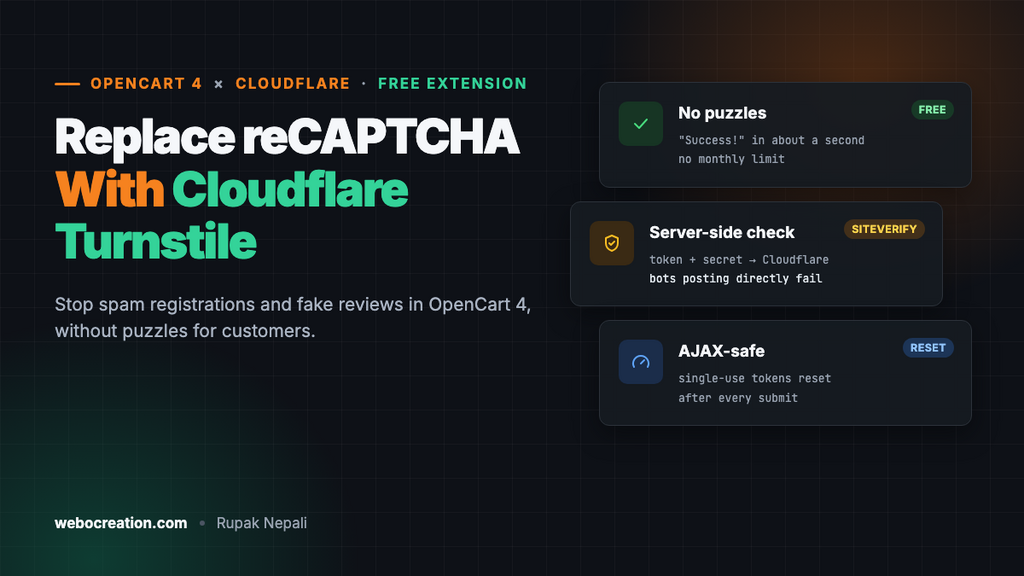
Cloudflare Turnstile is a free alternative that most visitors never notice: no traffic lights to click, no distorted letters. This post explains how it works, then gives you a free OpenCart 4 extension that adds it to the forms OpenCart already protects, with the token checked on your server.
Why stores are moving away from reCAPTCHA
- Cost. Google has moved every reCAPTCHA key into Google Cloud projects. The free tier is now 10,000 assessments a month per organization; above that you pay. A store with a busy registration and checkout form can pass that.
- Friction. reCAPTCHA v2 still shows image puzzles to visitors it isn’t sure about, often on mobile, often at checkout. Every puzzle shown to a real buyer costs you some orders.
- Privacy. reCAPTCHA loads Google scripts and cookies on your forms, which European stores have to cover in their consent banner. Cloudflare states that Turnstile doesn’t use the data it collects for advertising and doesn’t need a cookie banner entry of its own; check that with your privacy adviser for your situation.
- Accessibility. Image puzzles and distorted text are a barrier for blind and low-vision customers, and WCAG 2.2 has a success criterion against them (see our European Accessibility Act guide).
Turnstile is free with no monthly limit on verifications, and your domain doesn’t have to use Cloudflare’s DNS or proxy.
How Turnstile works
- The page loads a small Cloudflare script and shows a widget in the form.
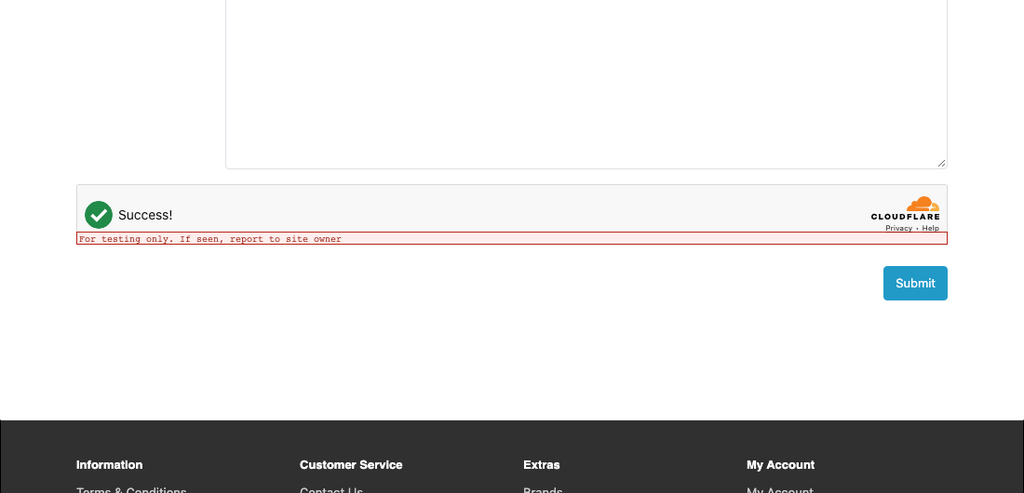
- In the background, the widget runs a few browser checks (proof of work, browser behaviour, signals from Cloudflare’s network). Most visitors see a “Success!” tick after a second. If something looks off, the visitor is asked to tick a checkbox; there are no picture puzzles.
- The widget puts a token in a hidden form field called
cf-turnstile-response. - When the form is submitted, your server sends that token and your secret key to Cloudflare’s
siteverifyendpoint and gets backsuccess: trueorfalse.
Step 4 is the important one. A widget without a server-side check stops nothing: a bot posts straight to your form’s URL and never runs your JavaScript. Two rules from Cloudflare’s documentation also shape how the extension works:
- A token is valid for 300 seconds.
- A token can be verified only once. A second check of the same token fails with
timeout-or-duplicate.
How OpenCart 4 captchas work
OpenCart 4 has a captcha extension type. The setting that matters is in System > Settings > (edit store) > Option > Captcha:
- Captcha: which captcha extension is active. Only enabled captcha extensions are listed.
- Captcha Page: tick-boxes for the forms that use it: Register, Guest Checkout, Reviews, Returns and Contact Us (the exact list can vary slightly by version).
Each of those forms asks the active captcha extension for two things: its HTML (shown in the form) and a validate result when the form is submitted. If validate returns a message, OpenCart shows it under the captcha and refuses the form. So a captcha extension needs no core changes and no events, which makes it one of the simplest extension types to write.
Install the extension
The extension is tested on OpenCart 4.1.0.4 with PHP 8.3, and written for 4.0.2.x and 4.1.x.
- Download turnstile.ocmod.zip with the button above.
- Extensions > Installer, upload the zip, and click the green Install button in the list.
- Extensions > Extensions, choose Captchas in the filter, and click the green + next to Cloudflare Turnstile.
Create the widget in Cloudflare
- Log in to the Cloudflare dashboard (a free account is enough) and open Turnstile.
- Add widget. Give it a name (“My store forms”), and add your store’s hostnames:
example.comandwww.example.com. Add your staging hostname too if you test there. - Widget mode: Managed (recommended). Cloudflare decides when a checkbox is needed. “Non-interactive” never asks for a click; “Invisible” hides the widget completely.
- Create it and copy the site key and secret key.
Configure it in OpenCart
- Extensions > Extensions > Captchas > Cloudflare Turnstile > Edit.
- Paste the Site Key and Secret Key.
- Theme: Auto follows the visitor’s light or dark mode. Size: Flexible fills the width of the form, which suits OpenCart’s Bootstrap forms on mobile.
- Allow if Cloudflare is unreachable: leave it off unless you protect guest checkout and would rather accept some spam than lose orders during an outage. Failures are logged either way.
- Turn Status on and save.
- System > Settings > edit your store > Option: set Captcha to Cloudflare Turnstile, tick the pages to protect, and save.
Which pages to tick: Register, Reviews and Contact Us for almost every store. Returns if you get spam return requests. Guest Checkout only if card testers or fake orders are a problem (see Carding Attacks 101); every extra step at checkout has a cost, though Turnstile’s is small.
What the code does
The extension has the usual OpenCart 4 layout: an admin controller for the settings page, and a catalog controller with two methods.
The widget
index() returns the widget’s HTML. It loads Cloudflare’s script once, with render=explicit, and renders every widget that isn’t rendered yet:
<fieldset class="mb-3">
  <legend class="visually-hidden">{{ text_captcha }}</legend>
  <div id="input-captcha" class="oc-turnstile" data-sitekey="{{ site_key }}" data-theme="{{ theme }}" data-size="{{ size }}"></div>
  <div id="error-captcha" class="invalid-feedback"></div>
</fieldset>
The ids are the ones OpenCart’s JavaScript uses: when validate returns an error under the key captcha, the form’s AJAX handler writes the message into #error-captcha. Explicit rendering is there because some forms, such as the checkout steps, are inserted into the page after it loads, where Cloudflare’s automatic rendering wouldn’t see them.
The single-use token trap
OpenCart 4 submits forms with AJAX and leaves the page as it is when something is wrong. Picture a customer who fills in the contact form but forgets the email address:
- The form is posted with a valid Turnstile token.
- OpenCart validates every field, including the captcha, so the token is sent to Cloudflare and used up.
- The customer sees “E-Mail Address does not appear to be valid”, fixes it and submits again, with the same, now spent, token.
- Cloudflare answers
timeout-or-duplicate, and the customer is told the security check failed.
Many reCAPTCHA and Turnstile integrations have this bug. The extension avoids it by resetting the widget after every AJAX submission of a form that contained a token, so the second submit carries a fresh one:
jQuery(document).ajaxComplete(function (event, xhr, settings) {
  var data = settings.data;
  var hasToken = (typeof FormData !== 'undefined' && data instanceof FormData)
    ? data.has('cf-turnstile-response')
    : (typeof data === 'string' && data.indexOf('cf-turnstile-response=') !== -1);

  if (hasToken && window.turnstile) {
    document.querySelectorAll('.oc-turnstile[data-rendered]').forEach(function (element) {
      turnstile.reset(element.getAttribute('data-widget-id'));
    });
  }
});
Note the two checks. OpenCart 4.1’s form handler posts the form as a serialized string, while some forms and extensions send FormData. A version that only looks for FormData, which is what many integrations do, never resets on OpenCart 4.1, and customers who mistype one field are blocked on their second try. We found this testing the extension on a 4.1.0.4 store.
Server-side verification
validate() posts the token and secret to Cloudflare and turns the answer into an OpenCart error message:
$curl = curl_init('https://challenges.cloudflare.com/turnstile/v0/siteverify');

curl_setopt_array($curl, [
	CURLOPT_POST           => true,
	CURLOPT_POSTFIELDS     => http_build_query([
		'secret'   => $this->config->get('captcha_turnstile_secret_key'),
		'response' => html_entity_decode($token, ENT_QUOTES, 'UTF-8')
	]),
	CURLOPT_RETURNTRANSFER => true,
	CURLOPT_CONNECTTIMEOUT => 5,
	CURLOPT_TIMEOUT        => 10
]);

$response = curl_exec($curl);
$status = curl_getinfo($curl, CURLINFO_HTTP_CODE);
A few details:
- Empty tokens fail without a network call. A bot posting directly to
index.php?route=account/register.registerusually sends no token at all. - A failed request isn’t a failed check. If Cloudflare can’t be reached or doesn’t send a usable answer, the result depends on the “Allow if Cloudflare is unreachable” setting, and the error is written to System > Maintenance > Error Logs.
- A wrong secret key fails, and is logged. Cloudflare answers with HTTP status 400 and the error code
invalid-input-secret. The extension reads the answer instead of the status code, refuses the form, and writes the problem to the error log. That matters: code that treats every non-200 status as “Cloudflare is down” would let all spam through when “Allow if Cloudflare is unreachable” is on, just because of a typo in the key. - No
curl_close(). It has done nothing since PHP 8.0 and is deprecated in PHP 8.5 (see our PHP 8 compatibility guide).
The extension doesn’t send the visitor’s IP (remoteip is optional). Behind Cloudflare’s proxy or a load balancer, REMOTE_ADDR is the proxy’s address, and sending the wrong IP is worse than sending none.
Test it before you go live
Cloudflare publishes test keys that always give the same result. Use them on staging, or briefly on a quiet store:
| Purpose | Site key | Secret key |
|---|---|---|
| Always passes | 1x00000000000000000000AA | 1x0000000000000000000000000000000AA |
| Always blocks (widget fails) | 2x00000000000000000000AB | |
| Forces the checkbox | 3x00000000000000000000FF | |
| Token always fails on the server | 2x0000000000000000000000000000000AA | |
| Token already used | 3x0000000000000000000000000000000AA |
Then, with your real keys:
- Open the contact page in a private window. The widget should show “Success!” within a second or two.
- Submit the form with the email field empty. Fix it and submit again: it should go through (this tests the reset).
- Submit the form with your browser’s developer tools after deleting the
cf-turnstile-responseinput. You should get “Please complete the security check”. - Register a test account and post a test review.
- Check System > Maintenance > Error Logs: no Turnstile lines.
Troubleshooting
| Symptom | Cause and fix |
|---|---|
| Turnstile isn’t in the Captcha list in Settings | The extension’s Status is off. Enable it and save first. |
| The widget shows “Invalid domain” or error 110200 | The hostname isn’t in the widget’s hostname list in Cloudflare. Add both example.com and www.example.com. |
| No widget at all | The store’s Content Security Policy blocks challenges.cloudflare.com. Allow it in script-src and frame-src. Also check that the page is ticked in Captcha Page. |
| “Please complete the security check” for everyone | Wrong secret key (look in the error log for invalid-input-secret), or a theme that renders {{ captcha }} outside the <form> tag, so the token is never posted. |
| Works on the contact page, not in checkout | A custom checkout extension that doesn’t use OpenCart’s captcha hooks. Ask its developer to call the active captcha extension. |
| Still getting fake registrations | Turn on Approve New Customers for the customer group while you look at them, check that bots aren’t using an older registration route, and add a Cloudflare rate-limiting rule for the register route (our Cloudflare security guide for OpenCart has examples). |
Clean up the fake accounts you already have
Turnstile stops new spam; it doesn’t remove what’s there. In Customers > Customers, filter by date added and look for the patterns: random names, the same email domain, no orders. Before deleting in bulk, export the list and check none of them placed orders. For reviews, Catalog > Reviews lets you filter by status; set Reviews > Approve in settings so new reviews wait for you either way.
Summary
- Turnstile is free, has no monthly limit, and rarely asks your customers to do anything.
- The widget alone does nothing; the server-side
siteverifycheck is what stops bots. - Tokens are single-use. With OpenCart’s AJAX forms, reset the widget after each submit or customers who mistype one field will be blocked.
- Protect register, reviews and contact; add guest checkout only if you need to.

Author of four Opencart book.
The recent are Opencart 4 developer book and Opencart 4 user manual