Cloudflare Rules for Next.js: The Security, Redirect, and Cache Rules Every Self-Hosted App Needs
Copy-ready Cloudflare custom, rate limiting, redirect and cache rules for self-hosted Next.js apps, including the RSC caching trap.
 Rupak NepaliPublished Nov 11, 2026
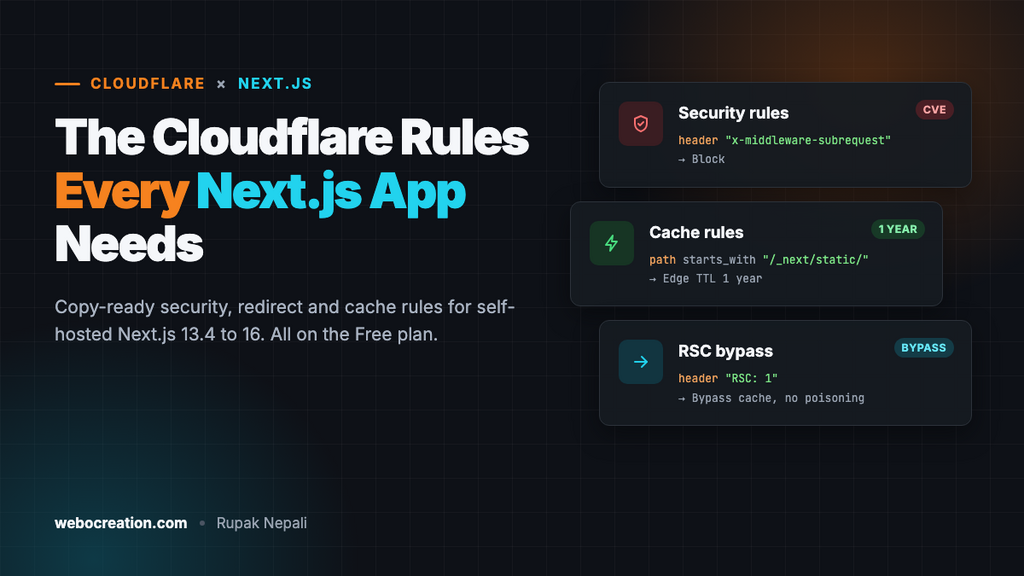
A Next.js app behind Cloudflare gets the same bot traffic as every other site: scanners looking for .env files, WordPress login probes, and password guessing on your sign-in page. It also has two problems of its own. Older versions trust a header that lets attackers skip your middleware entirely, and a careless cache rule can serve React Server Component data instead of HTML to your visitors. A few Cloudflare rules handle all of it.
This guide lists the rules, ready to copy, for Next.js 13.4 to 16 with the App Router or Pages Router. Each one has the expression to paste, the action to pick, and what it might break. Replace example.com with your domain. It continues the series after Cloudflare Rules for WordPress, Drupal and Laravel.
Who this is for
These rules are for Next.js you host yourself: next start on a VPS, the standalone output in Docker, Coolify, Dokku, or OpenNext on Cloudflare Workers. If you host on Vercel, don’t put Cloudflare’s proxy (the orange cloud) in front of it. Vercel advises against it because it hides visitor IPs from Vercel’s own firewall and interferes with its cache. Use Vercel’s firewall there instead, and keep Cloudflare for DNS only.
Where the rules live
| Rule type | Dashboard location | Free plan allowance (at the time of writing) |
|---|---|---|
| Custom rules (security) | Security → Security rules (older: Security → WAF → Custom rules) | 5 rules |
| Rate limiting rules | Security → Security rules (older: Security → WAF → Rate limiting rules) | 1 rule, path only |
| Redirect rules | Rules → Redirect Rules | 10 rules |
| Cache rules | Caching → Cache Rules | 10 rules |
To paste an expression, open a new rule and click Edit expression under the expression builder.
Before you start: real visitor IPs, and only through Cloudflare
Behind Cloudflare, every request reaches your Node server from a Cloudflare IP. Cloudflare puts the visitor’s real IP in the CF-Connecting-IP header. Next.js 15 removed request.ip, so read the header yourself in middleware or route handlers:
// lib/client-ip.ts
import type { NextRequest } from 'next/server';

export function clientIp(req: NextRequest): string {
  return (
    req.headers.get('cf-connecting-ip') ??
    req.headers.get('x-forwarded-for')?.split(',')[0].trim() ??
    'unknown'
  );
}
That header is only trustworthy if nobody can reach your server except through Cloudflare. Otherwise anyone can send a fake CF-Connecting-IP straight to your server’s IP. Pick one:
- Cloudflare Tunnel (
cloudflared): your server makes an outbound connection to Cloudflare and needs no open ports at all. This is the simplest option. - A firewall that allows ports 80 and 443 only from Cloudflare’s ranges, listed at
https://www.cloudflare.com/ips-v4and/ips-v6.
Use the IP from this helper for your own rate limits, login lockouts and audit logs.
Paths you must not block
| Path | Used by | Block or challenge? |
|---|---|---|
/_next/static/... | Every JavaScript and CSS file | Never. Cache it for a year (see below) |
/_next/image | The next/image optimizer | No. Cache it |
/_next/data/... | Pages Router client navigation | No |
Any page URL with a POST and a Next-Action header | Server Actions (form submits, mutations) | Never challenge; a challenge can’t be solved inside a fetch |
/api/... | Route handlers, webhooks, Auth.js | Don’t challenge; rate-limit specific endpoints instead |
Security rules
Rule 1: Block the middleware bypass header
Action: Block.
any(lower(http.request.headers.names[*])[*] eq "x-middleware-subrequest")In March 2025, CVE-2025-29927 showed that Next.js trusted an internal header, x-middleware-subrequest. Anyone who sent it could skip your middleware, and with it any login check or redirect your middleware did. The fixed versions are 12.3.5, 13.5.9, 14.2.25 and 15.2.3. Upgrade first. Keep this rule anyway: no browser or legitimate client ever sends the header, so it costs nothing and protects you if an old build is still running somewhere.
The bigger lesson: don’t let middleware be your only security check. Check the session again in the server component, route handler or Server Action that reads or changes data.
Rule 2: Block PHP, WordPress and secret-file probes
Action: Block.
(ends_with(http.request.uri.path, ".php"))
or (starts_with(http.request.uri.path, "/wp-"))
or (http.request.uri.path contains "/.env")
or (http.request.uri.path contains "/.git")
or (ends_with(http.request.uri.path, ".sql"))
or (starts_with(http.request.uri.path, "/_next/") and ends_with(http.request.uri.path, ".map"))
A Next.js app has no PHP files and no WordPress, so every request for .php, /wp-login.php or /wp-admin/ is a bot. They’d otherwise reach your Node server, render your 404 page and use CPU each time.
The last line blocks public source maps. Next.js only publishes them if you set productionBrowserSourceMaps: true. If you upload source maps to Sentry or a similar service, it gets them through its own upload step, not from your site, so blocking them is safe. Remove the line if you publish source maps on purpose.
What it might break: a page whose slug starts with wp-. If you have one, change that line to http.request.uri.path in {"/wp-login.php" "/wp-admin/" "/xmlrpc.php"}.
Rule 3: Challenge the admin area
Action: Managed Challenge.
(starts_with(http.request.uri.path, "/admin"))
or (starts_with(http.request.uri.path, "/dashboard"))
Change the paths to match your app. Payload CMS and many starters use /admin; Sanity Studio is often at /studio. The challenge runs once, when the visitor first opens the page in the browser. After that, Cloudflare’s clearance cookie lets the page’s own fetches and Server Actions through. If your team works from fixed IPs, add and not ip.src in {203.0.113.10} or switch the action to Block.
Don’t add your /api/ routes here. Webhooks from Stripe, GitHub or your CMS can’t solve a challenge.
Rate limiting rule
On the Free plan, a rate limiting rule can only match the URL path. That’s enough to protect the sign-in endpoints. For Auth.js (NextAuth) with an email and password provider, use:
- Counting characteristic: IP
- Rate: 5 requests per 10 seconds
- Action: Block for 10 seconds
http.request.uri.path in {"/api/auth/callback/credentials" "/api/auth/signin" "/login" "/register"}Change the paths to your own sign-in, registration and password reset routes. If your login form uses a Server Action, it posts to the page URL itself (for example /login), which is why /login is in the list.
On Pro and higher you can match the method and headers, so limit Server Actions across the whole app instead:
http.request.method eq "POST"
and any(lower(http.request.headers.names[*])[*] eq "next-action")
Start with a generous threshold, such as 30 requests per minute, and watch Security → Events before you tighten it. Some pages call several actions at once.
Redirect rule: one hostname
In Rules → Redirect Rules, send www to the bare domain:
- When incoming requests match:
(http.host eq "www.example.com") - Type: Dynamic
- Expression:
concat("https://example.com", http.request.uri.path) - Status code: 301, with Preserve query string on
Leave trailing-slash handling to Next.js (the trailingSlash option in next.config). If Cloudflare and Next.js disagree about slashes, you get a redirect loop.
Cache rules
Cloudflare caches .js and .css files by default, but it doesn’t cache HTML, and it doesn’t know that Next.js build files never change. Three rules fix that. Cache rules work differently from security rules: every matching rule applies, and a later rule overrides an earlier one, so create them in this order.
Cache rule 1: Build files for a year
- Expression:
(starts_with(http.request.uri.path, "/_next/static/")) - Cache eligibility: Eligible for cache
- Edge TTL: Ignore cache-control header, 1 year
- Browser TTL: Override origin, 1 year
Every file under /_next/static/ has a content hash in its name, and a new build produces new names. A file at a given URL never changes, so it’s safe to cache it forever. Next.js already sends Cache-Control: public, max-age=31536000, immutable for these; the rule makes sure Cloudflare keeps them at the edge too.
Cache rule 2: Pages and images, following Next.js’s own headers
- Expression:
(http.host eq "example.com" and not starts_with(http.request.uri.path, "/api/")) - Cache eligibility: Eligible for cache
- Edge TTL: Use cache-control header if present, bypass cache if not
- Browser TTL: Respect origin
This is the safe way to cache HTML, because Next.js already says which pages may be cached. Static and ISR pages get a header like s-maxage=3600, stale-while-revalidate, so Cloudflare caches them. Dynamic pages (anything that reads cookies or headers, or uses no-store fetches) get private, no-cache, no-store, so Cloudflare skips them. You don’t have to list which pages are which. /_next/image is covered too: the optimizer sends a cache header based on minimumCacheTTL.
Never use “Ignore cache-control header” on this rule. That would cache dynamic pages, including pages that show a logged-in user’s name, and serve them to everyone.
Cache rule 3: Bypass RSC requests, previews and sessions
- Expression: below
- Cache eligibility: Bypass cache
(any(lower(http.request.headers.names[*])[*] eq "rsc"))
or (any(lower(http.request.headers.names[*])[*] eq "next-router-prefetch"))
or (http.request.uri.query contains "_rsc=")
or (http.cookie contains "__prerender_bypass")
or (http.cookie contains "__next_preview_data")
or (http.cookie contains "next-auth.session-token")
or (http.cookie contains "authjs.session-token")
This rule prevents the most common Next.js caching bug. With the App Router, when a visitor clicks a link, the browser fetches the same URL with an RSC: 1 header and gets back a React Server Component payload instead of HTML. Next.js tells caches about this with a Vary: RSC header, but Cloudflare ignores Vary for HTML. Without this rule, Cloudflare can store the RSC payload and serve it to the next visitor who opens the URL directly. They see a screen of raw text instead of your page.
The cookie lines skip the cache for Draft Mode and Preview Mode (so editors always see fresh content) and for Auth.js sessions. Add your own session cookie name if you use a different auth library.
After each deploy
Purge cached HTML when you deploy, because a cached page can reference build files from the previous build. Add this as the last step of your deploy script:
curl -X POST "https://api.cloudflare.com/client/v4/zones/$CF_ZONE_ID/purge_cache" \
  -H "Authorization: Bearer $CF_API_TOKEN" \
  -H "Content-Type: application/json" \
  --data '{"purge_everything":true}'
Create the token under My Profile → API Tokens with the “Cache Purge” permission for this zone only. Old /_next/static/ files don’t need purging; they simply stop being requested.
If you run more than one instance of the app, also make sure they share one build ID and one ISR cache. Otherwise each instance can return a slightly different page and Cloudflare caches whichever one answered first.
Test everything
# Should return 403 (Rule 1 and Rule 2)
curl -sI -H "x-middleware-subrequest: middleware" https://example.com/ | head -1
curl -sI https://example.com/wp-login.php | head -1
curl -sI https://example.com/.env | head -1

# Build file: should say HIT on the second request
curl -sI https://example.com/_next/static/chunks/webpack-XXXX.js | grep -i cf-cache-status

# Static page: HIT on the second request. Dynamic page: DYNAMIC or BYPASS
curl -sI https://example.com/about | grep -i -E "cf-cache-status|cache-control"

# RSC request: must say BYPASS or DYNAMIC, never HIT
curl -sI -H "RSC: 1" https://example.com/about | grep -i cf-cache-status
Take the real webpack-XXXX.js file name from your browser’s Network tab. Then open your site in a private window, click around, sign in, submit a form and sign out. Check Security → Events every day or two for the first week to spot anything blocked by mistake.
Summary
| Rule | Type | Action | Stops |
|---|---|---|---|
| 1. x-middleware-subrequest header | Custom | Block | Middleware auth bypass (CVE-2025-29927) |
| 2. PHP, WordPress, secrets, source maps | Custom | Block | Scanner noise and leaked files |
| 3. Admin area | Custom | Managed Challenge | Bots on your dashboard |
| Sign-in paths | Rate limiting | Block 10 s | Password guessing |
| www to bare domain | Redirect | 301 | Duplicate hostnames |
| Build files, pages, RSC bypass | Cache (3 rules) | Cache / Bypass | Slow pages and RSC cache poisoning |
New to deploying Next.js? Start with Host your Next.js project for free, from local to GitHub to hosting.

Author of four Opencart book.
The recent are Opencart 4 developer book and Opencart 4 user manual