Reply to Product Reviews in OpenCart 4: Public Store Replies and an Email to the Reviewer (Free Extension)
Answer product reviews in OpenCart 4. The reply shows under the review on the product page, reviewers with an account get an email, and unanswered reviews are listed lowest rating first.
 Rupak NepaliPublished Nov 24, 2026
A three-star review that says “the bag arrived dented” sits under your product forever. Without an answer, every future shopper reads it as “and the store didn’t care”. A short, public reply (“Sorry, we sent a replacement and changed our packaging”) turns the same review into proof that you fix problems. OpenCart 4 can approve and edit reviews, but it has no way to reply to product reviews.
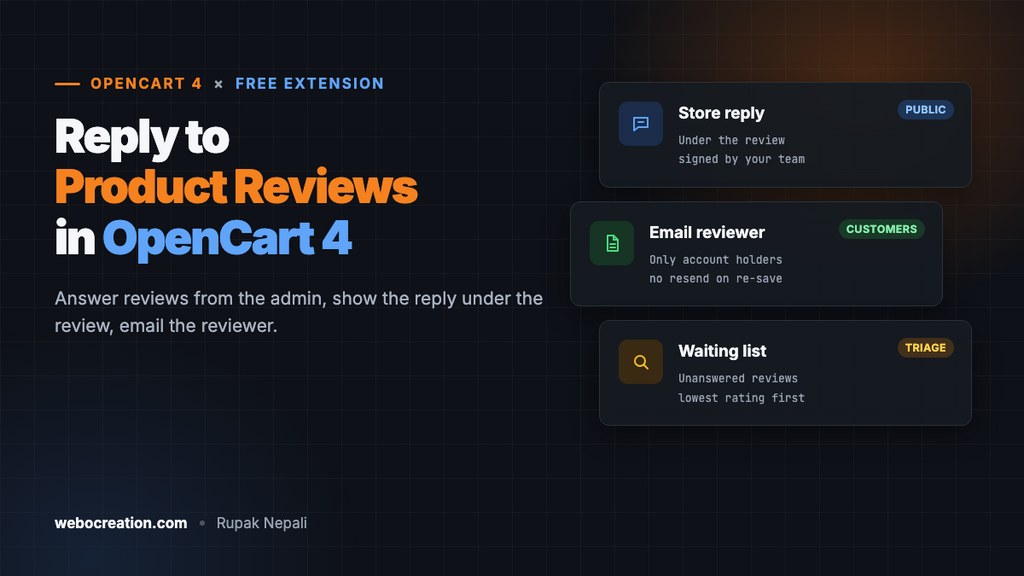
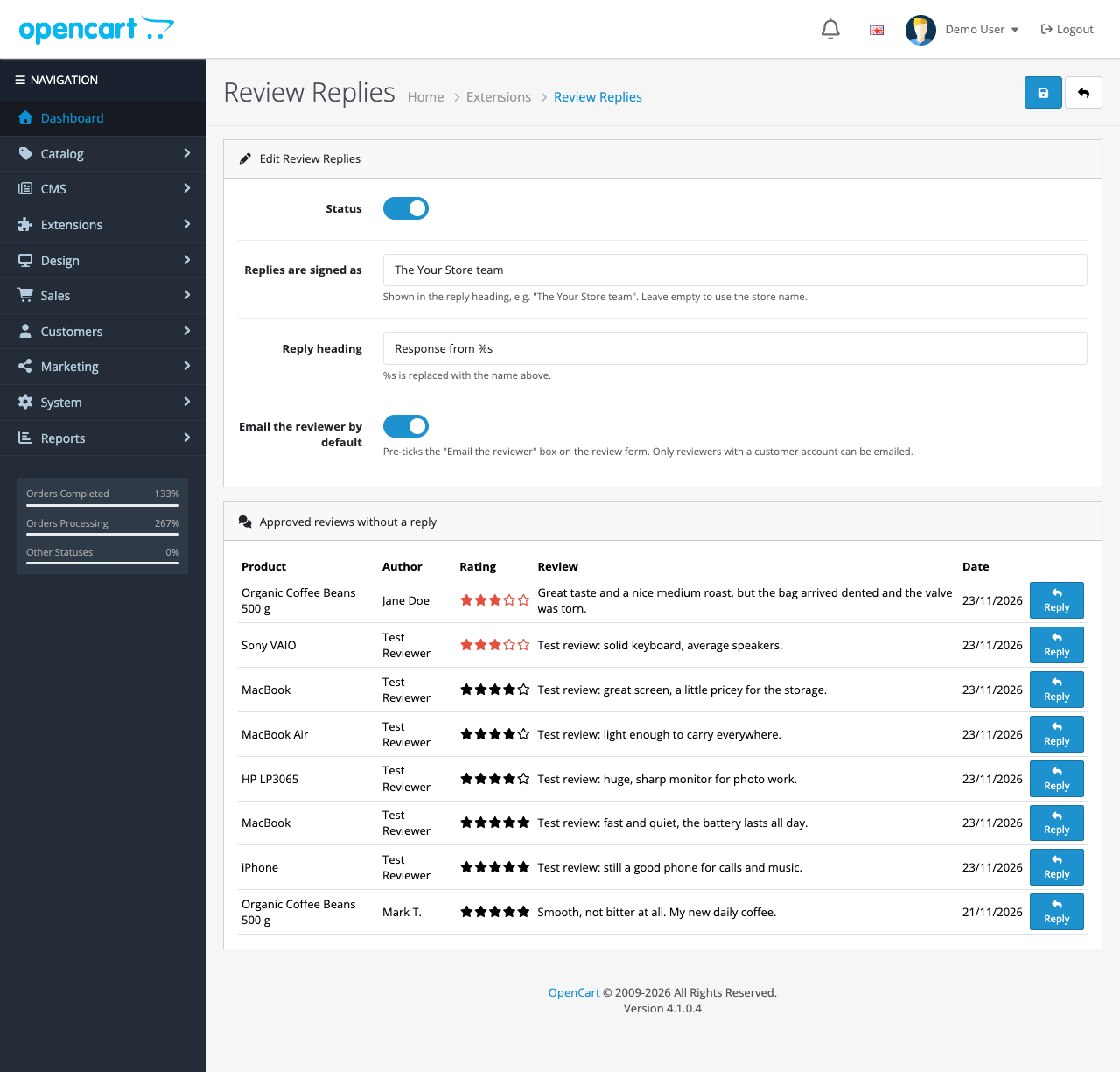
This free extension lets you reply to product reviews in OpenCart 4. You write the reply on the review form in the admin, it shows under the review on the product page, and if the reviewer has a customer account they get an email. The settings page lists approved reviews that still have no reply, lowest rating first. Tested on OpenCart 4.1.0.4.
Download: reviewreply.ocmod.zip (OpenCart 4.0.2.x to 4.1.x, free, no core file changes)
Reply to product reviews: what the extension does
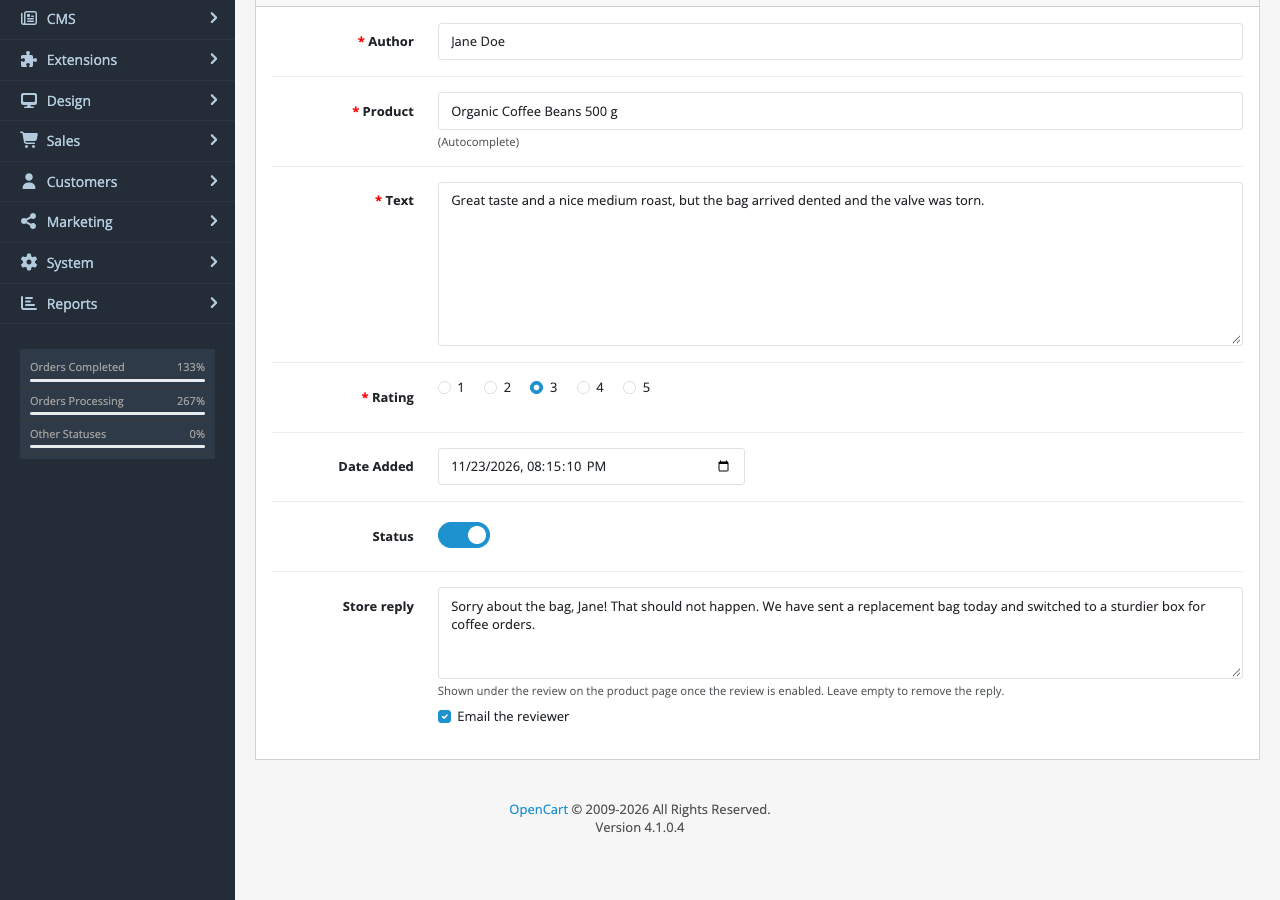
- Adds a Store reply box to Catalog > Reviews > Edit.
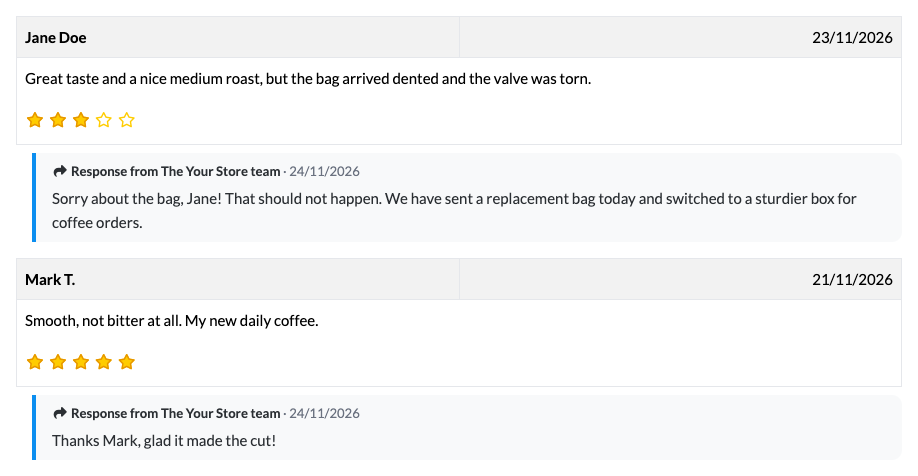
- Shows the reply under the review on the product page, with a heading like “Response from The Your Store team” and the date.
- Emails the reviewer when they wrote the review while logged in. Guest reviews have no email address, so the form says so instead of showing the checkbox.
- Sends the email only when the reply is new or changed, so saving the review again doesn’t email the customer twice.
- Lists approved reviews without a reply on the settings page, worst rating first, each with a Reply button.
- Removes the reply when you empty the box, and removes it with the review when the review is deleted.
Install the extension
- Download
reviewreply.ocmod.zip. - Go to Extensions > Installer, click Upload and choose the zip.
- Go to Extensions > Extensions, choose Modules, find Review Replies and click Install.
- Click Edit, switch Status on, enter how replies are signed (for example “The Your Store team”) and click Save.
- Open a review in Catalog > Reviews, write your reply in Store reply and save.
How the reply gets under the right review
The tricky part is that OpenCart’s getReviewsByProductId() returns the author, rating, text and date, but not the review ID, so a template event can’t tell which review is which. OpenCart 4 lets a model “after” event replace a method’s return value, so the extension runs the same query with the review ID and the reply added, and adds review_id as a tie-breaker so two reviews from the same second always come in the same order:
public function reviews(string &$route, array &$args, mixed &$output): void {
    if (!$this->config->get('module_reviewreply_status') || !$output) {
        return;
    }

    $product_id = (int)($args[0] ?? 0);
    $start = max(0, (int)($args[1] ?? 0));
    $limit = (int)($args[2] ?? 20);

    if ($limit < 1) {
        $limit = 20;
    }

    // Same filters and order as the core query, with review_id as a tie-breaker.
    $query = $this->db->query("SELECT `r`.`review_id`, `r`.`author`, `r`.`rating`, `r`.`text`, `r`.`date_added`, `rr`.`reply`, `rr`.`date_modified` AS `reply_date` FROM `" . DB_PREFIX . "review` `r` LEFT JOIN `" . DB_PREFIX . "reviewreply` `rr` ON (`rr`.`review_id` = `r`.`review_id`) LEFT JOIN `" . DB_PREFIX . "product` `p` ON (`r`.`product_id` = `p`.`product_id`) LEFT JOIN `" . DB_PREFIX . "product_description` `pd` ON (`p`.`product_id` = `pd`.`product_id`) WHERE `r`.`product_id` = '" . $product_id . "' AND `p`.`date_available` <= NOW() AND `p`.`status` = '1' AND `r`.`status` = '1' AND `pd`.`language_id` = '" . (int)$this->config->get('config_language_id') . "' ORDER BY `r`.`date_added` DESC, `r`.`review_id` DESC LIMIT " . $start . "," . $limit);

    $output = $query->rows;
}
The core review controller copies extra keys into each review (it ends the array with + $result), so the reply reaches the template data. A catalog/view/product/review_list/after event then adds each reply after the matching review, since every review in the default template is one table.
No duplicate emails
Staff often open a review to fix a typo and save it again. The extension compares the new reply with the saved one and stops if nothing changed:
if (($old['reply'] ?? null) === $reply) {
    return;
}

$this->db->query("INSERT INTO `" . DB_PREFIX . "reviewreply` SET `review_id` = '" . $review_id . "', `reply` = '" . $this->db->escape($reply) . "', `user_id` = '" . (int)$this->user->getId() . "', `date_added` = NOW(), `date_modified` = NOW() ON DUPLICATE KEY UPDATE `reply` = VALUES(`reply`), `user_id` = VALUES(`user_id`), `date_modified` = NOW()");

if (!empty($data['reviewreply']['notify'])) {
    $this->notify($review_id, $reply);
}
The email itself says who replied, quotes the reply and the original review, and links to the product page.
What we found when testing
- Jane Doe’s 3-star review was written from her account. Saving a reply sent “Your Store replied to your review of Organic Coffee Beans 500 g” to her address (caught by a local SMTP sink).
- Mark T.’s review was a guest review. The form showed “The reviewer was a guest or has no customer account, so no email can be sent.” and no checkbox.
- Saving Jane’s review again with the box ticked sent nothing, because the reply hadn’t changed.
- Pagination of reviews (5 per page in 4.1) kept replies on the right reviews.
How to write replies that help
- Answer negative reviews first and within a day or two. The settings page sorts them to the top.
- Say what you did, not just “sorry”: a replacement, a refund, a packaging change.
- Keep it short and never argue. Future shoppers read the reply more than the reviewer does.
- Thank happy reviewers too, in a line. It shows a person is reading.
- Don’t hide or delete honest negative reviews. Besides losing trust, suppressing them can break consumer protection rules, as our post on the FTC fake reviews rule explains.
Related posts
- Automated review request emails for OpenCart 4
- Photo reviews for OpenCart 4
- All reviews page for OpenCart 4
- Prompt injection through product reviews

Rupak Nepali is a web developer, manage Webocreation website and the author of six books:
Getting Started with OpenCart Module Development (Packt, 2013),
OpenCart Theme and Module Development (Packt, 2015),
OpenCart 4: Dev Guide for Themes & Extensions (2024),
OpenCart 4: User Manual (2025),
Cloudflare for the Enterprise Website (2026) and
The Technical Web Guide for Marketers (2026).
Rupak has built OpenCart stores and extensions since 2010, has published more than 600 tutorials on Webocreation, and shares free OpenCart extensions on GitHub.
Find Rupak on
GitHub | Amazon | LinkedIn | X | YouTube.