Unit Price for OpenCart 4: Show the Price per kg, Litre or Piece on Product Pages and Cards (Free Extension)
Show the price per kg, litre, metre or piece under every price in OpenCart 4. Free extension with a Unit Price tab on products, specials and tax included, tested on 4.1.0.4.
 Rupak NepaliPublished Nov 24, 2026
A 500 g bag of coffee for $17.59 and a 250 g bag for $7.40: which one is cheaper? Shoppers can’t tell at a glance, so they leave to compare elsewhere. Supermarkets solved this long ago with the unit price on the shelf label, and in the EU and UK it is a legal requirement for most goods sold by weight or volume. There is no OpenCart 4 unit price field at all.
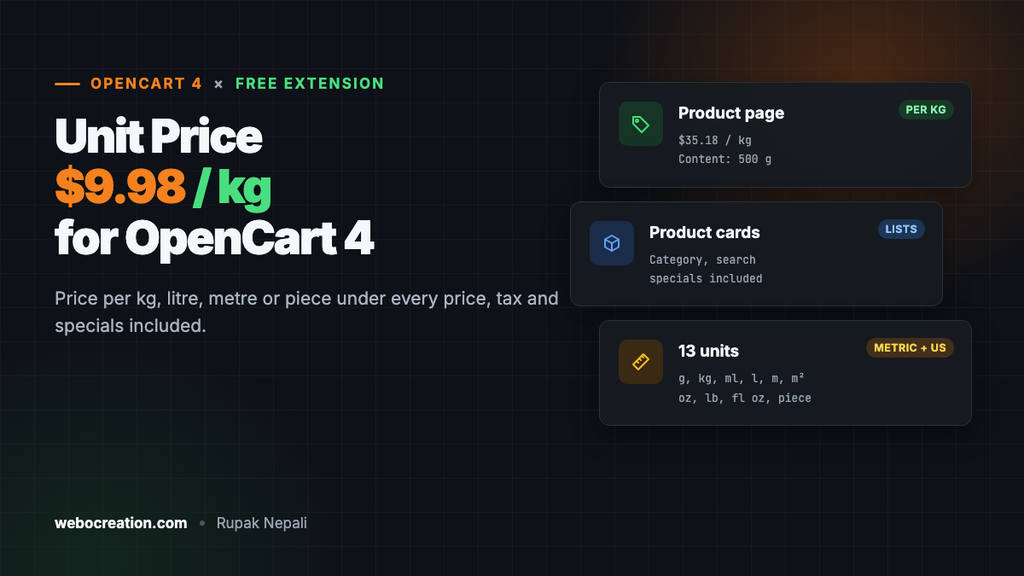
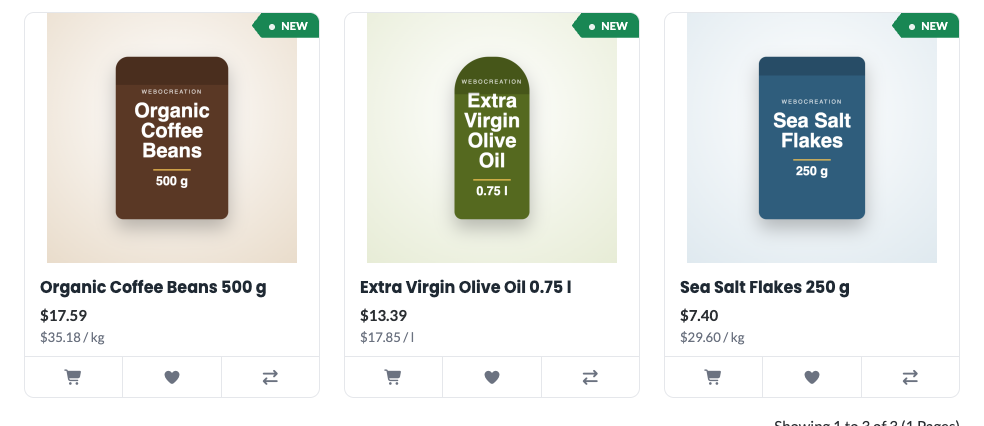
This free OpenCart 4 extension adds one. You enter what each product contains (500 g, 0.75 l, 12 pieces) and the store shows the unit price under the price on product pages and product cards, such as “$35.18 / kg”. It uses the price the shopper actually pays, including tax and sale prices. Tested on OpenCart 4.1.0.4.
Download: unitprice.ocmod.zip (OpenCart 4.0.2.x to 4.1.x, free, no core file changes)
What the OpenCart 4 unit price extension does
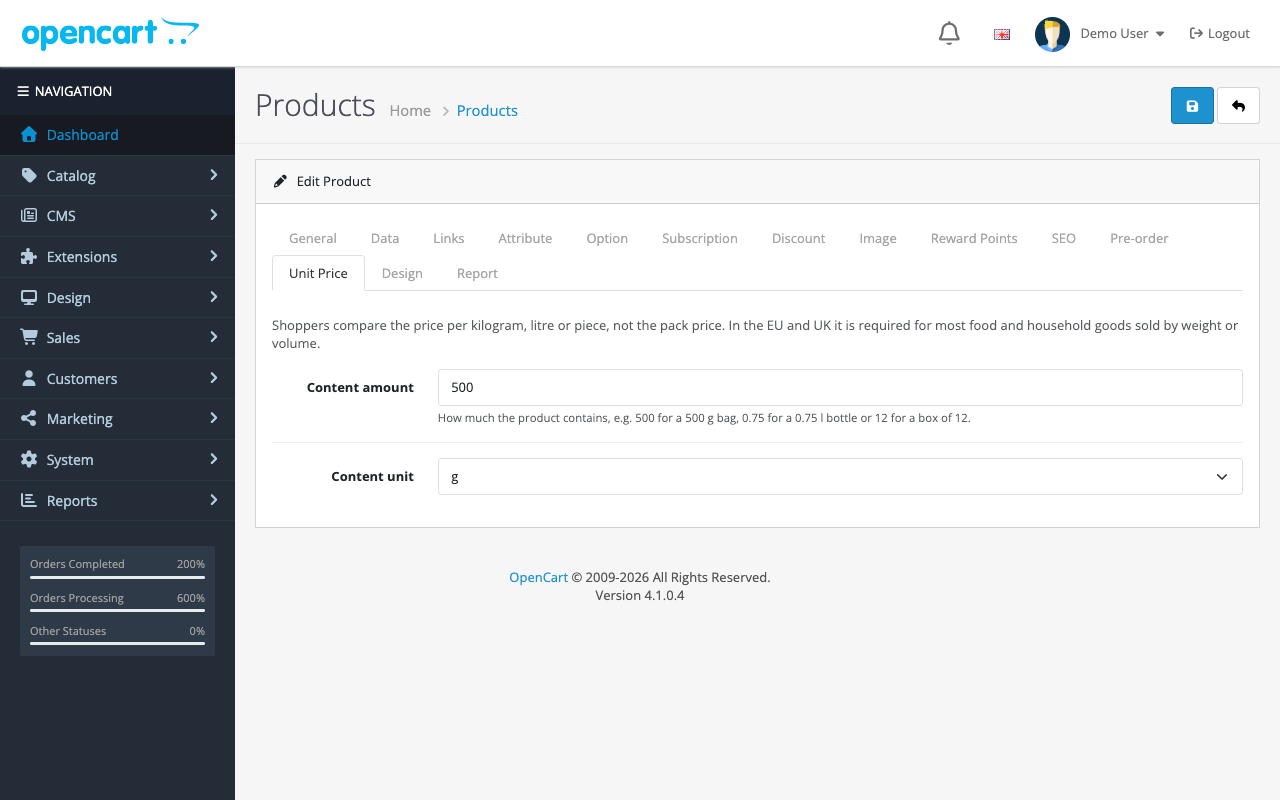
- Adds a Unit Price tab to the product form with two fields: the content amount and its unit.
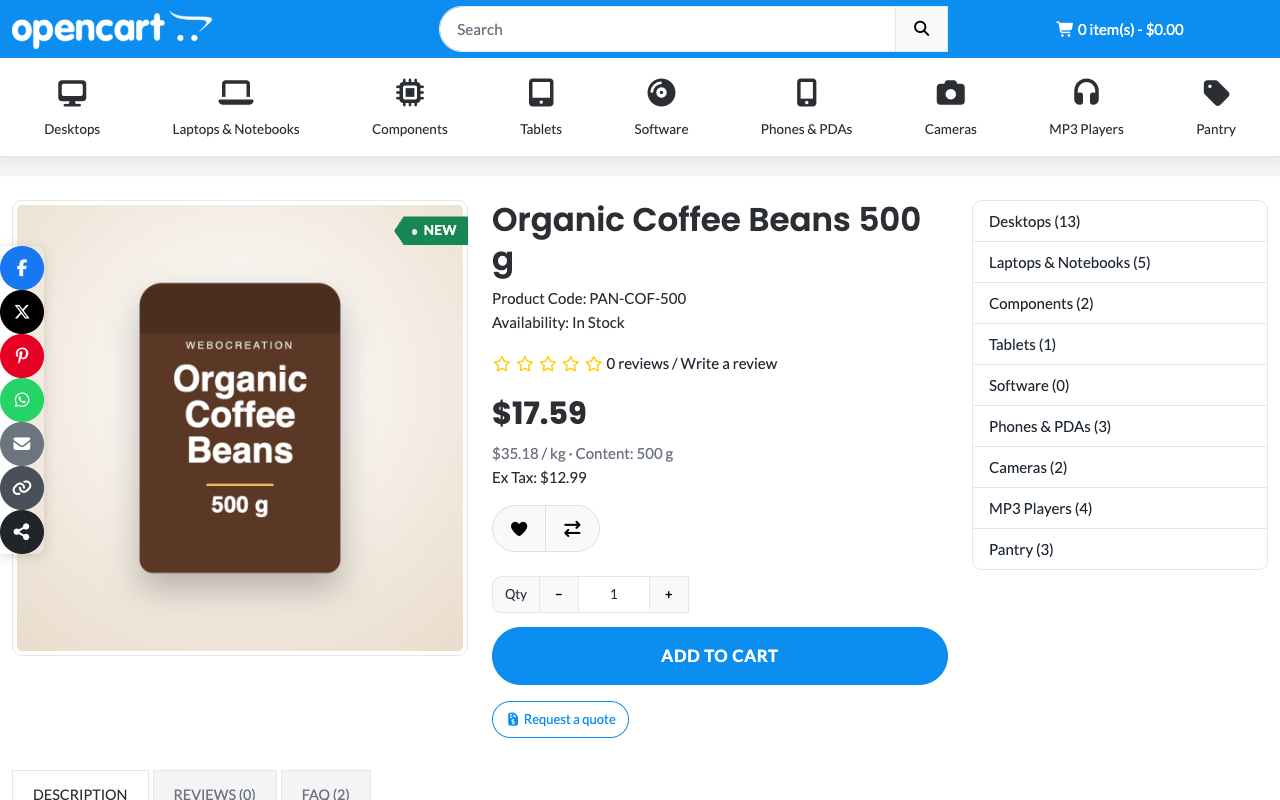
- Shows “$35.18 / kg · Content: 500 g” under the price on the product page.
- Shows “$35.18 / kg” under the price on product cards: category pages, search results, specials, related products and any module that uses the core product card.
- Supports 13 units: mg, g, kg, ml, cl, l, cm, m, m², oz, lb, fl oz and pieces.
- Lets you choose the reference unit: weight per 1 kg or per 100 g, volume per 1 l or per 100 ml, oz and lb per oz or per lb.
- Uses the special price when one is running, and the customer group discount for quantity 1, with tax added the same way your store shows prices.
- Hides the unit price when you hide prices from guests (System > Settings > Option > Login Display Prices).
Install the extension
- Download
unitprice.ocmod.zip. - In the admin, go to Extensions > Installer, click Upload and choose the zip.
- Go to Extensions > Extensions, choose Modules in the filter, find Unit Price and click the green Install button.
- Click the blue Edit button, switch Status on and click Save.
- Open a product in Catalog > Products, go to its Unit Price tab, enter the content (for example 500 and g) and save the product.
Settings
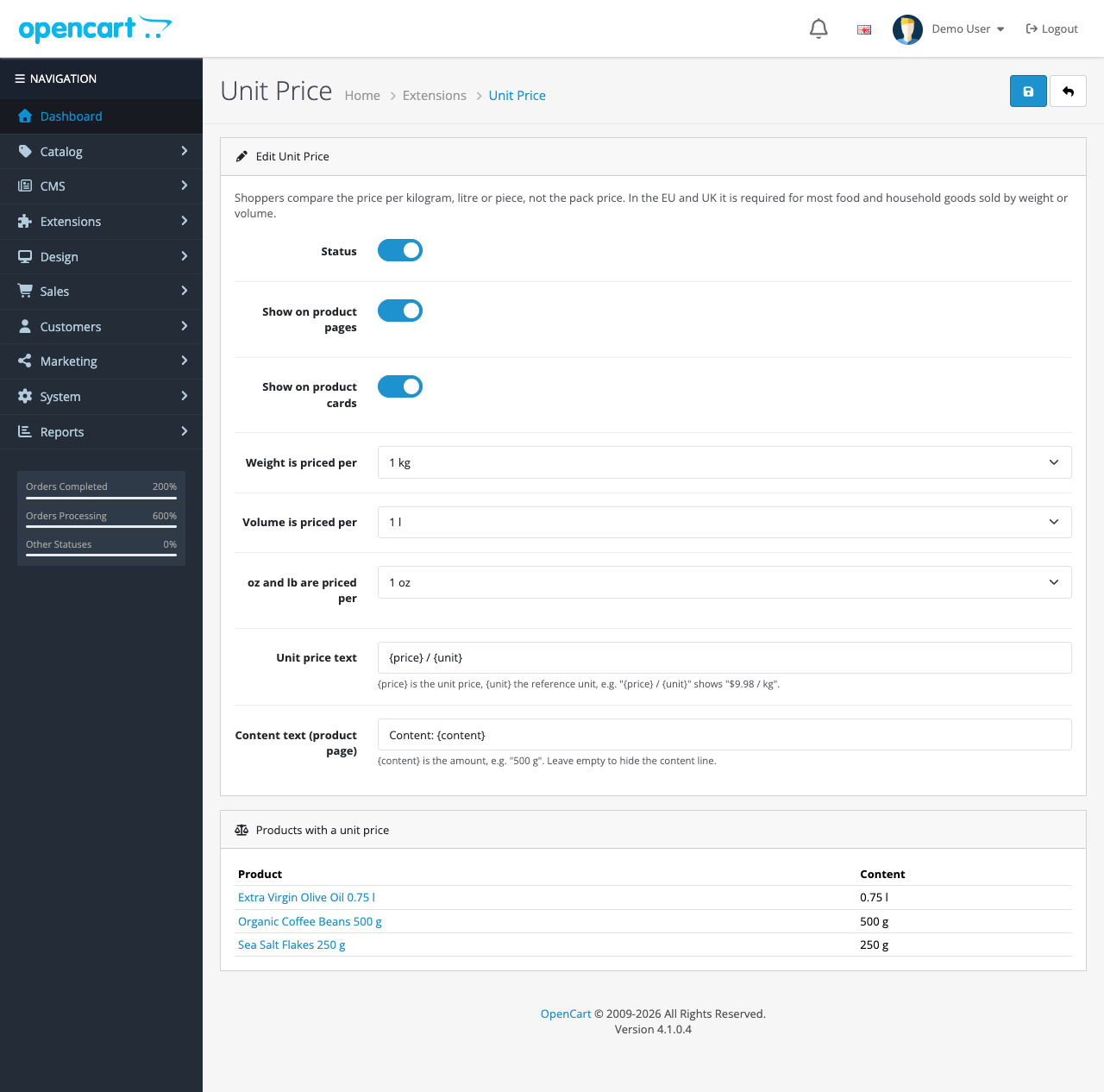
The settings page has switches for the product page and the product cards, the reference units, and two texts you can translate or reword:
- Unit price text:
{price} / {unit}by default. “{price} per {unit}” or “({price} / {unit})” work too. - Content text:
Content: {content}, shown on the product page only. Leave it empty to hide the content line.
At the bottom, a table lists every product with a content amount, with a link to edit each one. That makes it easy to check you haven’t missed a product.
How the unit price is calculated
Every content unit belongs to a family (weight, volume, length, area, US weight, US volume, count) and has a size in that family’s smallest unit. The reference unit has a size too, so the math is one line: price ÷ content × reference size.
public function calculate(float $price, float $amount, string $unit): ?array {
    $reference = $this->getReference($unit);

    if (!$reference || $amount <= 0) {
        return null;
    }

    $content = $amount * self::UNITS[$unit][1];

    return [
        'price'     => $price / $content * self::REFERENCE[$reference][0],
        'reference' => self::REFERENCE[$reference][1]
    ];
}
The price going in is the one the shopper pays for a single item. OpenCart’s getProduct() already returns the active special and the quantity-1 customer group discount, so the extension takes those and adds tax the same way the core product page does:
// The price the shopper pays for one item: special, else customer group discount, else the regular price.
$price = (float)$product['special'] ?: (float)$product['price'];
$price = $this->tax->calculate($price, (int)$product['tax_class_id'], $this->config->get('config_tax'));
The output is added with two view events, catalog/view/product/product/after and catalog/view/product/thumb/after, so no template or core file is changed, and the extension works with themes that keep the default price markup.
What we found when testing
We added three pantry products to the OpenCart 4.1.0.4 demo store with the default “Taxable Goods” class (20% VAT plus a $2.00 eco tax):
| Product | Price ex tax | Shown price | Unit price |
|---|---|---|---|
| Organic Coffee Beans 500 g | $12.99 | $17.59 | $35.18 / kg |
| Extra Virgin Olive Oil 0.75 l | $9.49 | $13.39 | $17.85 / l |
| Sea Salt Flakes 250 g | $4.50 | $7.40 | $29.60 / kg |
- Specials are used. With a $3.00 special on the salt, the product page showed $5.60 and $22.40 / kg.
- Fixed taxes inflate small packs. The demo eco tax adds $2.00 per item, so a 250 g pack carries $8.00 of eco tax per kilo. That is correct math, but if your real store has fixed per-item fees, expect small packs to look expensive per unit.
- Not every list uses the product card. The “New arrivals” list on our theme’s home page uses its own template, so it shows no unit price. Category pages, search, specials and related products all did.
- Fresh install. On a store that had never saved the settings, the form showed the right defaults (status off, both places on, kg, l and oz) instead of empty fields.
Unit pricing rules to know
In the EU, the Price Indication Directive (98/6/EC) requires the unit price for products offered to consumers, and the UK has the same idea in the Price Marking Order 2004. Both have exemptions, for example where the unit price would equal the selling price, and some countries exempt small shops. The rules differ by country and product, so check what applies to you. This extension gives you the display; it doesn’t decide which products need it.
Limitations
- One content amount per product. Products with options that change the size (250 g / 500 g / 1 kg as options) show the unit price of the base product. Use separate products or variants for different sizes.
- The unit price is not added to the cart, checkout or order emails.
- Prices in the product list of custom modules that don’t use
product/thumbget no unit price.
Related posts
- B2B and wholesale pricing in OpenCart 4
- Free shipping progress bar for OpenCart 4
- Google Merchant Center and free listings for OpenCart
- Webocreation Theme for OpenCart 4

Rupak Nepali is a web developer, manage Webocreation website and the author of six books:
Getting Started with OpenCart Module Development (Packt, 2013),
OpenCart Theme and Module Development (Packt, 2015),
OpenCart 4: Dev Guide for Themes & Extensions (2024),
OpenCart 4: User Manual (2025),
Cloudflare for the Enterprise Website (2026) and
The Technical Web Guide for Marketers (2026).
Rupak has built OpenCart stores and extensions since 2010, has published more than 600 tutorials on Webocreation, and shares free OpenCart extensions on GitHub.
Find Rupak on
GitHub | Amazon | LinkedIn | X | YouTube.