Newsletter Popup for OpenCart 4: Exit Intent, Consent, Double Opt-in and a Welcome Coupon (Free Extension)
Collect guest email addresses in OpenCart 4 with a newsletter popup: delay or exit intent, consent checkbox, double opt-in, a coupon after confirmation and a CSV export for your email platform.
 Rupak NepaliPublished Nov 24, 2026
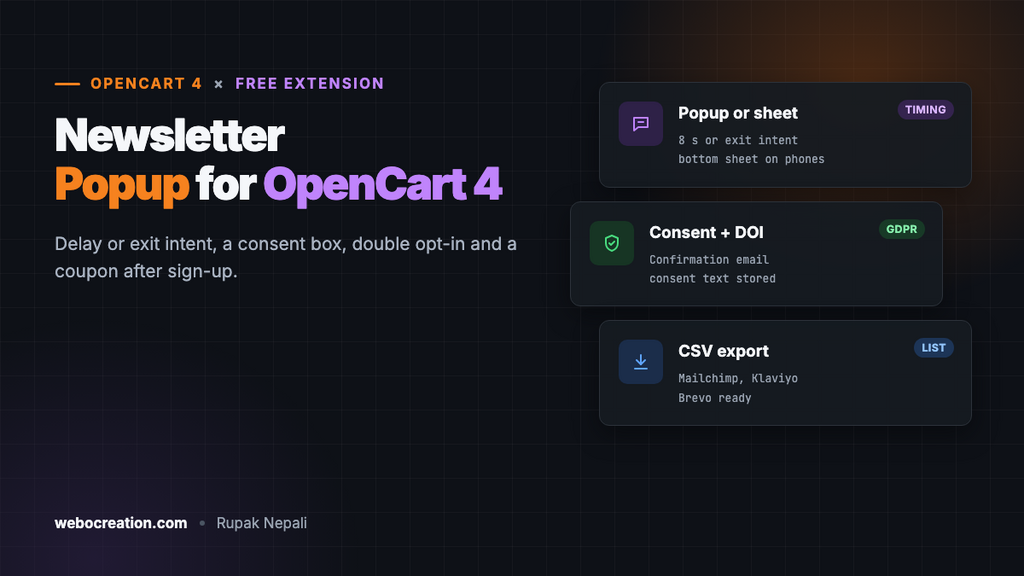
Most visitors leave without buying, and you never hear from them again. An email address is the cheapest way to bring them back, but OpenCart 4 only lets registered customers subscribe (Account > Newsletter). A guest who would happily trade an address for 10% off has nowhere to type it. A newsletter popup gives them that place.
This free extension adds a newsletter popup to OpenCart 4. It opens after a delay or when the mouse heads for the browser’s close button, asks for an email address and consent, can send a double opt-in email, and shows a coupon code once the address is confirmed. Subscribers are stored in your database and export to CSV for Mailchimp, Klaviyo or Brevo. On phones it opens as a bottom sheet instead of covering the page. Tested on OpenCart 4.1.0.4.
Download: newsletterpopup.ocmod.zip (OpenCart 4.0.2.x to 4.1.x, free, no core file changes)
What the newsletter popup does
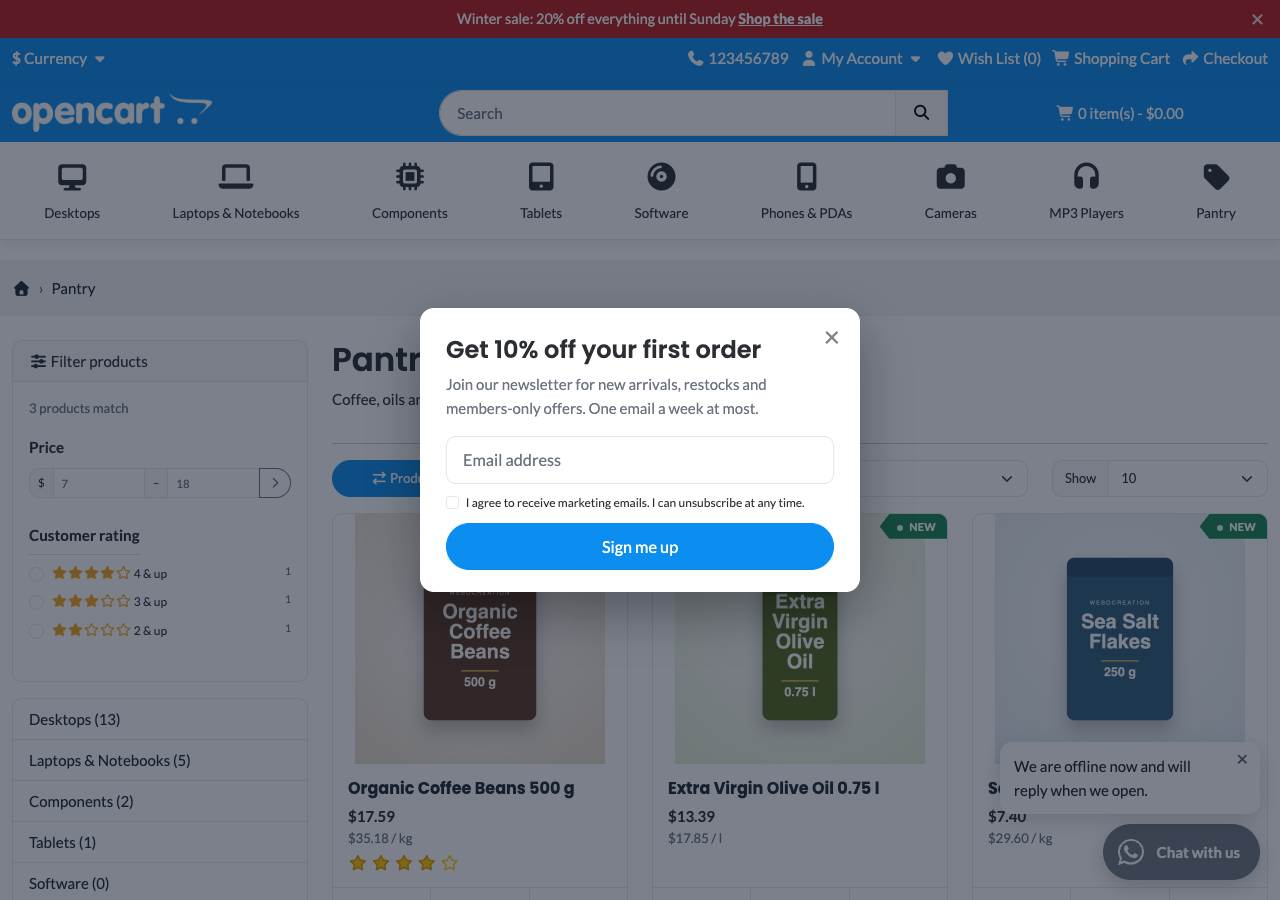
- Opens after a delay you set (8 seconds by default) or on exit intent, when the mouse leaves the top of the window on a computer.
- Has a consent checkbox, required by default, and stores the exact consent text with each sign-up.
- Optional double opt-in: sends a confirmation email and only counts the address once the link is clicked.
- Shows a coupon code from Marketing > Coupons after sign-up (or after confirmation with double opt-in).
- Stays hidden for a number of days after someone closes it or signs up (14 by default).
- Never shows on checkout, cart or account pages, and by default not to logged-in customers.
- Sets the core newsletter flag when the address belongs to a customer account, so Account > Newsletter shows Yes.
- Lists subscribers in the admin with their status and exports them to CSV.
- A hidden honeypot field and a limit of 5 sign-ups per IP address per hour keep bots out.
- Keyboard friendly: focus moves to the email field, Tab stays inside the dialog, Esc closes it.
Install the extension
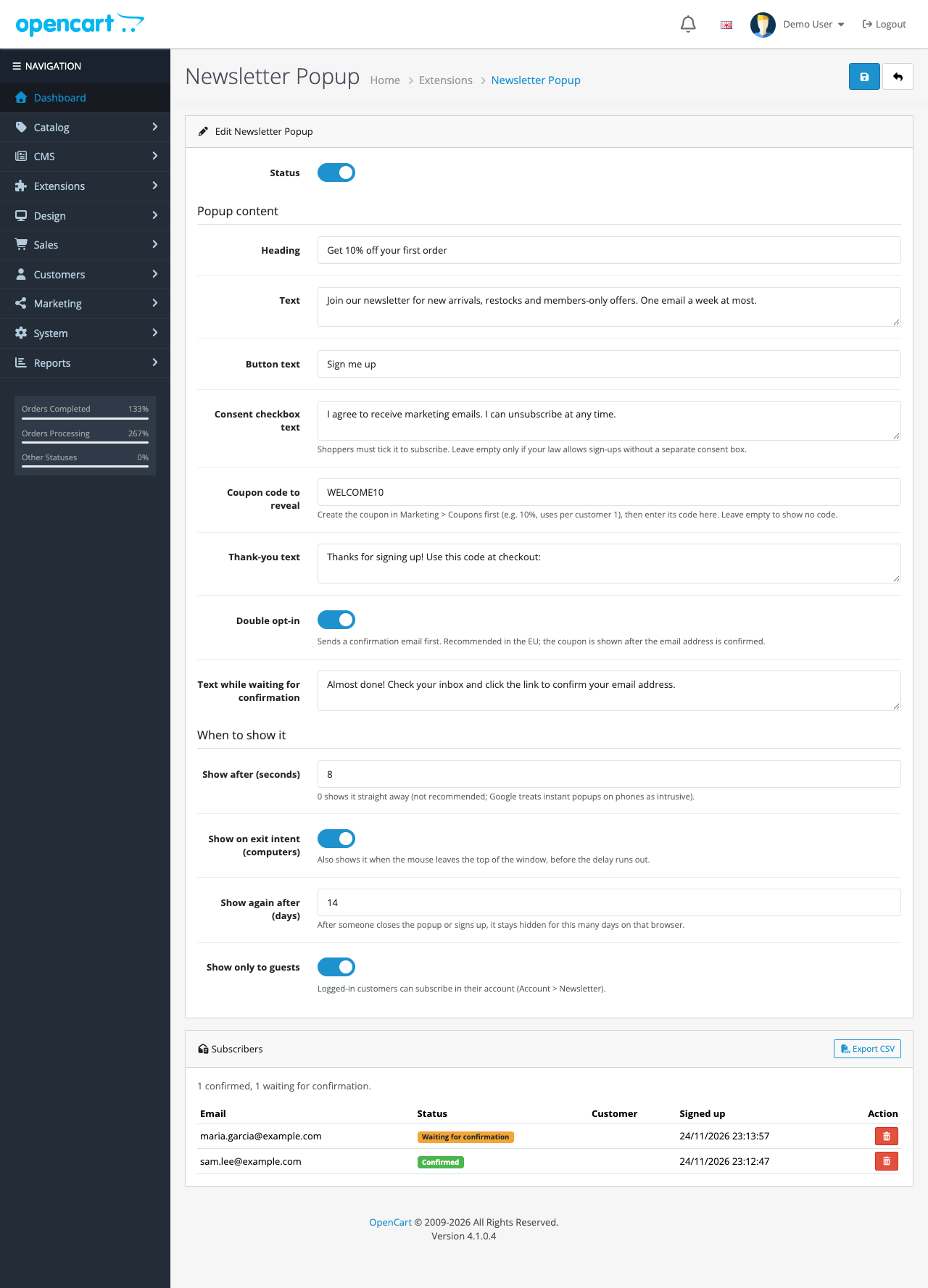
- Create the welcome coupon first in Marketing > Coupons (for example 10%, Uses Per Customer 1), if you want to offer one.
- Download
newsletterpopup.ocmod.zip. - Go to Extensions > Installer, click Upload and choose the zip.
- Go to Extensions > Extensions, choose Modules, find Newsletter Popup and click Install.
- Click Edit, switch Status on, enter the coupon code and click Save. The settings page refuses a code that isn’t an enabled coupon.
Double opt-in, step by step
- The shopper enters an email address, ticks consent and clicks Sign me up.
- The popup says “Almost done! Check your inbox and click the link to confirm your email address.”
- The email has a Confirm my subscription button with a one-time link.
- The link opens a “Subscription confirmed” page in your store with the coupon code. The page is sent with
X-Robots-Tag: noindex, nofollow. - Clicking the link again shows “This confirmation link is invalid or was already used.”
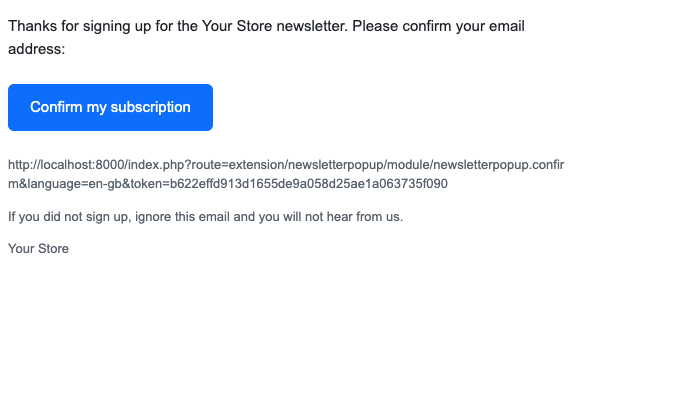
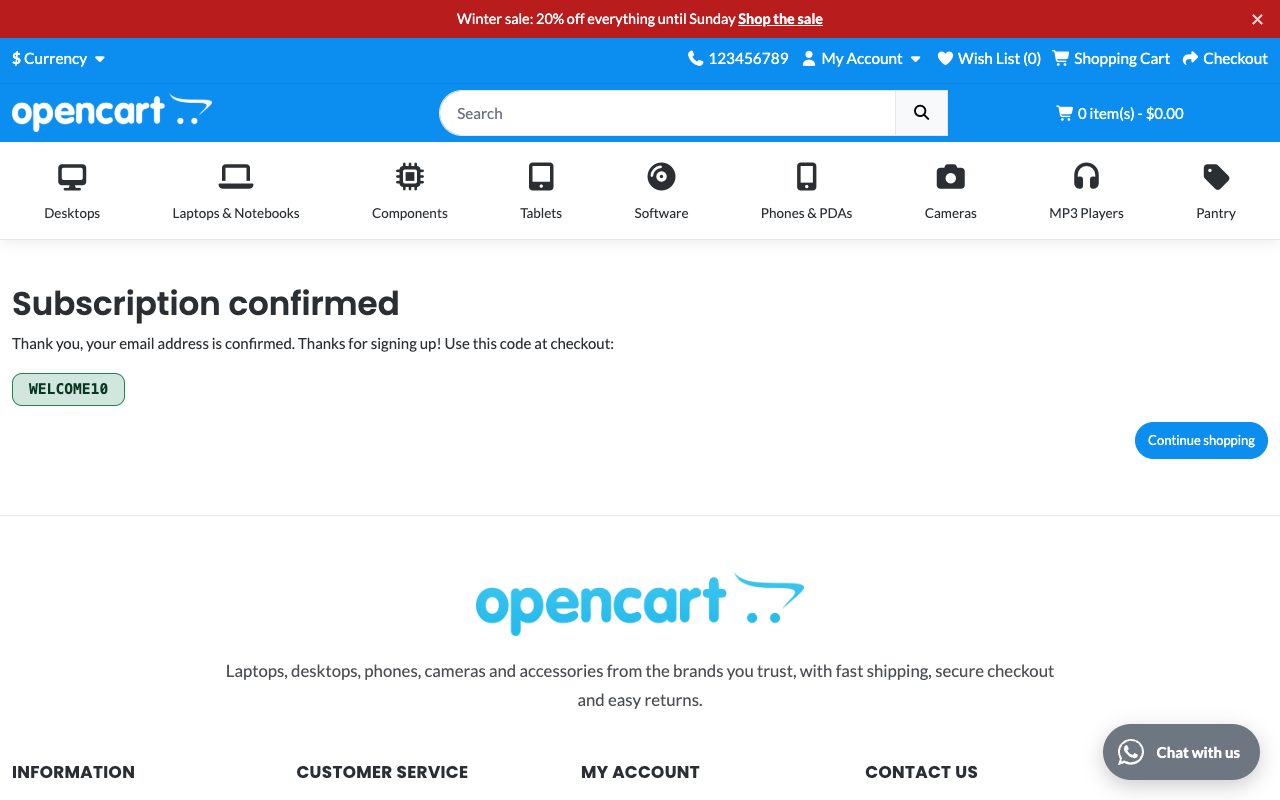
Double opt-in costs you some sign-ups, but it proves the address is real and that its owner asked for your emails. In much of the EU that proof is what you need if a subscriber says they never signed up, and it keeps typo addresses off your list, which helps deliverability.
Protection against bots and list leaks
The form has a field hidden from people. Bots fill every field, so a filled honeypot gets a fake “thank you” and nothing is saved. After that come the email and consent checks and a per-IP limit:
// Honeypot: a field people never see. Bots fill it; pretend it worked.
if (!$json && !empty($this->request->post['website'])) {
    $json['success'] = $this->setting('success');

    $this->respond($json);

    return;
}

if (!$json && (oc_strlen($email) > 96 || !filter_var($email, FILTER_VALIDATE_EMAIL))) {
    $json['error']['email'] = $this->language->get('error_email');
}

if (!$json && $this->setting('consent') !== '' && empty($this->request->post['consent'])) {
    $json['error']['consent'] = $this->language->get('error_consent');
}

if (!$json) {
    $recent = $this->db->query("SELECT COUNT(*) AS `total` FROM `" . DB_PREFIX . "newsletterpopup` WHERE `ip` = '" . $this->db->escape($ip) . "' AND `date_added` > DATE_SUB(NOW(), INTERVAL 1 HOUR)")->row;

    if ((int)$recent['total'] >= 5) {
        $json['error']['email'] = $this->language->get('error_limit');
    }
}
An address that’s already on the list gets the same answer as a new one, so nobody can use the form to check whether someone subscribes to your store.
Popups that don’t hurt the page
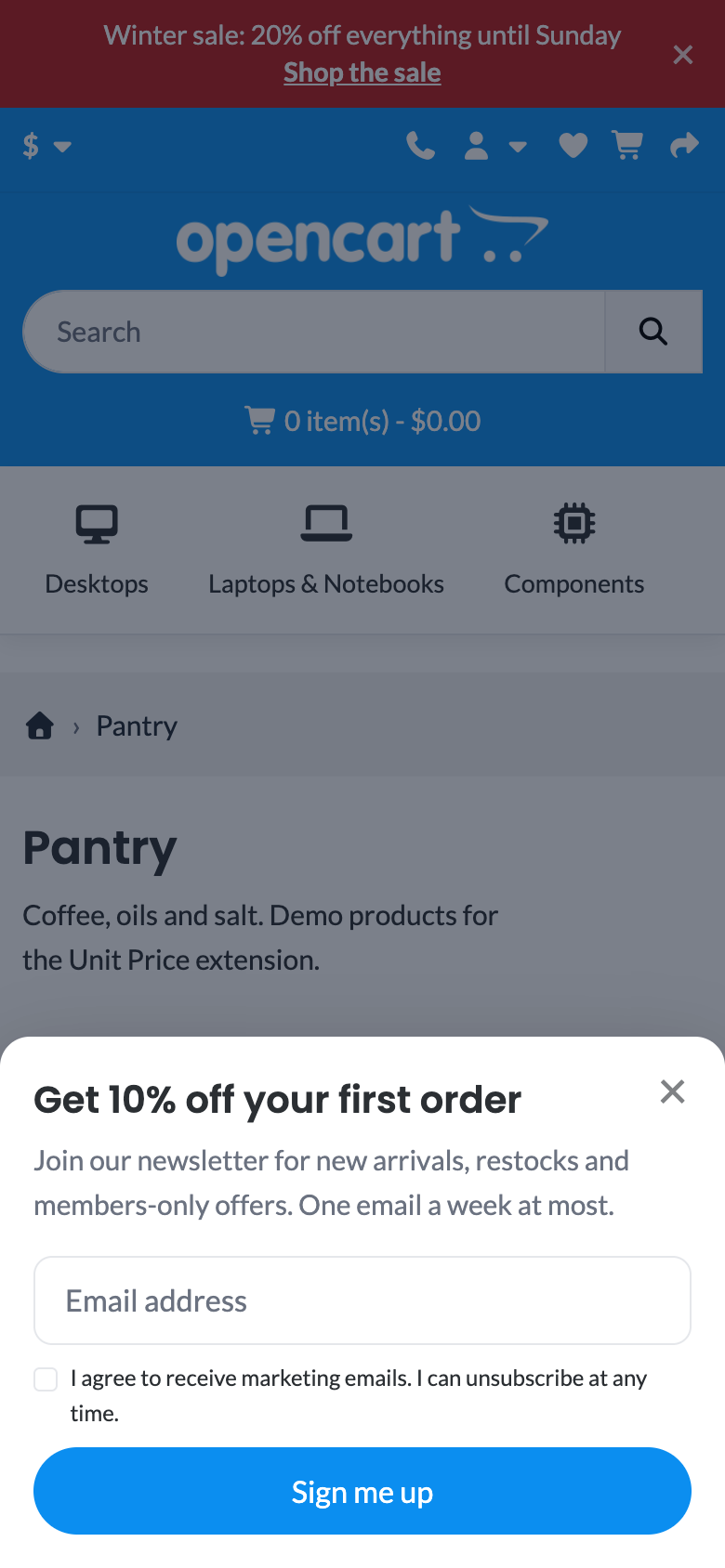
Google’s page experience guidance warns against interstitials that make content hard to reach, especially on phones. The extension’s defaults follow that advice: nothing appears for the first 8 seconds, the phone version is a bottom sheet that leaves the page visible above it, there’s always a close button, and once closed it stays away for 14 days.
What we found when testing
- A fatal error we had to fix. The confirmation page first called
$this->document->setRobots(), which doesn’t exist in OpenCart 4.1. The address was confirmed and then the shopper saw an error page. We now send anX-Robots-Tagheader instead. - Without the consent box ticked, the form showed “Please tick the box to agree to receive emails.” under the checkbox.
- After signing up, the next visit showed no popup (the
np_hidecookie was set for 14 days). The cart page never showed it. - Signing up as
Jane.Doe@Example.comstored the address in lower case, linked it to Jane’s customer account and set her newsletter flag after confirmation. - The sixth sign-up from one IP within an hour got “Too many sign-ups from your connection. Please try again later.” A request with the honeypot filled got a thank-you and saved nothing.
Sending the emails
OpenCart has no newsletter sender for guests, so use your email platform. Export the CSV (email, confirmed, signed_up, confirmed_at, consent_text, ip), import the confirmed rows, and send from there. Our free Mailchimp templates and Klaviyo templates are a good start, and SPF, DKIM and DMARC keep those emails out of spam. The extension also uses your store’s mail settings for the confirmation email, so set those up first (System > Settings > Mail).
Related posts

Rupak Nepali is a web developer, manage Webocreation website and the author of six books:
Getting Started with OpenCart Module Development (Packt, 2013),
OpenCart Theme and Module Development (Packt, 2015),
OpenCart 4: Dev Guide for Themes & Extensions (2024),
OpenCart 4: User Manual (2025),
Cloudflare for the Enterprise Website (2026) and
The Technical Web Guide for Marketers (2026).
Rupak has built OpenCart stores and extensions since 2010, has published more than 600 tutorials on Webocreation, and shares free OpenCart extensions on GitHub.
Find Rupak on
GitHub | Amazon | LinkedIn | X | YouTube.