Faceted Filters for OpenCart 4: Price, Brand, Attributes, Stock and Rating on Category Pages (Free Extension)
A free OpenCart 4 extension that adds price, brand, attribute, stock and rating filters with live counts to category pages, without editing core files.
 Rupak NepaliPublished Nov 23, 2026
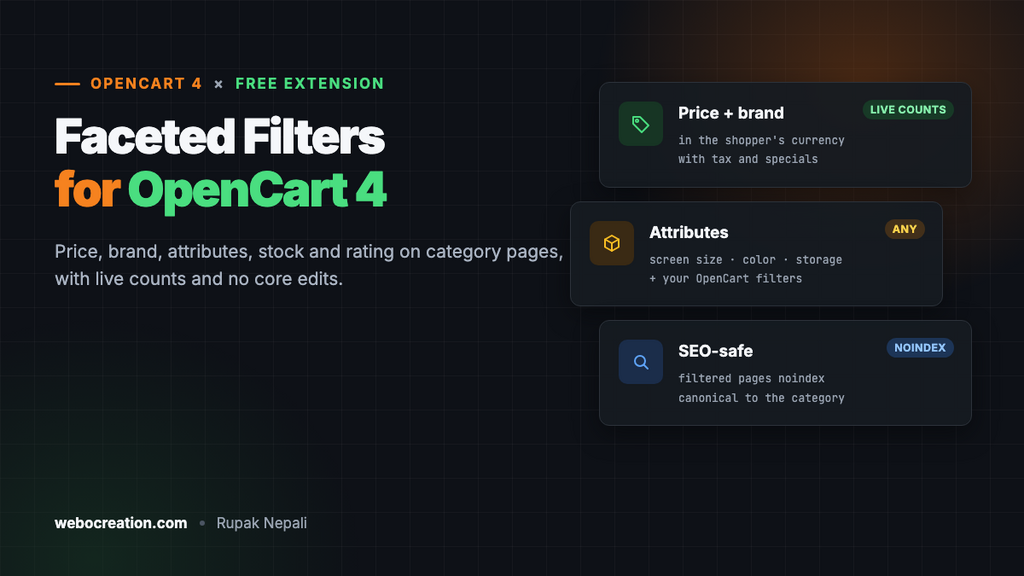
Shoppers on a category page with forty products want to narrow them down: only Apple, only silver, under $300, in stock, rated four stars and up. OpenCart 4 has a Filter module, but it only knows the filter groups you type in by hand under Catalog > Filters, it shows no counts, and it can’t filter by price, brand, stock or rating.
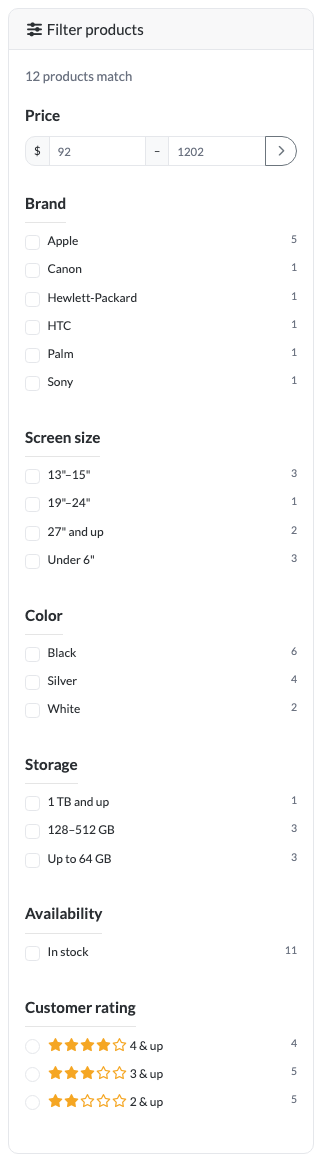
The free Faceted Filter extension adds a filter box to category pages with price, brand, attributes, your OpenCart filters, stock and rating. Every option shows how many products it would match, options that would match nothing are greyed out, and filtered pages are kept out of search results so they don’t compete with your category pages.
Download Faceted Filter for OpenCart 4 (free, tested on OpenCart 4.1.0.4).
What shoppers can filter by
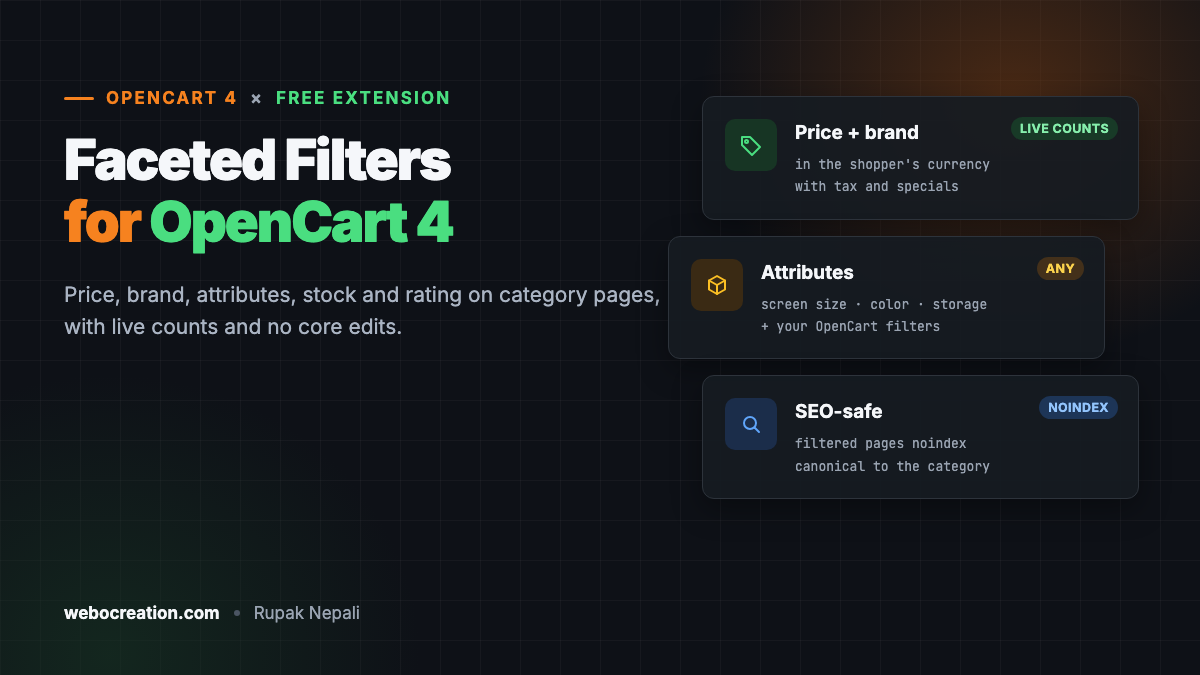
- Price: a from–to range, in the shopper’s currency and with tax when your store shows prices with tax, so the numbers match the prices on the page. Specials and quantity discounts count.
- Brand: the manufacturers of the products in the category.
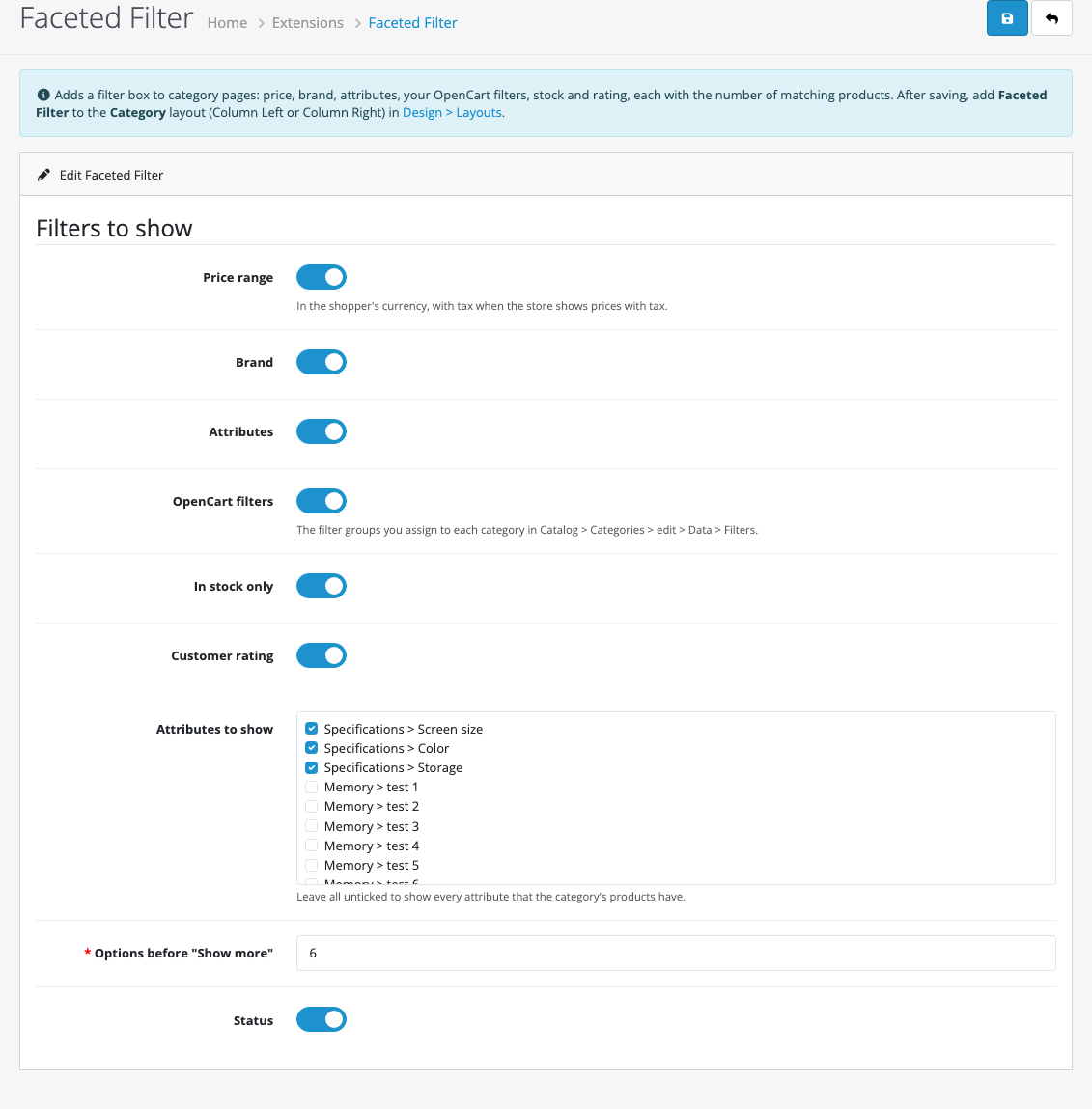
- Attributes: every attribute value the category’s products have (Catalog > Products > edit > Attribute), such as screen size, color or storage. You can limit the box to the attributes you choose.
- OpenCart filters: the filter groups assigned to the category in Catalog > Categories > edit > Data > Filters, so existing setups keep working.
- In stock only: hides products with a quantity of zero.
- Customer rating: 4 stars & up, 3 & up or 2 & up, from approved reviews.
Within a group the options are alternatives (Apple or Sony); across groups they combine (Apple and silver and under $300). Each count shows what you would get if you ticked that option, given everything else you have ticked, which is how most large stores do it.
Install
- Go to Extensions > Installer, upload
facetfilter.ocmod.zipand click the green + button. - Go to Extensions > Extensions, choose Modules, install Faceted Filter, click Edit, turn Status on and save.
- Go to Design > Layouts, edit the Category layout, add Faceted Filter to Column Left (or Column Right) and save. See OpenCart layouts and positions if you haven’t placed a module before.
How it works without editing OpenCart
Two problems make faceted filters hard in OpenCart: the category page only passes a few known URL parameters into its sort, limit and pagination links, and the product query in catalog/model/catalog/product.php can’t filter by price, attributes or rating. The extension solves both without touching core files.
The facets ride in OpenCart’s own filter parameter
The category controller already copies the filter parameter into every sort, “Show” and page link. So the extension keeps OpenCart’s filter IDs in the first part of that value and adds its facets after an underscore:
 * The filter parameter keeps OpenCart's own filter IDs in its first segment and adds facet segments after "_":
 *   filter=12,15_b5.8_p100-500_s1_r4_a2x1844473850.4x99
 *   b = brands (manufacturer IDs), p = price range, s1 = in stock only, r = minimum average rating,
 *   a = attribute values (attribute ID "x" CRC32 of the value text).
 * OpenCart already copies "filter" into every sort, limit and pagination link, so the facets survive all of them.
Sorting by price, switching to 25 per page or moving to page 2 keeps the selection, with no changes to the category controller.
A model event answers the product query
In OpenCart 4 a model event can’t replace a model’s result, but the before event receives the route by reference, and the loader picks the model and method from that route after the event runs. Pointing the route at the extension’s model sends filtered category listings there:
public function route(string &$route, array &$args): void {
	if (!$this->config->get('module_facetfilter_status')) {
		return;
	}

	$data = $args[0] ?? [];

	if (empty($data['filter_category_id']) || !empty($data['filter_search']) || !empty($data['filter_tag']) || empty($data['filter_filter'])) {
		return;
	}

	$route = 'extension/facetfilter/module/facetfilter.' . substr($route, strrpos($route, '.') + 1);
}
The extension’s model extends OpenCart’s product model, so it returns exactly the same columns and honours the same sort orders; product cards, prices, specials and other extensions that read the results keep working. Category pages without a filter, search results, modules and everything else still use the core model.
Fast enough for real catalogs
The products of a category, with their brand, price, stock, rating, attribute values and filters, are read once and cached in OpenCart’s product cache, which the admin clears whenever you save a product. Counting and filtering then happen in memory. On the demo store, over six requests each, the filtered Desktops page averaged 46 ms against 72 ms unfiltered (fewer product cards to render). For categories with thousands of products, keep an eye on memory and consider a search engine such as the one in our Meilisearch and Typesense guide.
Search engines and filtered pages
Faceted navigation can create thousands of URL combinations that waste crawl budget and compete with your category pages. The extension keeps that in check three ways:
- The filter options are checkboxes, not links, so crawlers don’t discover the combinations.
- Filtered pages get
<meta name="robots" content="noindex, follow">. - OpenCart’s canonical link on a category page already points at the unfiltered category.
More on this in our chapter on categories, products and faceted navigation, and on reading the Page indexing report if filtered URLs are already showing up there.
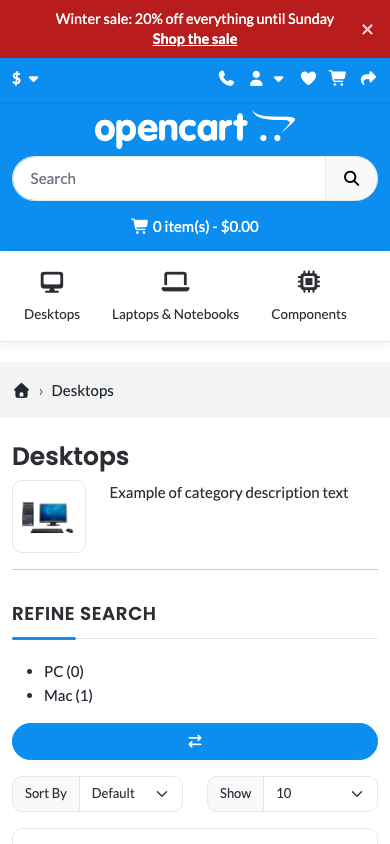
On phones
Testing it
We tested on OpenCart 4.1.0.4 with the Desktops category of the demo store, after adding Screen size, Color and Storage attributes to its twelve products, six reviews and one out-of-stock product:
- Apple listed the five Apple products; Apple and Silver listed three; In stock and 4 stars & up listed four, leaving out a 3-star laptop.
- A $100–$300 range matched the shown prices with tax: a product with a special price below $100 was left out.
- Sorting by price, a limit of two per page and page 2 all kept the filter, and “Showing 3 to 4 of 5 (3 Pages)” was right.
- Filtered pages carried the noindex tag; unfiltered category pages didn’t.
Testing also caught two bugs before release, both useful if you write OpenCart extensions: a model that extends the core product model can’t declare a getAttributes() with a different signature (PHP stops with a fatal error on every category page), and OpenCart’s cache returns an empty array for a miss, so “is it an array?” isn’t a test for a cache hit.
Related
- Live search for OpenCart 4 (product suggestions as you type)
- Product quick view for OpenCart 4
- Recently viewed products for OpenCart 4

Rupak Nepali is a web developer, manage Webocreation website and the author of six books:
Getting Started with OpenCart Module Development (Packt, 2013),
OpenCart Theme and Module Development (Packt, 2015),
OpenCart 4: Dev Guide for Themes & Extensions (2024),
OpenCart 4: User Manual (2025),
Cloudflare for the Enterprise Website (2026) and
The Technical Web Guide for Marketers (2026).
Rupak has built OpenCart stores and extensions since 2010, has published more than 600 tutorials on Webocreation, and shares free OpenCart extensions on GitHub.
Find Rupak on
GitHub | Amazon | LinkedIn | X | YouTube.