IndexNow for OpenCart 4: Tell Bing and Yandex About New and Changed Products the Moment You Save (Free Extension)
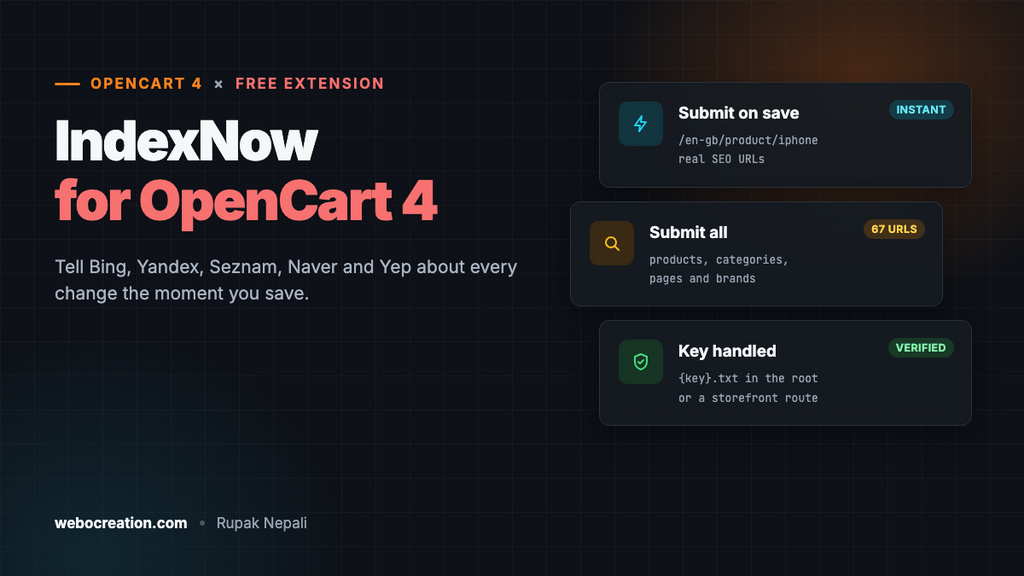
Submit new, changed and deleted products, categories, information pages and brands to IndexNow (Bing, Yandex, Seznam, Naver, Yep) the moment you save them.
 Rupak NepaliPublished Nov 21, 2026
When you add a product or change a price, search engines don’t know until their crawler happens to visit the page again. For a big catalog that can take days or weeks. IndexNow fixes that: your store tells search engines “this URL changed” the moment it happens, and they come and fetch it.
This free extension adds IndexNow to OpenCart 4. Every time you add, save or delete a product, category, information page or brand in the admin, its URL is sent to IndexNow, with the same SEO URL your customers see, in every language and store.
Download IndexNow for OpenCart 4 (free, tested on OpenCart 4.1.0.4)
Which search engines use IndexNow?
Microsoft Bing, Yandex, Seznam.cz, Naver and Yep. They share submissions with each other, so one submission reaches all of them. Bing’s index is also used by other search tools (DuckDuckGo draws many of its results from it, for example), so the benefit goes beyond bing.com.
Google doesn’t use IndexNow. For Google, keep your XML sitemap up to date and submitted in Search Console. IndexNow is an addition to your sitemap, not a replacement.
What it does
- Submits on save. Add or save a product, category, information page or brand and its URL is submitted straight away.
- Submits deletions, so search engines drop deleted pages sooner.
- Skips disabled items until you enable them, so draft products aren’t announced.
- Real storefront URLs. SEO URLs exactly as customers see them (
/en-gb/product/iphone,/en-gb/catalog/component/monitor), for each enabled language and each store the item is in. - Submit all URLs once after installing, to tell search engines about your whole catalog in one go (up to 10,000 URLs per request).
- Creates and hosts the key for you, and keeps a log of every submission with the search engine’s answer.
Install it
- Download
indexnow.ocmod.zip. - Go to Extensions → Installer, upload it, and click the green +.
- Go to Extensions → Extensions → Modules and install IndexNow.
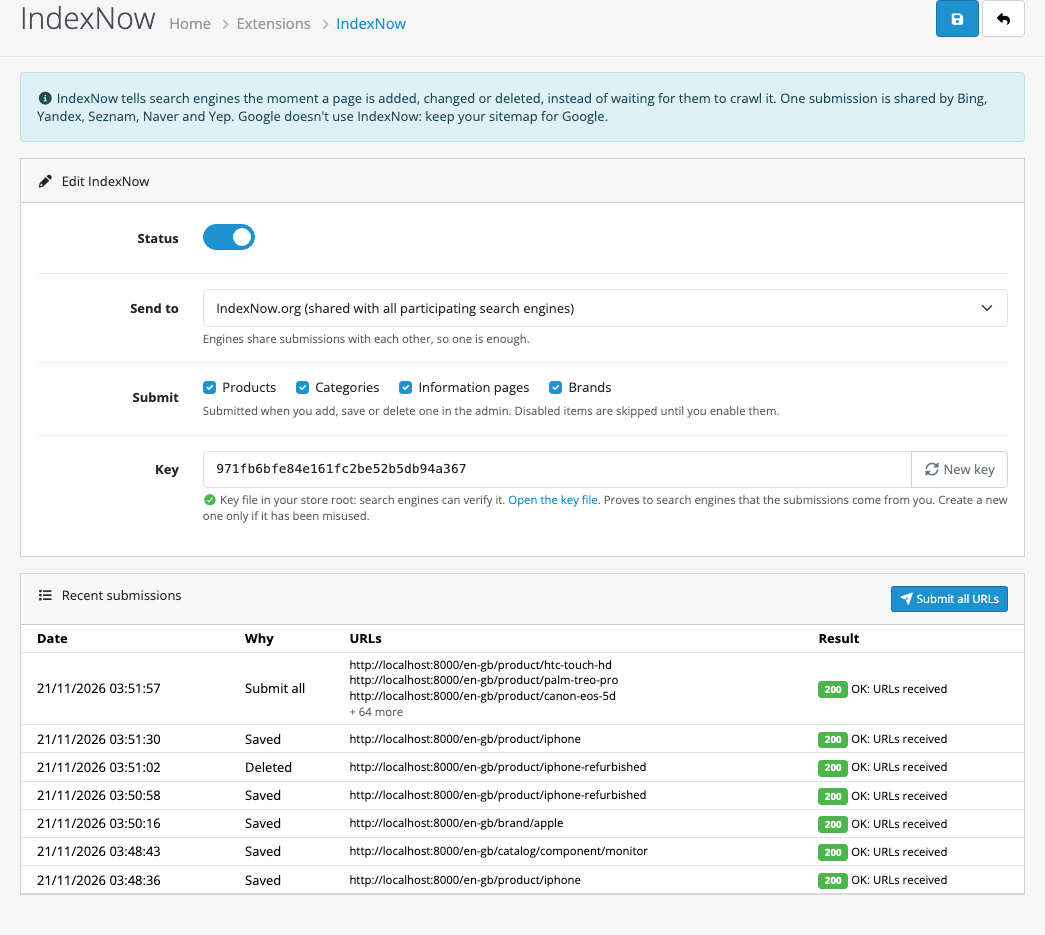
- Click Edit, turn Status on and save.
- Click Submit all URLs once.
There’s no account to create and nothing to paste. The key is created when you install the extension.
The settings
| Setting | What it does |
|---|---|
| Send to | IndexNow.org (the default), or straight to Bing, Yandex, Seznam, Naver or Yep. It makes no difference which: each one shares with the others. |
| Submit | Which kinds of pages to submit: products, categories, information pages, brands. |
| Key | A random code that proves the submissions come from you. New key replaces it if it was ever misused. |
The key file
Search engines check every submission by downloading a text file named after your key from your site, for example https://yourstore.com/971fb6bfe84e161fc2be52b5db94a367.txt, which contains just the key. The extension writes that file to your store’s root folder, and the settings page links to it so you can check it opens.
If the root folder isn’t writable, the extension serves the key from a storefront address instead (index.php?route=extension/indexnow/module/indexnow.key) and tells search engines where to find it in each submission. The settings page says which one is in use. We tested both: the test endpoint downloaded the key from the root file, and from the storefront address with the file removed.
What gets submitted
| You do this in the admin | Submitted |
|---|---|
| Add an enabled product, category, information page or brand | Its URL, in every enabled language |
| Save one (any change: price, description, stock, image) | Its URL |
| Save a disabled one | Nothing, until you enable it |
| Delete an enabled one | Its URL, so search engines find the 404 and drop it |
| Click Submit all URLs | Every enabled product (available now), category, information page and brand |
Changes made outside the admin forms, such as imports that write straight to the database or stock changes from orders, aren’t submitted automatically. Use Submit all URLs after a big import.
Reading the log
The Recent submissions table shows the last 20 submissions, why each was sent, the URLs and the search engine’s answer:
| Answer | Meaning |
|---|---|
| 200 OK | URLs received. |
| 202 Accepted | Received; the key will be checked shortly. Normal for the first submissions with a new key. |
| 400 Bad request | The request was malformed. |
| 403 Key not valid | The search engine couldn’t download the key file, or it didn’t match. Open the key file link: if it doesn’t load, a firewall, Cloudflare rule or maintenance mode may be blocking it. |
| 422 | URLs don’t belong to the host, or the key doesn’t match. Check your store URL in System → Settings. |
| 429 Too many requests | Too many submissions in a short time. Don’t use Submit all every day. |
How it’s built
The extension listens to OpenCart’s admin model events, for example admin/model/catalog/product.editProduct/after, and the matching add and delete events for categories, information pages and brands. No core files are changed.
The tricky part is getting the right URL. The admin doesn’t know your storefront’s SEO URLs, so the extension asks the storefront: it creates a store instance (the same thing OpenCart’s own cron runner uses), switches on its SEO URL rewriting, and builds the link exactly as a storefront page would:
$store = $this->model_setting_store->createStoreInstance($store_id, $language['code']);

// Store instances don't run the SEO URL startup, so add it to get the same links as the storefront.
$store->get('load')->controller('startup/seo_url');

$url = $store->get('url')->link('product/product', 'language=' . $language['code'] . '&product_id=' . $id);
The URLs are then sent as one JSON request per host:
POST https://api.indexnow.org/indexnow
Content-Type: application/json; charset=utf-8

{
  "host": "yourstore.com",
  "key": "971fb6bfe84e161fc2be52b5db94a367",
  "urlList": ["https://yourstore.com/en-gb/product/iphone"]
}
Each request has a 5-second timeout, so a slow search engine never holds up saving a product for long.
New to events? OpenCart 4 events by example explains them.
Testing
To test without sending anything to real search engines, we pointed the extension at a local test server that behaves like one: it downloads the key file from the store, compares it with the submitted key, and answers 200, 403 or 422.
| Test | Result |
|---|---|
| Install | Key created, key file in the store root, 12 events registered |
| Save the iPhone (SEO URLs on) | /en-gb/product/iphone submitted, key verified, 200 |
| Save the Monitors subcategory | /en-gb/catalog/component/monitor (full category path), 200 |
| Both URLs opened through OpenCart’s router | The iPhone and Monitors pages |
| Copy a product (copies are disabled) | Nothing submitted |
| Enable the copy and save, then delete it | Submitted on save and on delete |
| Key file removed, save the Apple brand | Submitted with the storefront key address, key verified, 200 |
| Submit all URLs | 67 URLs: 19 products, 38 categories, 4 information pages, 6 brands |
| Product save message | Still “You have modified products!” (the extension doesn’t touch the form’s own messages) |
Troubleshooting
| Problem | Cause and fix |
|---|---|
| Nothing in the log after saving a product | Check Status is on, the product type is ticked under Submit, and the product is enabled. |
| 403 in the log | Open the key file link from the settings page in a private window. If it doesn’t load, allow it in your firewall, security plugin or Cloudflare rules, and make sure the store isn’t in maintenance mode. |
| Submitted URLs look like index.php?route=… | SEO URLs are off in System → Settings → Server. The URLs still work, but switch SEO URLs on for cleaner ones. |
| Pages still don’t show in Bing | IndexNow makes Bing fetch the page sooner. It doesn’t guarantee indexing. Check the page in Bing Webmaster Tools, where IndexNow submissions are also listed. |
| Pages don’t show in Google | Google doesn’t use IndexNow. Use a sitemap and Search Console. |
Related: Google sitemap extension for OpenCart 4, sitemaps for large catalogs, crawlability and indexability and Google Search Console, report by report.

Rupak Nepali is a web developer, manage Webocreation website and the author of six books:
Getting Started with OpenCart Module Development (Packt, 2013),
OpenCart Theme and Module Development (Packt, 2015),
OpenCart 4: Dev Guide for Themes & Extensions (2024),
OpenCart 4: User Manual (2025),
Cloudflare for the Enterprise Website (2026) and
The Technical Web Guide for Marketers (2026).
Rupak has built OpenCart stores and extensions since 2010, has published more than 600 tutorials on Webocreation, and shares free OpenCart extensions on GitHub.
Find Rupak on
GitHub | Amazon | LinkedIn | X | YouTube.