Gift Wrap for OpenCart 4: A Paid Gift Wrap Option and Gift Message on Every Order Document (Free Extension)
Offer gift wrapping as a real order total with tax, plus a gift message that appears on the admin order page, invoice, packing slip and the customer's confirmation email.
 Rupak NepaliPublished Nov 22, 2026
Around the holidays, a good share of orders are gifts. Shoppers want them wrapped and want to add a few words, and they’re happy to pay a few dollars for it. OpenCart 4 has no option for either, so the message ends up squeezed into the order comment, if the customer thinks of it, and the packer has to notice it there.
This free extension adds a gift wrap option with a gift message. The price is added to the order totals, and the message travels with the order to the admin order page, the invoice, the packing slip and the customer’s confirmation email.
Download Gift Wrap for OpenCart 4 (free, tested on OpenCart 4.1.0.4)
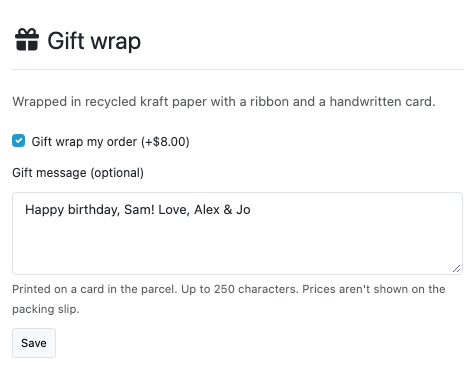
What it does
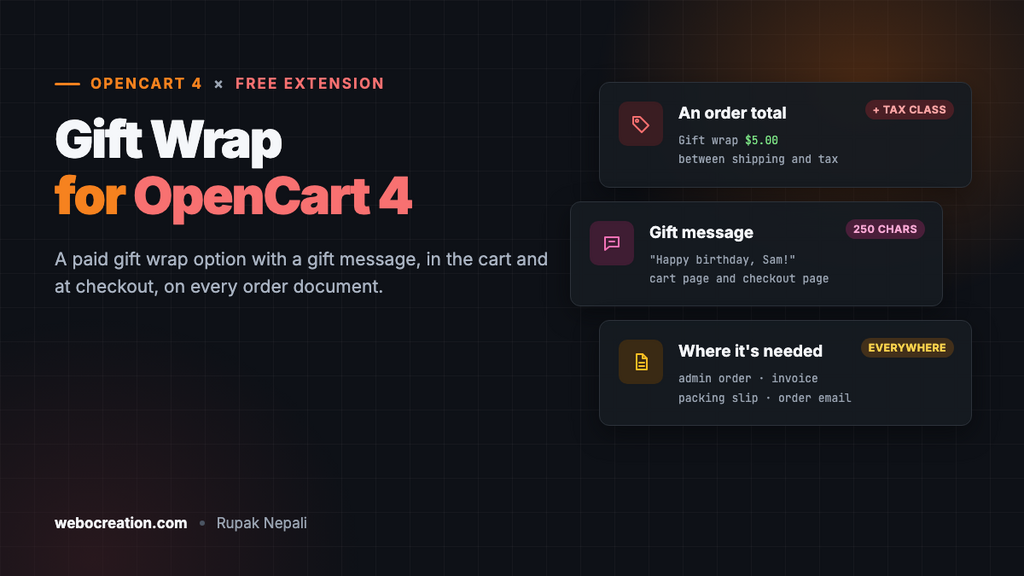
- A gift wrap option on the cart page (with the coupon box) and on the checkout page.
- A gift message of up to 250 characters (you choose the limit), or turn the message off.
- A real order total: “Gift wrap” appears in the cart, at checkout, on the order and in emails, with the tax class you choose.
- The message where your team needs it: a notice at the top of the admin order page, on the invoice and on the packing slip.
- In the customer’s email: the order confirmation shows “Gift wrap” and the message.
- Only for physical orders: carts with only downloadable products don’t get the option.
Install
- Go to Extensions > Installer, upload
giftwrap.ocmod.zipand click the green + button. - Go to Extensions > Extensions, choose Order Total, and install Gift Wrap.
- Click Edit, set the price, turn Status on and save.
Settings
- Price: per order, before tax. Set it to 0 for free gift wrapping.
- Tax class: the tax applied to the price. In most countries gift wrapping is taxed like the goods.
- Gift message on or off, and its maximum length.
- Description: one line shown above the option in each language, such as “Wrapped in recycled kraft paper with a ribbon and a handwritten card”.
- Sort order: where the line appears in the totals. Sub-Total is 1, Shipping 3 and Tax 5 by default, so 4 puts Gift wrap after shipping and before tax, which is what makes the tax on it show correctly.
The settings page also lists the latest gift-wrapped orders with their messages, so you can see at a glance what to wrap.
In the cart and at checkout
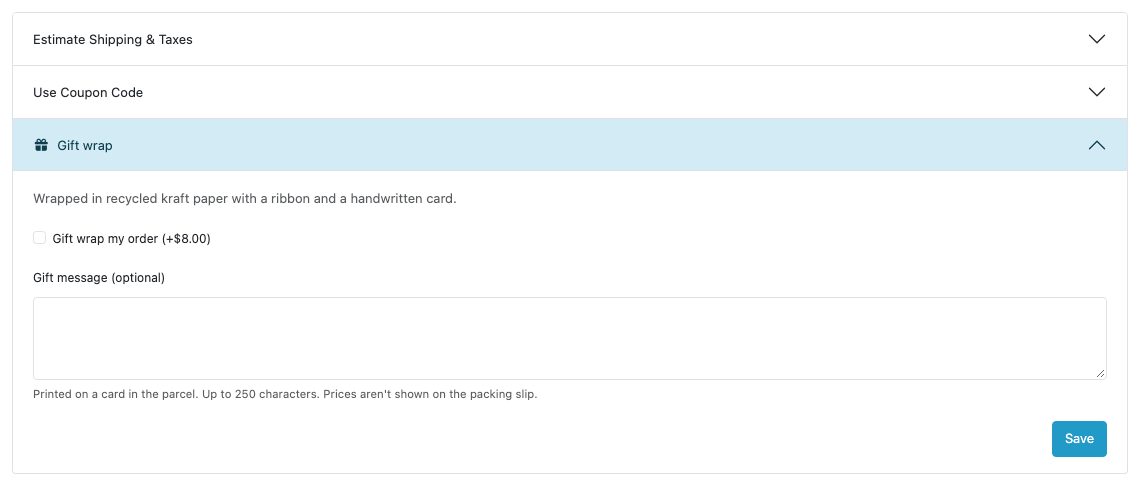
On the cart page, the option sits in the accordion with the coupon and gift voucher boxes, which is where OpenCart puts every order total’s option. Saving refreshes the totals.
Many shoppers skip the cart page and go straight to checkout from the mini cart, so the same option also appears on the checkout page, above the order confirmation. Ticking the box refreshes the confirmation with the new total, the way OpenCart does when you change the shipping method. The chosen payment method is kept.
Once the order is placed, the option resets, so the customer’s next order doesn’t silently get wrapped too.
On the order
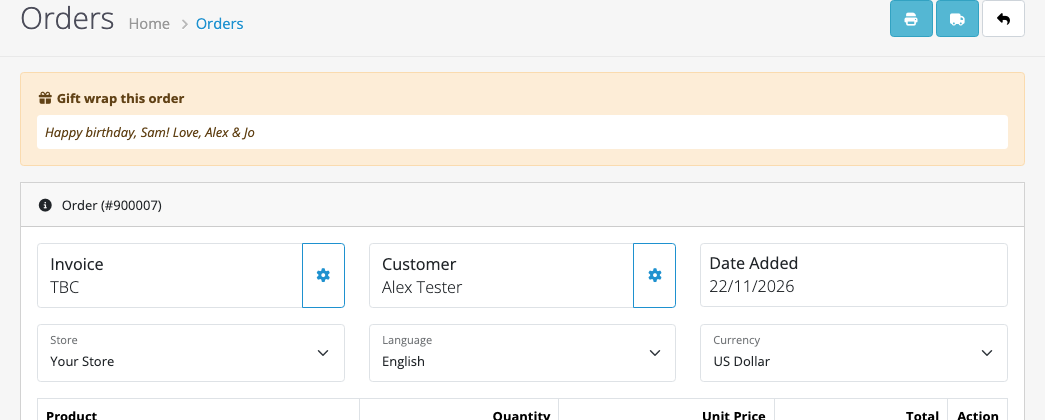
The message is stored with the order and appears:
- as a notice at the top of the admin order page,
- on the printed invoice and packing slip, with the order’s comment (see OpenCart 4 invoices and packing slips),
- in the customer’s order confirmation email, under “The comments for your order are”.
The packing slip doesn’t show prices, so it can go in the parcel with the gift.
Testing it
We placed guest orders on the demo store with two iPhones, gift wrap at $5 (taxable) and the message “Happy birthday, Sam! Love, Alex & Jo”. The confirmation showed Gift wrap $5.00 between shipping and tax, with VAT and the demo store’s fixed eco tax applied to it, and the order total stored the same lines. The message appeared on the admin order page, the invoice and the packing slip, and in the confirmation email caught by a local mail server. A second order placed right after started without gift wrap. A 260-character message was refused with “The gift message can be up to 250 characters”.
How it works
Gift Wrap is an order total extension, like Coupon or Handling Fee. Its model adds the line to the totals when the session says the customer chose it. The cart page loads each order total’s checkout controller, which shows the option there; a view event on checkout/checkout adds it to the checkout page.
The message is saved with events on checkout/order.addOrder and editOrder (OpenCart updates the same order if the customer goes back during checkout), in its own table, oc_giftwrap_order. Admin view events add it to the order page, invoice and packing slip, and a view event on mail/order_add adds it to the email. No core or theme files are changed.
Uninstall
Uninstalling removes the option and events. Messages of past orders stay in the database, in case you still need to wrap them.

Rupak Nepali is a web developer, manage Webocreation website and the author of six books:
Getting Started with OpenCart Module Development (Packt, 2013),
OpenCart Theme and Module Development (Packt, 2015),
OpenCart 4: Dev Guide for Themes & Extensions (2024),
OpenCart 4: User Manual (2025),
Cloudflare for the Enterprise Website (2026) and
The Technical Web Guide for Marketers (2026).
Rupak has built OpenCart stores and extensions since 2010, has published more than 600 tutorials on Webocreation, and shares free OpenCart extensions on GitHub.
Find Rupak on
GitHub | Amazon | LinkedIn | X | YouTube.