Host OpenCart 4 on Nginx (LEMP): Server Block, SEO URLs, PHP-FPM, SSL and Security Rules
A complete Nginx server block for OpenCart 4.1 that replaces .htaccess: SEO URL rewrites, blocking system/storage and .twig files, PHP-FPM, Let's Encrypt SSL, caching headers, cron, file permissions and the mistakes that cause 404s.
 Rupak NepaliPublished Oct 26, 2026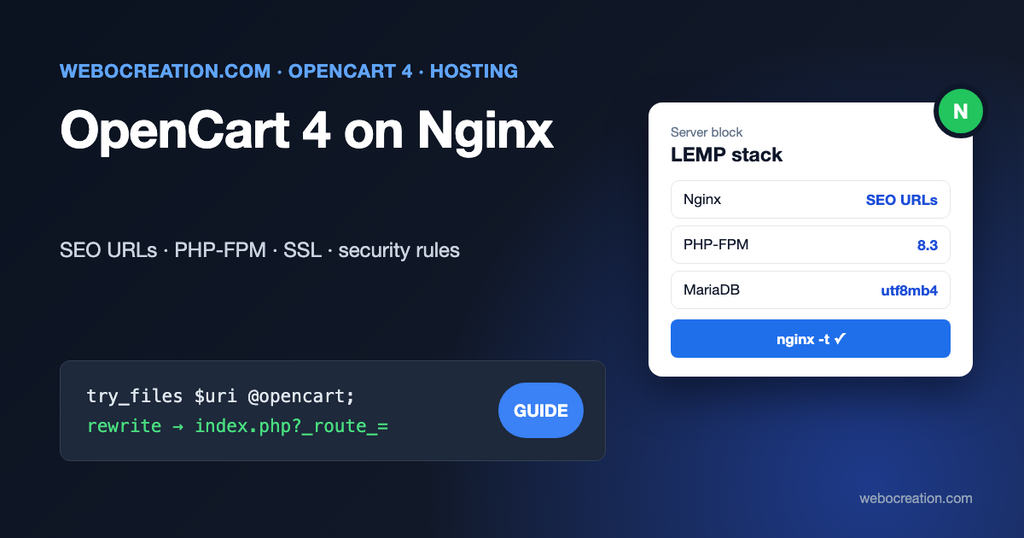
OpenCart’s install instructions assume Apache. The download includes a .htaccess.txt file that you rename to .htaccess, and that file does three jobs: it turns SEO URLs like /en-gb/laptop into index.php requests, it blocks files that should never be downloaded, and it sets a security header. Nginx ignores .htaccess completely. Move a store to Nginx without replacing those rules, and two things happen: every SEO URL returns 404, and your .twig templates and log files become downloadable.
This guide sets up OpenCart 4.1 on a LEMP server (Linux, Nginx, MySQL or MariaDB, PHP-FPM) on Ubuntu 24.04 LTS. Each Nginx rule is tied back to the Apache rule it replaces.
What OpenCart’s .htaccess actually does
These are the active lines of .htaccess.txt in OpenCart 4.1.0.4:
<IfModule mod_headers.c>
 Header always set X-Content-Type-Options "nosniff"
</IfModule>
Options -Indexes
<FilesMatch "(?i)((\.tpl|\.twig|\.ini|\.log|(?<!robots)\.txt))">
 Require all denied
</FilesMatch>
RewriteEngine On
RewriteBase /
RewriteRule ^system/storage/(.*) index.php?route=error/not_found [L]
RewriteCond %{REQUEST_FILENAME} !-f
RewriteCond %{REQUEST_FILENAME} !-d
RewriteCond %{REQUEST_URI} !.*\.(ico|gif|jpg|jpeg|png|webp|js|css|svg)
RewriteRule ^([^?]*) index.php?_route_=$1 [L,QSA]
In plain words:
- Send
X-Content-Type-Options: nosniff. - Don’t list directory contents.
- Refuse
.tpl,.twig,.ini,.logand.txtfiles, exceptrobots.txt. - Answer anything under
system/storage/with OpenCart’s 404 page. - If the request is not an existing file or folder and not an image, script or stylesheet, pass the path to
index.phpas_route_, keeping the query string (QSA).
Every one of these needs an Nginx equivalent. One deliberate difference: the .txt rule below also allows llms.txt and ads.txt, and /.well-known/ stays reachable for security.txt, which the Apache rules would block.
Install the stack
On a fresh Ubuntu 24.04 server (a 2 GB VPS is enough for a small store):
sudo apt update
sudo apt install nginx mariadb-server \
  php8.3-fpm php8.3-mysql php8.3-curl php8.3-gd php8.3-zip \
  php8.3-mbstring php8.3-xml php8.3-intl php8.3-opcache unzip
sudo mysql_secure_installation
Ubuntu 24.04 ships PHP 8.3, which OpenCart 4.1 supports. For PHP 8.4 or 8.5, use the ppa:ondrej/php repository and change the package names; read our OpenCart PHP 8 compatibility guide first.
Create the database and a user that can only use it:
CREATE DATABASE opencart CHARACTER SET utf8mb4 COLLATE utf8mb4_unicode_ci;
CREATE USER 'opencart'@'localhost' IDENTIFIED BY 'a-long-random-password';
GRANT ALL PRIVILEGES ON opencart.* TO 'opencart'@'localhost';
FLUSH PRIVILEGES;
You don’t need to change MySQL’s strict mode for OpenCart 4: its database driver runs SET SESSION sql_mode = 'NO_ZERO_IN_DATE,NO_ENGINE_SUBSTITUTION' on every connection.
Upload OpenCart’s upload/ folder contents to /var/www/opencart and run the web installer, or follow our OpenCart 4 server setup guide.
The Nginx server block
Create /etc/nginx/sites-available/opencart:
# Redirect http and www to https://example.com
server {
    listen 80;
    listen [::]:80;
    server_name example.com www.example.com;
    return 301 https://example.com$request_uri;
}

server {
    listen 443 ssl;
    listen [::]:443 ssl;
    http2 on;
    server_name example.com;

    root /var/www/opencart;
    index index.php;

    ssl_certificate     /etc/letsencrypt/live/example.com/fullchain.pem;
    ssl_certificate_key /etc/letsencrypt/live/example.com/privkey.pem;

    # Product images and extension zips can be large.
    client_max_body_size 64m;

    # .htaccess: Header always set X-Content-Type-Options "nosniff"
    add_header X-Content-Type-Options "nosniff" always;

    # .htaccess: Options -Indexes (Nginx's default is off, keep it that way)
    autoindex off;

    # .htaccess: RewriteRule ^system/storage/(.*) ...
    # Better still: move storage outside the web root (see below).
    location ^~ /system/storage/ {
        return 404;
    }

    # .htaccess: FilesMatch .tpl .twig .ini .log .txt (except robots.txt)
    # llms.txt and ads.txt are allowed too, if you publish them.
    location ~* \.(tpl|twig|ini|log)$ {
        return 404;
    }
    location ~* ^(?!/(robots|llms|ads)\.txt$).*\.txt$ {
        return 404;
    }

    # security.txt and Let's Encrypt challenges live here.
    location ^~ /.well-known/ {
        try_files $uri =404;
    }

    # Other hidden files such as .git, .env and .htaccess
    location ~ /\. {
        return 404;
    }

    # Never run PHP from uploaded content.
    location ~* ^/(image|system/storage)/.*\.php$ {
        return 404;
    }

    # Static files: cache in the browser, don't pass to PHP when missing.
    location ~* \.(ico|gif|jpe?g|png|webp|avif|svg|js|css|woff2?)$ {
        expires 30d;
        add_header Cache-Control "public";
        add_header X-Content-Type-Options "nosniff" always;
        access_log off;
        try_files $uri =404;
    }

    # .htaccess: the SEO URL rewrite
    location / {
        try_files $uri $uri/ @opencart;
    }

    location @opencart {
        rewrite ^/(.+)$ /index.php?_route_=$1 last;
    }

    location ~ \.php$ {
        try_files $uri =404;
        include fastcgi_params;
        fastcgi_param SCRIPT_FILENAME $document_root$fastcgi_script_name;
        fastcgi_param HTTPS on;
        fastcgi_pass unix:/run/php/php8.3-fpm.sock;
        fastcgi_read_timeout 120s;
    }
}
Enable it and reload:
sudo ln -s /etc/nginx/sites-available/opencart /etc/nginx/sites-enabled/
sudo rm /etc/nginx/sites-enabled/default
sudo nginx -t && sudo systemctl reload nginx
Why the rewrite keeps the query string
Apache needs QSA to keep ?page=2&sort=p.price when it rewrites. Nginx does this by itself when the new URL has its own query string:
If a replacement string includes the new request arguments, the previous request arguments are appended after them. If this is undesired, putting a question mark at the end of a replacement string avoids having them appended
nginx documentation, ngx_http_rewrite_module
So /en-gb/laptop?page=2 becomes /index.php?_route_=en-gb/laptop&page=2, exactly what OpenCart’s SEO URL decoder expects. Don’t add a trailing ? to the rewrite, or pagination and filters will stop working.
Why add_header is repeated
Nginx’s add_header has a trap: a location block that has its own add_header loses all the headers from the server block. That’s why the static files block repeats X-Content-Type-Options. If you add a Content Security Policy or HSTS header later (see our CSP guide), repeat it in that block too.
The admin folder
OpenCart’s admin lives in /admin/, and its PHP files are handled by the same \.php$ block. It doesn’t need SEO URL rewrites. If only you and your staff use it, restrict it by IP address:
location ^~ /admin/ {
    allow 203.0.113.10;   # office
    allow 198.51.100.7;   # your home connection
    deny all;

    location ~ \.php$ {
        include fastcgi_params;
        fastcgi_param SCRIPT_FILENAME $document_root$fastcgi_script_name;
        fastcgi_param HTTPS on;
        fastcgi_pass unix:/run/php/php8.3-fpm.sock;
    }
}
The nested PHP block is required: once a request matches a ^~ prefix location, Nginx doesn’t check the regular expression locations, so without it the admin’s PHP files would be downloaded instead of run.
SSL with Let’s Encrypt
Get the certificate before enabling the 443 server, or comment it out for the first run:
sudo apt install certbot python3-certbot-nginx
sudo certbot --nginx -d example.com -d www.example.com
Certbot adds a renewal timer automatically; sudo certbot renew --dry-run tests it. Then update HTTP_SERVER in both config.php and admin/config.php to https://, as described in installing SSL on OpenCart.
Move storage out of the web root
OpenCart 4 warns about this on the admin dashboard, and it’s the single best security change you can make. system/storage/ holds logs, the cache, session files (if you use file sessions), uploads and downloads. The Nginx rule above blocks it, but a folder outside the web root can’t be served even if a rule is lost during a migration.
Use the button on the dashboard warning, or do it by hand:
sudo mv /var/www/opencart/system/storage /var/www/storageThen change DIR_STORAGE in both config files:
define('DIR_STORAGE', '/var/www/storage/');PHP-FPM settings
Edit /etc/php/8.3/fpm/php.ini:
memory_limit = 256M
upload_max_filesize = 64M
post_max_size = 64M
max_execution_time = 120
expose_php = Off
date.timezone = UTC
And /etc/php/8.3/fpm/pool.d/www.conf:
pm = dynamic
pm.max_children = 20
pm.start_servers = 4
pm.min_spare_servers = 2
pm.max_spare_servers = 6
pm.max_requests = 500
Set pm.max_children from your memory, not by guessing: check the size of a PHP-FPM process with ps -o rss= -C php-fpm8.3 (in KB), and divide the RAM you can spare for PHP by it. A store whose processes use 60 MB with 1.5 GB to spare can run about 25. Too high, and the server swaps under load; too low, and visitors queue during a sale.
Restart with sudo systemctl restart php8.3-fpm. Then turn on OPcache, covered in OPcache and Redis for OpenCart 4.
File permissions
PHP-FPM runs as www-data on Ubuntu. Give it ownership of the files it must write, and nothing else:
sudo chown -R www-data:www-data /var/www/opencart/image /var/www/storage
sudo find /var/www/opencart -type d -exec chmod 755 {} \;
sudo find /var/www/opencart -type f -exec chmod 644 {} \;
sudo chmod 444 /var/www/opencart/config.php /var/www/opencart/admin/config.php
The extension installer writes to extension/ and the storage folder; give www-data write access to extension/ while you install extensions, then take it back if you want the strictest setup.
Cron
OpenCart 4’s scheduled tasks (currency updates, our abandoned cart and back-in-stock emails, feeds) run from cron.php. Add it to the web server user’s crontab with sudo crontab -u www-data -e:
*/5 * * * * cd /var/www/opencart && /usr/bin/php8.3 cron.php > /dev/null 2>&1Each job in Extensions > Cron Jobs still runs only as often as its own setting (hour, day and so on); a short server interval just makes them run on time.
Delete the install folder
sudo rm -rf /var/www/opencart/installTroubleshooting
| Symptom | Cause | Fix |
|---|---|---|
| Home page works, every SEO URL is 404 | The @opencart rewrite is missing, or try_files points to /index.php without _route_ | Use the location / and @opencart blocks above |
| Pagination or filters ignored on SEO URLs | Trailing ? in the rewrite drops the query string | rewrite ^/(.+)$ /index.php?_route_=$1 last; |
| PHP files download instead of running | A ^~ location without a nested PHP block | Add the nested location ~ \.php$ |
| 502 Bad Gateway | Wrong socket path, or PHP-FPM not running | ls /run/php/, systemctl status php8.3-fpm |
| 413 Request Entity Too Large when uploading | client_max_body_size too small | Raise it, together with upload_max_filesize |
| Admin redirects in a loop after enabling SSL | HTTP_SERVER still http://, or HTTPS not passed to PHP | Update both config files; keep fastcgi_param HTTPS on; |
| Images missing after migration | Wrong owner on image/cache | chown -R www-data:www-data image |
After launch, put Cloudflare in front for caching and bot protection; our Cloudflare security rules for OpenCart work the same with Nginx. If you’d rather not run the server yourself, see hosting OpenCart on AWS Lightsail.

Author of four Opencart book.
The recent are Opencart 4 developer book and Opencart 4 user manual