Speed Up OpenCart 4 with OPcache, APCu and Redis: Cache Engines, Sessions and How to Measure the Difference
OpenCart 4.1 supports file, APCu, Memcached and Redis caching, but the defaults use none of them. Set up OPcache, switch the cache engine in config.php, avoid the CACHE_PREFIX error, move sessions to Redis, and measure the result.
 Rupak NepaliPublished Oct 26, 2026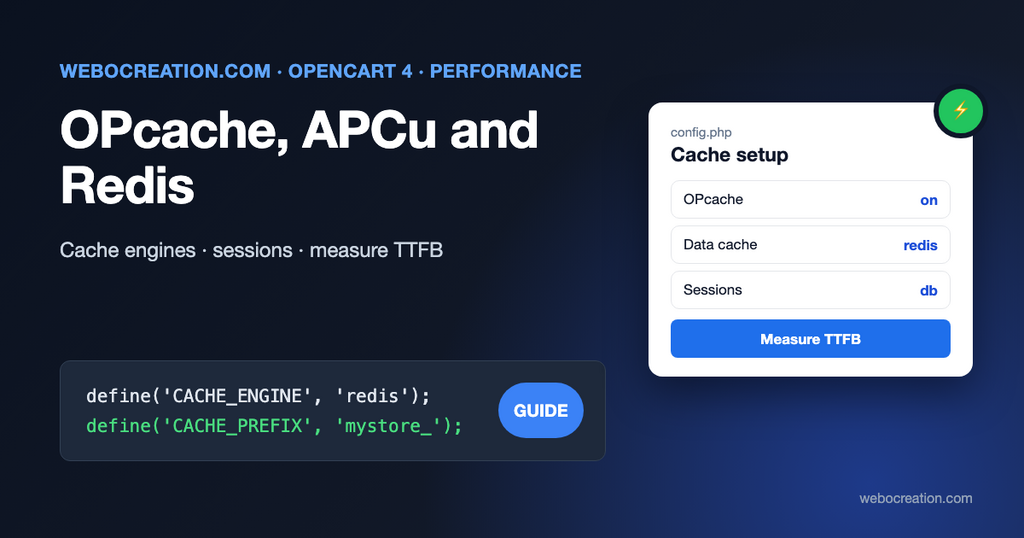
A fresh OpenCart 4.1 install caches data in files under storage/cache/, keeps sessions in the database, and leaves PHP’s code cache to whatever your host configured. That’s a safe default for shared hosting, and the slowest combination on a server you control.
There are three separate caches to get right, and they don’t replace each other:
| Cache | What it stores | Where you set it |
|---|---|---|
| OPcache | Compiled PHP code, including OpenCart’s compiled Twig templates | php.ini |
| OpenCart’s data cache | Results of repeated queries: languages, currencies, stores, countries, product lists | CACHE_ENGINE in config.php |
| Sessions | Each visitor’s cart, login and checkout state | session_engine in system/config/catalog.php |
This post covers each one in that order, which is also the order of impact for most stores.
1. OPcache: the biggest win for the least work
Every OpenCart request loads hundreds of PHP files; the 4.1.0.4 download contains 1,872 of them. Without OPcache, PHP reads and compiles each file on every request. The PHP manual describes what OPcache removes:
OPcache improves PHP performance by storing precompiled script bytecode in shared memory, thereby removing the need for PHP to load and parse scripts on each request.
PHP manual, OPcache
It matters even more for OpenCart than for most applications, because OpenCart 4 compiles every Twig template into a PHP file in storage/cache/template/. With OPcache, those compiled templates stay in memory too.
Check whether it’s on: create a file with <?php phpinfo();, open it, and search for “Zend OPcache”. Delete the file afterwards. Then set these in php.ini (or your host’s PHP settings):
opcache.enable=1
opcache.memory_consumption=256
opcache.interned_strings_buffer=16
opcache.max_accelerated_files=20000
opcache.validate_timestamps=1
opcache.revalidate_freq=60max_accelerated_files=20000leaves room for core, extensions, the vendor folder and every compiled template.revalidate_freq=60means PHP checks for changed files at most once a minute. After you upload a changed extension file, it can take up to a minute to take effect.- On a server where code only changes through deployments, set
opcache.validate_timestamps=0and restart PHP-FPM after each deploy. That’s faster, but if you forget the restart, your changes don’t appear. See our Git and CI/CD workflow for OpenCart.
Restart PHP-FPM (sudo systemctl restart php8.3-fpm) after changing these.
2. OpenCart’s data cache: pick an engine
OpenCart 4.1 has five cache drivers in system/library/cache/: file, apcu, mem, memcached and redis. The engine is chosen in the store’s config.php. The installer writes this block, with all but the first line commented out:
// Cache
define('CACHE_ENGINE', 'file'); // apc, file, mem, memcached or redis
//define('CACHE_HOSTNAME', 'unix:///home/user/.system/redis.sock');
//define('CACHE_PORT', 6379);
//define('CACHE_PREFIX', 'oc_cache_');
//define('CACHE_PASSWORD', 'secret');
(The comment says apc, but the driver is named apcu.)
What OpenCart puts in this cache: languages, currencies, stores, countries and zones, order and stock statuses, tax and weight classes, information pages, blog articles and topics, and product listing queries (each getProducts() result is cached under product. plus a hash of the SQL). The default lifetime is one hour (cache_expire in system/config/default.php).
Which engine to choose:
| Engine | Use it when | Needs |
|---|---|---|
file | Shared hosting, or you can’t install anything | Nothing |
apcu | One server, PHP-FPM, you want the simplest fast option | The apcu PHP extension |
redis | You also want Redis sessions, or you run more than one web server | A Redis server and the redis PHP extension |
memcached / mem | You already run Memcached | The memcached or memcache PHP extension |
APCu lives inside PHP-FPM’s memory, so there’s no server to install or secure. It’s the best choice for most single-server stores. Its one catch: each PHP-FPM pool has its own APCu memory, and cron.php run from the command line has another, so the admin’s “clear cache” doesn’t empty APCu for the CLI and vice versa. That’s harmless for OpenCart’s short-lived cache.
Switching to APCu
sudo apt install php8.3-apcu
sudo systemctl restart php8.3-fpm
Then in config.php, and the same lines in admin/config.php (the installer writes the cache block to both):
define('CACHE_ENGINE', 'apcu');
define('CACHE_PREFIX', 'mystore_');
Switching to Redis
sudo apt install redis-server php8.3-redis
sudo systemctl enable --now redis-server
sudo systemctl restart php8.3-fpm
Ubuntu’s Redis listens only on 127.0.0.1 by default. Keep it that way: never expose port 6379 to the internet. Then:
define('CACHE_ENGINE', 'redis');
define('CACHE_HOSTNAME', '127.0.0.1');
define('CACHE_PORT', 6379);
define('CACHE_PREFIX', 'mystore_');
// define('CACHE_PASSWORD', 'only if you set requirepass in redis.conf');
Don’t skip CACHE_PREFIX
This is the mistake that turns a cache change into a broken store. In OpenCart 4.1.0.4 the APCu and Redis drivers read the CACHE_PREFIX constant directly, for example:
$data = $this->redis->get(CACHE_PREFIX . $key);The generated config.php has that line commented out. On PHP 8, an undefined constant is a fatal Error, so switching CACHE_ENGINE without also defining CACHE_PREFIX gives you a white screen. Define it, and give each store on the same Redis or APCu its own prefix so their caches don’t mix.
3. Sessions: database, file or Redis
OpenCart 4 stores sessions in the database by default. Both system/config/catalog.php and system/config/admin.php contain:
$_['session_engine'] = 'db'; // db or fileThe comment lists db and file, but 4.1.0.4 also ships a Redis session driver (system/library/session/redis.php). Database sessions are fine for most stores. Consider Redis when the oc_session table is large and busy, which shows up as slow queries during sales or bot attacks.
To switch, change both files:
$_['session_engine'] = 'redis';Read these limitations of the 4.1.0.4 Redis session driver before you do:
- It connects with
pconnect(CACHE_HOSTNAME, CACHE_PORT)and never sends a password. If your Redis hasrequirepassset, sessions fail. Keep Redis bound to 127.0.0.1 without a password, or stay on database sessions. - Unlike the cache driver, it doesn’t convert
unix:socket paths. Use127.0.0.1and a port forCACHE_HOSTNAME. - It uses the same
CACHE_PREFIX, with.session.added. system/config/*.phpare core files. An OpenCart update overwrites them, so note this change in your upgrade checklist.
Everyone is logged out once when you switch, because existing sessions stay in the database.
4. Measure before and after
Don’t trust a feeling of “faster”. Measure the time to first byte (TTFB), which is what server-side caching changes, on a few typical pages:
for url in https://example.com/ https://example.com/en-gb/laptop https://example.com/en-gb/product/macbook; do
  for i in 1 2 3 4 5; do
    curl -s -o /dev/null -w "%{time_starttransfer}\n" "$url"
  done | sort -n | sed -n 3p | xargs echo "$url median TTFB:"
done
Run it before each change and after, at the same time of day. Then load-test a little, from another server, never your production one during business hours:
# 20 concurrent users for 30 seconds
hey -z 30s -c 20 https://staging.example.com/en-gb/laptop
Look at the 95th percentile and at errors, not only the average. When OPcache is missing, the median TTFB is high everywhere. When the data cache is slow, category and search pages suffer most. When PHP-FPM has too few workers (see our Nginx guide), response times climb steeply as concurrency rises.
5. What caching won’t fix
Server-side caching reduces TTFB. It doesn’t make the page render faster once it arrives. Most of a typical OpenCart page’s load time is images, fonts and JavaScript, and those are covered in:
- Core Web Vitals for OpenCart themes: LCP, INP and CLS fixes.
- Serving WebP and AVIF images in OpenCart 4.
- 10 ways to speed up OpenCart, including the theme and extension audit.
A full-page cache (Varnish, or Cloudflare’s cache for anonymous visitors) can cut TTFB further, but OpenCart pages contain the cart, the currency and the logged-in state, so it needs careful bypass rules for anyone with a session cookie. Start with the three caches above. Most stores never need more.
Checklist
- OPcache on, with
max_accelerated_filesof at least 20000. CACHE_ENGINEset toapcu(one server) orredis, andCACHE_PREFIXdefined.- Sessions:
dbunless you have a reason; Redis only on a password-less Redis bound to localhost. - TTFB measured before and after, written down.
- The config changes noted in your upgrade notes, so an OpenCart update doesn’t silently undo them.

Author of four Opencart book.
The recent are Opencart 4 developer book and Opencart 4 user manual