Sale Countdown Timer for OpenCart 4: “Sale Ends in 2d 18:03:32” From Your Real Special End Dates (Free Extension)
A free OpenCart 4 extension that adds a live "Sale ends in" countdown to product pages and product cards, driven by the end date of the special price OpenCart is actually applying, plus the end-date detail most store owners get wrong.
 Rupak NepaliPublished Nov 16, 2026
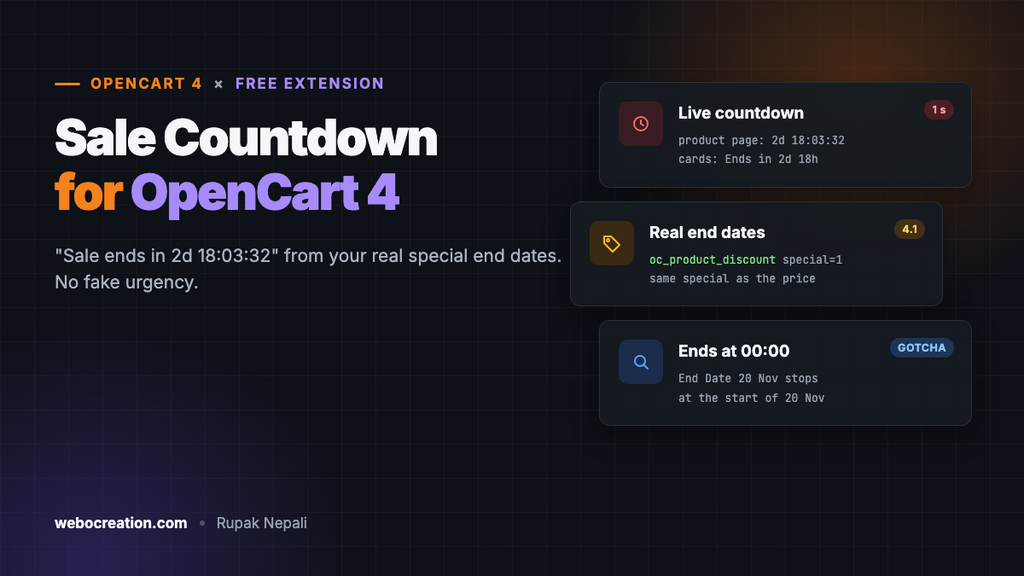
A sale with an end date sells better when shoppers can see the end date. “Sale ends in 2 days 18 hours” next to the price turns “I’ll think about it” into “I’ll buy it now”, as long as it’s true. OpenCart 4 lets you give a special price an end date, but never shows it to the shopper.
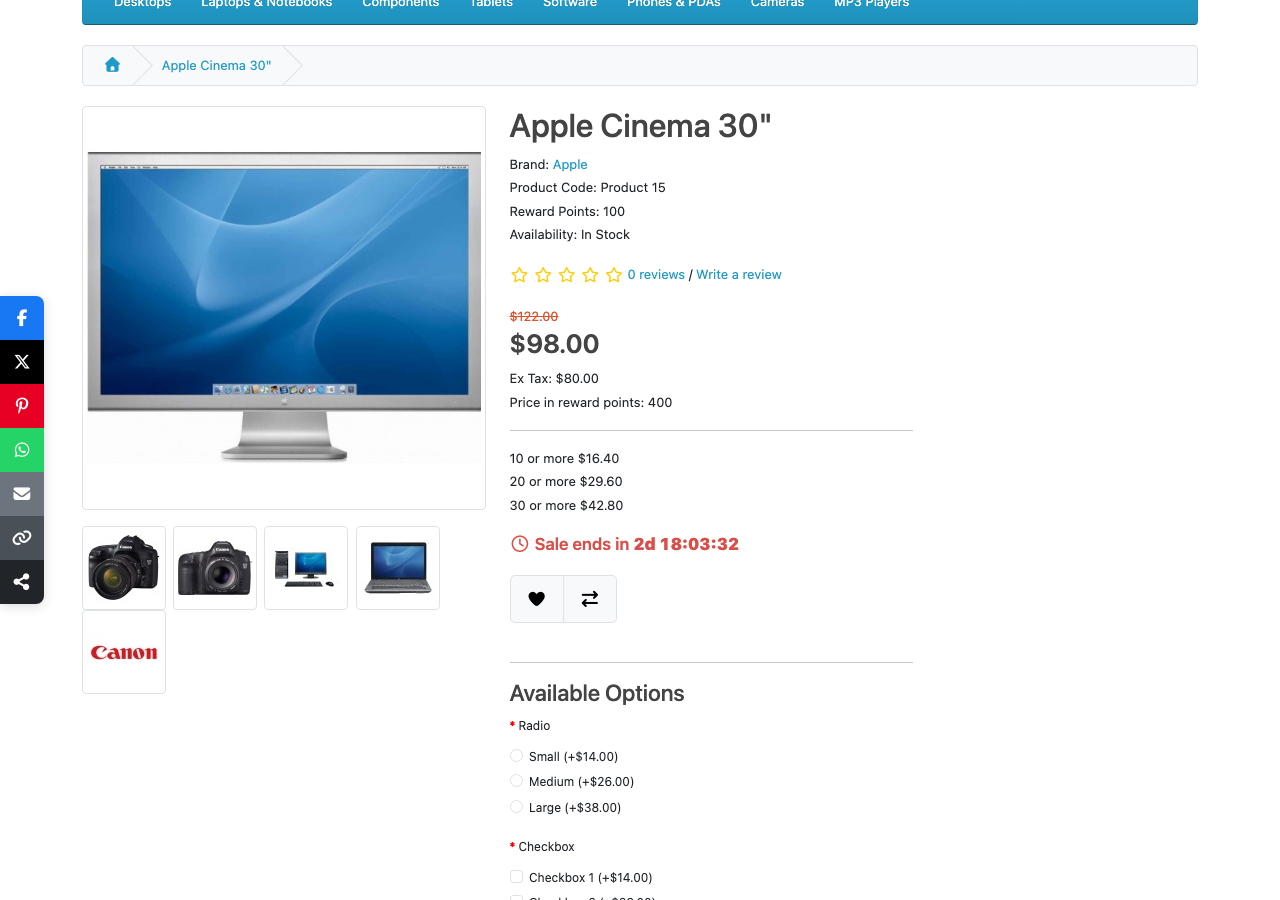
This free extension does: a live countdown under the price on product pages, and a short version on product cards, driven by the end date of the special OpenCart is actually applying.
Download Sale Countdown Timer for OpenCart 4 (free, tested on OpenCart 4.1.0.4)
What it does
- Uses your real end dates. No timers that reset for every visitor: the countdown comes from the special price’s End Date.
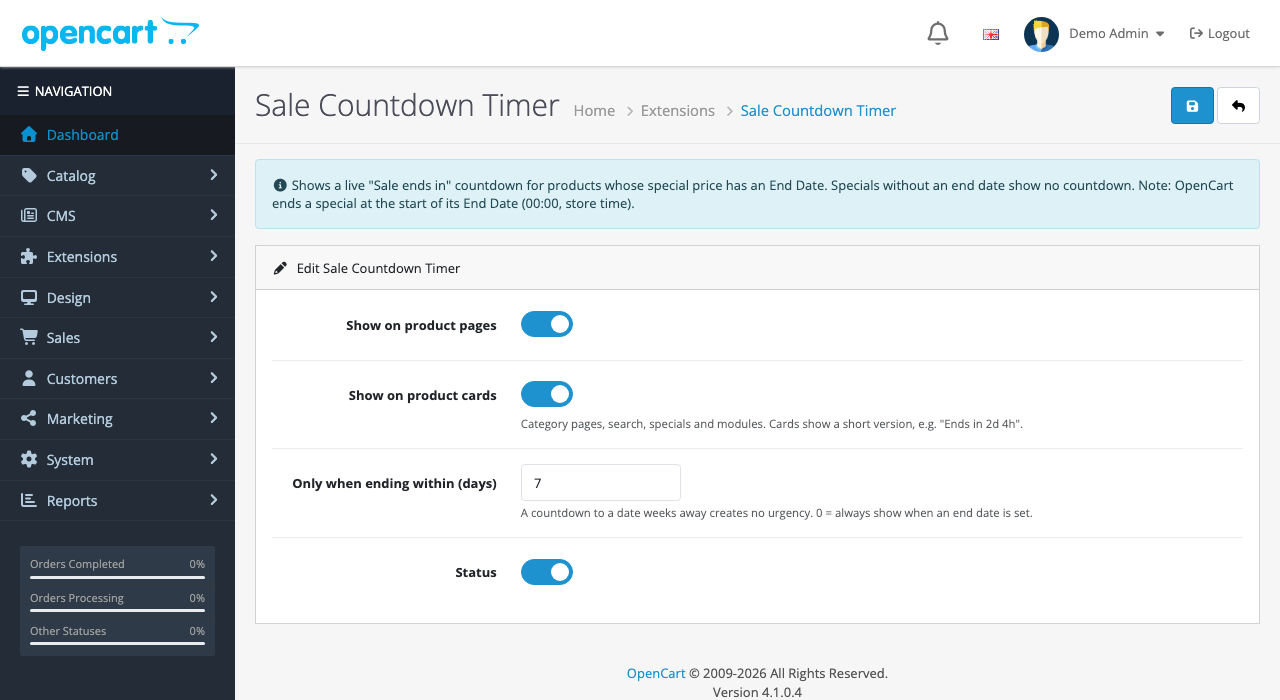
- Product pages and product cards. A full countdown with seconds on the product page; a short “Ends in 2d 18h” on category pages, search, specials and modules.
- Only when it matters. By default, countdowns appear only for sales ending within 7 days. A countdown to a date three weeks away creates no urgency, just noise.
- Same special as the price. If a product has several specials, the countdown uses exactly the one OpenCart is charging, for the shopper’s customer group.
- Accurate for everyone. It counts on your server’s clock, so a shopper whose computer clock is wrong still sees the right time.

Install it
- Download
salecountdown.ocmod.zip. - Go to Extensions → Installer, upload it, and click the green +.
- Go to Extensions → Extensions → Modules and install Sale Countdown Timer.
- Click Edit, check the settings, turn Status on and save.
- Give a special price an End Date: in Catalog → Products, edit the product, open the Discount tab, and on a row with Special ticked and quantity 1, set Date End. (OpenCart 4.1 has no separate Special tab: specials are discount rows with Special ticked.)
The end-date detail most stores get wrong
OpenCart stores a special’s end date as a date without a time, and checks it like this:
AND (`date_end` = '0000-00-00' OR `date_end` > NOW())A date compared with the current date and time counts as midnight at the start of that day. So a special with End Date 20 November stops at 00:00 on 20 November, not at the end of it. If your “weekend sale” should run all of Sunday, set the end date to Monday.
The countdown follows the same rule, so it reaches zero at exactly the moment OpenCart stops charging the special price. Times are in your store’s time zone (System → Settings → Local).
How it works
Three events, no theme edits:
| Event | Trigger | What it does |
|---|---|---|
salecountdown_product | catalog/view/product/product/after | Adds the countdown under the price |
salecountdown_thumb | catalog/view/product/thumb/after | Adds the short version under each card’s price |
salecountdown_footer | catalog/view/common/footer/after | Adds the styles and the ticking script, only on pages that show a countdown |
Finding the right special in OpenCart 4.1
OpenCart 4.1 keeps specials in oc_product_discount with special = 1 (there’s no separate specials table any more), and getProduct() returns only the final price, not the end date. The extension looks the end date up with the same conditions and ordering OpenCart uses to choose the price, so the two always agree:
public function getSpecialEnd(int $product_id): string {
	$query = $this->db->query("SELECT `date_end` FROM `" . DB_PREFIX . "product_discount`
		WHERE `product_id` = '" . (int)$product_id . "'
		AND `customer_group_id` = '" . (int)$this->config->get('config_customer_group_id') . "'
		AND `quantity` = '1' AND `special` = '1'
		AND (`date_start` = '0000-00-00' OR `date_start` < NOW())
		AND (`date_end` = '0000-00-00' OR `date_end` > NOW())
		ORDER BY `priority` ASC, `price` ASC LIMIT 1");

	if ($query->num_rows && $query->row['date_end'] != '0000-00-00') {
		return $query->row['date_end'];
	}

	return '';
}
Specials with no end date (0000-00-00) get no countdown, and a special that hasn’t started yet isn’t counted down either.
Counting on the server’s clock
The page includes the server’s current time, and the script works out how far the visitor’s clock is off:
// Use the server's clock: offset corrects a visitor whose computer clock is wrong.
var offset = {{ now }} * 1000 - Date.now();
Every second, it recalculates each countdown from its end time plus that offset, rather than subtracting one second from a counter, so a tab left in the background doesn’t drift. When a countdown reaches zero, it changes to “Sale ended”; the next page load shows the normal price.
The page also renders the remaining time on the server, so visitors without JavaScript (and search engines) see a sensible value, not an empty box.
We tested
| Special | Shown on 16 November 2026, 05:56 store time |
|---|---|
| 20% off, ends 19 November | Product page: 2d 18:03:58; card: 2d 18h |
| 10% off, ends 17 November | Card: 18h 3m |
| $25 off, ends 26 November | No countdown (more than 7 days away) |
| Special with no end date | No countdown |
Countdowns and honest selling
Fake countdown timers, the kind that restart for every visitor or never actually end, are a well-known dark pattern. The US Federal Trade Commission named fake countdown timers in its 2022 report on dark patterns, and consumer law in the EU and UK treats false urgency as a misleading practice. This extension can only count down to a real end date, and when it reaches zero, the price really goes back up. Keep it that way: don’t extend a sale you’ve advertised as ending, at least not routinely.
Troubleshooting
| Problem | Cause and fix |
|---|---|
| No countdown on a product on special | The special has no End Date, ends further away than your “within days” setting, or is for another customer group |
| The sale ended a day early | OpenCart ends specials at 00:00 on the End Date. Set it one day later |
| The time is off by hours | Your store’s time zone (System → Settings → Local) doesn’t match where you are |
| Countdown on the product page but not cards | “Show on product cards” is off, or your theme’s card has no <div class="price"> |
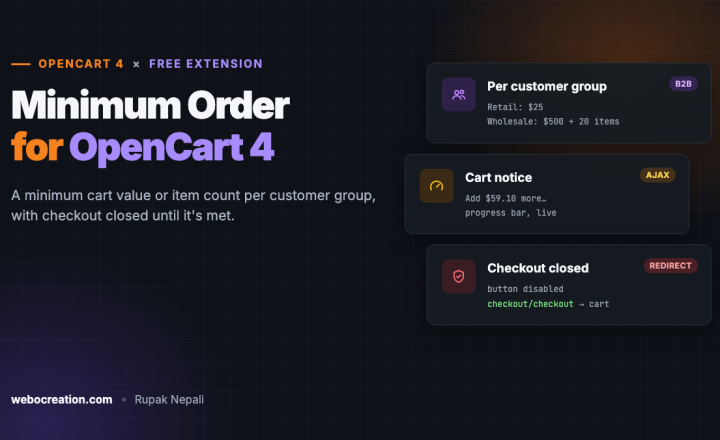
Pair it with our free product badges (a “-20%” badge on the image) and the low-stock message. More free extensions: estimated delivery date and minimum order amount.

Rupak Nepali is a web developer, manage Webocreation website and the author of six books:
Getting Started with OpenCart Module Development (Packt, 2013),
OpenCart Theme and Module Development (Packt, 2015),
OpenCart 4: Dev Guide for Themes & Extensions (2024),
OpenCart 4: User Manual (2025),
Cloudflare for the Enterprise Website (2026) and
The Technical Web Guide for Marketers (2026).
Rupak has built OpenCart stores and extensions since 2010, has published more than 600 tutorials on Webocreation, and shares free OpenCart extensions on GitHub.
Find Rupak on
GitHub | Amazon | LinkedIn | X | YouTube.