OpenCart on PHP 8.2, 8.3, 8.4 and 8.5: Fix Deprecated Warnings and Upgrade PHP Safely
Which PHP version each OpenCart release supports, what breaks in PHP 8.1 to 8.5, how to find the problem lines with php -l, PHPCompatibility and Rector, and a step-by-step plan to upgrade PHP without taking your store down.
 Rupak NepaliPublished Oct 26, 2026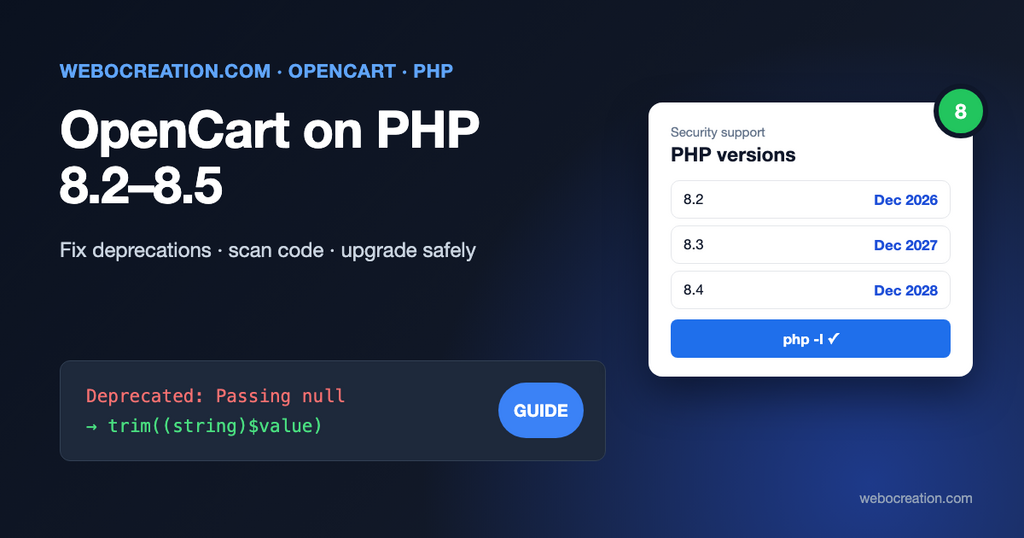
Your host emails to say PHP 8.1 is going away. You switch the version in cPanel, reload the store, and the home page is a white screen, or the admin is full of lines that start with Deprecated:. Both are fixable, and almost always in extensions and themes rather than in OpenCart itself.
This post shows which PHP version each OpenCart release needs, what changed in PHP 8.1 to 8.5 that breaks older extension code, how to find every problem line before you switch, and the order to do the upgrade in.
Why you can’t stay on an old PHP version
PHP versions have a fixed lifetime. The PHP project explains the policy on its supported versions page:
Each release branch of PHP is fully supported for two years from its initial stable release. […] After this two year period of active support, each branch is then supported for two additional years for critical security issues only.
PHP, Supported Versions
As of October 2026 the supported branches are:
| PHP | Released | Active support until | Security fixes until |
|---|---|---|---|
| 8.1 | Nov 2021 | ended | ended (end of life) |
| 8.2 | 8 Dec 2022 | 31 Dec 2024 | 31 Dec 2026 |
| 8.3 | 23 Nov 2023 | 31 Dec 2025 | 31 Dec 2027 |
| 8.4 | 21 Nov 2024 | 31 Dec 2026 | 31 Dec 2028 |
| 8.5 | 20 Nov 2025 | 31 Dec 2027 | 31 Dec 2029 |
PHP 8.2 stops receiving security fixes at the end of this year. If your store runs on 8.1 or 8.2, plan the move to 8.3 or 8.4 now, not when the host forces it.
Which PHP version does your OpenCart need?
| OpenCart | PHP |
|---|---|
| 4.1.0.4 (Aug 2026) | 8.1 minimum. The release adds PHP 8.5 compatibility. |
| 4.1.0.0 to 4.1.0.3 | 8.1 minimum. Update to 4.1.0.4 before moving to 8.4 or 8.5. |
| 4.0.x | 8.0 minimum. Upgrade OpenCart before going above 8.1. |
| 3.0.5.1 (Aug 2026) | Up to 8.5. The 3.0.5.0 release fixed PHP 8.4 issues; 3.0.5.1 added PHP 8.5 support. |
| 3.0.3.8 and older | Written for PHP 7. Update to 3.0.5.1 before using a supported PHP version. |
| 2.x and older | PHP 7 at most. Not safe to run on a supported PHP version. |
You can see the minimum in OpenCart 4’s own code. The first lines of system/startup.php in 4.1.0.4 are:
if (version_compare(PHP_VERSION, '8.1', '<')) {
	exit('PHP8.1+ Required');
}
The OpenCart 3.0.5.1 release notes list the PHP 8.5 fixes, for example replacing the deprecated socket_set_timeout() alias with stream_set_timeout(). If you’re still on OpenCart 3, updating to 3.0.5.1 first gets you those fixes for free. Our OpenCart 3 to 4 upgrade guide covers the bigger jump.
Errors, warnings and deprecations: what actually breaks
PHP reports problems at different levels, and they need different treatment:
- Fatal errors stop the page: a white screen, or “Fatal error: Uncaught TypeError”. These must be fixed before you switch.
- Warnings (“Undefined array key”, “Attempt to read property on null”) don’t stop the page but often mean something isn’t shown.
- Deprecations are announcements: the code works today and will break in a later PHP version. They should be fixed, but they don’t need to block the upgrade.
The important setting is in System > Settings > Server: turn Display errors off and Log errors on in production. With display on, every deprecation message is printed into your HTML, which can break JSON responses (the AJAX “add to cart” stops working) and leaks file paths to visitors. The messages go to storage/logs/error.log in OpenCart 4 (system/storage/logs/error.log in OpenCart 3), and you can read them under System > Maintenance > Error Logs. See our maintenance and error log guide.
The changes that break OpenCart extensions
These are the changes we see most in OpenCart 3 and 4 extensions, theme files and old vQmod/OCMOD scripts, version by version.
PHP 8.0 and 8.1
- Passing
nullto internal functions.strlen(null),trim(null),htmlspecialchars(null)and similar now raise “Passing null to parameter #1 ($string) of type string is deprecated”. It is the most common message in OpenCart logs, because many extensions read$this->config->get('something')(which returnsnullfor a missing setting) and pass it straight on.
// Before
$title = trim($this->config->get('module_example_title'));

// After
$title = trim((string)$this->config->get('module_example_title'));- Stricter type errors. Arithmetic on non-numeric strings (
'' + 1,'abc' * 2) is now aTypeErrorin some cases instead of a warning. Cast form input with(int)or(float)before calculating. - Return types on interfaces. Classes implementing
ArrayAccess,IteratororCountablewithout return types print “Return type … should either be compatible”. Add the return types, or#[\ReturnTypeWillChange]if the code must still run on PHP 7.
PHP 8.2
- Dynamic properties. “Creation of dynamic property Foo::$bar is deprecated.” This hits custom library classes that set
$this->somethingwithout declaring it. OpenCart’s own controllers and models aren’t affected (they store values in the registry through__set()), but your extension’s own classes are. Declare the property, or add#[\AllowDynamicProperties]above the class as a stopgap. utf8_encode()andutf8_decode()are deprecated. Usemb_convert_encoding($text, 'UTF-8', 'ISO-8859-1').${var}string interpolation is deprecated. Write{$var}instead.
PHP 8.3
PHP 8.3 deprecated little that OpenCart code uses. Calling get_class() or get_parent_class() without an argument now raises a notice; pass $this.
PHP 8.4
PHP 8.4 has two deprecations that show up in almost every older codebase:
- Implicitly nullable parameters. The manual’s migration guide puts it like this:
A parameter’s type is implicitly widened to accept null if the default value for it is null.
PHP manual, Deprecated features in PHP 8.4
// Deprecated in PHP 8.4
public function getProducts(array $data = null) {}

// Fixed
public function getProducts(?array $data = null) {}- The CSV
escapeparameter. “Using the default value for the escape parameter for the fputcsv(), fgetcsv(), and str_getcsv() is now deprecated.” Every product import or export extension uses these. Pass all parameters explicitly. Passing an empty string makes PHP follow the CSV standard (quotes are doubled, backslashes are not special):
fputcsv($handle, $row, ',', '"', '');
$row = fgetcsv($handle, 0, ',', '"', '');
PHP 8.4 also deprecated E_STRICT, trigger_error() with E_USER_ERROR, mysqli_ping() and mysqli_refresh(), and changing session.sid_length or session.sid_bits_per_character. Old session tuning in a store’s php.ini or .htaccess will log notices.
PHP 8.5
PHP 8.5 deprecations that appear in OpenCart extensions:
curl_close()is deprecated. cURL handles are freed automatically since PHP 8.0, so just delete the call. Payment, shipping and API extensions all use cURL.imagedestroy()is deprecated for the same reason, which affects image and watermark extensions.- Non-canonical casts
(integer),(boolean),(double)and(binary). Use(int),(bool),(float)and(string). - The backtick operator (
`ls -la`) as a shortcut forshell_exec(). socket_set_timeout(), an alias ofstream_set_timeout(). OpenCart 3.0.5.1 fixed this in core; mail and SMTP extensions may still use it.- Using
nullas an array key, includingarray_key_exists(null, $array).
Find every problem before you switch
Don’t find the problems by switching PHP on the live store and waiting for customers to report them. Scan the code first.
1. Lint every file with the new PHP version
php -l checks syntax without running the code. Run it with the target PHP binary over your whole store, including extension/, system/storage/vendor and any vQmod cache:
find . -name "*.php" -not -path "./system/storage/cache/*" -print0 \
  | xargs -0 -n1 /usr/bin/php8.4 -l 2>&1 \
  | grep -v "^No syntax errors"
Any output is a file that won’t even load on the new version.
2. Scan for deprecated features
Linting doesn’t find deprecated calls. Two tools do:
- PHPCompatibility is a ruleset for PHP_CodeSniffer that reports features removed or deprecated in a given PHP version. Use the 10.x version, because 9.x only knows PHP up to 7.4:
composer require --dev "phpcompatibility/php-compatibility:^10.0@dev" squizlabs/php_codesniffer
vendor/bin/phpcs -p extension/ catalog/ admin/ --standard=PHPCompatibility --runtime-set testVersion 8.4 --extensions=php- Rector can fix many of these automatically, for example implicitly nullable parameters. Run it on a copy, read the diff, and commit only what you understand:
<?php
// rector.php
use Rector\Config\RectorConfig;

return RectorConfig::configure()
	->withPaths([__DIR__ . '/extension/your_extension'])
	->withPhpSets(php84: true);
vendor/bin/rector process --dry-runPoint the tools at your own and third-party extensions. Fixing OpenCart core files yourself is rarely worth it: upgrade OpenCart instead, so the next update doesn’t overwrite your fixes.
3. Run the store on the new PHP version in a copy
A Docker setup for OpenCart makes this easy: change the PHP image tag, restart, and click through the store. Test with error logging on and check the log after each step:
- Home page, a category page with filters and sorting, a product page with options.
- Search, compare, wishlist.
- Register, log in, add to cart, apply a coupon.
- Checkout with every payment and shipping method you use.
- Admin: dashboard, product edit and save, order info, order status change, every installed extension’s settings page.
- Your cron jobs (
php cron.php) and any feeds or sitemaps.
The upgrade plan
- Back up files and database. Our migration guide shows how to restore a copy.
- Update OpenCart to the latest release of your branch (4.1.0.4 or 3.0.5.1).
- Update every extension and the theme to versions that list your target PHP version. Ask developers directly; many fix PHP 8 issues only when asked.
- Scan and test a copy as described above, and fix or replace what fails.
- Clear caches: the theme cache and SASS cache in the admin dashboard (the gear icon), and refresh modifications under Extensions > Modifications.
- Switch PHP at a quiet time. In cPanel use MultiPHP Manager, select the domain and the version. Hosts usually let you switch back in seconds.
- Check the extensions PHP needs are on:
mysqli,curl,gd,zip,mbstring,intl,openssl. A missingzipbreaks the extension installer; a missinggdbreaks image resizing. OpenCart 4’s installer checks these; on an installed store, checkphpinfo()or ask your host. - Re-enable OPcache if the new version has it off. See our post on OPcache and Redis for OpenCart.
- Watch the error log for a few days and fix the remaining deprecations before the next PHP version.
Quick fixes for the messages you’ll see most
| Message | Usual cause | Fix |
|---|---|---|
| Passing null to parameter #1 ($string) of type string is deprecated | trim(), strlen(), htmlspecialchars() on a missing setting | Cast: (string)$value |
| Creation of dynamic property … is deprecated | Undeclared property in a library class | Declare it: private array $data = []; |
| Implicitly marking parameter $x as nullable is deprecated | Type $x = null | ?Type $x = null |
| the $escape parameter must be provided | fgetcsv() / fputcsv() | Pass all four or five parameters |
| Function curl_close() is deprecated | Payment or API extension on PHP 8.5 | Delete the line |
| Undefined array key “…” | Reading $this->request->post['x'] that wasn’t sent | $this->request->post['x'] ?? '' |
| Uncaught TypeError: Unsupported operand types: string + int | Arithmetic on empty form input | (float)$value before calculating |
The common OpenCart errors post covers more messages, and the CLAUDE.md for OpenCart developers post shows how to have an AI coding tool apply these fixes consistently.

Author of four Opencart book.
The recent are Opencart 4 developer book and Opencart 4 user manual