Blocking Basic XSS Attacks at the Edge with Cloudflare Workers
 Rupak NepaliPublished Jul 2, 2026
Cross-Site Scripting (XSS) remains one of the most common web application vulnerabilities. Attackers often attempt to inject malicious JavaScript into URLs, forms, search boxes, or other user-supplied inputs. If these payloads are not properly handled by the application, they can lead to session theft, credential compromise, defacement, or other security issues.
While the best defense is always proper input validation and output encoding within your application, Cloudflare Workers provide an additional layer of protection by allowing you to inspect and block suspicious requests before they reach your origin server.
In this article, we’ll explore a simple Cloudflare Worker that detects common XSS patterns in URLs and blocks malicious requests at the edge.
Why Block XSS Requests at the Edge?
When an attacker sends a request such as:
https://example.com/search?q=<script>alert(1)</script>or
https://example.com/page?name=javascript:alert(1)your web server still has to process the request unless a security layer intercepts it first.
By using Cloudflare Workers, you can:
- Stop malicious requests before they reach your application.
- Reduce unnecessary server load.
- Add an extra layer of protection without modifying application code.
- Quickly deploy security rules across multiple websites.
- Customize detection logic based on your environment.
Deploying the Worker
Log in to your Cloudflare dashboard.
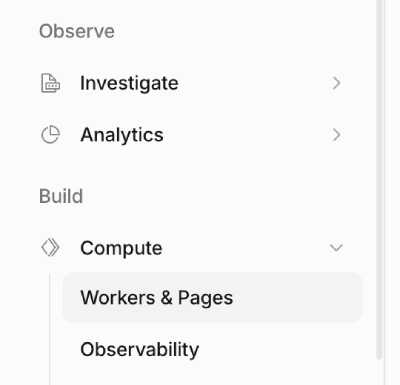
Navigate to Build >> Compute >> Workers & Pages.
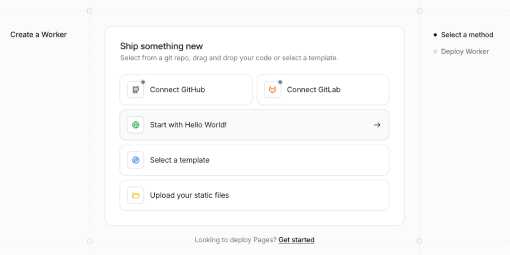
Create a new Worker by clicking “Create Application”. Then select “Start with Hello World”.
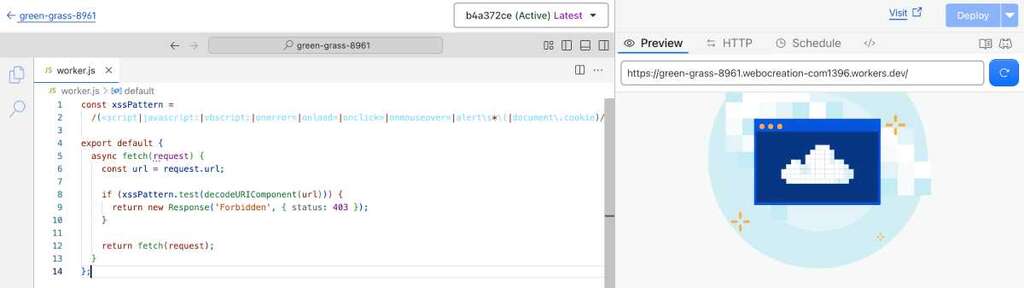
Replace the default code with the XSS detection Worker.
const xssPattern =
  /(<script|javascript:|vbscript:|onerror=|onload=|onclick=|onmouseover=|alert\s*\(|document\.cookie)/i;

export default {
  async fetch(request) {
    const url = request.url;

    if (xssPattern.test(decodeURIComponent(url))) {
      return new Response('Forbidden', { status: 403 });
    }

    return fetch(request);
  }
};
Click “Deploy” to publish the Worker.
After that, go to the worker application and select the Domain tab and assign a route.
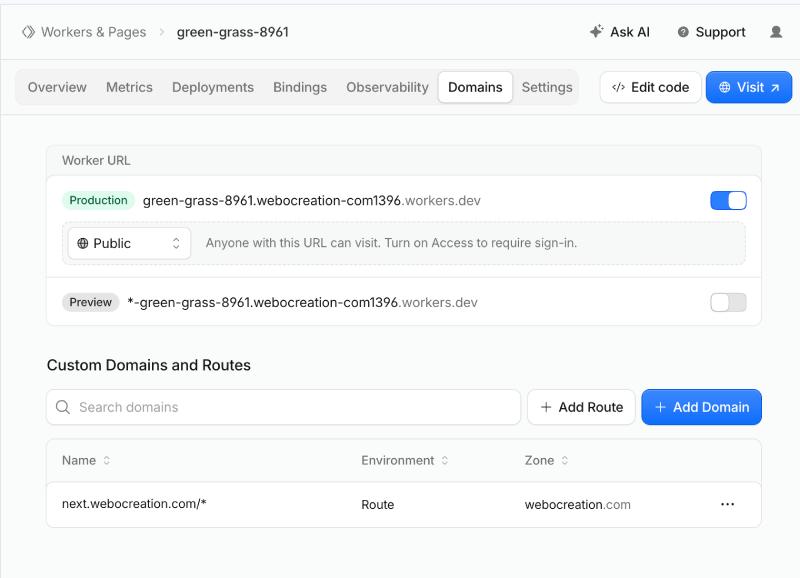
In the above, we add the domain next.webocreation.com/*
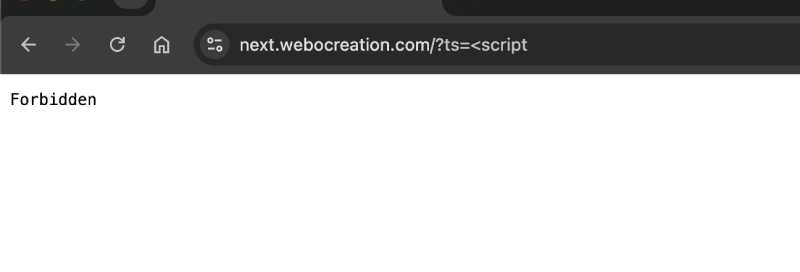
Once deployed, suspicious requests will receive a 403 Forbidden response before they ever reach your origin server. For example, if you visit a URL like https://next.webocreation.com/?ts=<script then you see 403, like in the image below:
Testing the Worker
Try visiting a URL containing a test payload:
https://example.com/?q=<script>alert(1)</script>The Worker should return:
Forbiddenwith an HTTP status code of 403.
Normal visitors accessing legitimate URLs will continue to be served normally.
Understanding the Detection Pattern
Let’s break down the regular expression:
<script
Detects attempts to inject HTML script tags:
<script>alert('XSS')</script>javascript:
Detects JavaScript URI schemes often used in malicious links:
<a href="javascript:alert(1)">vbscript:
An older scripting scheme sometimes used in legacy browser attacks:
vbscript:msgbox("XSS")onerror=
Commonly used within image tags to execute JavaScript:
<img src="x" onerror="alert(1)">onload=
Frequently used to trigger code execution when an element loads:
<body onload="alert(1)">onclick=
Used to execute JavaScript when a user clicks an element:
<button onclick="alert(1)">onmouseover=
Executes code when a visitor hovers over an element:
<div onmouseover="alert(1)">alert(
Although not inherently malicious, attackers often use it while testing XSS vulnerabilities:
alert(1)document.cookie
Often appears in attempts to steal user session information:
document.cookieWhy Use decodeURIComponent()?
Attackers frequently URL-encode malicious payloads to evade simple filters.
For example:
https://example.com/?q=%3Cscript%3Ealert(1)%3C/script%3EWithout decoding, the Worker might not recognize the payload.
The following line ensures encoded attacks are inspected correctly:
decodeURIComponent(url)Limitations of Regex-Based XSS Detection
While this approach is useful for blocking many low-effort attacks, it is not a complete XSS protection solution.
Attackers may use:
- HTML entity encoding
- Double URL encoding
- Unicode obfuscation
- Alternate event handlers
- JavaScript function variations
- Browser-specific payloads
Examples include:
<img src=x oNeRrOr=alert(1)>or
<svg onload=confirm(1)>Because attackers constantly develop new bypass techniques, regex-based filtering should be viewed as an additional security layer rather than a complete defense.
Recommended Security Layers
For stronger protection, combine Cloudflare Workers with:
- Cloudflare WAF managed rules
- Content Security Policy (CSP)
- Proper output escaping
- Input validation
- Secure cookies
- HTTP security headers
- Regular vulnerability scanning
- Secure coding practices
A layered security approach provides significantly better protection than relying on a single filter.
Conclusion
Cloudflare Workers provide an easy and effective way to block many common XSS attempts before they reach your web application. By inspecting incoming requests at the edge, you can reduce malicious traffic, protect backend resources, and add an extra layer of security with minimal effort.
While regex-based detection should never replace proper application security controls, it can serve as a valuable first line of defense against common attack patterns targeting ecommerce stores, content management systems, and custom web applications.

Author of four Opencart book.
The recent are Opencart 4 developer book and Opencart 4 user manual