Delivery Time Slot Picker for OpenCart 4: Let Customers Choose a Delivery Date and Time in Checkout (Free Extension)
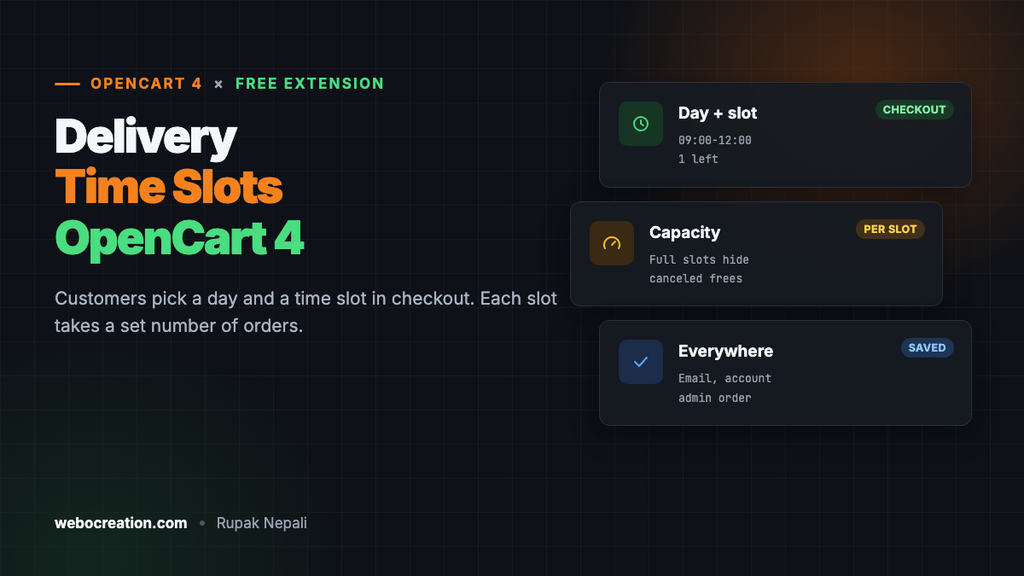
Customers choose a delivery day and time slot in OpenCart 4 checkout. Each slot takes a set number of orders, and the slot is saved with the order and shown in emails and the admin.
 Rupak NepaliPublished Nov 26, 2026
If you deliver groceries, flowers, furniture or anything that needs someone at home, “we’ll deliver in 2 to 5 days” isn’t good enough. Customers want to pick the day and the time, and you want to stop the 40 orders that all expect Saturday morning when your van can do 10.
This free extension adds a delivery time slot picker to OpenCart 4 checkout: customers choose a day and a time slot, each slot takes a set number of orders, and the choice is saved with the order and shown in the confirmation email, the customer’s order page and the admin order page. You set the lead time, a same-day cutoff, closed weekdays and holidays. Tested on OpenCart 4.1.0.4.
Download: deliveryslot.ocmod.zip (OpenCart 4.0.2.x to 4.1.x, free, no core file changes)
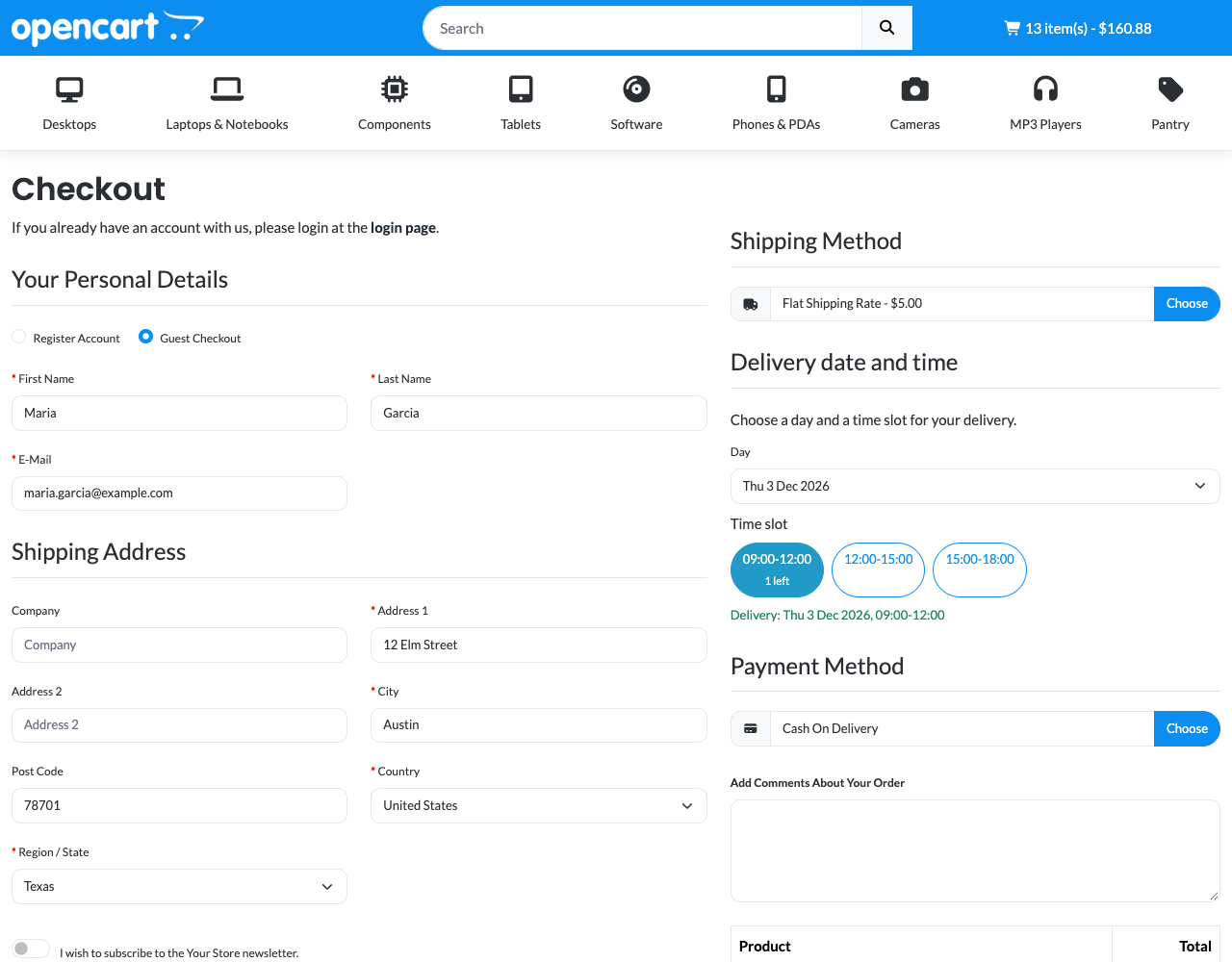
What the delivery time slot extension does
- Day and slot picker in checkout, under the shipping method, for every order that needs shipping.
- Capacity per slot: “09:00-12:00|10” means ten orders. Full slots disappear from the picker, full days too. “3 left” or fewer is shown on the button.
- Lead time and cutoff: earliest delivery tomorrow by default, and orders placed after 14:00 count as the next day’s orders.
- Closed days: weekdays you never deliver (Sunday by default) and holiday dates.
- Required or optional: when required, the payment button is replaced by a reminder until a slot is chosen.
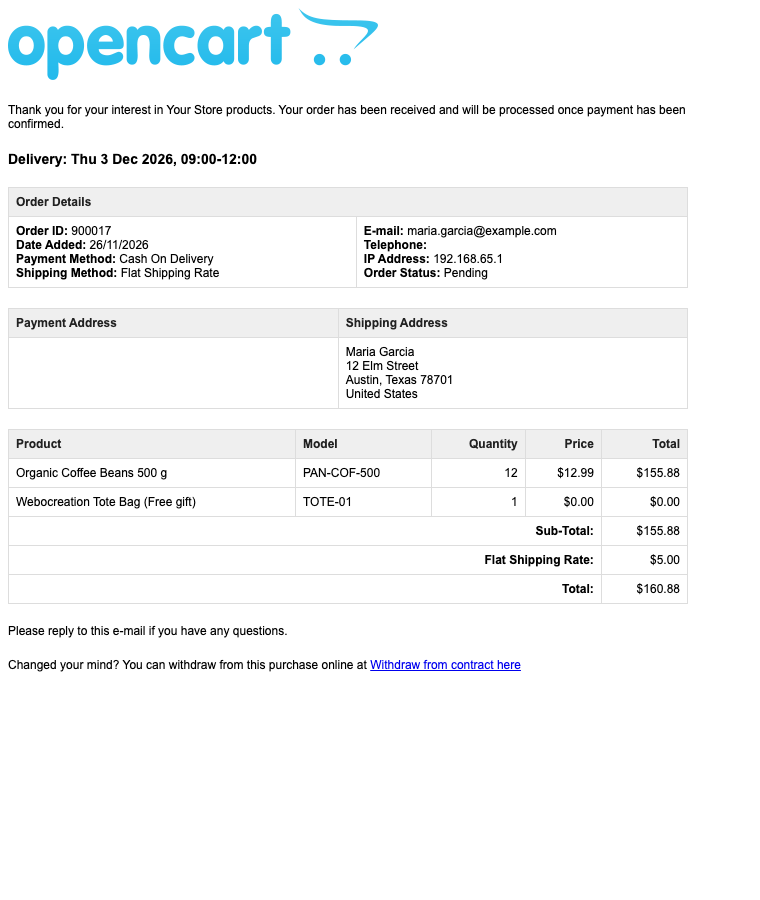
- Saved with the order and shown in the order confirmation email, the new order alert, the customer’s account order page and the admin order page.
- Upcoming deliveries: the settings page lists the next 14 days by slot, with how full each slot is and links to the orders.
Install the extension
- Download
deliveryslot.ocmod.zip. - Go to Extensions > Installer, click Upload and choose the zip.
- Go to Extensions > Extensions, choose Modules, find Delivery Date and Time Slots and click Install.
- Click Edit, set your slots and closed days, switch Status on and click Save.
Settings
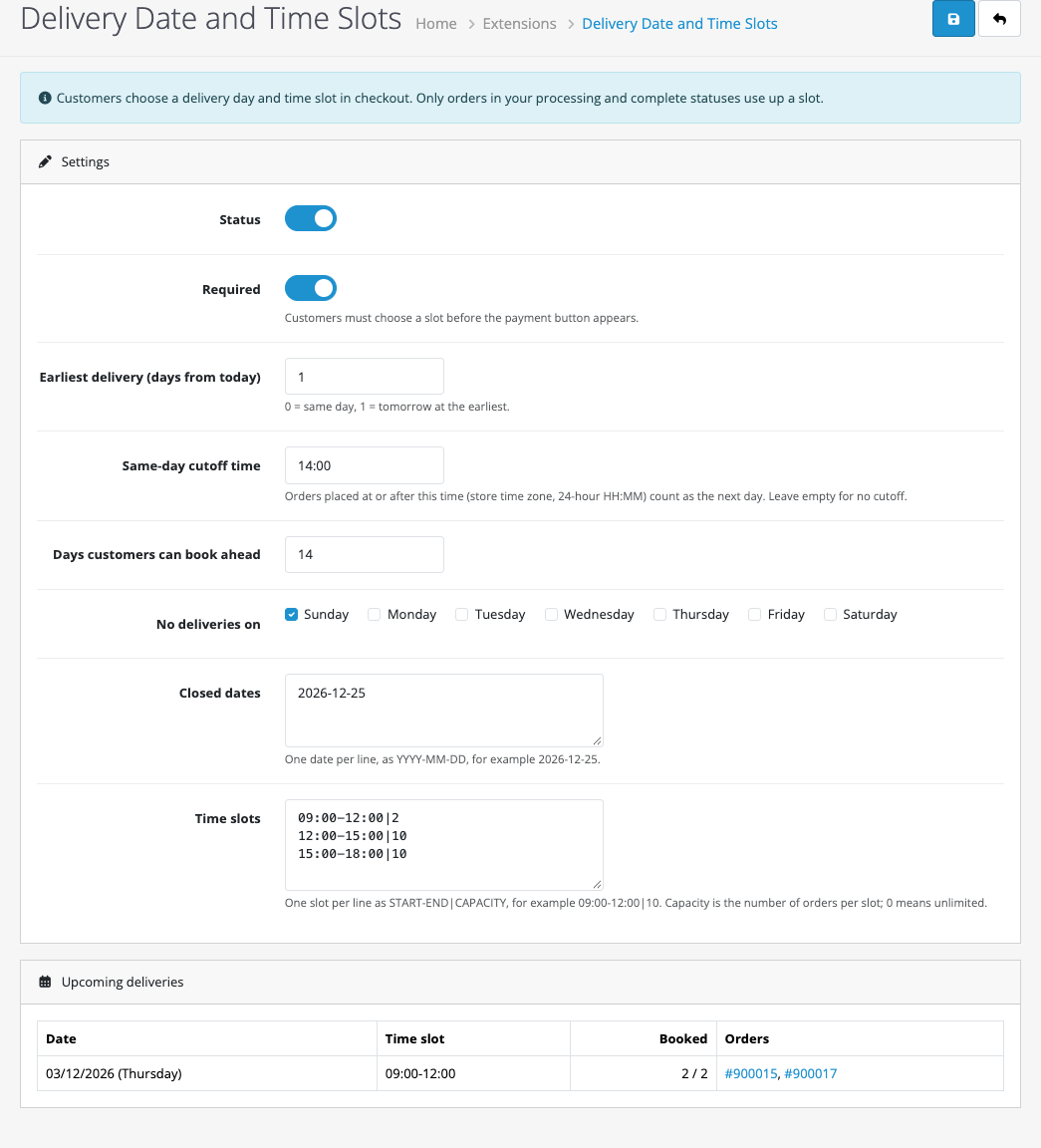
| Setting | Default | What it does |
|---|---|---|
| Required | On | No payment button until the customer picks a slot |
| Earliest delivery | 1 | Days from today: 0 = same day, 1 = tomorrow |
| Same-day cutoff time | 14:00 | Orders at or after this time (store time zone) add one more day. Empty = no cutoff |
| Days customers can book ahead | 14 | How far ahead the picker goes (1 to 90) |
| No deliveries on | Sunday | Weekdays without deliveries |
| Closed dates | None | One YYYY-MM-DD date per line |
| Time slots | 09:00-12:00, 12:00-15:00, 15:00-18:00, 10 orders each | One per line as START-END|CAPACITY; capacity 0 = unlimited |
The settings page checks the format before saving. Our test with “9-12|5”, a cutoff of “25:00”, 0 days and the date “2026-13-45x” got four field errors, for example “This line is not a valid slot: 9-12|5”.
Times use the store’s time zone (System > Settings > Local), so set it to where you deliver.
How a slot gets booked
OpenCart 4.1 creates the order with status 0 as soon as every checkout step is valid, before the customer clicks the payment button. The extension follows that flow:
- The customer picks a slot. It’s saved in the session, and on the order too if checkout has already created it.
- Events on
checkout/order.addOrderandeditOrdersave the slot whenever checkout creates or updates the order. - A
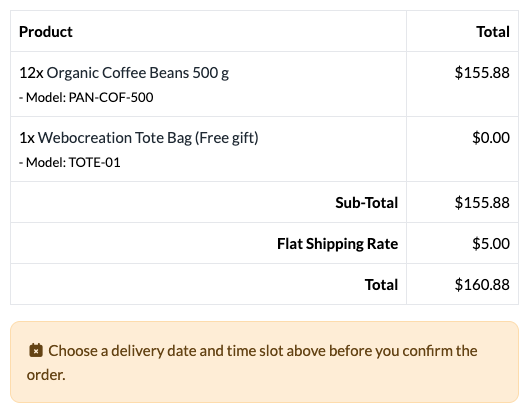
beforeevent on the confirm step adds “Delivery: Thu 3 Dec 2026, 09:00-12:00” above the payment button, or replaces the button with a reminder:
public function confirm(string &$route, array &$args, mixed &$code): void {
    $settings = $this->model()->getSettings();

    if (!$settings['status'] || !$this->cart->hasShipping()) {
        return;
    }

    $this->load->language($this->route, 'ds');

    $selected = $this->selected();

    if ($selected) {
        $html = '<div class="alert alert-info"><i class="fa-solid fa-calendar-check"></i> ' . htmlspecialchars(sprintf($this->language->get('ds_text_delivery'), $this->formatDate($selected['date']), $selected['slot']), ENT_QUOTES, 'UTF-8') . '</div>';

        $args['payment'] = $html . ($args['payment'] ?? '');
    } elseif ($settings['required'] && $this->model()->getAvailability()) {
        // No slot chosen: no payment button, so the order can't be confirmed without one.
        $args['payment'] = '<div class="alert alert-warning" id="deliveryslot-required"><i class="fa-solid fa-calendar-xmark"></i> ' . htmlspecialchars($this->language->get('ds_text_required'), ENT_QUOTES, 'UTF-8') . '</div>';
    }
}
Capacity only counts orders that are really orders: those in your processing and complete statuses (System > Settings > Option). Abandoned checkouts (status 0) and canceled orders free their slot automatically:
/**
 * Booked orders per date and slot. Only orders in your processing and complete statuses count,
 * so canceled orders and abandoned checkouts free their slot.
 */
public function getBooked(string $from, string $to): array {
    $statuses = array_unique(array_map('intval', array_merge((array)$this->config->get('config_processing_status'), (array)$this->config->get('config_complete_status'))));

    if (!$statuses) {
        return [];
    }

    $query = $this->db->query("SELECT ds.`delivery_date`, ds.`slot`, COUNT(*) AS `total` FROM `" . DB_PREFIX . "deliveryslot` ds JOIN `" . DB_PREFIX . "order` o ON (o.`order_id` = ds.`order_id`) WHERE ds.`delivery_date` BETWEEN '" . $this->db->escape($from) . "' AND '" . $this->db->escape($to) . "' AND o.`order_status_id` IN (" . implode(',', $statuses) . ") GROUP BY ds.`delivery_date`, ds.`slot`");

    $booked = [];

    foreach ($query->rows as $row) {
        $booked[$row['delivery_date']][$row['slot']] = (int)$row['total'];
    }

    return $booked;
}
The server checks the slot again when it’s saved, so a slot that filled up while the customer was choosing is refused with “That time slot is no longer available. Please choose another one.”
Where the slot shows up
- Order confirmation email, in bold above the order details, and at the bottom of the new order alert to the store.
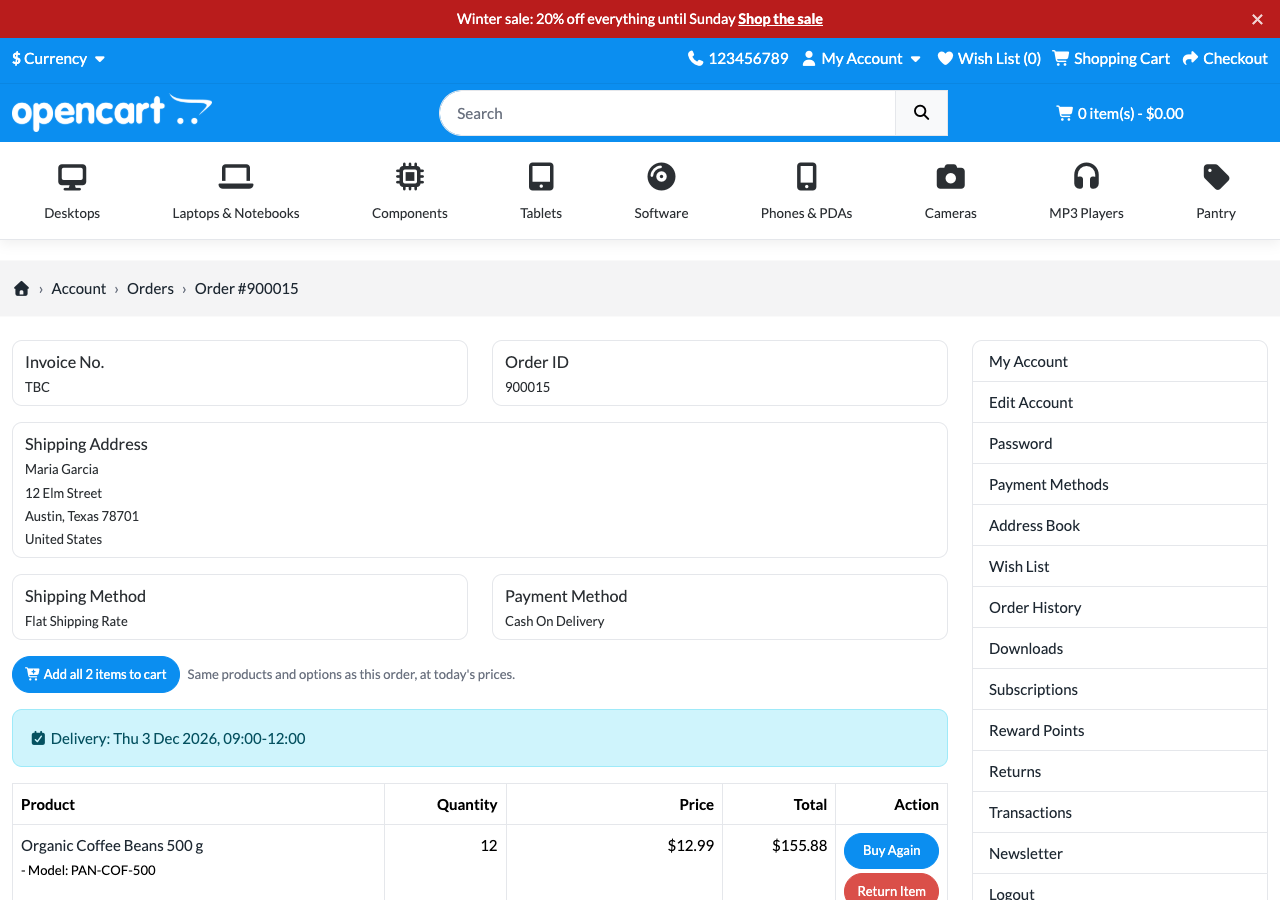
- Customer account: on the order page, above the products.
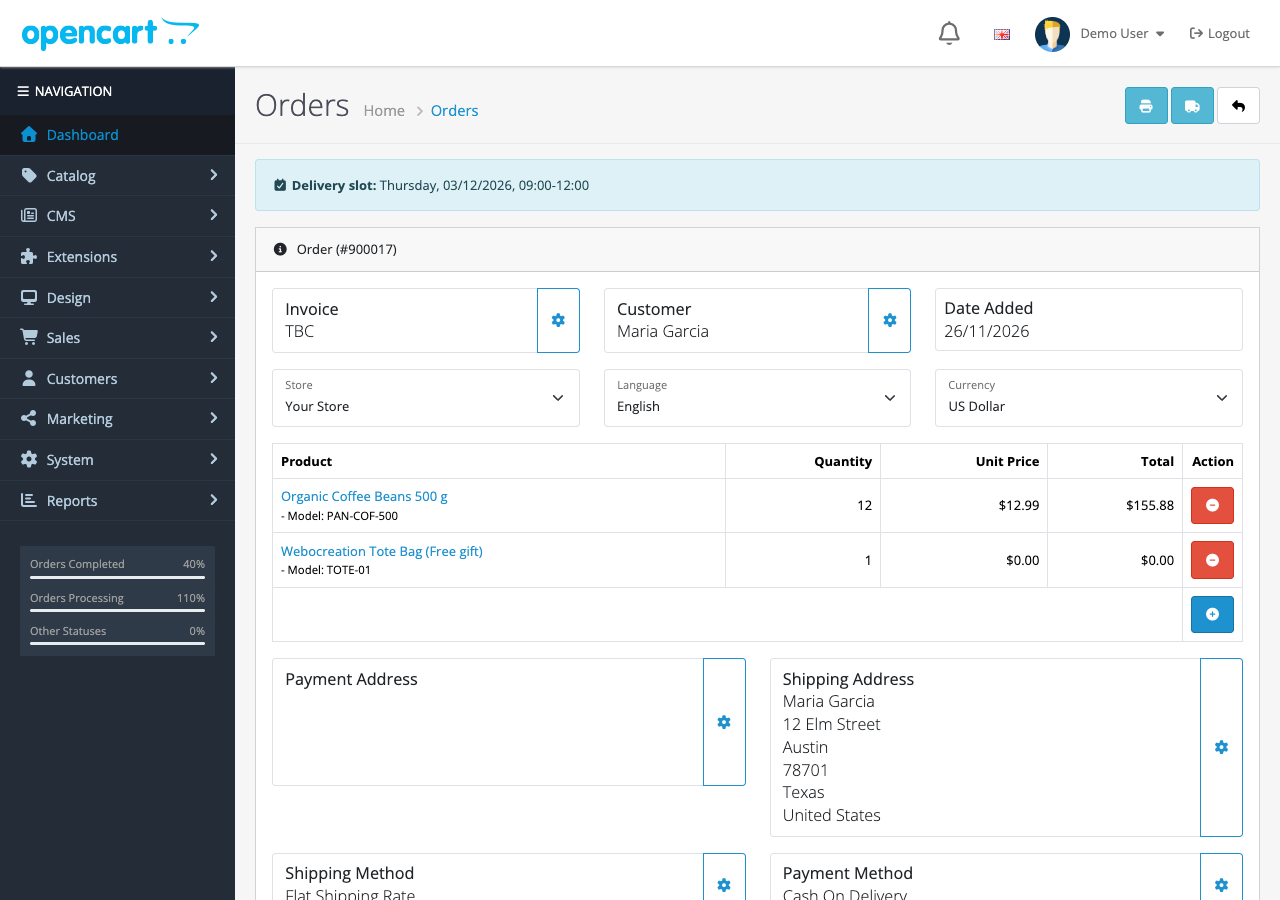
- Admin order page: “Delivery slot: Thursday, 03/12/2026, 09:00-12:00” at the top.
What we found when testing
We tested guest checkouts with Cash On Delivery on the demo store, at 16:08 store time (UTC), with a 14:00 cutoff, a 1-day lead time, Sundays closed and a capacity of 2 on the 09:00-12:00 slot.
- Because it was past the cutoff, the first day offered was Saturday 28 November, not Friday. Sundays were skipped: 12 days in the 14-day window.
- Before choosing, the confirm step showed the reminder and no payment button. After choosing Thursday 3 December, 09:00-12:00, the button came back and the order was placed with the slot.
- After two orders, the next checkout no longer offered 09:00-12:00 on 3 December, while 4 December showed “09:00-12:00 2 left”. Posting the full slot or a Sunday directly to the save URL was refused.
- We canceled one of the two orders, and 09:00-12:00 on 3 December came back with “1 left”.
- A closed date of 2026-12-01 removed Tuesday 1 December. With same-day delivery (lead time 0) and no cutoff at 16:13, today wasn’t offered because all of today’s slots had already started.
- Our test store’s minimum order extension blocked the first checkout (“Almost there”) until the subtotal reached $150, a reminder that other checkout extensions can stop the flow before the slot step.
Limits
- Staff can’t change the slot from the admin order page yet. Edit the row in
oc_deliveryslotor ask the customer to reorder. - Slots apply to every shipping method. If you also offer store pickup, the picker works as a pickup time.
- Two customers clicking the last place in a slot at the same second can both get it; the capacity is checked when the slot is saved, not locked.
- Uninstalling keeps the table, so existing orders keep their slots if you reinstall.
Related posts
- Estimated delivery date for OpenCart 4
- Minimum order amount for OpenCart 4
- Free shipping progress bar for OpenCart 4
- Order tracking numbers for OpenCart 4

Rupak Nepali is a web developer, manage Webocreation website and the author of six books:
Getting Started with OpenCart Module Development (Packt, 2013),
OpenCart Theme and Module Development (Packt, 2015),
OpenCart 4: Dev Guide for Themes & Extensions (2024),
OpenCart 4: User Manual (2025),
Cloudflare for the Enterprise Website (2026) and
The Technical Web Guide for Marketers (2026).
Rupak has built OpenCart stores and extensions since 2010, has published more than 600 tutorials on Webocreation, and shares free OpenCart extensions on GitHub.
Find Rupak on
GitHub | Amazon | LinkedIn | X | YouTube.