Share Cart Link for OpenCart 4: Turn a Shopping Cart Into a Link Anyone Can Open (Free Extension)
Let customers and staff share a whole OpenCart 4 cart as a short link. Products, options and quantities come back; prices and stock are checked again when the link is opened.
 Rupak NepaliPublished Nov 26, 2026
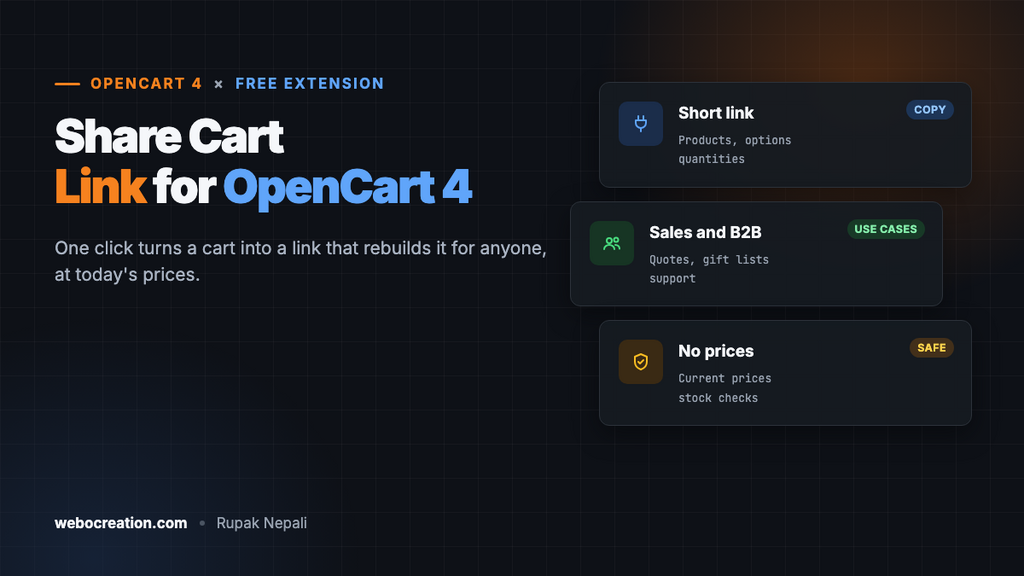
A customer emails: “Can you put together what I need for the new office?” Your sales rep builds the cart and then has to send a list of product names and quantities, hoping the customer picks the same options. Or a shopper wants a partner to approve the cart before paying. OpenCart 4 has no way to hand a cart to someone else.
This free extension adds a share cart link to OpenCart 4. A “Share this cart” button under the cart creates a short link. Whoever opens it gets the same products, quantities and options added to their own cart, at today’s prices. Useful for sales reps, B2B quotes, gift lists and support teams. Tested on OpenCart 4.1.0.4.
Download: sharecart.ocmod.zip (OpenCart 4.0.2.x to 4.1.x, free, no core file changes)
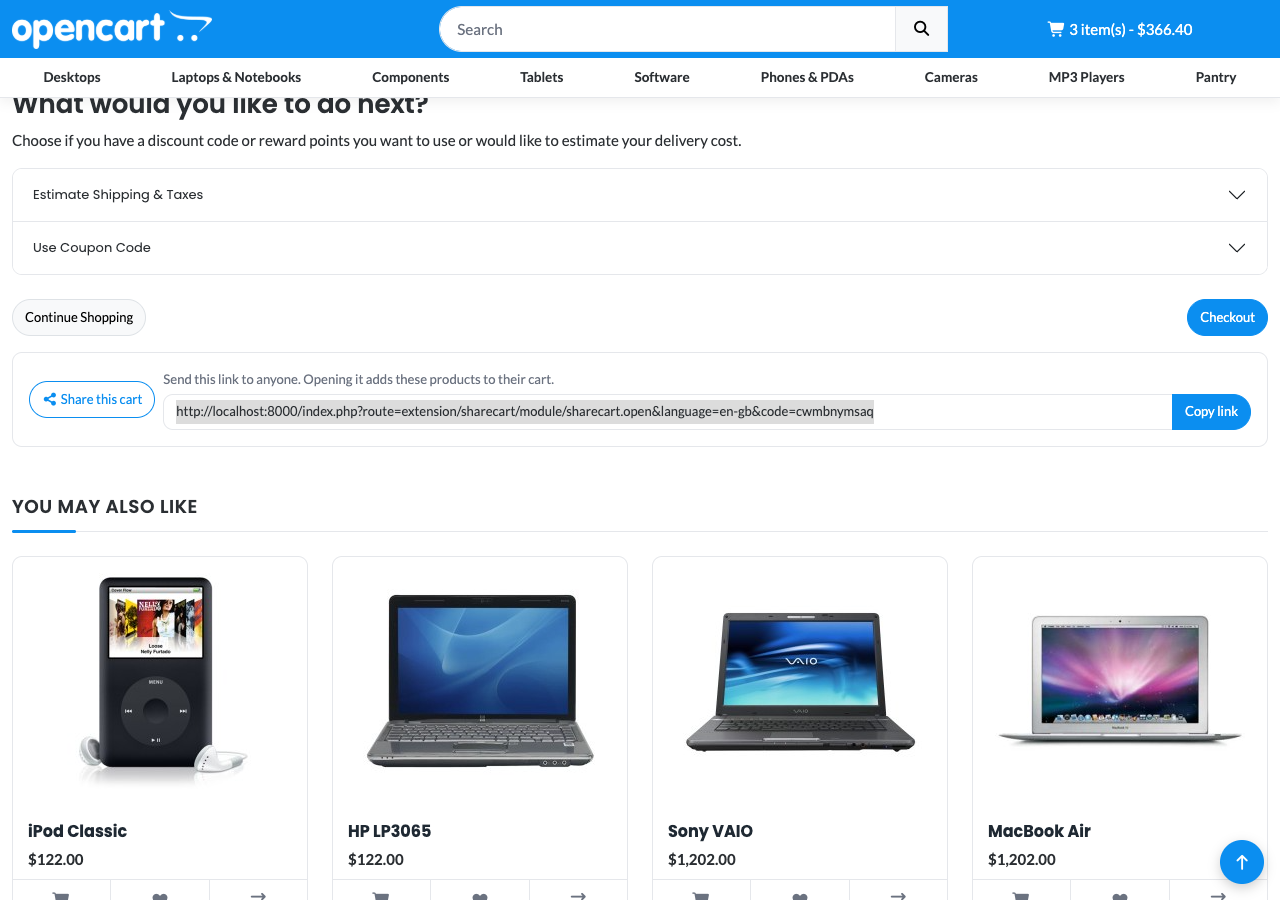
What the share cart link extension does
- Adds a Share this cart button under every non-empty cart, for guests and logged-in customers.
- Creates a short link such as
…sharecart.open&code=cwmbnymsaq, with a Copy link button. - Opening the link adds the products, quantities, options and subscription plans to the visitor’s cart and shows the cart with a message.
- Adds to the visitor’s existing cart (default) or replaces it, as you choose.
- Skips products that were disabled or deleted since the cart was shared.
- Links expire after a number of days you set (30 by default, or never).
- Lists recently shared carts in the admin with how often each link was opened.
Install the extension
- Download
sharecart.ocmod.zip. - Go to Extensions > Installer, click Upload and choose the zip.
- Go to Extensions > Extensions, choose Modules, find Share Cart and click Install.
- Click Edit, switch Status on and click Save.
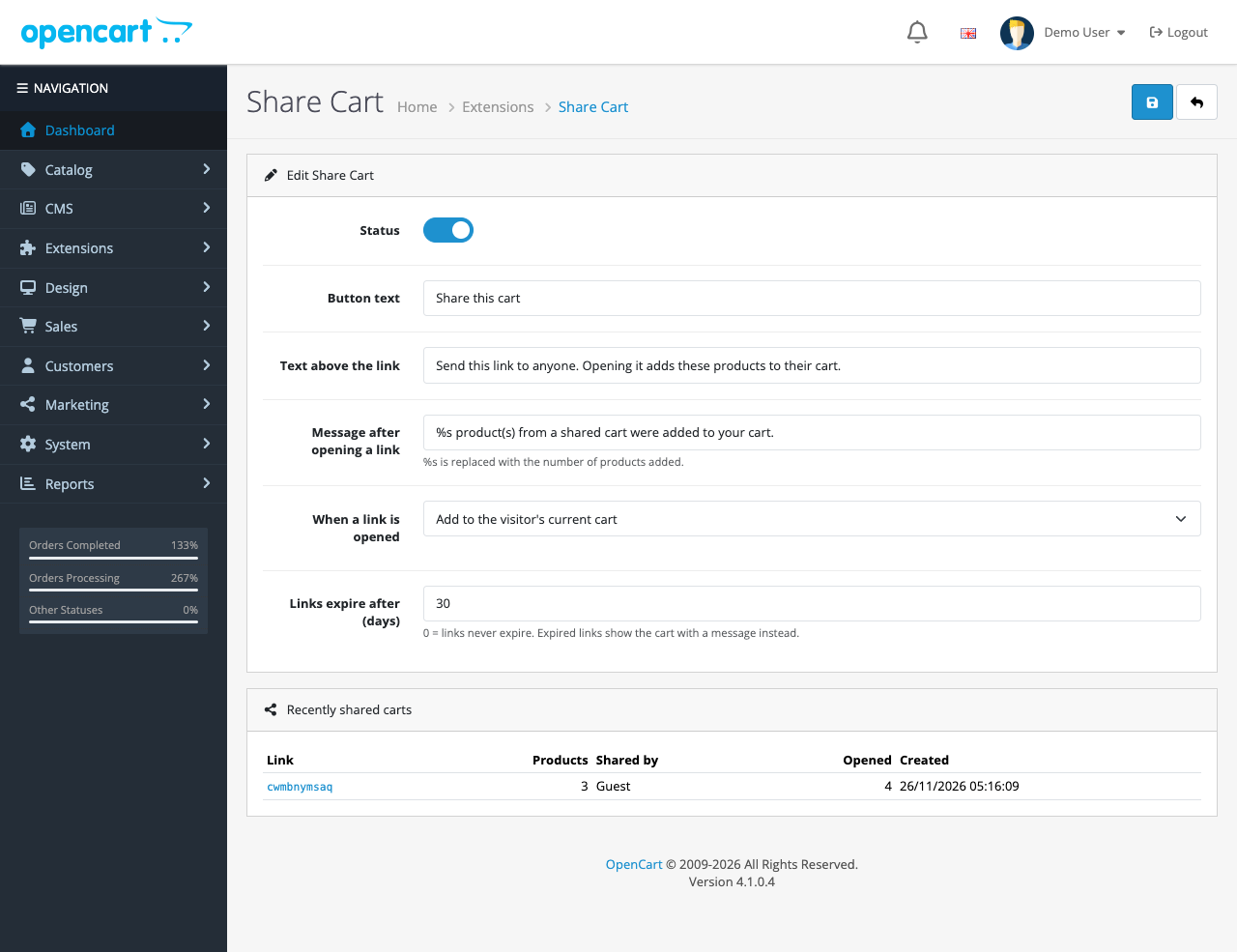
Settings
- Button text, text above the link and the message after opening (“%s product(s) from a shared cart were added to your cart”).
- When a link is opened: add to the visitor’s current cart, or replace it.
- Links expire after (days): 0 keeps links working forever. Expired links show the cart with “This shared cart link has expired or doesn’t exist.”
Prices are never part of the link
OpenCart’s cart table has an override column that extensions use to change a cart line’s price or name (our gift wrap extension does). Copying it into a link would let anyone craft a link with a cheaper price. The extension stores only what identifies each product:
foreach ($this->cartRows() as $row) {
    // Only what identifies the product. Prices and other extensions' overrides are never shared.
    $items[] = [
        'product_id'           => (int)$row['product_id'],
        'quantity'             => max(1, (int)$row['quantity']),
        'option'               => json_decode($row['option'], true) ?: [],
        'subscription_plan_id' => (int)$row['subscription_plan_id']
    ];
}
When the link is opened, every product goes through the normal $this->cart->add(), so prices, specials, customer group discounts, stock checks and minimum quantities apply to the visitor as usual:
foreach (json_decode($row['items'], true) ?: [] as $item) {
    $product = $this->model_catalog_product->getProduct((int)$item['product_id']);

    // Skip products that were disabled or deleted since the cart was shared.
    if (!$product) {
        continue;
    }

    $this->cart->add((int)$item['product_id'], max(1, (int)$item['quantity']), (array)$item['option'], (int)$item['subscription_plan_id']);
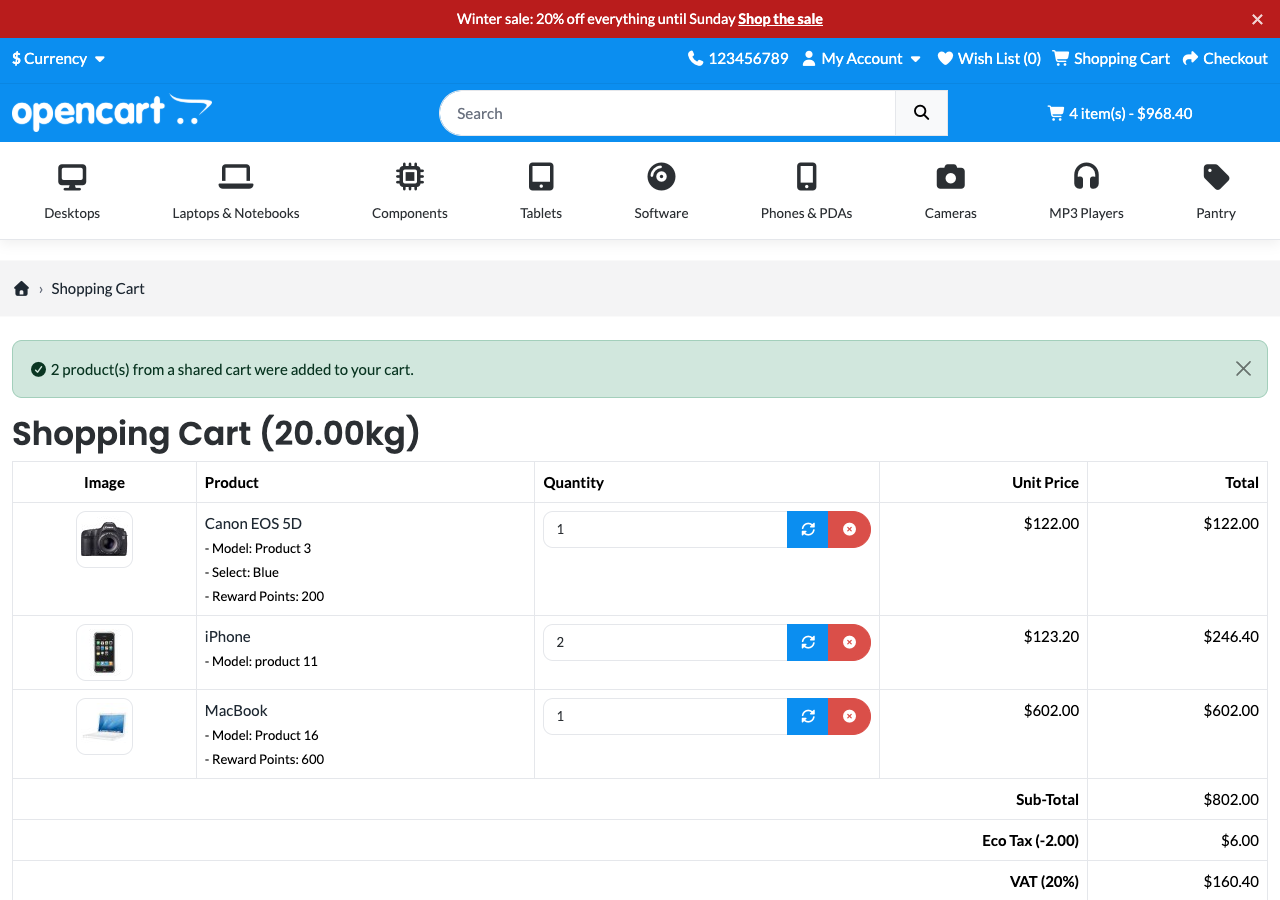
What we found when testing
- Options survive. A Canon EOS 5D with the required option “Select: Blue” and two iPhones were shared. Opening the link in another browser added the Canon with Blue selected, quantity 1, and the iPhones, quantity 2.
- Merge mode kept the MacBook that was already in the visitor’s cart and showed “2 product(s) from a shared cart were added to your cart.”
- Replace mode emptied the MacBook out first. With the Canon disabled in the admin, only the iPhones were added (“1 product(s)…”).
- Bad links: a made-up code showed “This shared cart link has expired or doesn’t exist.” on the cart page.
- Same cart, same link: sharing an unchanged cart again within a day returns the same link instead of a new row.
- A testing trap: our first “two browsers” test doubled every quantity. The test browser had copied the admin’s cookie, and OpenCart uses the same
OCSESSIDcookie for admin and storefront, so both “people” had one cart. With a clean browser it worked as above. Keep it in mind if you test cart features on one machine.
Ideas for using shared carts
- Sales and B2B: build the order while on the phone, send the link, let the customer check out with their own account. Combine it with coupon links for a negotiated discount.
- Support: “Here’s the exact replacement kit” beats a list of model numbers.
- Gift lists and approvals: a shopper sends the cart to the person who pays.
- Content: “Everything in this recipe” or “the starter bundle” as one link in a blog post or newsletter.
Limitations
- Uploaded files (file-type options) are tied to the original shopper’s upload code and may not be usable by someone else.
- The link adds products; it doesn’t carry a coupon, shipping address or account. Pair it with coupon links if you need a discount.
- Rate limit: 20 new links per visitor session per hour.
Related posts

Rupak Nepali is a web developer, manage Webocreation website and the author of six books:
Getting Started with OpenCart Module Development (Packt, 2013),
OpenCart Theme and Module Development (Packt, 2015),
OpenCart 4: Dev Guide for Themes & Extensions (2024),
OpenCart 4: User Manual (2025),
Cloudflare for the Enterprise Website (2026) and
The Technical Web Guide for Marketers (2026).
Rupak has built OpenCart stores and extensions since 2010, has published more than 600 tutorials on Webocreation, and shares free OpenCart extensions on GitHub.
Find Rupak on
GitHub | Amazon | LinkedIn | X | YouTube.