Recent Sales Notifications for OpenCart 4: Honest Social Proof From Real Orders (Free Extension)
A free OpenCart 4 extension that shows real recent sales: a small popup with recently bought products and a product page counter, built only from orders in the statuses you choose.
 Rupak NepaliPublished Nov 26, 2026
“Someone in Berlin just bought this” popups are everywhere, and many of them are fake: random names, random cities, numbers that never change. Shoppers have learned to ignore them, and showing invented activity can count as misleading advertising. Real recent sales are still useful information, though. A product that sold three times this week is a safer bet than one nobody has touched.
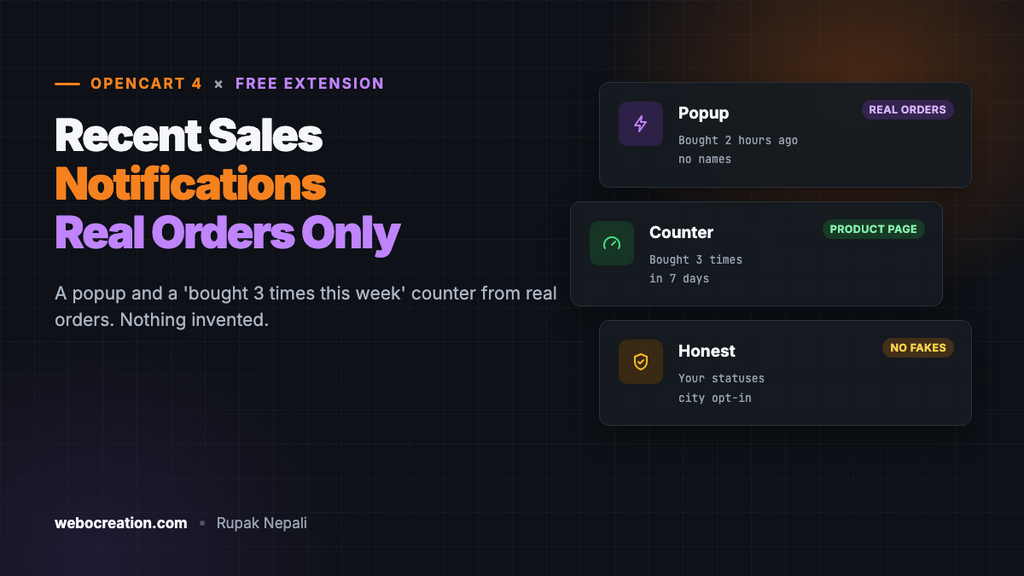
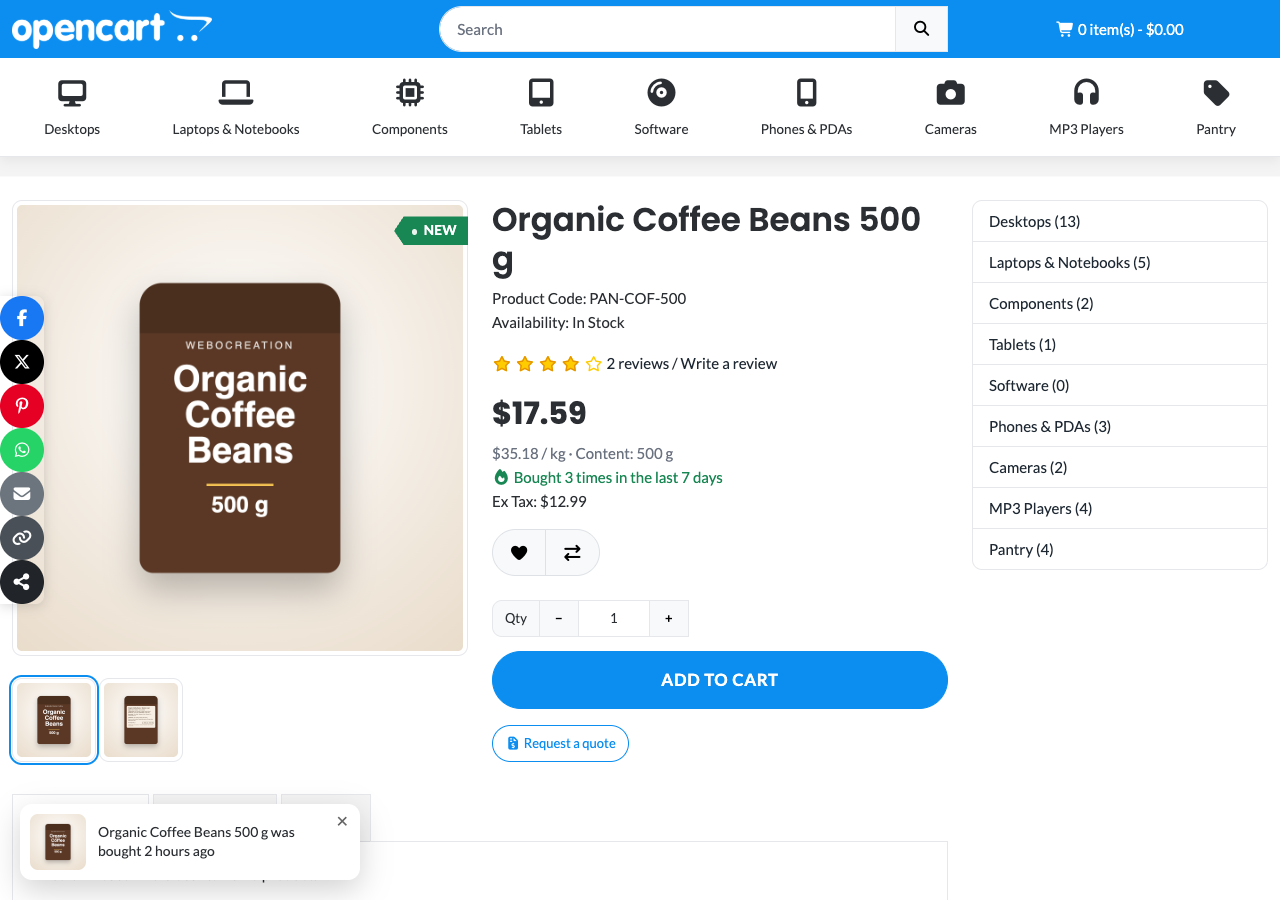
This free extension adds honest recent sales notifications to OpenCart 4: a small popup with products from real recent orders (“Organic Coffee Beans 500 g was bought 2 hours ago”) and a “Bought 3 times in the last 7 days” line on product pages. Everything comes from orders in the statuses you pick. Nothing is invented, no names are shown, and the buyer’s city appears only if you turn it on. Tested on OpenCart 4.1.0.4.
Download: recentsales.ocmod.zip (OpenCart 4.0.2.x to 4.1.x, free, no core file changes)
What the recent sales notifications extension does
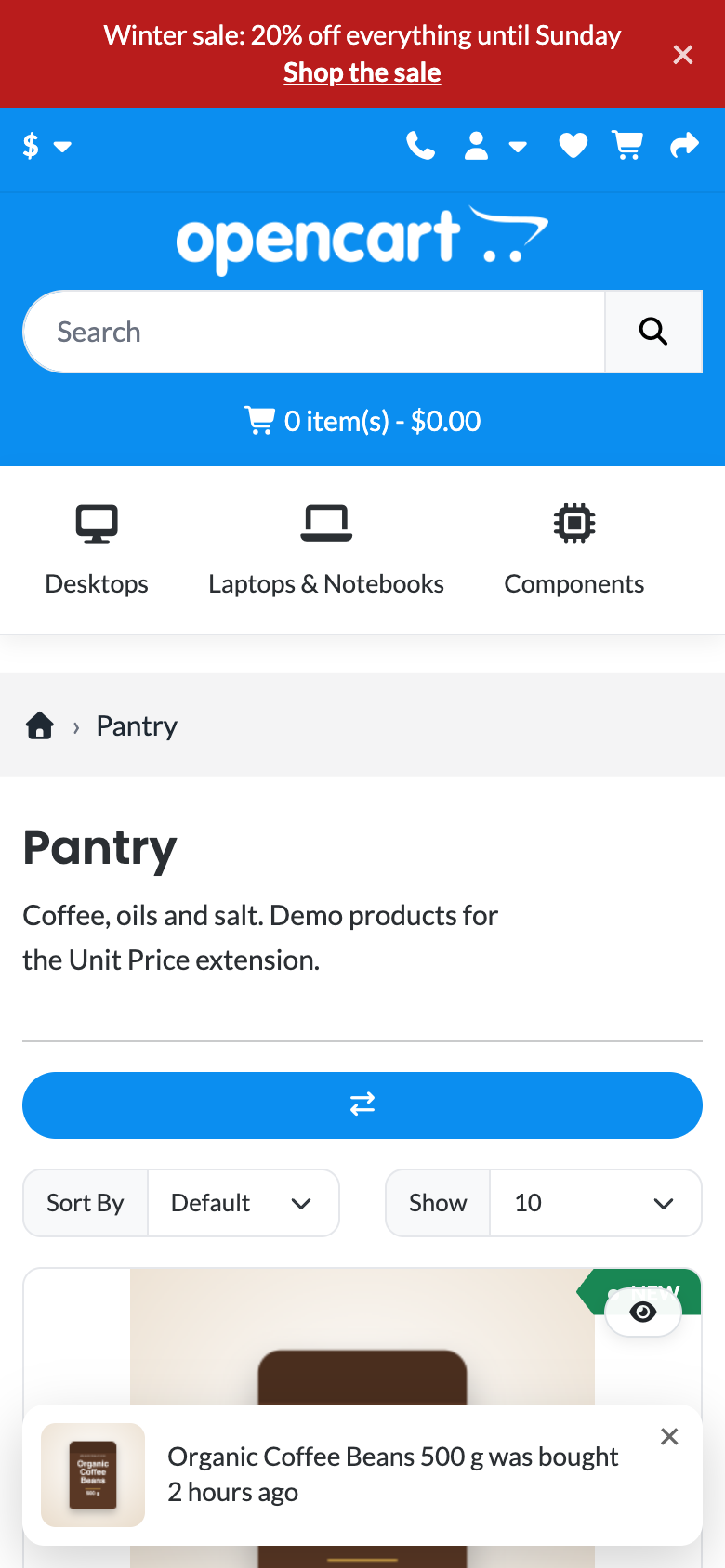
- Popup: shows up to 10 recently sold products, one at a time, bottom left (full width on phones), with the product image and a link. “was bought 2 hours ago”, “yesterday”, “3 days ago”.
- Product page counter: “Bought 12 times in the last 7 days” under the price, only when the count reaches a minimum you set (3 by default).
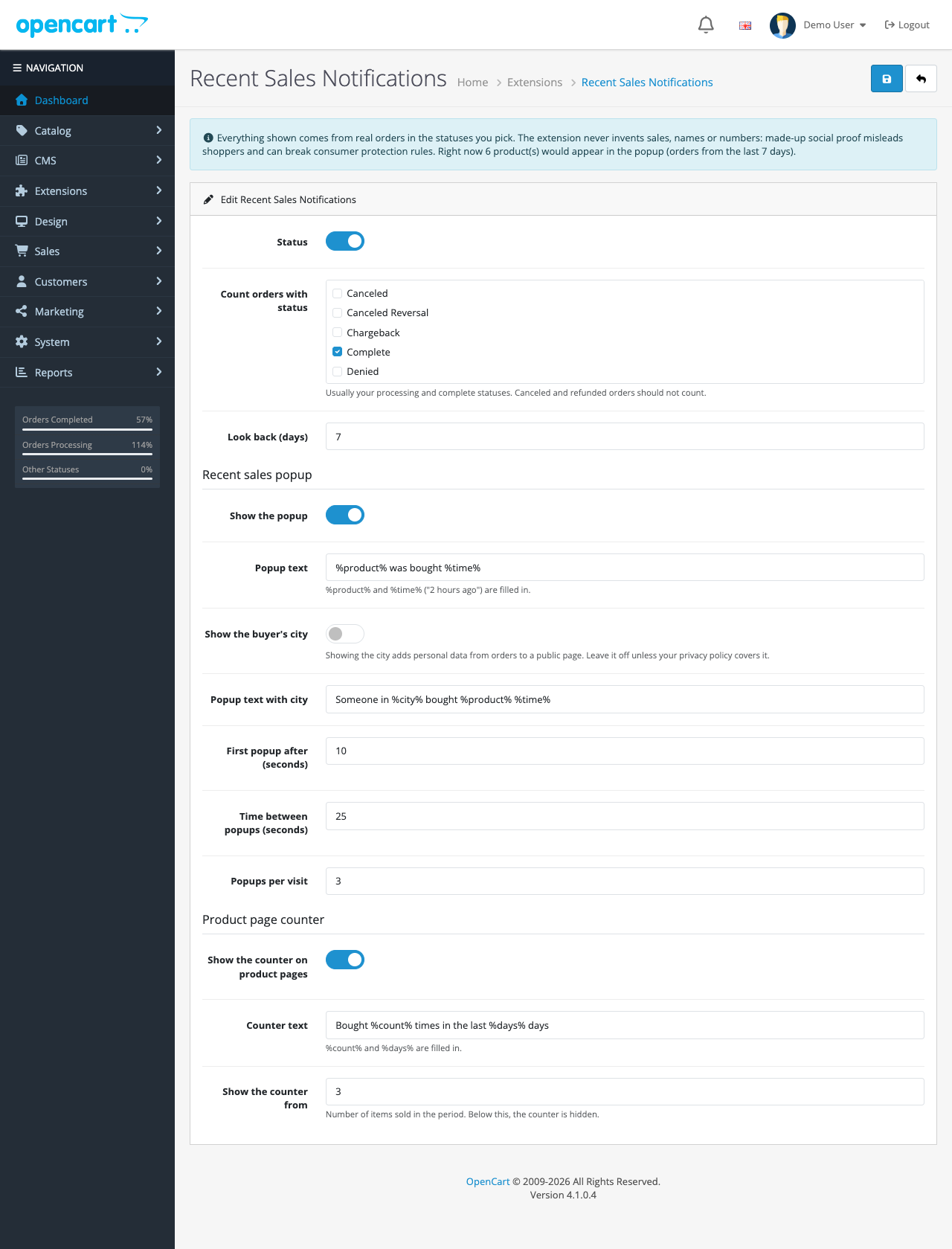
- Honest by design: only orders in the statuses you choose and within the period you set (7 days by default). Canceled and refunded orders don’t count unless you tick them.
- Private by default: no customer names at all. The city of the shipping address is an opt-in.
- Polite: the first popup after 10 seconds, then every 25 seconds, at most 3 per visit; closing it stops it for the rest of the visit. It never appears on cart, checkout or account pages, and it respects reduced-motion settings.
- Cache friendly: the popup loads its data from a small JSON feed, so it works with full-page caching such as our Speed Booster.
Install the extension
- Download
recentsales.ocmod.zip. - Go to Extensions > Installer, click Upload and choose the zip.
- Go to Extensions > Extensions, choose Modules, find Recent Sales Notifications and click Install.
- Click Edit, check the order statuses, switch Status on and click Save.
Check the order statuses
The default statuses come from your Processing and Complete order status settings (System > Settings > Option). Look at them before you switch the extension on. On the OpenCart demo store, the processing list includes “Reversed”, which isn’t a sale you want to advertise. Pending orders are also in it by default; untick Pending if unpaid orders shouldn’t count.
How it works
The popup asks a JSON feed for the most recent sold products, one entry per product, newest first. Products that were disabled since are skipped, and the text is built from your template:
foreach ($query->rows as $row) {
    $product = $this->model_catalog_product->getProduct((int)$row['product_id']);

    // Only products that are still for sale.
    if (!$product) {
        continue;
    }

    $name = html_entity_decode($product['name'], ENT_QUOTES, 'UTF-8');
    $time = $this->ago(max(0, $now - strtotime($row['last'])));
    $use_city = $city && trim((string)$row['city']) !== '';

    $text = str_replace(['%product%', '%time%', '%city%'], [$name, $time, trim((string)$row['city'])], $use_city ? $this->setting('city_text') : $this->setting('text'));

    $json['items'][] = [
        'text'  => $text,
        'href'  => html_entity_decode($this->url->link('product/product', 'language=' . $this->config->get('config_language') . '&product_id=' . (int)$product['product_id']), ENT_QUOTES, 'UTF-8'),
        'image' => $this->model_tool_image->resize(html_entity_decode((string)($product['image'] ?: 'placeholder.png'), ENT_QUOTES, 'UTF-8'), 80, 80)
    ];
}
The product page counter is one query that sums the quantity sold in the period, added under the price with the catalog/view/product/product/after event.
What we found when testing
We added four demo orders with the Complete status: two coffee bags (Berlin, 2 hours ago), one olive oil (Austin, 5 hours ago), three sea salt (Lyon, yesterday) and one coffee (Toronto, 3 days ago). The store also had Jane’s shipped order (iPhone, Canon), a pending pre-order and a canceled order with two coffee bags.
- The feed listed coffee “2 hours ago”, olive oil “5 hours ago”, sea salt “yesterday”, then the Galaxy Tab, Canon EOS 5D and iPhone “2 days ago”.
- The coffee counter said “Bought 3 times in the last 7 days”: 2 + 1. The 2 bags in the canceled order weren’t counted.
- The olive oil (1 sold) showed no counter, because the minimum is 3.
- With the city on: “Someone in Berlin bought Organic Coffee Beans 500 g 2 hours ago”.
- Our first build broke with “Could not load template”: the popup’s inline CSS had
{#rs-toastin a media query, and{#opens a comment in Twig. A space fixed it.
Is social proof like this allowed?
Showing real, accurate sales information is generally fine; inventing it isn’t. Fake activity notifications and made-up counters can mislead shoppers, which consumer protection authorities treat as deceptive, the same reasoning behind the FTC fake reviews rule. That’s why this extension has no “demo mode” with invented sales. If your privacy policy doesn’t cover showing order cities, leave the city off.
Related posts
- Product badges for OpenCart 4
- Reply to product reviews in OpenCart 4
- Newsletter popup for OpenCart 4

Rupak Nepali is a web developer, manage Webocreation website and the author of six books:
Getting Started with OpenCart Module Development (Packt, 2013),
OpenCart Theme and Module Development (Packt, 2015),
OpenCart 4: Dev Guide for Themes & Extensions (2024),
OpenCart 4: User Manual (2025),
Cloudflare for the Enterprise Website (2026) and
The Technical Web Guide for Marketers (2026).
Rupak has built OpenCart stores and extensions since 2010, has published more than 600 tutorials on Webocreation, and shares free OpenCart extensions on GitHub.
Find Rupak on
GitHub | Amazon | LinkedIn | X | YouTube.