SPF PermError “Too Many DNS Lookups”: How to Fix the 10-Lookup Limit Without Breaking Your Email
Why SPF fails with "too many DNS lookups", how to count your own lookups, and four ways to get under the limit of 10, from removing old services to sending from subdomains.
 Rupak NepaliPublished Nov 14, 2026
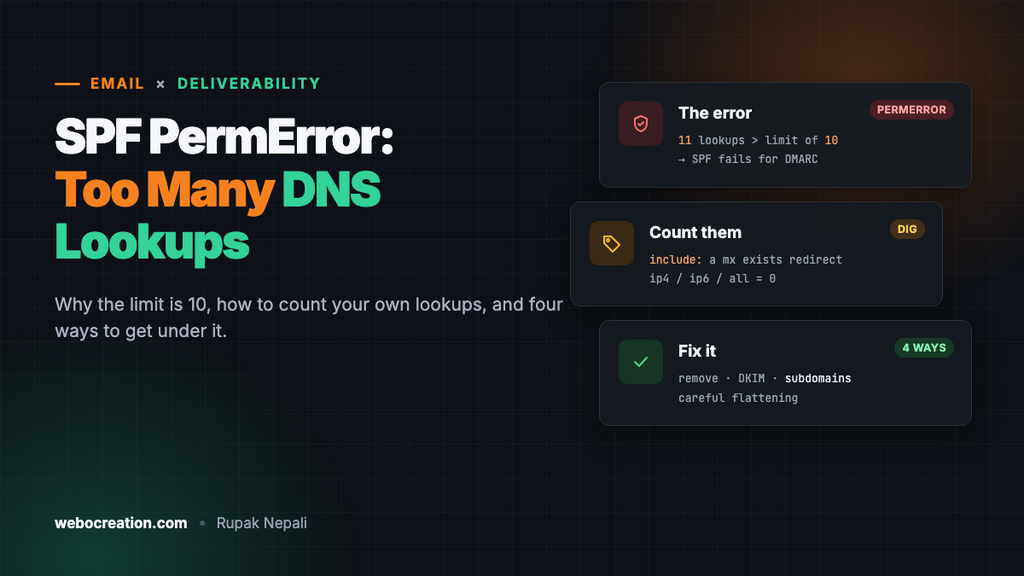
Your SPF record looks fine, yet a checker says “PermError: too many DNS lookups”, DMARC reports show SPF failing, or your newsletters started landing in spam. The cause is almost always the same: your SPF record makes more than 10 DNS lookups, and when that happens, receivers stop checking and treat SPF as broken.
This guide explains the limit, shows how to count your own lookups, and gives four ways to get under it. It’s the companion to our guides on SPF, DKIM and DMARC setup and moving DMARC from p=none to p=reject, because SPF errors are one of the most common things standing in the way.
Why there’s a limit of 10
An SPF record lists the servers allowed to send email for your domain. Some parts of it name servers directly; others tell the receiver to go and look something up. The SPF standard (RFC 7208) caps those lookups at 10 per check, so a single email can’t make a receiving server send hundreds of DNS queries. Go over 10 and the result is permerror: SPF hasn’t passed, it has failed to evaluate.
For DMARC, a permerror counts the same as a fail. If your DKIM is also misaligned for that message, DMARC fails, and at p=quarantine or p=reject your email goes to spam or is refused.
What counts as a lookup
| Mechanism | Counts? | Example |
|---|---|---|
include: | Yes, 1, plus everything inside the included record | include:_spf.google.com |
a, a: | Yes, 1 | a:mail.example.com |
mx | Yes, 1 (plus each MX host’s address lookup, which has its own limit) | mx |
exists: | Yes, 1 | Rare outside large providers |
redirect= | Yes, 1, plus the target record | redirect=_spf.example.com |
ptr | Yes, and deprecated. Remove it. | ptr |
ip4:, ip6: | No | ip4:203.0.113.25 |
all | No | ~all, -all |
Includes can also nest: an included record can contain more includes, and each one counts. Most big providers have flattened their own records in recent years (we checked Google, Microsoft 365, SendGrid, Mailchimp, Zendesk, Amazon SES and MailerLite in November 2026: each is a single lookup now), so these days the limit is usually reached by the number of services, plus leftovers like a, mx and tools you no longer use. Some smaller providers and hosting companies still nest several levels deep, which is where a single include can cost three or four lookups.
Count your own lookups
Start with your record:
dig +short TXT example.com | grep spf1"v=spf1 a mx include:_spf.google.com include:spf.protection.outlook.com include:servers.mcsv.net include:sendgrid.net include:mail.zendesk.com include:_spf.salesforce.com include:amazonses.com include:spf.mandrillapp.com include:_spf.mlsend.com ~all"Then look up each include to see whether it contains more lookups:
dig +short TXT _spf.google.com
# "v=spf1 ip4:74.125.0.0/16 ip4:209.85.128.0/17 ip6:... ~all"     -> only IP ranges: 1 lookup in total

dig +short TXT _spf.salesforce.com
# "v=spf1 exists:%{i}._spf.mta.salesforce.com -all"              -> one more lookup inside: 2 in total
Adding it up for this record: a (1) + mx (1) + seven single-lookup includes (7) + Salesforce (2) = 11 lookups. One over the limit, so every SPF check returns permerror.
Doing this by hand for every include gets tedious, so use a checker that shows the tree and the total, such as the SPF tools from MXToolbox, dmarcian or EasyDMARC.
Counts change over time: providers add or remove nested includes without telling you. A record at 9 lookups today can be at 11 next month. That’s another reason to keep a margin.
Fix 1: Remove what you don’t use
Most records over the limit include services the company stopped using years ago. Go through each include and ask: does this service still send email as our domain?
- Old email marketing tools from before the current one
- A helpdesk you replaced
aandmx, which often appear out of habit.mxauthorises your inbound mail servers to send, which is only needed if they actually send (Google Workspace and Microsoft 365 users already have the provider’s include).aauthorises your website’s server, which is only needed if it sends mail directly.ptr, which is deprecated and slow. Remove it everywhere.
Your DMARC reports tell you which services actually send as your domain. Anything that hasn’t appeared in weeks of reports is a candidate for removal.
Fix 2: Rely on DKIM for services that support it
DMARC passes if either SPF or DKIM passes and aligns with your From domain. Many marketing and transactional services send with their own bounce domain, so their SPF include on your domain doesn’t align anyway, and DMARC passes only through DKIM. For those services, the include in your SPF record does nothing for DMARC.
For each service:
- Set up DKIM with your domain (the service gives you CNAME or TXT records to add).
- Check a test email’s headers:
dkim=passwithheader.d=example.com(or a subdomain of it). - Check the
Return-Path(envelope sender). If it’s the service’s own domain, your SPF include isn’t being used for DMARC; you can remove it.
Do this one service at a time, and watch your DMARC reports for a week after each change.
Fix 3: Send from subdomains
Each domain and subdomain has its own SPF record and its own 10-lookup budget. Moving each kind of email to its own subdomain splits the lookups:
| From address | SPF lives on | |
|---|---|---|
| Staff email | name@example.com | example.com: only Google Workspace or Microsoft 365 |
| Newsletters | news@mail.example.com | mail.example.com: your marketing platform |
| Order emails | orders@notify.example.com | notify.example.com: your transactional email service |
| Support | help@support.example.com | support.example.com: your helpdesk |
It also protects your main domain’s reputation: a newsletter that annoys people affects mail.example.com, not the address your staff use. Under DMARC’s default relaxed alignment, mail from a subdomain still aligns with your main domain’s DMARC policy. Most email platforms call this a “branded” or “custom” sending domain, and walk you through the records.
Fix 4: Flattening, carefully
“Flattening” replaces includes with the IP addresses they currently resolve to, because ip4: and ip6: cost no lookups:
v=spf1 include:_spf.google.com ip4:198.51.100.0/24 ip4:203.0.113.0/24 ip6:2001:db8::/32 ~allIt works until the provider changes its IP addresses, which big providers do regularly and without notice. Then your flattened record authorises the old servers, mail from the new ones fails SPF, and nobody notices until delivery drops.
If you flatten, use a service that does it automatically: it re-resolves the includes every few hours and updates a record you include, so the IP list stays current. Never flatten by hand and forget about it. In most cases, Fixes 1 to 3 get you under the limit without flattening at all.
Other SPF errors you might see
| Error | Cause | Fix |
|---|---|---|
| Multiple SPF records | Two TXT records starting with v=spf1, usually because a new service told you to “add an SPF record” | Merge them into one record. Two records is a permerror too. |
| Void lookups | An include or a: name that no longer exists in DNS. More than 2 such empty answers is also a permerror. | Remove includes for services you’ve left; they often delete their SPF records |
| Record too long | A single DNS string over 255 characters | Split it into several quoted strings in one TXT record; most DNS providers do this for you |
+all | Authorises every server on the internet | Use ~all while testing and -all once you’re sure. With DMARC enforcing, ~all is fine long term. |
A worked example
Take the 11-lookup record from above, belonging to an online store. Working through it:
aandmx: the website sends through SendGrid, not directly, and inbound mail is handled by Google. Removed: 2 lookups saved.spf.protection.outlook.com: left over from before the move to Google Workspace. Removed.spf.mandrillapp.comand_spf.mlsend.com: two old email tools that haven’t appeared in the DMARC reports for months. Removed.servers.mcsv.net(Mailchimp): Mailchimp sends with its own Return-Path, so this include never helped DMARC. DKIM with the store’s domain is set up instead, and the include removed._spf.salesforce.com: Salesforce email moved to acrm.example.comsubdomain with its own SPF record, taking its 2 lookups off the main record.
After:
v=spf1 include:_spf.google.com include:sendgrid.net include:mail.zendesk.com include:amazonses.com ~allFour lookups, with plenty of room for the next tool someone signs up for. Check yours with the same steps, then keep an eye on your DMARC reports: SPF results for your real senders should go from permerror to pass within a day of the DNS change.
Order emails from OpenCart are a common source of SPF and DMARC failures when they’re sent with PHP’s mail function from the web server. Sending through SMTP with a proper provider fixes it; see our Gmail SMTP setup guide or the Gmail, Yahoo and Microsoft sender requirements.

Rupak Nepali is a web developer, manage Webocreation website and the author of six books:
Getting Started with OpenCart Module Development (Packt, 2013),
OpenCart Theme and Module Development (Packt, 2015),
OpenCart 4: Dev Guide for Themes & Extensions (2024),
OpenCart 4: User Manual (2025),
Cloudflare for the Enterprise Website (2026) and
The Technical Web Guide for Marketers (2026).
Rupak has built OpenCart stores and extensions since 2010, has published more than 600 tutorials on Webocreation, and shares free OpenCart extensions on GitHub.
Find Rupak on
GitHub | Amazon | LinkedIn | X | YouTube.