Cloudflare Rules for Magento 2: The Security, Rate Limiting and Cache Rules Every Store Needs
Copy-ready Cloudflare custom, rate limiting, redirect and cache rules for Magento 2 and Adobe Commerce stores, with what each one might break.
 Rupak NepaliPublished Nov 14, 2026
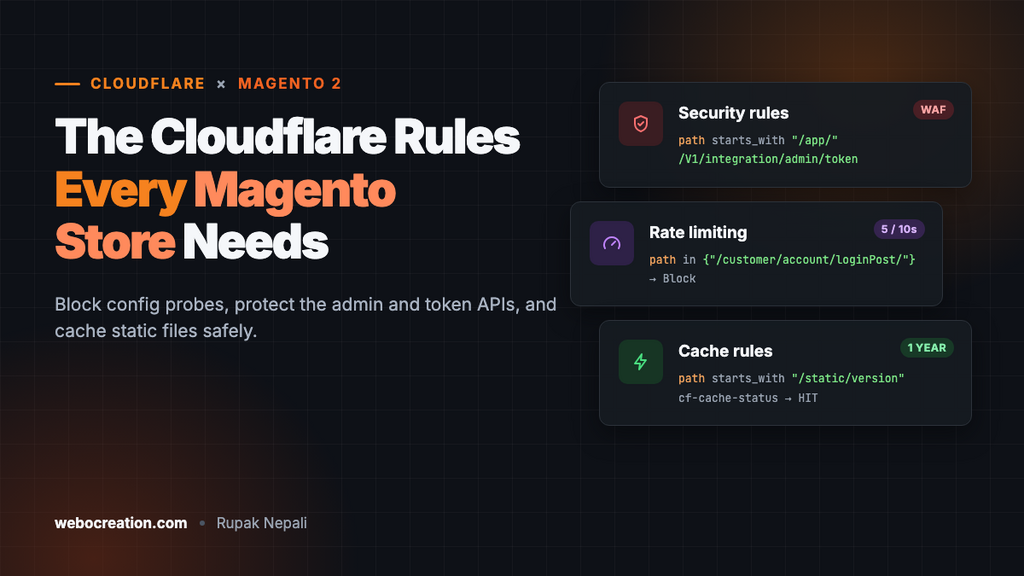
Magento 2 (Adobe Commerce) stores are a favourite target. Bots scan for exposed configuration files, try passwords against the admin and the REST token endpoints, run stolen cards through checkout, and probe for the vulnerabilities that hit Magento every year or two. A few Cloudflare rules stop most of that before it reaches PHP, which matters on a platform where every uncached request is expensive.
This guide lists the rules, ready to copy. Each one has the expression to paste, the action to pick, and what it might break. Replace example.com and /admin_7x9q (your admin path) with your own. It continues the series after WooCommerce, WordPress, Drupal, Laravel and Next.js.
Where the rules live
| Rule type | Dashboard location | Free plan allowance (at the time of writing) |
|---|---|---|
| Custom rules (security) | Security → Security rules (older: Security → WAF → Custom rules) | 5 rules |
| Rate limiting rules | Security → Security rules (older: Security → WAF → Rate limiting rules) | 1 rule, URL path only, 10-second window |
| Redirect rules | Rules → Redirect Rules | 10 rules |
| Cache rules | Caching → Cache Rules | 10 rules |
To paste an expression, open a new rule and click Edit expression.
Before you start
1. Patch Magento first
No firewall rule replaces security patches. Magento has had several critical, mass-exploited vulnerabilities, such as CosmicSting (CVE-2024-34102) in 2024, where unpatched stores were taken over within weeks. Cloudflare’s paid managed rulesets add virtual patches for some of these, but on any plan, keep Magento on a supported 2.4.x release and apply Adobe’s security patches when they ship.
2. Serve Magento from pub/
Magento’s recommended setup points the web server at the pub/ folder, so app/, var/, vendor/ and app/etc/env.php (your database password and encryption key) can’t be reached over the web at all. Many older installs still serve from the project root. Rule 1 below blocks those paths either way, but check your server: if https://example.com/app/etc/env.php returns anything other than a 404 or 403 before you add the rule, fix the document root too.
3. Make Magento see real visitor IPs
Behind Cloudflare, every request arrives from a Cloudflare IP. Magento records the customer IP on orders, and fraud tools and payment gateways use it. Fix it in the web server, so every part of Magento sees the real address. On Nginx:
# Full, current list: https://www.cloudflare.com/ips-v4 and /ips-v6
set_real_ip_from 173.245.48.0/20;
set_real_ip_from 103.21.244.0/22;
# ...one line per range...
real_ip_header CF-Connecting-IP;
On Apache, use mod_remoteip with RemoteIPHeader CF-Connecting-IP and a RemoteIPTrustedProxy line per range. Check it by placing a test order and looking at the IP in the order view.
4. Use a custom admin path
Magento lets you move the admin from /admin to a path only your team knows. It’s set in app/etc/env.php under backend → frontName, or with:
bin/magento setup:config:set --backend-frontname="admin_7x9q"That alone removes most admin login spam, and it makes Rule 3 simple.
5. Leave Bot Fight Mode off
Bot Fight Mode on the Free plan can’t be skipped for specific paths, and it can challenge the webhooks from PayPal, Stripe, Braintree and Adyen, so payments stop confirming. On Pro and above, Super Bot Fight Mode can be skipped for webhook paths.
Paths you must not block
| Path | Used by | Block or challenge? |
|---|---|---|
/rest/... | The checkout (shipping estimates, payment, place order), mini cart and many extensions | Never block. Rate-limit specific endpoints only. |
/graphql | PWA Studio, Hyvä checkout and headless front ends | Never block if you use any of these |
/customer/section/load/ | Mini cart, customer name, messages: called on every page | Never challenge or cache |
/static/..., /media/... | CSS, JavaScript, fonts and product images | Never block. Cache them (see below). |
| Payment module callbacks | Gateway webhooks, for example /paypal/ipn/ | Never challenge |
Security rules
Rule 1: Block config, setup and source probes
Action: Block.
(starts_with(http.request.uri.path, "/app/"))
or (starts_with(http.request.uri.path, "/var/"))
or (starts_with(http.request.uri.path, "/vendor/"))
or (starts_with(http.request.uri.path, "/lib/"))
or (starts_with(http.request.uri.path, "/dev/"))
or (starts_with(http.request.uri.path, "/setup"))
or (starts_with(http.request.uri.path, "/update"))
or (starts_with(http.request.uri.path, "/phpserver"))
or (starts_with(http.request.uri.path, "/downloader"))
or (http.request.uri.path contains "/.env")
or (http.request.uri.path contains "/.git")
or (ends_with(http.request.uri.path, ".sql"))
or (ends_with(http.request.uri.path, ".sql.gz"))
or (http.request.uri.path in {"/composer.json" "/composer.lock" "/auth.json" "/nginx.conf.sample" "/.user.ini"})/app/,/var/,/vendor/,/lib/and/dev/hold configuration, logs, reports, backups and source code. With apub/document root they’re unreachable anyway; this rule covers installs that serve the project root./setupand/updatewere the old web setup wizard and updater, removed in Magento 2.4 but still probed./downloaderis Magento 1’s Connect Manager, a classic target./auth.jsoncan contain your Adobe Marketplace keys, andcomposer.locktells attackers exactly which module versions you run.
What it might break: a category or CMS page with a URL key starting with one of these words, such as /update-your-kitchen. If you have one, change that line to starts_with(http.request.uri.path, "/update/"), with the trailing slash.
Rule 2: Block the admin token API from the internet
Action: Block (or skip this rule if an integration uses it, see below).
(http.request.uri.path contains "/V1/integration/admin/token")This REST endpoint trades an admin username and password for an API token. It’s a favourite for password guessing, because it doesn’t show the admin login page’s protections. Most stores don’t use it: integrations normally authenticate with an integration token or OAuth created in the admin. The contains catches it with or without a store code in the path (/rest/V1/... and /rest/default/V1/...).
What it might break: an ERP, PIM or custom script that logs in with an admin username and password. If you have one, change the action to Block for everyone except its IP: add and not ip.src in {203.0.113.10}.
Rule 3: Challenge the admin
Action: Managed Challenge.
(starts_with(http.request.uri.path, "/admin_7x9q"))Use your own admin path. Staff see a short check, usually nothing visible, once per session; bots stop there. The admin’s background requests keep working, because the browser keeps Cloudflare’s clearance cookie. If your team works from fixed IPs, add and not ip.src in {203.0.113.10 198.51.100.0/24} or change the action to Block.
Leave the old /admin path to Magento’s 404 page; there’s nothing to protect there once the admin has moved.
Rate limiting: logins and card testing
On the Free plan, a rate limiting rule can only match the URL path. That covers the customer login form and the customer token API, both popular for credential stuffing (trying passwords leaked from other sites):
- Counting characteristic: IP
- Rate: 5 requests per 10 seconds
- Action: Block for 10 seconds
http.request.uri.path in {"/customer/account/loginPost/" "/customer/account/createpost/" "/customer/account/forgotpasswordpost/" "/rest/V1/integration/customer/token" "/rest/default/V1/integration/customer/token"}If your URLs include a store code (for example /en/customer/account/loginPost/), add those paths too.
Card testing on Magento usually skips the checkout page and posts straight to the REST payment endpoint, /rest/default/V1/guest-carts/{cartId}/payment-information. The cart ID changes every time, which needs operators the Free plan’s rate limiting doesn’t offer. On Pro and higher, add a second rule:
(http.request.method eq "POST"
 and (ends_with(http.request.uri.path, "/payment-information")
      or http.request.uri.path eq "/graphql"))
with a rate such as 10 requests per minute per IP. Check Security → Events for a few days before tightening it: GraphQL front ends make many legitimate POSTs. On any plan, also turn on Magento’s own protection: Stores → Configuration → Security → Google reCAPTCHA Storefront has settings for the login, registration and checkout forms, and your payment provider’s fraud tools (Braintree, Adyen or Stripe Radar) should be on. Our Carding Attacks 101 explains how these attacks work.
Redirect rule: one hostname
In Rules → Redirect Rules, send www to the bare domain (or the reverse):
- When incoming requests match:
(http.host eq "www.example.com") - Type: Dynamic
- Expression:
concat("https://example.com", http.request.uri.path) - Status code: 301, with Preserve query string on
Make sure Magento’s Base URLs (Stores → Configuration → General → Web) use the same hostname, or you’ll get a redirect loop.
Cache rules: static files yes, HTML only with care
Magento already has a full-page cache, either its built-in one or Varnish. For HTML, keep using it: Magento knows when a product’s price or stock changes and clears exactly the right pages, which Cloudflare can’t. What Cloudflare does well is serve static files and images from the edge.
Cache rule 1: Versioned static files
- Expression:
(starts_with(http.request.uri.path, "/static/version")) - Cache eligibility: Eligible for cache
- Edge TTL: Ignore cache-control header, 1 year
- Browser TTL: Override origin, 1 year
With “Sign static files” on (the default in production mode), Magento puts a deploy version in every static URL, such as /static/version1731400000/frontend/.... Each deployment gets a new version, so old URLs never change and are safe to cache for a year. If your static URLs don’t contain /version, turn the setting on in Stores → Configuration → Advanced → Developer, or use a short TTL instead.
Cache rule 2: Product and media images
- Expression:
(starts_with(http.request.uri.path, "/media/catalog/") or starts_with(http.request.uri.path, "/media/wysiwyg/")) - Cache eligibility: Eligible for cache
- Edge TTL: 1 month
Resized product images live under /media/catalog/product/cache/ and are regenerated with new paths when settings change. If you replace a product image under the same file name, purge it in Cloudflare (Caching → Configuration → Custom Purge).
Cache rule 3: Never cache private paths
- Expression: below
- Cache eligibility: Bypass cache
(starts_with(http.request.uri.path, "/checkout"))
or (starts_with(http.request.uri.path, "/customer"))
or (starts_with(http.request.uri.path, "/rest"))
or (http.request.uri.path eq "/graphql")
or (starts_with(http.request.uri.path, "/admin_7x9q"))
or (starts_with(http.request.uri.path, "/sales"))
or (starts_with(http.request.uri.path, "/wishlist"))
By default Cloudflare doesn’t cache HTML anyway; this rule makes sure a broad rule added later can’t cache someone’s cart or account.
Why not cache HTML at Cloudflare? It can be done, but Magento pages carry hidden per-session details, including the form key used to protect forms and the cookie that tells the full-page cache which customer group and currency a visitor has. Caching HTML at the edge without a module built for it leads to wrong prices for logged-in B2B customers and broken add-to-cart buttons. If you want edge HTML caching, use a Magento module made for Cloudflare that purges by cache tag, and test logged-in and guest sessions thoroughly.
Test everything
# Should return 403 (Rule 1 and Rule 2)
curl -sI https://example.com/app/etc/env.php | head -1
curl -sI https://example.com/composer.lock | head -1
curl -sI -X POST https://example.com/rest/V1/integration/admin/token | head -1

# Admin: should show a Cloudflare challenge in a browser
# https://example.com/admin_7x9q

# Static file: HIT on the second request
curl -sI https://example.com/static/version1731400000/frontend/Magento/luma/en_US/css/styles-m.css | grep -i cf-cache-status
Then, in a private window, browse a category, add a product, run the checkout through to payment with a test card, log in as a customer and check the mini cart. Watch Security → Events for the first week for anything blocked by mistake.
Summary
| Rule | Type | Action | Stops |
|---|---|---|---|
| 1. Config, setup and source paths | Custom | Block | Probes for env.php, backups, Composer files and old installers |
| 2. Admin token API | Custom | Block | Password guessing against the REST admin login |
| 3. Admin path | Custom | Managed Challenge | Bots on the admin login |
| Login and token paths | Rate limiting | Block 10 s | Credential stuffing |
| Payment endpoint (Pro+) | Rate limiting | Block | Card testing |
| www to bare domain | Redirect | 301 | Duplicate hostnames |
| Static, media, private paths | Cache (3 rules) | Cache / Bypass | Slow assets, cached private pages |
Want to go further? Cloudflare’s managed OWASP rules catch generic attacks; see Cloudflare OWASP Core Ruleset explained for how to tune them without blocking real customers.

Rupak Nepali is a web developer, manage Webocreation website and the author of six books:
Getting Started with OpenCart Module Development (Packt, 2013),
OpenCart Theme and Module Development (Packt, 2015),
OpenCart 4: Dev Guide for Themes & Extensions (2024),
OpenCart 4: User Manual (2025),
Cloudflare for the Enterprise Website (2026) and
The Technical Web Guide for Marketers (2026).
Rupak has built OpenCart stores and extensions since 2010, has published more than 600 tutorials on Webocreation, and shares free OpenCart extensions on GitHub.
Find Rupak on
GitHub | Amazon | LinkedIn | X | YouTube.