Cloudflare Rules for Joomla: The Security, Rate Limiting and Cache Rules Every Joomla Site Needs
Copy-ready Cloudflare custom, rate limiting, redirect and cache rules for Joomla 4 and 5, checked against a fresh Joomla 5.4 install, with what each rule might break.
 Rupak NepaliPublished Nov 15, 2026
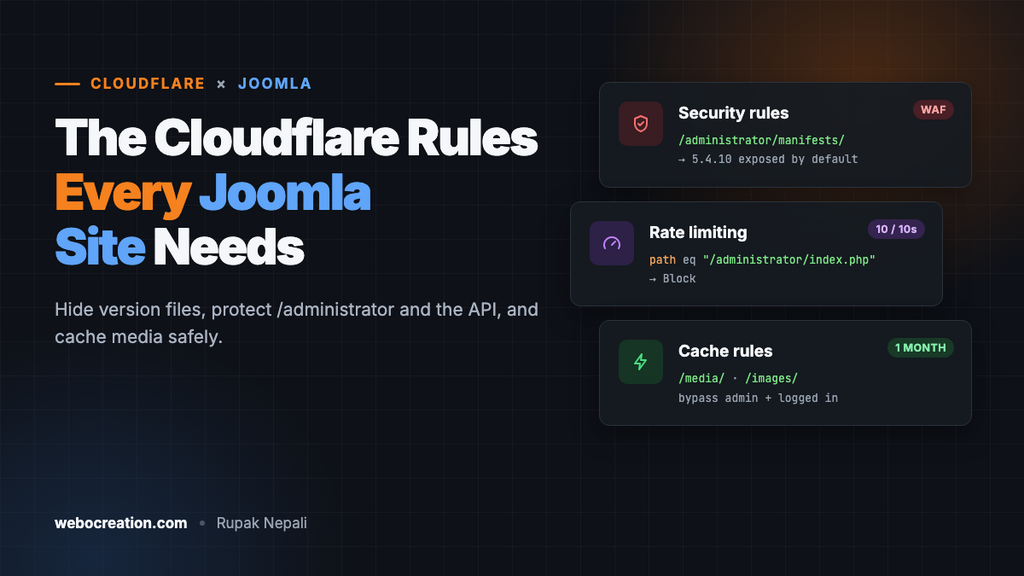
Joomla runs millions of sites, and bots know exactly where to look: /administrator/ for password guessing, a version file that tells them which exploits to try, and the Web Services API that leaked database passwords in 2023. A few Cloudflare rules stop most of that before it reaches PHP.
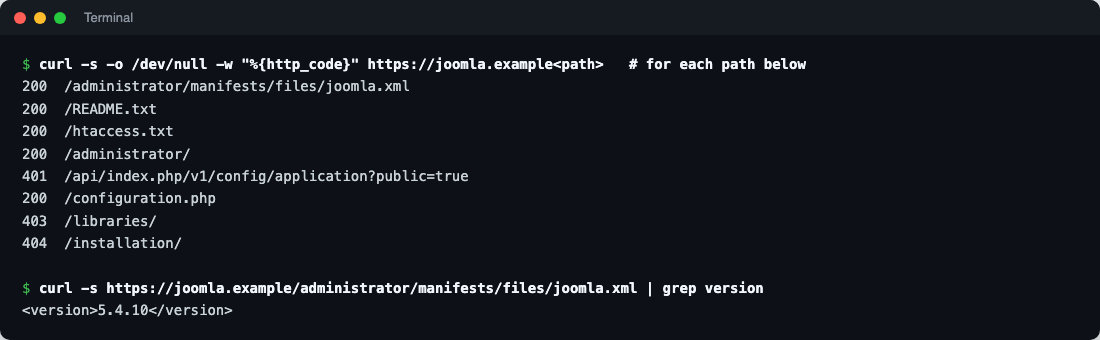
We checked every path in this guide against a fresh Joomla 5.4.10 install, so you can see what Joomla exposes by default and what each rule changes. The rules work the same on Joomla 4.
What a fresh Joomla exposes
| Path | Response | Why it matters |
|---|---|---|
/administrator/manifests/files/joomla.xml | 200, shows <version>5.4.10</version> | Tells scanners your exact version |
/README.txt | 200 | Reveals the major version |
/htaccess.txt, /web.config.txt | 200 | Harmless samples, but noise worth hiding |
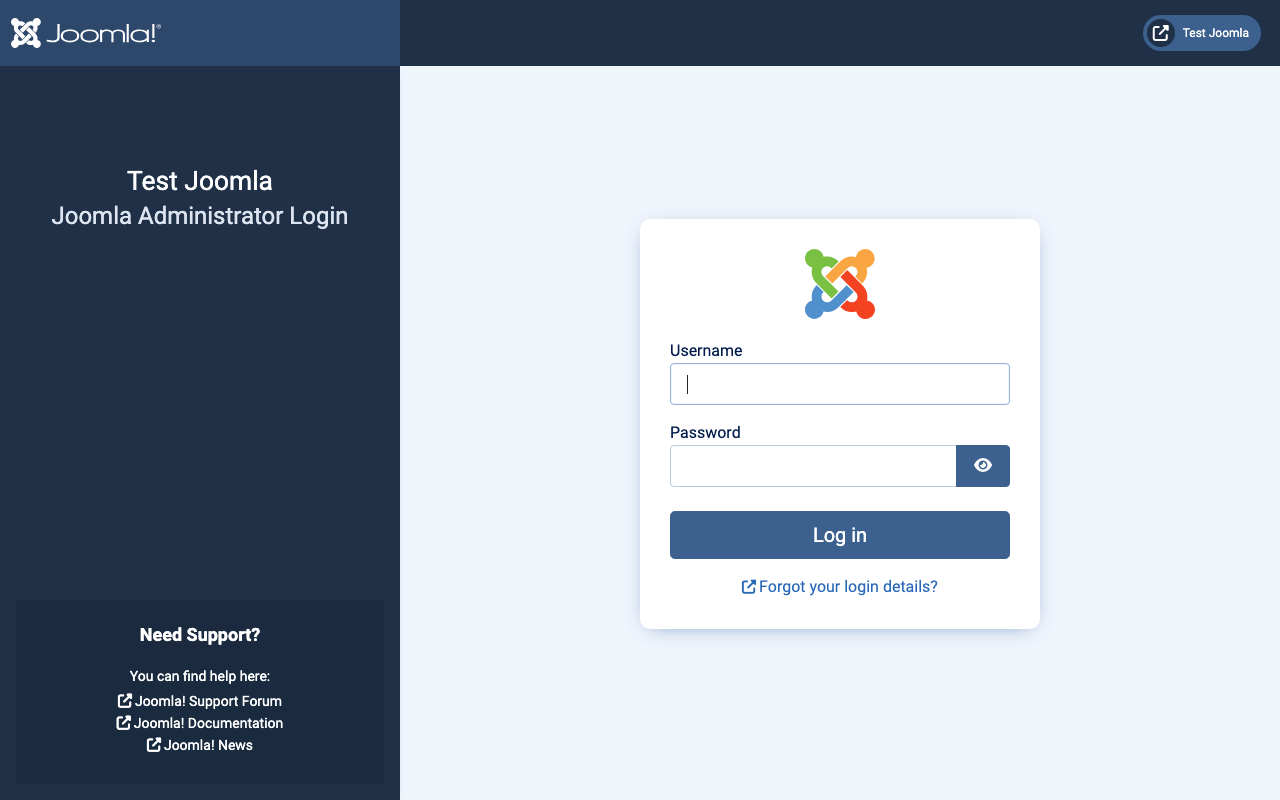
/administrator/ | 200, login form | The main target for password guessing |
/api/index.php/v1/config/application?public=true | 401 (needs a token) | The CVE-2023-23752 endpoint; fixed since Joomla 4.2.8 |
/configuration.php | 200, empty | PHP runs, so nothing leaks, unless PHP ever stops working or a backup copy exists |
/libraries/ | 403 | Already blocked by Joomla’s .htaccess |
Where the rules live
| Rule type | Dashboard location | Free plan allowance (at the time of writing) |
|---|---|---|
| Custom rules (security) | Security → Security rules (older: Security → WAF → Custom rules) | 5 rules |
| Rate limiting rules | Security → Security rules (older: Security → WAF → Rate limiting rules) | 1 rule, URL path only, 10-second window |
| Redirect rules | Rules → Redirect Rules | 10 rules |
| Cache rules | Caching → Cache Rules | 10 rules |
To paste an expression, open a new rule and click Edit expression.
Before you start
1. Update Joomla and extensions
CVE-2023-23752 let anyone read Joomla 4.0 to 4.2.7’s configuration, database password included, through the API with ?public=true. It was mass-exploited within weeks. Most real Joomla compromises today come through outdated extensions, so keep both Joomla and every extension updated (System → Update). No firewall rule replaces that.
2. Use Joomla’s own .htaccess
Joomla ships htaccess.txt; on Apache it does nothing until it’s renamed to .htaccess. It enables SEF URLs, blocks a set of common exploit patterns in query strings and protects folders like /libraries/. On Nginx, use the configuration from Joomla’s documentation instead.
3. Make Joomla see real visitor IPs
Behind Cloudflare, every request comes from a Cloudflare IP, which breaks login throttling, logs and IP-based extensions. Joomla has a Behind Load Balancer switch (System → Global Configuration → Server), but it trusts forwarded IP headers from anyone, so a visitor reaching your server directly could fake their IP. The safer fix is in the web server, trusting only Cloudflare’s ranges. On Apache:
# Full, current list: https://www.cloudflare.com/ips-v4 and /ips-v6
RemoteIPHeader CF-Connecting-IP
RemoteIPTrustedProxy 173.245.48.0/20
RemoteIPTrustedProxy 103.21.244.0/22
# ...one line per range...
On Nginx, use set_real_ip_from for each range and real_ip_header CF-Connecting-IP;.
4. Turn on multi-factor authentication
Joomla 4.2 and later include MFA: time-based codes (TOTP), WebAuthn passkeys and security keys, YubiKey and email codes. Enable the plugins in System → Plugins (type “multifactorauth”), then set it up under your user’s Multi-factor Authentication tab. With MFA on admin accounts, password guessing stops being dangerous and the rules below just reduce noise.
Paths you must not block
| Path | Used by | Block or challenge? |
|---|---|---|
/media/... | Joomla’s CSS, JavaScript and extension assets | Never block. Cache it |
/images/... | Uploaded images | Never block. Cache it |
/templates/... | Template CSS, fonts and images | Never block |
/index.php?option=com_ajax... | AJAX calls from modules and plugins | Never challenge |
/api/... | Mobile apps, integrations, headless front ends | Only block if nothing uses it (Rule 2) |
| Extension callbacks | Payment notifications from e-commerce extensions (HikaShop, VirtueMart, J2Commerce), newsletter webhooks | Never challenge |
Security rules
Rule 1: Block version files and probes
Action: Block.
(http.request.uri.path in {"/README.txt" "/LICENSE.txt" "/htaccess.txt" "/web.config.txt" "/configuration.php-dist" "/joomla.xml"})
or (starts_with(http.request.uri.path, "/administrator/manifests/"))
or (starts_with(http.request.uri.path, "/administrator/logs/"))
or (starts_with(http.request.uri.path, "/installation"))
or (starts_with(http.request.uri.path, "/logs/"))
or (http.request.uri.path contains "/.env")
or (http.request.uri.path contains "/.git")
or (ends_with(http.request.uri.path, ".sql"))
or (ends_with(http.request.uri.path, ".zip") and starts_with(http.request.uri.path, "/administrator/"))
or (http.request.uri.path contains "configuration.php" and http.request.uri.path ne "/configuration.php")
or (http.request.uri.path in {"/wp-login.php" "/xmlrpc.php" "/wp-admin/"})/administrator/manifests/holds the XML files that reveal your Joomla and extension versions. Joomla’s updater reads them from disk, not over HTTP, so blocking them breaks nothing./installationis deleted after setup; requests for it are always scans.- The
configuration.phpline catches backup copies such asconfiguration.php.bakorconfiguration.php~, which a server serves as plain text, password and all. The real file is left alone. - The WordPress paths cost nothing to block on a Joomla site and remove a lot of log noise.
What it might break: nothing in Joomla itself. If an extension’s documentation links to a file in /administrator/manifests/, it still works from inside the admin.
Rule 2: Block the API if you don’t use it
Action: Block.
(starts_with(http.request.uri.path, "/api/"))Joomla’s Web Services API (/api/index.php/v1/...) needs an API token, and the 2023 hole is fixed, but most sites never use it. Blocking it removes a whole class of future bugs. If a mobile app or integration does use it, add and not ip.src in {203.0.113.10} with that service’s IP address, or disable only the Web Services plugins you don’t need (System → Plugins, type “webservices”) instead of using this rule.
Rule 3: Challenge the administrator
Action: Managed Challenge.
(starts_with(http.request.uri.path, "/administrator"))
and not ip.src in {203.0.113.10 198.51.100.0/24}
Replace the IPs with your office or home addresses (or remove that line). Everyone else gets Cloudflare’s challenge before seeing the login page, which stops automated password guessing completely while costing a real administrator a second. If your team works from anywhere, consider Cloudflare Zero Trust Access (free for up to 50 users) in front of /administrator instead.
Rule 4: Block registration spam (if registration is closed)
Action: Block, only if you don’t let visitors register (Users → Options → Allow User Registration: No).
(http.request.uri.query contains "option=com_users" and http.request.uri.query contains "registration")
or (http.request.uri.query contains "task=registration.register")
Bots post straight to the registration task even when the form is switched off. If registration is open, protect the form with a captcha plugin, such as Cloudflare Turnstile, instead.
Rate limiting: logins
On the Free plan, one rate limiting rule can match on the URL path only. Use it on the admin login:
- If incoming requests match: URI Path equals
/administrator/index.php - Characteristics: IP
- Requests: 10 per 10 seconds
- Action: Block for 10 seconds
The admin login form posts to /administrator/index.php with option=com_login&task=login, so this catches password-guessing loops. Ten requests in ten seconds is far more than a person clicks around the admin, but if you use page builders that fire many requests at once, raise it to 20. On paid plans, add http.request.method eq "POST" so ordinary admin page views don’t count.
The front-end login posts to /index.php with task=user.login, which a path-only rule can’t single out without catching the whole site. Leave that to Joomla’s own protection (and MFA), or use a paid plan’s rate limiting with a query string match.
Redirect rule: one hostname
Rules → Redirect Rules → Redirect from WWW to root template (or the reverse), status 301, preserve query string. Then set the same address as Joomla’s Live Site URL if you use it, so Joomla’s links and canonical tags match.
Cache rules
Joomla sends Cache-Control headers that keep HTML from being cached, and Cloudflare caches static file types by default. Two rules make the most of it.
Cache rule 1: Media, images and template assets
(starts_with(http.request.uri.path, "/media/"))
or (starts_with(http.request.uri.path, "/images/"))
or (starts_with(http.request.uri.path, "/templates/"))
Eligible for cache, Edge TTL: 1 month (ignore origin), Browser TTL: 1 week. Joomla 4 and 5 add a version string to core CSS and JavaScript URLs, so updates still reach visitors. For your own template files that aren’t versioned, keep the browser TTL shorter, or purge the cache after a template change.
Cache rule 2: Never cache the admin and logged-in pages
(starts_with(http.request.uri.path, "/administrator"))
or (starts_with(http.request.uri.path, "/api/"))
or (http.cookie contains "joomla_user_state")
or (http.request.uri.query contains "option=com_users")
Action: Bypass cache. Put it after rule 1 (a later matching rule wins). Caching full HTML pages for anonymous visitors is possible but needs care with Joomla’s session cookie and any personalised modules; for most sites, Joomla’s own page cache plugin plus the rules above is the better balance.
Test everything
curl -s -o /dev/null -w "%{http_code}\n" https://example.com/administrator/manifests/files/joomla.xml   # 403
curl -s -o /dev/null -w "%{http_code}\n" https://example.com/README.txt                                # 403
curl -s -o /dev/null -w "%{http_code}\n" https://example.com/api/index.php/v1/users                    # 403
curl -s -o /dev/null -w "%{http_code}\n" https://example.com/media/system/js/core.min.js               # 200
curl -sI https://example.com/images/joomla_black.png | grep -i cf-cache-status                         # HIT after a reload
Then log in to the administrator from an allowed IP and from a phone network (you should see the challenge), and check Security → Events for anything you didn’t expect to block.
Summary
| Rule | Action | Stops |
|---|---|---|
| Version files and probes | Block | Version fingerprinting, config backups, installer and WordPress scans |
| API | Block (if unused) | API probing and future API bugs |
| Administrator | Managed Challenge | Automated admin password guessing |
| Registration | Block (if closed) | Fake account creation |
| Admin login rate limit | Block 10 s | Fast password loops |
| Media cache | Cache 1 month | Origin load for assets |
| Admin bypass | Bypass | Cached private pages |
More in this series: Cloudflare rules for WordPress, WooCommerce, Magento, PrestaShop and Next.js.

Rupak Nepali is a web developer, manage Webocreation website and the author of six books:
Getting Started with OpenCart Module Development (Packt, 2013),
OpenCart Theme and Module Development (Packt, 2015),
OpenCart 4: Dev Guide for Themes & Extensions (2024),
OpenCart 4: User Manual (2025),
Cloudflare for the Enterprise Website (2026) and
The Technical Web Guide for Marketers (2026).
Rupak has built OpenCart stores and extensions since 2010, has published more than 600 tutorials on Webocreation, and shares free OpenCart extensions on GitHub.
Find Rupak on
GitHub | Amazon | LinkedIn | X | YouTube.