Get OpenCart Products Into ChatGPT and AI Shopping Agents: An OpenAI-Format Product Feed (Free Extension)
AI assistants now recommend products from merchant feeds. What changed in 2026 (ChatGPT shopping, the Agentic Commerce Protocol, Google's UCP), the fields the OpenAI product feed needs, and a free OpenCart 4 extension that builds the feed as gzipped JSONL every hour.
 Rupak NepaliPublished Oct 26, 2026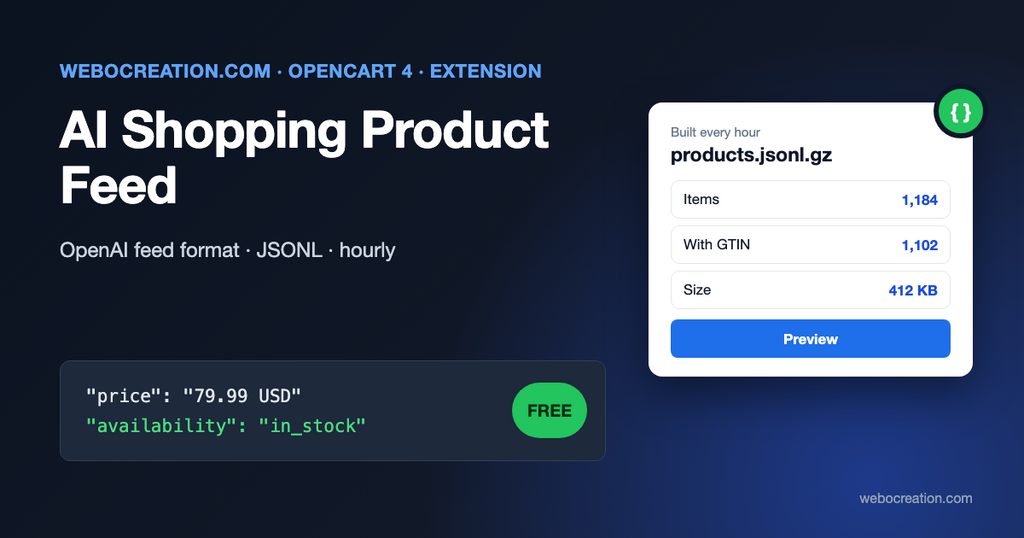
When someone asks ChatGPT “what’s a good espresso grinder under 300 dollars”, the answer increasingly includes products with images, prices and links to stores. Where do those products come from? Partly from crawling the web, and increasingly from product feeds that merchants submit directly, the same way Google Shopping has worked for years.
This post explains where AI shopping stands at the end of 2026, what the OpenAI product feed must contain, and how a free OpenCart 4 extension builds that feed from your catalog.
Where AI shopping is in late 2026
The landscape changed quickly this year, and some early announcements didn’t last:
- ChatGPT: OpenAI launched Instant Checkout (buying inside ChatGPT) in September 2025. In March 2026 it changed course; CNBC’s headline on March 24 read “OpenAI revamps shopping experience in ChatGPT after struggling with Instant Checkout offering”. The focus moved to product discovery, with merchants using their own checkout. Products still reach ChatGPT through merchant product feeds.
- Agentic Commerce Protocol (ACP): the open specification behind ChatGPT’s checkout integration, maintained by OpenAI and Stripe, continues as a standard for agents that do complete purchases.
- Google: announced the Universal Commerce Protocol (UCP) at NRF in January 2026, with retail and payment partners, for agent-driven shopping in AI Mode and Gemini. Google’s AI shopping draws on Merchant Center data, so your Merchant Center feed matters here too.
- Perplexity: runs a merchant program for its shopping answers.
For a small OpenCart store, the practical conclusion is simple: checkout inside AI apps is still settling, but discovery through product data is here. Clean, complete, frequently updated product data is what gets you into AI answers, whichever assistant asks. Our post on how AI agents are changing product discovery covers the shopper side.
What the OpenAI product feed contains
OpenAI’s feed specification accepts JSONL (one product per line), CSV or TSV. Its general rules start with:
Use UTF-8 text and absolute HTTP or HTTPS URLs; prefer HTTPS. Product and image URLs must be publicly accessible. Keep identifiers as strings to preserve leading zeros.
OpenAI, Product feed specification
The required fields, and where the extension gets them in OpenCart:
| Field | Format | From OpenCart |
|---|---|---|
item_id | Stable string, unique per item | Product ID, model or SKU (setting) |
title | Plain text, aim for 150 characters or fewer | Product name, plus variant values |
description | Plain text, aim for 5,000 characters or fewer | Description with HTML removed |
url | Absolute URL | Product page (SEO URL) |
brand | String | Manufacturer, or store name (setting) |
seller_name | String | Store name |
image_url | Public image URL | Main product image, full size |
availability | in_stock, out_of_stock, pre_order, backorder or unknown | Quantity and stock status |
price | "79.99 USD": amount, space, currency code | Price (or customer-group discount), converted to the feed currency |
And the optional fields it fills when the data exists:
| Field | From OpenCart |
|---|---|
sale_price | Active special |
additional_image_urls | Additional product images (up to 10) |
gtin | GTIN, EAN, UPC, JAN or ISBN identifier, only if the check digit is valid |
mpn | MPN identifier |
product_category | Deepest category path, for example Desktops > Mac |
group_id, listing_has_variations, variant_dict | OpenCart 4 variant products, with option names and values |
weight, item_weight_unit | Weight, when the unit is g, kg, oz or lb |
review_count, star_rating | Approved reviews and rating |
return_policy, seller_privacy_policy, seller_tos | Information pages you choose |
condition | Always new |
is_eligible_search / is_eligible_checkout | true / false (checkout in ChatGPT isn’t enabled by a feed alone) |
Two details save rejected rows. The price is a string with a space and the currency, "79.99 USD", not a number. And a row with a missing required field is rejected, so the extension leaves out products without an image, without a price, or without a brand (when you turn off the store-name fallback), instead of sending rows that fail.
A line of the feed, formatted here for reading (in the file it’s one line):
{
  "item_id": "43",
  "title": "MacBook",
  "description": "Intel Core 2 Duo processor. Powered by an Intel Core 2 Duo processor at speeds up to 2.16GHz...",
  "url": "https://example.com/en-gb/product/macbook",
  "brand": "Apple",
  "seller_name": "Your Store",
  "image_url": "https://example.com/image/catalog/demo/macbook_1.jpg",
  "availability": "in_stock",
  "price": "500.00 USD",
  "condition": "new",
  "additional_image_urls": ["https://example.com/image/catalog/demo/macbook_2.jpg"],
  "product_category": "Laptops & Notebooks > Macs",
  "is_eligible_search": true,
  "is_eligible_checkout": false
}
How the extension works
- An OpenCart cron job (
ai_product_feed, hourly) builds the feed and saves it asstorage/ai_product_feed/feed-0.jsonl.gz. It writes to a temporary file first and swaps it in, so a download never gets half a feed. - The feed is served at
index.php?route=extension/ai_product_feed/module/ai_product_feed, with anoindexheader. - Add
&preview=1to see the first 20 items as readable JSON, which is the quickest way to check your data. - Products are read through OpenCart’s own product model, so prices, specials, store assignment and status match the storefront.
How the feed reaches OpenAI
OpenAI’s file upload documentation says: “Push feeds to OpenAI via SFTP.” Merchants get SFTP details when they’re approved, and the guide prefers Parquet but also accepts jsonl.gz, which is what the extension produces. Most shared hosts can run a small script on cron that downloads the feed URL and uploads it with sftp or lftp, or you can upload by hand while testing. Other services and your own tools can simply fetch the URL.
Installation
- Download ai_product_feed.ocmod.zip with the button above.
- Extensions > Installer, upload, and click the green Install button in the list.
- Extensions > Extensions > Modules, find AI Shopping Product Feed, click +, then the pencil.
- Choose the settings below, switch Status on and save.
- Run the job once under Extensions > Cron Jobs, then open the Preview link shown on the settings page.
Your server must run OpenCart’s cron.php for hourly updates; see the cron section in our abandoned cart guide.
Settings
| Setting | Recommendation |
|---|---|
| item_id | The same ID as your Google Merchant Center feed and GA4 events. Never change it later. |
| Currency | The currency of your main market. Prices are converted with OpenCart’s currency rates. |
| Prices include tax | Match what your product pages show: usually off for US stores, on for EU and UK stores |
| Include out-of-stock products | On: agents can still show the product as out of stock or on backorder |
| Use store name as brand | On if many products have no manufacturer; better still, assign manufacturers |
| Return, privacy and terms pages | Pick your information pages |
Make your data agent-friendly
The feed only carries what’s in your catalog. The improvements that help AI assistants most are the same ones that help Google Shopping and your own search:
- Descriptive titles: “Merino wool hiking socks, men’s, 3-pack” rather than “Sock M3”.
- Facts in the description: materials, dimensions, compatibility, what’s in the box. Assistants answer questions from these.
- GTINs and manufacturers entered for branded products (in OpenCart 4.1, under Catalog > Identifiers and the product form).
- Attributes filled in (Catalog > Attributes): assistants compare products on them.
- Product structured data on the pages, for crawlers: our JSON-LD extension.
- Crawler access: make sure your robots.txt and firewall don’t block the AI crawlers you want; see how AI crawlers read your website and llms.txt for ecommerce.
Then measure whether it works: tracking AI assistant traffic in GA4.
Limitations
- One store and one language per feed (the store’s default).
- Option-level prices and stock for products using options rather than variants aren’t expanded into separate items.
- Uploading to OpenAI by SFTP is up to you; the extension doesn’t include an SFTP client.
- Feed specifications change. We follow OpenAI’s published spec as of October 2026; check it before you rely on a field.
- Built for OpenCart 4.1.0.x.
The code is on GitHub with our other free OpenCart extensions.

Author of four Opencart book.
The recent are Opencart 4 developer book and Opencart 4 user manual