How to add llms.txt for ecommerce website?
 Rupak NepaliPublished Sep 7, 2026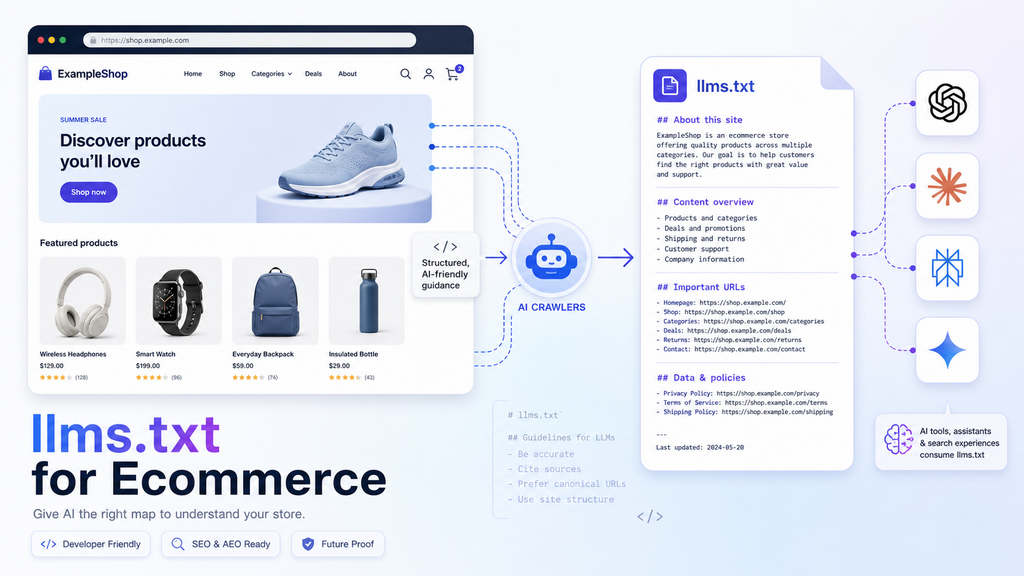
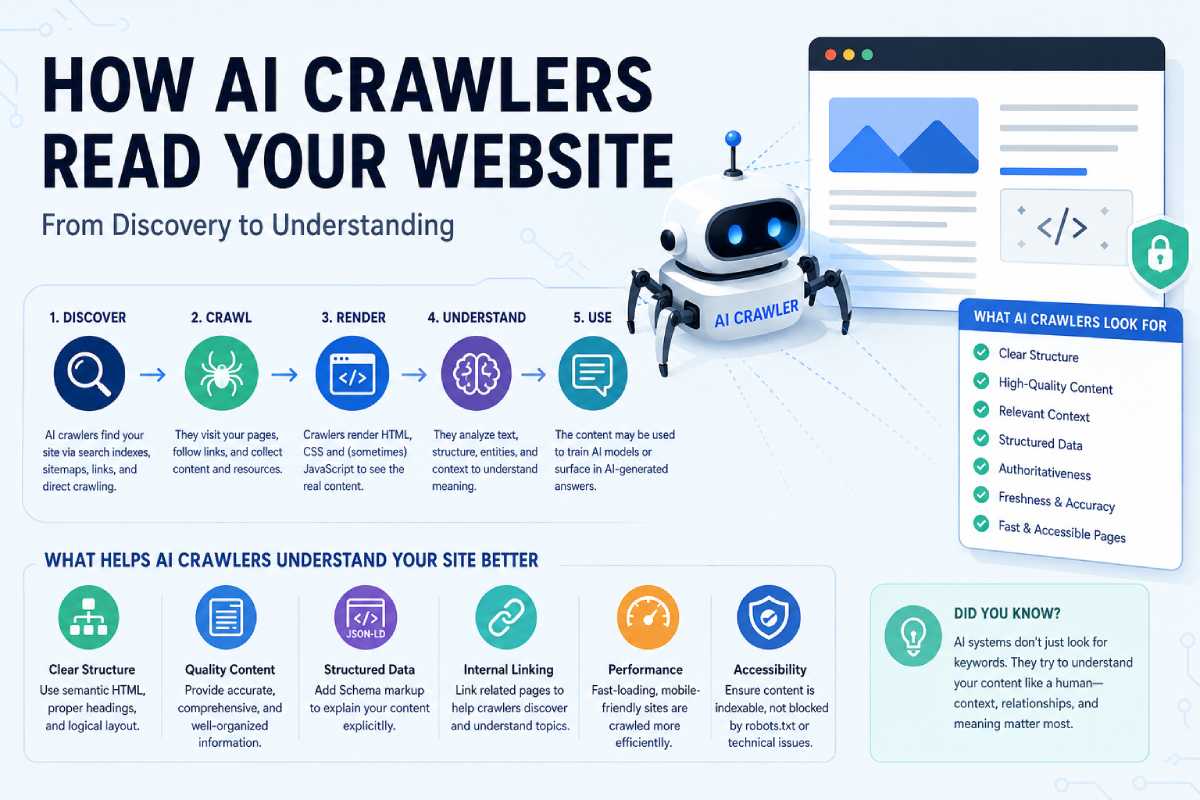
You can treat llms.txt it as an extra “map for AI” that sits alongside robots.txt and sitemap.xml, pointing LLMs to your best ecommerce content, policies, and docs.
What is llms.txt (for ecommerce)?
llms.txt is a plain text/Markdown file at the root of your site (for example, https://yourstore.com/llms.txt) that tells AI systems:
- What your site is about.
- Which URLs contain your most important content (products, guides, policies, APIs)?
- Any special notes or context for using that content?
It’s a proposed standard (not yet widely honored by major LLMs), but it’s cheap to implement and especially useful for AEO experiments on ecommerce sites.
Where to place and how to serve llms.txt
Implementation basics:
- File path: Put the file in your web root so it’s available at:
https://yourstore.com/llms.txt- Optionally, also
https://yourstore.com/.well-known/llms.txtfor compatibility.
- MIME type: Serve as
text/plainwith UTF‑8 encoding. - Status code: Must return
200 OK. A 404 or redirect chain may cause tools to skip it. - Protocol: Prefer HTTPS; redirect HTTP to HTTPS as you do for the rest of the site.
On most ecommerce stacks (OpenCart, WooCommerce, custom PHP):
- Create
llms.txtlocally. - Upload to the document root (same place as
index.phpandrobots.txt) via SFTP, cPanel, or your deployment pipeline. - Verify by visiting the URL in a browser and by running
curl -I https://yourstore.com/llms.txt.
Recommended structure for an ecommerce llms.txt
Current best‑practice guidance and examples suggest using Markdown with a predictable structure:
1. H1 title (site name)One line with #:
# Webocreation Store – OpenCart Ecommerce Tutorials & Demo Shop2. Short summary in a blockquote
We provide OpenCart tutorials, modules, and a demo store, along with ecommerce guides on AI, agentic commerce, and performance optimization.3. Organized sections with H2s and bullet lists
For ecommerce, useful sections are:
## Store overview– what you sell and to whom.## Key shopping pages– home, main categories, and top collections.## Product data & feeds– structured catalog pages or markdown catalog index.## Policies– shipping, returns, privacy, terms.## Developer & API docs– REST endpoints, webhooks, integration guides (especially for agentic commerce).
Each section lists URLs with short descriptions, for example:
## Key shopping pages
- https://yourstore.com/  – Main storefront and featured products.
- https://yourstore.com/category/electronics  – All electronics products, with filters by brand and specs.
- https://yourstore.com/specials  – Discounted and promotional items.

## Product data & feeds
- https://yourstore.com/catalog.md  – Markdown index of product categories, example SKUs, and key attributes.
- https://yourstore.com/feed/products.json  – Structured product feed with price, availability, and identifiers.

## Policies
- https://yourstore.com/shipping  – Shipping methods, delivery estimates, and regions served.
- https://yourstore.com/returns  – Return windows, conditions, and restocking fees (matches MerchantReturnPolicy schema).
- https://yourstore.com/privacy  – Data usage and privacy policy.
You can optionally add a ## How to use this content section to explain that AI tools should favor policy pages and catalog feeds over random blog posts when answering ecommerce questions.
Ecommerce‑specific content to highlight
For an ecommerce site, prioritize links that help AI agents make safe, accurate shopping decisions:
- Product taxonomy and catalog
- Category index or a
catalog.mddescription of product families, attributes, and typical use cases. - Any public product feeds (JSON, CSV, XML) with standardized fields.
- Category index or a
- Trust and policy surfaces
- Shipping, returns, warranty, and payment pages.
- “About” and “Contact” pages for brand identity.
- Sizing, compatibility, and usage guides
- Sizing charts, fit guides, compatibility matrices (e.g., which parts fit which models).
- Developer & API docs (for agentic commerce)
- Public docs describing your product, search, and order APIs if you expose them.
- Any OpenAPI/Swagger specs, listed explicitly (some llms.txt implementations link API specs directly).
This mirrors advice from e-commerce-focused llms.txt guides: treat the file as a curated index of your best product and policy content, not a full sitemap dump.
Simple step‑by‑step for your ecommerce site (OpenCart or similar)
- Identify your “AI‑critical” pages
- Home page, core categories, best explainer pages, policies, and any product feeds or API docs.
- Create
llms.txtlocally- Use the structure above (H1, summary, then sections with bullet lists and descriptions).
- Upload to your web root
- Place it next to
robots.txtit so it’s served athttps://yourstore.com/llms.txt.
- Place it next to
- (Optional) Add
.well-knowncopy or redirect- Some tools also look at
/.well-known/llms.txt; you can serve the same content there or redirect to/llms.txt.
- Some tools also look at
- Verify headers and status
- Use
curl -IOr your browser dev tools to confirm200 OK,text/plain, and no weird redirects.
- Use
- Keep it updated
- Review whenever you launch new key collections, change policies, or add API/docs endpoints.
How does this fit into your “agent‑ready” story
For the blog you’re writing:
- Schema.org markup helps AI and search engines understand individual pages (products, offers, policies).
- APIs make your store programmatically usable by AI agents (search, cart, checkout).
llms.txtacts as a high‑level index that points AI to the best entry points—catalog overviews, feeds, policy docs, and developer docs—so they don’t have to guess.

Author of four Opencart book.
The recent are Opencart 4 developer book and Opencart 4 user manual