ShoppingGPT: What It Is, How to Install and Run It (2026), and the Best Open-Source Alternatives
ShoppingGPT explained: what the open-source AI shopping assistant does, how to install it in 2026 with every fix it needs, and the best alternatives.
 Rupak NepaliPublished Nov 13, 2026
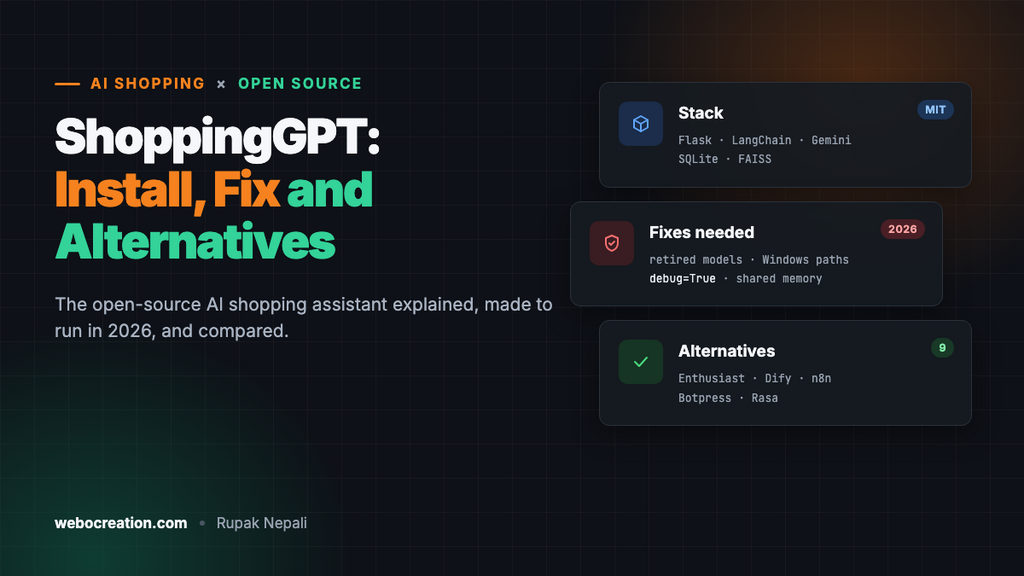
ShoppingGPT is a free, open-source AI shopping assistant (MIT license) that answers customer questions about products and store policies in a chat window. It is built in Python with Flask, LangChain and Google Gemini. It looks up products in a SQLite database, finds policy answers in a FAISS vector store, and uses a semantic router to decide whether a message is a product question or casual chat. To run it you need Python 3.10 or newer (3.11 or 3.12 recommended), Git and a free Gemini API key, plus a few fixes, because the original code no longer starts as-is in 2026. It is a good learning project and prototype. For a live store, maintained alternatives such as Enthusiast, Dify or n8n are usually a better fit.
This guide covers everything you need:
- What ShoppingGPT is and how it works
- Its limitations and whether you should use it
- Step-by-step installation, with every fix it needs, your own products and an OpenCart product export
- Open-source alternatives compared and which one to choose
- Frequently asked questions
What is ShoppingGPT?
ShoppingGPT is a GitHub project by Hoanganhvu123. It was originally built for a Vietnamese fashion store, so its sample products and store policy are in Vietnamese. It has around 165 stars and 69 forks. The last commit was on 29 September 2024, so it is not actively maintained.
Think of it as a ready-made skeleton for a “chat with the store” feature. A shopper can type “Do you have a white cotton shirt in size L?” or “What is your return policy?” and get an answer based on your own data, not on what the AI model happens to remember.
How does ShoppingGPT work?
Every message goes through four steps:
- Chat UI (Flask): a simple web page at
http://localhost:5000sends the message to the/getendpoint. - Semantic router: the
semantic-routerlibrary compares the message with about 40 example product questions and 40 example chit-chat lines using a TF-IDF encoder. It sends the message to the products route or the chitchat route. This step does not call the AI model, so it is fast and free. - Handlers:
- Chitchat chain: Gemini replies in a friendly tone and gently steers the conversation back to shopping.
- Shopping agent: a LangChain tool-calling agent that can use two tools:
- Product Search Tool: Gemini writes a SQL query from the question, and the tool runs it against
data/products.db(SQLite). - Policy Search Tool: splits
data/policy.txtinto chunks, embeds them with Google embeddings, stores them in FAISS, and returns the 5 most relevant chunks. This is retrieval-augmented generation (RAG).
- Product Search Tool: Gemini writes a SQL query from the question, and the tool runs it against
- Memory: a LangChain
ConversationBufferMemorykeeps the chat history so follow-up questions make sense.
Tech stack at a glance
| Part | What ShoppingGPT uses |
|---|---|
| Language | Python |
| Web framework | Flask |
| AI orchestration | LangChain (agent, tools, memory) |
| Language model | Google Gemini (originally gemini-1.5-flash, now retired) |
| Embeddings | Google Generative AI embeddings (originally embedding-001) |
| Routing | semantic-router with a TF-IDF encoder |
| Product data | SQLite (data/products.db, also data/products.csv) |
| Policy / FAQ data | Plain text file indexed in a FAISS vector store |
| License | MIT |
Product data format
The product table has these columns: product_code, product_name, material, size, color, brand, gender, stock_quantity and price. It is designed for clothing. For other kinds of products you can leave some columns empty or change the schema and the SQL prompt to match.
What is ShoppingGPT good for?
- Learning how AI shopping assistants work. The code is short and readable, and it shows routing, tool calling, text-to-SQL and RAG in one small project.
- A quick prototype or demo. You can load your own product list and policy page and show a working chat to a client or your team in an afternoon.
- A student or final-year project. It covers many of the AI concepts examiners like to see, and the MIT license allows reuse.
What are ShoppingGPT’s limitations?
Read the code before using it with real customers. These are the problems we found:
- It does not run as-is in 2026. It uses the
gemini-1.5-flashandembedding-001models, which Google has retired.config.pyhardcodes Windows paths such asE:\chatbot\ShoppingGPT\data\products.db.requirements.txtpins over 200 packages, includingpywin32(Windows only), but leaves outsemantic-router, which the code needs. The README also tells you to runscripts/init_db.py, which does not exist. The installation steps below fix all of these. - The AI writes SQL that runs directly on your database. The product tool executes whatever query Gemini generates. A crafted message could produce a query that deletes or changes data. Always open the database read-only and allow only
SELECTqueries. - All visitors share one memory. The conversation memory is a single global object, so on a public site every shopper would see context from other shoppers’ chats. You need per-session memory before going live.
- Debug mode is on.
app.pyruns Flask withdebug=Trueon0.0.0.0. Anyone who can reach that port can use the Werkzeug debugger to run code on your server. Never expose it to the internet like this. - Answers default to Vietnamese. The agent prompt says “Always use Vietnamese”, and the sample data and policy are Vietnamese.
- Router examples are fashion-specific. If you sell electronics or groceries, edit the sample sentences in
shoppinggpt/router/lib_semantic_router.py, or product questions will be treated as chit-chat. - No cart, checkout or store connector. It answers questions only. It cannot add items to a cart or read live stock from OpenCart, WooCommerce or Shopify unless you build that.
Should you use ShoppingGPT?
Use it if you want to understand and experiment with AI shopping assistants, or need a fast prototype with your own product list.
Choose something else if you need a production chatbot on a live store today. A maintained framework or platform will save time on security, scaling and store integration. See the ShoppingGPT alternatives below.
How to install and run ShoppingGPT step by step (2026)
The original repository will not start as-is in 2026. It points to retired Gemini models, hardcodes Windows paths, and has a broken requirements.txt. These steps fix every problem on macOS, Linux or Windows, then show how to load your own products, including a ready-made SQL export from OpenCart.
What you need before you start
- Python 3.11 or 3.12 (3.10 also works; 3.9 reached end of life in October 2025). Check with
python3 --version. On Windows, install it from python.org and tick “Add Python to PATH”. - Git to download the code.
- A Google Gemini API key. Create one for free in Google AI Studio. The free tier is enough for testing.
- A code editor such as VS Code.
- About 30 minutes.
Step 1: Download the code
git clone https://github.com/Hoanganhvu123/ShoppingGPT.git
cd ShoppingGPT
Note: the README shows yourusername in the clone URL. Use the real URL above.
Step 2: Create a virtual environment
macOS / Linux:
python3 -m venv venv
source venv/bin/activate
Windows (PowerShell):
python -m venv venv
venv\Scripts\activate
Step 3: Replace requirements.txt
The original file pins more than 200 packages from 2024. That includes pywin32, which fails on macOS and Linux, and it leaves out semantic-router, which the code imports. Replace the whole file with only what ShoppingGPT actually uses:
flask>=3
python-dotenv
langchain>=0.3,<0.4
langchain-community>=0.3,<0.4
langchain-google-genai>=2,<3
faiss-cpu
semantic-router<0.1
numpy<2
Then install:
pip install --upgrade pip
pip install -r requirements.txt
Why semantic-router<0.1? ShoppingGPT uses RouteLayer and TfidfEncoder, which were renamed or removed in semantic-router 0.1. Version 0.0.72 still has both. We confirmed this set installs and imports cleanly on Python 3.9.
Step 4: Add your API key
Create a file named .env in the project folder:
GOOGLE_API_KEY=your_google_api_key_here
GEMINI_MODEL=gemini-2.5-flash
GEMINI_EMBEDDING_MODEL=models/gemini-embedding-001
Google regularly retires older models. If you get a “model not found” error, check the current names on Google’s Gemini models page and update these two lines. You won’t need to change any code.
Keep .env out of Git. It is already listed in the project’s .gitignore.
Step 5: Fix config.py
The original shoppinggpt/config.py hardcodes paths such as E:\chatbot\ShoppingGPT\data\products.db, so it only works on the author’s Windows PC. Replace the whole file with:
# shoppinggpt/config.py
import os
from pathlib import Path
from dotenv import load_dotenv
from langchain_google_genai import GoogleGenerativeAIEmbeddings

BASE_DIR = Path(__file__).resolve().parent.parent
load_dotenv(BASE_DIR / ".env")

GOOGLE_API_KEY = os.getenv("GOOGLE_API_KEY")
LLM_MODEL = os.getenv("GEMINI_MODEL", "gemini-2.5-flash")
EMBEDDING_MODEL = os.getenv("GEMINI_EMBEDDING_MODEL", "models/gemini-embedding-001")

DATA_PRODUCT_PATH = str(BASE_DIR / "data" / "products.db")
DATA_TEXT_PATH = str(BASE_DIR / "data" / "policy.txt")
STORE_DIRECTORY = str(BASE_DIR / "data" / "datastore")

EMBEDDINGS = GoogleGenerativeAIEmbeddings(model=EMBEDDING_MODEL, google_api_key=GOOGLE_API_KEY)
Step 6: Update app.py
Make three changes in app.py:
- Delete the line
load_dotenv(r"E:\chatbot\ShoppingGPT\.env"). - Use the model from
.env. Addfrom shoppinggpt.config import LLM_MODELbelow the other imports, and change the LLM line to:LLM = ChatGoogleGenerativeAI(temperature=0, model=LLM_MODEL) - Turn off debug mode and listen only on your own computer. Change the last line to:
app.run(debug=False, host="127.0.0.1", port=5000)The original
debug=True, host='0.0.0.0'exposes Flask’s interactive debugger to your whole network. Anyone who can reach it can run code on your machine.
Step 7: Make product search safe and use the new model
Open shoppinggpt/tool/product_search.py. Gemini writes SQL from the shopper’s question and the tool runs it directly, so make the database read-only and allow only SELECT queries.
Change the import line to:
from shoppinggpt.config import GOOGLE_API_KEY, DATA_PRODUCT_PATH, LLM_MODELIn connect(), open the database read-only:
    def connect(self):
        self.conn = sqlite3.connect(f"file:{self.db_path}?mode=ro", uri=True)
In execute_query(), after the cleaned_query = ... line, add:
        if not cleaned_query.lower().lstrip().startswith("select"):
            raise ValueError("Only SELECT queries are allowed")
Finally, replace model="gemini-1.5-flash" with model=LLM_MODEL.
Step 8: Reply in English (or the customer’s language)
In shoppinggpt/agent.py, replace:
Always use Vietnamese to communicate with customers.with:
Always reply in the same language the customer uses.While you are there, change “an online fashion store” to describe your own shop. Do the same in shoppinggpt/chain.py.
Step 9: Add your own products
The README mentions scripts/init_db.py, but that file does not exist. Save this script as csv_to_db.py in the project folder. It builds data/products.db from a CSV file:
"""Build data/products.db from a products CSV file."""
import csv, sqlite3, sys
from pathlib import Path

base = Path(__file__).resolve().parent
src = Path(sys.argv[1]) if len(sys.argv) > 1 else base / "data" / "products.csv"
db = base / "data" / "products.db"
cols = ["product_code", "product_name", "material", "size", "color",
        "brand", "gender", "stock_quantity", "price"]

con = sqlite3.connect(db)
con.execute("DROP TABLE IF EXISTS products")
con.execute("""CREATE TABLE products (
    product_code TEXT PRIMARY KEY, product_name TEXT, material TEXT, size TEXT,
    color TEXT, brand TEXT, gender TEXT, stock_quantity INTEGER, price REAL)""")
with open(src, newline="", encoding="utf-8-sig") as f:
    rows = [[r.get(c, "") for c in cols] for r in csv.DictReader(f)]
con.executemany(f"INSERT INTO products VALUES ({','.join('?' * len(cols))})", rows)
con.execute("CREATE INDEX idx_name ON products(product_name COLLATE NOCASE)")
con.commit()
print(f"Loaded {len(rows)} products into {db}")
Your CSV needs a header row with these column names:
product_code,product_name,material,size,color,brand,gender,stock_quantity,price
TS-001,White Cotton T-Shirt,Cotton,"S, M, L, XL",White,Acme,Unisex,50,19.99
Then run:
python csv_to_db.py my-products.csvExport products from OpenCart
If your store runs on OpenCart, run this query in phpMyAdmin and export the result as CSV with column names in the first row. Change the oc_ table prefix if yours is different, and language_id = 1 if your main language has another ID.
SELECT
  p.model             AS product_code,
  pd.name             AS product_name,
  ''                  AS material,
  ''                  AS size,
  ''                  AS color,
  IFNULL(m.name, '')  AS brand,
  ''                  AS gender,
  p.quantity          AS stock_quantity,
  p.price             AS price
FROM oc_product p
JOIN oc_product_description pd
  ON pd.product_id = p.product_id AND pd.language_id = 1
LEFT JOIN oc_manufacturer m
  ON m.manufacturer_id = p.manufacturer_id
WHERE p.status = 1;
You can fill material, size and color from OpenCart attributes or options later. The chatbot still works with them empty. Remember that this is a snapshot: re-export whenever prices or stock change.
Step 10: Add your own store policy and rebuild the vector store
Replace the contents of data/policy.txt with your own shipping, returns, payment and contact information. A simple question-and-answer format works best:
Question: How long does delivery take?
Answer: Orders ship within 1 business day. Standard delivery takes 3-5 business days.

Question: What is your return policy?
Answer: You can return unused items within 30 days for a full refund.
Then delete the data/datastore folder. This matters for two reasons:
- The included index was built with the retired
embedding-001model and contains the old Vietnamese policy. New embeddings have a different size, so the old index will not work. - The index includes a pickle file (
index.pkl), and loading a pickle can run code. Only load index files you created yourself.
ShoppingGPT rebuilds the index automatically the first time someone asks a policy question.
Step 11: Teach the router about your products
Open shoppinggpt/router/lib_semantic_router.py. The PRODUCT_SAMPLE list contains about 40 example clothing questions. If you sell something else, replace them with real questions your customers ask, such as “does this laptop have a backlit keyboard” or “is this coffee decaf”. Otherwise product questions may be sent to the chit-chat handler and never reach your database.
Step 12: Run ShoppingGPT
python app.pyOpen http://localhost:5000 and try:
- “Do you have white t-shirts in size L?” (product search)
- “What is your return policy?” (policy search)
- “Hi, how are you today?” (chit-chat)
Prefer the terminal? Run python main.py for a command-line chat. Note that main.py uses Groq instead of Gemini, so it needs pip install langchain-groq, a GROQ_API_KEY in .env, and the same path and model fixes.
Troubleshooting
| Error | Cause and fix |
|---|---|
404 models/gemini-1.5-flash is not found |
The model is retired. Set GEMINI_MODEL in .env and make sure you replaced every gemini-1.5-flash in the code (Steps 6 and 7). |
No such file or directory: 'E:\\chatbot\\...' |
config.py still has the Windows paths. Replace it as shown in Step 5. |
ModuleNotFoundError: No module named 'semantic_router' |
It is missing from the original requirements. Use the requirements file from Step 3. |
ImportError: cannot import name 'RouteLayer' |
semantic-router 0.1 or newer is installed. Run pip install "semantic-router<0.1". |
pywin32 fails to install |
It is Windows-only. Use the requirements file from Step 3. |
| FAISS dimension or assertion error | The old index was built with a different embedding model. Delete data/datastore (Step 10). |
| Product questions get casual answers | The router sent them to chit-chat. Add your own example questions (Step 11). |
sqlite3.OperationalError: unable to open database file |
data/products.db is missing. Run python csv_to_db.py (Step 9). |
429 Resource exhausted |
You hit the free-tier rate limit. Wait a minute or enable billing in Google AI Studio. |
Before you put it on a live website
After these steps ShoppingGPT runs well on your own computer. It is still a prototype, so do the following before real customers use it:
- Give each visitor their own memory. The app uses one global
ConversationBufferMemory, so all visitors share a chat history. Store memory per session, for example keyed by a Flask session ID. - Run it behind a production server such as Gunicorn with Nginx and HTTPS, not
python app.py. - Add rate limiting so one visitor cannot run up your Gemini bill.
- Keep products in sync. Schedule the OpenCart export, or replace SQLite with a read-only connection to a copy of your store database.
- Test it with tricky questions, including attempts to make it reveal its prompt or invent discounts, and add rules to the system prompt as needed.
If that sounds like a lot of work, a maintained platform may be a better fit. See the alternatives below.
ShoppingGPT alternatives: other open-source AI shopping assistants
The alternatives fall into three groups. The first is open-source shopping-assistant projects, such as Enthusiast, tomlin7’s ecommerce-chatbot and PickSmart. The second is general AI-agent platforms you can self-host, such as Dify, n8n, Botpress and Rasa. The third is store-specific options, such as Shopify’s reference chat agent and EcomAIBridge. For a live store, Enthusiast is the most complete open-source choice. For a no-code build that works with any store, including OpenCart, Dify or n8n is the fastest route.
Star counts, licenses and last-update dates were checked on GitHub in November 2026. They change often, so check each repository before you commit to it.
Quick comparison
| Project | Type | Stack | License | Best for |
|---|---|---|---|---|
| ShoppingGPT | Shopping assistant | Python, Flask, LangChain, Gemini, SQLite, FAISS | MIT | Learning and prototypes (last update Sept 2024) |
| Enthusiast | E-commerce AI agent framework | Python, Django | MIT | Production agents on Shopify, WooCommerce, Medusa and others |
| ecommerce-chatbot (tomlin7) | Full demo store with AI agent | Next.js, Flask, LangChain, Gemini, Pinecone | MIT | Seeing a complete store with cart and order tools |
| PickSmart | Product research assistant | Groq, Tavily, LangChain, LangGraph | MIT | Recommending products found on the web |
| Dify | AI app and RAG platform | Docker, any major LLM | Dify Open Source License (Apache 2.0 based, with conditions) | No-code chatbot with your products and policies, embeddable on any site |
| n8n | Workflow automation with AI agents | Node.js, Docker | Sustainable Use License (fair-code) | Connecting a chatbot to live store data and other tools |
| Botpress | Chatbot and agent builder | TypeScript, Botpress Cloud | MIT (repository) | Visual builder with many channel integrations |
| Rasa | Conversational AI framework | Python | Apache-2.0 | Teams that need full control and on-premise hosting |
| Shopify shop-chat-agent | Reference storefront chat app | Shopify app, Storefront MCP | See repository | Shopify stores only (repository is archived) |
| EcomAIBridge | PHP middleware and chat widget | PHP | AGPL-3.0 | PHP stores wanting AI endpoints on their own server (early stage) |
Open-source AI shopping assistant projects
1. Enthusiast: the most complete open-source option
Enthusiast by Upside Lab is an open-source AI agent framework built specifically for e-commerce. It is under active development and MIT licensed. It is the e-commerce layer of Upside Lab’s Suvereo agent framework.
- Built-in agents: product discovery, user-manual search, order intake, catalog enrichment, catalog import from the web, and invoice scanning.
- Store integrations: Shopify, Shopware, Solidus, WooCommerce, WordPress, Sanity and Medusa, plus a sample-data source for testing.
- How it works: it syncs your products and documents, indexes them for semantic search, and lets agents answer with your real catalog.
- Setup: install it into a Suvereo deployment using the Suvereo starter project, then add the integrations and agents you need. Follow the installation guide in the repository.
Choose it if you want a maintained, store-connected assistant and have a Python developer. There is no OpenCart connector yet, but its plugin design means you can write one.
2. ecommerce-chatbot by tomlin7: a full demo store
This MIT-licensed project is a complete demo shop with an AI agent built in. Its last update was December 2025.
- Frontend: Next.js with product pages, a cart and real-time chat.
- Backend: Flask with JWT authentication and SQLite for development.
- AI: Gemini 2.0 Flash through LangChain, Sentence Transformers embeddings, and Pinecone vector search.
- Features: natural-language search, filters for price, brand, rating and stock, persistent cart, order management and favourites.
- Requirements: Node.js 18+, Python 3.12+, a Google AI Studio key and a Pinecone key.
Choose it if you want to see how an assistant can add to cart and manage orders, not just answer questions. It goes further than ShoppingGPT in this respect.
3. PickSmart: product research from the web
PickSmart (MIT, updated April 2026) uses the Groq API for fast responses, Tavily for live web search, and LangChain with LangGraph for the agent workflow. Instead of searching your catalog, it searches the web and recommends products.
Choose it if you are building a comparison or affiliate site rather than a chatbot for your own store.
Smaller projects worth studying
- ChatShop: a RAG pipeline where semantic search finds products and an LLM writes the recommendation. It has no license file, so you can read it but not legally reuse the code.
- E-Commerce_ChatBot: RAG with Llama 3.1 8B and LangChain, deployed on AWS EC2. It shows how to use an open-weight model. No license is listed.
- ecommerce_product_search_assistant: product discovery using Elasticsearch for search and OpenAI for answers. It is useful if you already run Elasticsearch.
General AI platforms you can use as a shopping assistant
These are not shopping-specific, but they are mature, actively maintained and widely used. With your product feed and policy pages as knowledge, they can do everything ShoppingGPT does with far less code.
4. Dify: no-code RAG chatbot with an embed widget
Dify is one of the most popular open-source LLM app platforms, with over 160,000 GitHub stars. You can self-host it with Docker Compose or use Dify Cloud.
- Upload a product CSV and your policy pages as a knowledge base, and Dify handles chunking, embeddings and retrieval.
- Build a chatbot or agent visually and choose almost any model: OpenAI, Anthropic Claude, Gemini, or local models through Ollama.
- Add tools, such as an HTTP request to your store’s API, for live stock and prices.
- Publish it as a chat bubble you embed with a script tag. This works on OpenCart, WordPress, Webflow or any other site.
License note: Dify uses its own license based on Apache 2.0, with extra conditions for multi-tenant SaaS use and for removing its branding. A single store is generally fine, but read the license.
5. n8n: AI agent connected to your live store
n8n is a workflow automation platform with built-in AI Agent and Chat Trigger nodes. Its strength is connecting things. An n8n agent can query your OpenCart MySQL database (ideally a read-only user), call the store API, search a vector store of your policies, and hand off to a human by email or Slack. It can be self-hosted with Docker. It uses the fair-code Sustainable Use License, which allows internal business use but restricts reselling n8n as a service.
Choose it if you need the assistant to use live data and trigger actions, not just answer from a snapshot.
6. Botpress: visual chatbot builder
Botpress offers a visual flow builder, knowledge bases and integrations for web chat, WhatsApp, Messenger and more. Its GitHub repository (MIT) contains the SDK, CLI and integrations, while the main builder runs on Botpress Cloud.
Choose it if you want a managed chatbot across several messaging channels without hosting it yourself.
7. Rasa: maximum control, on-premise
Rasa (Apache-2.0) is a mature Python framework for conversational AI, with intent detection, dialogue management and custom actions. It has a steeper learning curve than the other options here, and its newest LLM-driven features are in the commercial Rasa Pro.
Choose it if you have strict data-privacy needs and a team that can maintain it.
Platform-specific options
8. Shopify shop-chat-agent and Storefront MCP
Shopify published shop-chat-agent as a reference app showing how to add a chat assistant to a storefront. It covers product search, policy questions, and cart and checkout actions through Shopify’s Storefront MCP (Model Context Protocol) endpoints. The repository is now archived, so use it as an example rather than a dependency. It works only with Shopify.
9. EcomAIBridge: PHP middleware
EcomAIBridge is a new PHP project (AGPL-3.0) that exposes an existing store database as AI-ready API endpoints, with a built-in chat widget. Because it is plain PHP, it could run on the same hosting as an OpenCart or WooCommerce store. It is very early-stage with almost no community yet, so test it carefully. The AGPL license requires you to share your changes if you offer it to users over a network.
Which ShoppingGPT alternative should you choose?
| Your situation | Our pick |
|---|---|
| Learning how AI shopping assistants work | ShoppingGPT (with the fixes above), then tomlin7’s ecommerce-chatbot |
| Production assistant on Shopify, WooCommerce or Medusa, with a developer | Enthusiast |
| OpenCart or any custom store, little coding | Dify with a product CSV and an embedded chat widget |
| Needs live stock, prices and order lookups | n8n AI Agent with a read-only database user or the store API |
| Chat across WhatsApp, Messenger and web | Botpress |
| On-premise, strict compliance | Rasa |
| Shopify only | Shopify’s Storefront MCP, using shop-chat-agent as a reference |
Running OpenCart? Our free AI shopping assistant for OpenCart 4 searches your real catalog without a separate database, and our AI shopping product feed gets your products into ChatGPT and other AI shopping agents.
What to check before choosing any AI shopping assistant
- Live data: does it read current prices and stock, or a copy that goes out of date?
- Read-only access: the AI should never have write access to your store database.
- Per-customer memory: conversations must not leak between shoppers.
- Model choice: can you switch between OpenAI, Claude, Gemini or local models as prices and quality change?
- Costs: include hosting, vector database and per-message model fees.
- Maintenance: check recent commits, open issues and whether the repository is archived.
- License: MIT and Apache-2.0 are the most permissive. AGPL, fair-code and custom licenses have conditions. Code with no license cannot legally be reused.
Frequently asked questions
Is ShoppingGPT free?
Yes. The code is free and open source under the MIT license. You pay only for the Google Gemini API usage, which has a free tier that is enough for testing.
Does ShoppingGPT use ChatGPT?
No. Despite the name, it uses Google Gemini, not OpenAI’s ChatGPT. Because it is built on LangChain, you can switch it to OpenAI, Anthropic Claude, Groq or a local model by changing the model class.
How much does it cost to run ShoppingGPT?
The software is free. The Google Gemini API has a free tier that covers testing and small demos. For a busy store you pay per token. Check Google’s current pricing page, because prices and free limits change.
Which Python version should I use?
Use Python 3.11 or 3.12. The requirements in Step 3 also install on 3.10 and 3.9, but 3.9 reached end of life in October 2025 and no longer gets security fixes.
Can I use OpenAI or Claude instead of Gemini?
Yes. Install langchain-openai or langchain-anthropic, then replace ChatGoogleGenerativeAI with ChatOpenAI or ChatAnthropic in app.py and product_search.py. Policy search also needs an embeddings model, such as OpenAIEmbeddings, in config.py. Delete data/datastore after switching.
Can I run ShoppingGPT without internet or an API key?
Not out of the box. You can switch it to a local model with Ollama (langchain-ollama) for both chat and embeddings, but small local models are much weaker at writing correct SQL.
Can ShoppingGPT work with OpenCart?
Not directly, but you can export your OpenCart products to CSV and load them into ShoppingGPT’s SQLite database. The OpenCart export query is in the setup steps above.
Does it update when I change prices in OpenCart?
No. It reads its own SQLite copy of your products. Re-export and re-run csv_to_db.py whenever products change, or automate the export with a cron job.
What programming skills do I need?
Basic Python and command-line skills are enough to install and run it. Making it production-ready (per-user sessions, security, hosting) needs intermediate Python and web development experience.
Is ShoppingGPT still maintained?
The last commit was in September 2024. Treat it as a reference project you maintain yourself.
What is the best open-source AI shopping assistant?
For production use with a supported store platform, Enthusiast is the most complete open-source, shopping-specific project in 2026. For learning, ShoppingGPT is the easiest to read.
Is there an AI shopping assistant for OpenCart?
There is no widely used open-source one built specifically for OpenCart. The practical options are to export products to ShoppingGPT (see the OpenCart export query above), build a Dify chatbot from a product CSV and embed it, or connect an n8n AI agent to a read-only copy of your OpenCart database.
Do I need a vector database?
For policy pages and long product descriptions, yes: semantic search finds answers by meaning, not exact words. Small projects can use FAISS or the vector store built into Dify. Larger catalogs often use Pinecone, Qdrant, pgvector or Elasticsearch.
Can an AI shopping assistant add items to the cart?
Yes, if it has a tool for it. tomlin7’s ecommerce-chatbot and Shopify’s Storefront MCP both support cart actions. ShoppingGPT only answers questions.

Author of four Opencart book.
The recent are Opencart 4 developer book and Opencart 4 user manual