Announcement Bar for OpenCart 4: A Scheduled, Dismissible Top Bar for Offers and Delivery Notices (Free Extension)
A free OpenCart 4 extension for a top-of-page announcement bar: message and link, colours, start and end dates so offers switch on and off by themselves, and a close button that stays closed until the message changes.
 Rupak NepaliPublished Nov 16, 2026
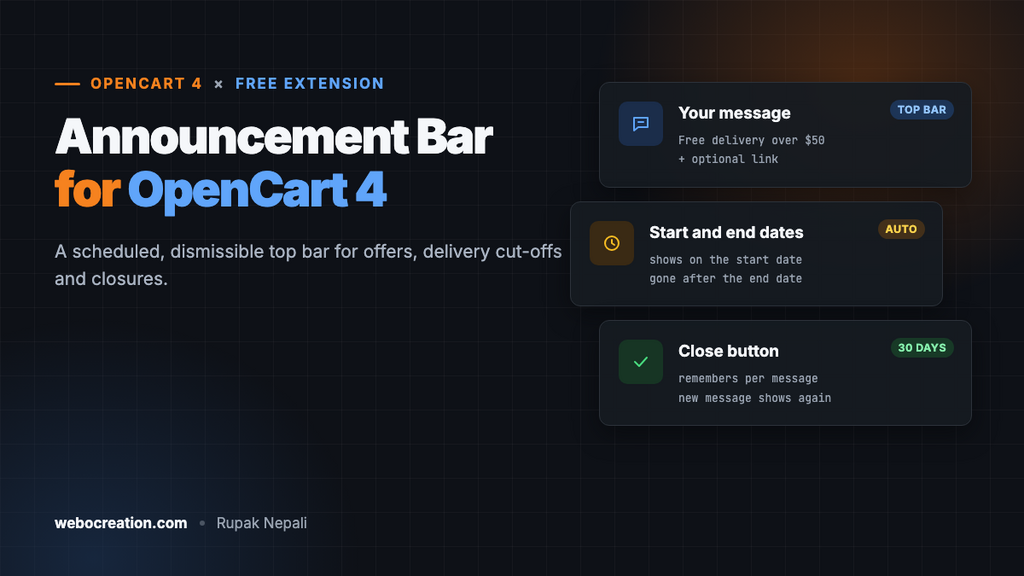
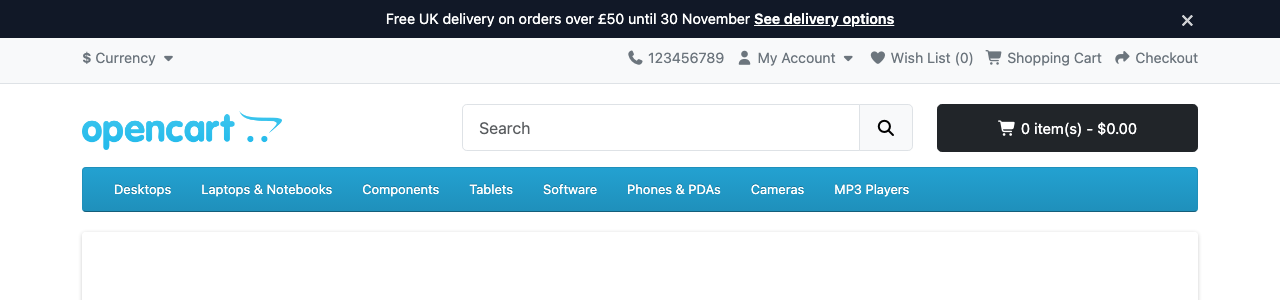
The thin bar across the top of a store is the first thing every visitor sees, on every page. It’s where stores put the one message that changes buying decisions: free delivery over a threshold, a sale ending on Sunday, a holiday shipping cut-off, or “we’re closed until Monday, orders ship Tuesday”.
OpenCart 4 has no announcement bar, so stores edit the header template and then forget to take last month’s offer down. This free extension adds one from the admin, with dates, so the bar switches on and off by itself.
Download Announcement Bar for OpenCart 4 (free, tested on OpenCart 4.1.0.4)
What it does
- One message and an optional link on every storefront page, above the top menu.
- Your colours. Background and text colour pickers, so it matches your brand or stands out for a sale.
- Start and end dates. Set a Black Friday message in advance; it appears on the start date and disappears after the end date, with no one logging in at midnight.
- A close button that remembers. A visitor who closes the bar doesn’t see that message again for 30 days. Change the message and it shows again for everyone.
- No theme edits. One event adds it to the header output.
Install it
- Download
announcebar.ocmod.zip. - Go to Extensions → Installer, upload it, and click the green +.
- Go to Extensions → Extensions → Modules and install Announcement Bar.
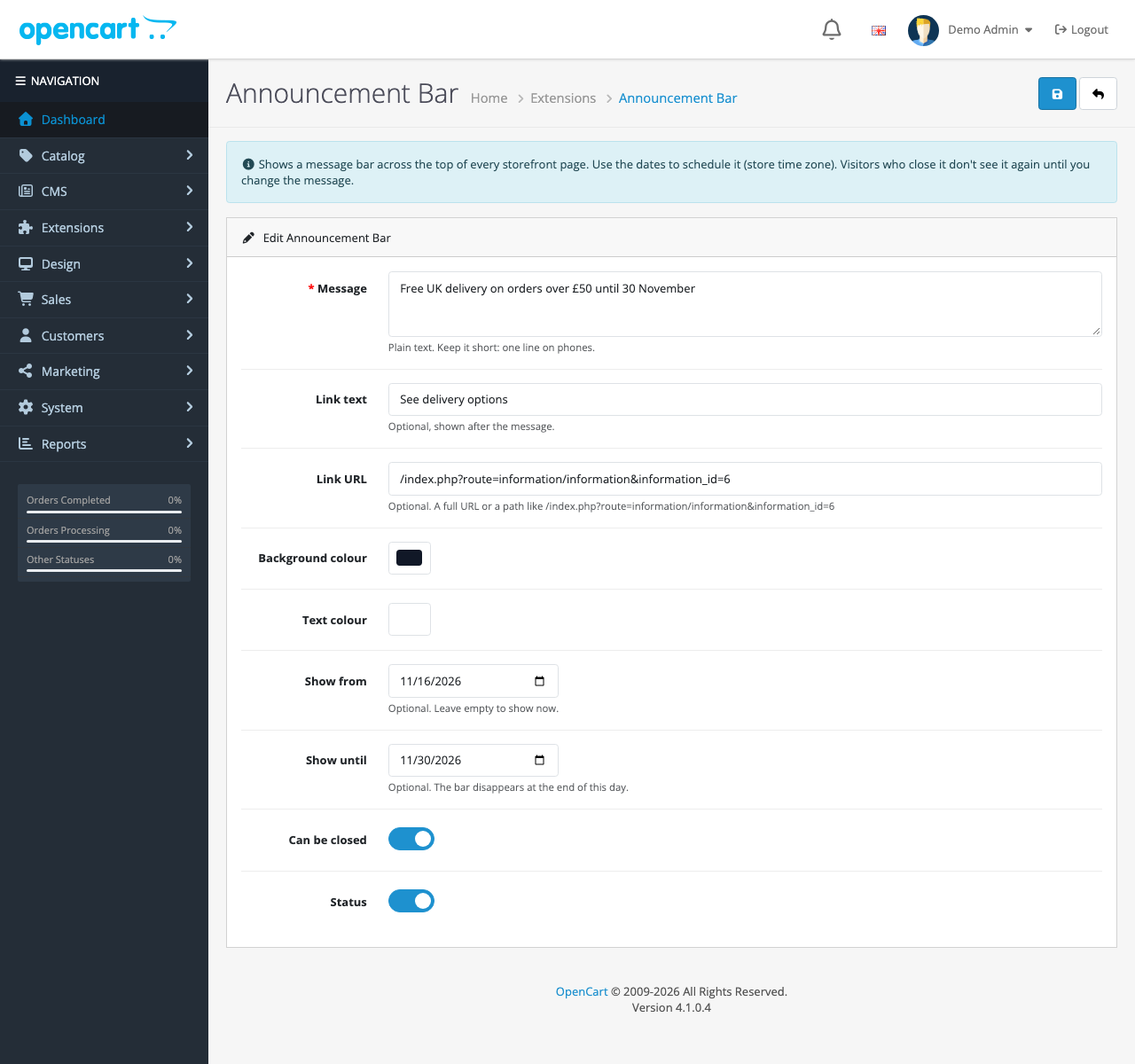
- Click Edit, write your message, turn Status on and save.
There’s no layout to assign: the bar appears on every page as soon as it’s enabled.
Settings
| Setting | What it does |
|---|---|
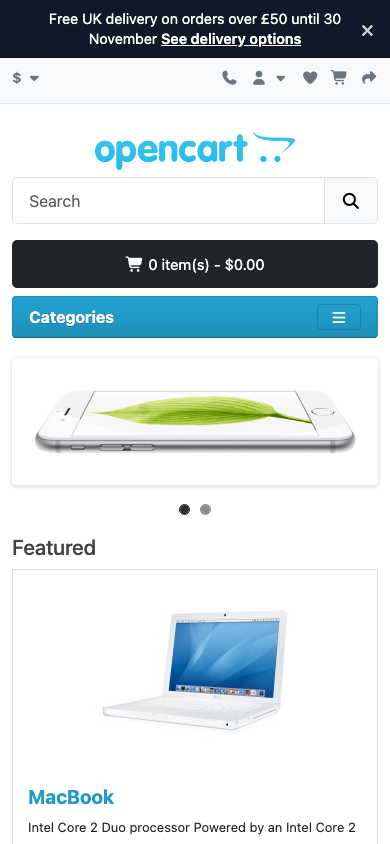
| Message | Plain text, required. Keep it to one line on a phone: about 60 characters |
| Link text, Link URL | Optional. A full URL (https://…) or a path on your store (/index.php?route=…). Other kinds of links are ignored |
| Background colour, Text colour | Pick colours with enough contrast: dark text on a light bar or white on a dark one |
| Show from, Show until | Optional dates. The bar shows all day on both dates, in your store’s time zone |
| Can be closed | Shows the × button. Turn it off for messages everyone must see, like a closure notice |
| Status | On or off |
On phones
Messages that work
| Goal | Example |
|---|---|
| Raise order value | Free delivery on orders over $50 |
| Urgency for a sale | Winter sale: 20% off ends Sunday at midnight |
| Delivery expectations | Order by 18 December for Christmas delivery |
| Closures | Closed 24–26 December. Orders placed now ship on the 27th |
| A discount code | New here? 10% off your first order with WELCOME10 |
For a code, pair the bar with our free coupon links extension and point the link at /?coupon=WELCOME10: one click applies the code. If you’re advertising a free-delivery threshold, the bar’s job is to make shoppers aware of it; our free shipping progress bar then shows how close their cart is.
Keep one message at a time. Rotating bars with three messages are hard to read, and the third one is rarely seen.
How it’s built
| Part | Where | What it does |
|---|---|---|
| Settings | module_announcebar_* in the setting table | Message, link, colours, dates, close button, status |
| Event | catalog/view/common/header/after | Checks the dates and cookie, and inserts the bar straight after <body> |
| Cookie | oc_announce | The ID of the message the visitor closed |
Scheduling with dates
Dates are compared as YYYY-MM-DD strings, which sort correctly, in the store’s time zone. The end date is inclusive, so “Show until 30 November” means all of the 30th:
$today = date('Y-m-d');
$start = (string)$this->config->get('module_announcebar_date_start');
$end = (string)$this->config->get('module_announcebar_date_end');

if (($start && $today < $start) || ($end && $today > $end)) {
	return;
}
A close button that resets when the message changes
Instead of a plain “closed” cookie, the bar’s ID is a short hash of the message and link. Closing stores that ID; a new message has a new ID, so it shows even to people who closed the old one:
$id = substr(md5($message . '|' . $this->config->get('module_announcebar_link_url')), 0, 12);

if ($this->config->get('module_announcebar_dismiss') && ($this->request->cookie['oc_announce'] ?? '') === $id) {
	return;
}
The check runs on the server, so a closed bar never flashes on screen before a script hides it.
Safe links and text
OpenCart stores settings HTML-encoded, and its Twig templates don’t escape output automatically. The extension decodes the stored text once and escapes it once, so “£” and “&” display correctly and no HTML can be injected through the message. The link must start with http://, https:// or /, which rules out javascript: links.
Testing
We tested it on OpenCart 4.1.0.4 with the default theme:
- A start date of tomorrow: no bar. Changed to today: the bar appeared.
- An end date of yesterday: no bar.
- Closing the bar, then reloading: gone, with the
oc_announcecookie set. Changing the message: back again. - A message with “£” and “&”: displayed correctly, not as entities.
Troubleshooting
| Problem | Cause and fix |
|---|---|
| No bar | Check Status, the dates (in your store’s time zone, System → Settings → Local), and whether you closed it yourself: clear the oc_announce cookie or try a private window |
| The link doesn’t show | Both link text and URL are needed, and the URL must start with http or / |
| Bar is below a sticky header | Some themes fix their header to the top. Add position: sticky; top: 0; z-index: 1031; to .oc-announce in your theme’s CSS, or accept it scrolling away |
| Full-page cache shows an old message | Clear the cache after changing the message |
More free OpenCart 4 extensions: sticky add to cart, coupon links, size chart popup and estimated delivery date.

Rupak Nepali is a web developer, manage Webocreation website and the author of six books:
Getting Started with OpenCart Module Development (Packt, 2013),
OpenCart Theme and Module Development (Packt, 2015),
OpenCart 4: Dev Guide for Themes & Extensions (2024),
OpenCart 4: User Manual (2025),
Cloudflare for the Enterprise Website (2026) and
The Technical Web Guide for Marketers (2026).
Rupak has built OpenCart stores and extensions since 2010, has published more than 600 tutorials on Webocreation, and shares free OpenCart extensions on GitHub.
Find Rupak on
GitHub | Amazon | LinkedIn | X | YouTube.