HTTP Security Headers: A Practical Checklist for 2026
A handful of response headers and cookie attributes block whole classes of attacks for almost no effort. Here are the recommended values, what each one does, and which old headers to drop.
 Rupak NepaliPublished Nov 19, 2026
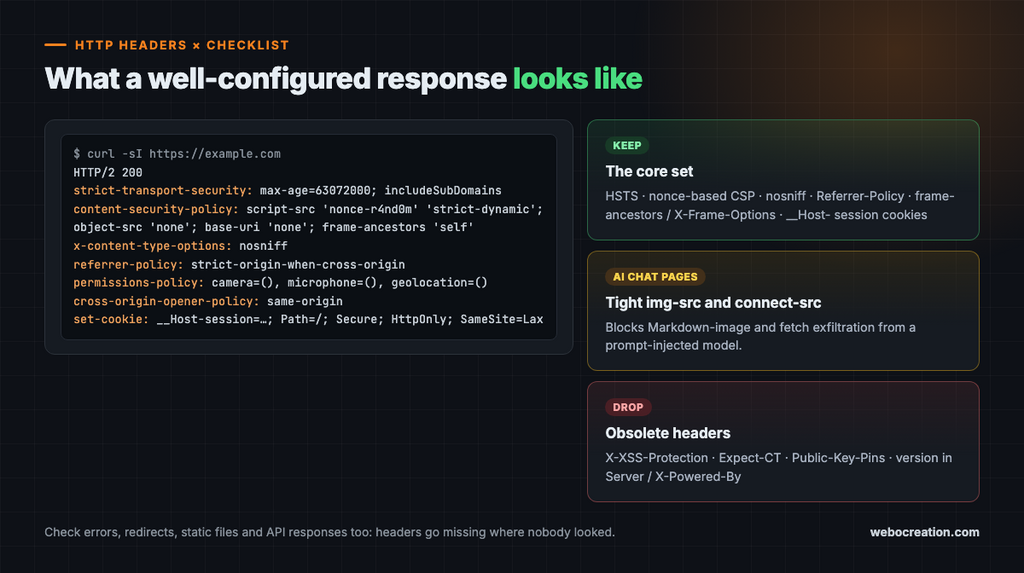
Few security improvements are as cheap as HTTP response headers. A few lines of server configuration can block clickjacking, force HTTPS, stop MIME sniffing, contain XSS, and keep URLs from leaking. None of them replace secure code, but together they form a valuable layer of defense in depth.
Here is a practical checklist with recommended starting values. As always, test changes in staging or report-only mode before enforcing them in production.
The essential response headers
| Header | Recommended value | What it does |
|---|---|---|
Strict-Transport-Security | max-age=63072000; includeSubDomains; preload | Forces HTTPS on future visits. Add preload only once all subdomains support HTTPS |
Content-Security-Policy | Strict, nonce-based policy (below) | Contains XSS and controls framing |
X-Content-Type-Options | nosniff | Stops browsers from guessing content types |
Referrer-Policy | strict-origin-when-cross-origin (or no-referrer) | Limits URL leakage to other sites |
Permissions-Policy | camera=(), microphone=(), geolocation=(), payment=() | Disables browser features you do not use |
X-Frame-Options | DENY or SAMEORIGIN | Legacy framing protection, alongside frame-ancestors |
Cross-Origin-Opener-Policy | same-origin | Isolates your window from cross-origin pages |
Cross-Origin-Resource-Policy | same-origin (or same-site) | Stops other sites from loading your resources |
Cache-Control | no-store on sensitive responses | Keeps private data out of caches |
Clear-Site-Data | "cache", "cookies", "storage" on logout | Wipes client-side state at logout |
Server / X-Powered-By | Remove or genericize | Avoids advertising software versions |
Content Security Policy done right
A strict, nonce-based CSP is one of the strongest defenses against XSS. Only scripts carrying a fresh, unguessable nonce can run:
Content-Security-Policy:
  default-src 'self';
  script-src 'nonce-{RANDOM}' 'strict-dynamic' https: 'unsafe-inline';
  object-src 'none';
  base-uri 'none';
  frame-ancestors 'self';
  form-action 'self';
  upgrade-insecure-requests;
  report-to csp-endpoint
Do not panic at 'unsafe-inline' and https: here. Modern browsers that support nonces and 'strict-dynamic' ignore them. They are only fallbacks for very old browsers. Generate a new nonce for every response and add it to every legitimate <script> tag.
For static pages where nonces are impractical, list SHA-256 hashes of each inline script instead.
Roll out safely: start with Content-Security-Policy-Report-Only, collect violation reports, fix them, and then enforce.
Bonus layer: add require-trusted-types-for 'script' to enforce Trusted Types, which forces DOM writes through policies you control.
A special CSP for AI chat interfaces
If your app renders LLM output, a prompt-injected model may try to leak data through image URLs or network requests. Lock down where the page can load images and connect:
Content-Security-Policy:
  default-src 'self';
  script-src 'nonce-{RANDOM}' 'strict-dynamic';
  img-src 'self' https://trusted-images.example.com;
  connect-src 'self';
  frame-src 'none';
  object-src 'none';
  base-uri 'none'
Cookie settings
Cookies carry your sessions, so their attributes matter as much as any header:
| Cookie type | Recommended attributes |
|---|---|
| Session cookie | __Host- prefix, Secure, HttpOnly, SameSite=Lax (or Strict), Path=/, no Domain |
| CSRF token cookie | __Host- prefix, Secure, SameSite=Strict |
| Preference cookie | Secure, SameSite=Lax, no sensitive data |
| Cross-site widget cookie | Secure, SameSite=None, Partitioned where supported |
Set-Cookie: __Host-session=6f1c2e...; Path=/; Secure; HttpOnly; SameSite=Lax; Max-Age=28800The __Host- prefix is underrated. The browser only accepts such a cookie if it is Secure, has Path=/, and has no Domain attribute, which stops subdomains from overwriting your session cookie.
Remember that SameSite=Lax reduces CSRF but does not eliminate it. Keep anti-CSRF tokens and Origin or Fetch Metadata checks for state-changing requests.
Example: Nginx
server_tokens off;
add_header Strict-Transport-Security "max-age=63072000; includeSubDomains" always;
add_header X-Content-Type-Options "nosniff" always;
add_header Referrer-Policy "strict-origin-when-cross-origin" always;
add_header Permissions-Policy "camera=(), microphone=(), geolocation=()" always;
add_header Cross-Origin-Opener-Policy "same-origin" always;

# Never serve version control or environment files
location ~ /\.(git|env|svn) { deny all; return 404; }
If Nginx sits in front of your app, overwrite X-Forwarded-For with $remote_addr rather than appending to a client-supplied value, so the app cannot be fooled about the client’s IP.
Headers to drop
X-XSS-Protection: the browser feature it controlled has been removed. Set it to0or omit it.Expect-CT: deprecated.Public-Key-Pins: removed from browsers because a mistake could lock users out for months.
Check your work
Run curl -sI https://yoursite.example and read what actually comes back. Check several page types, including errors, redirects, static files, and API responses, because headers are often missing on exactly the responses nobody looked at.
Key takeaways
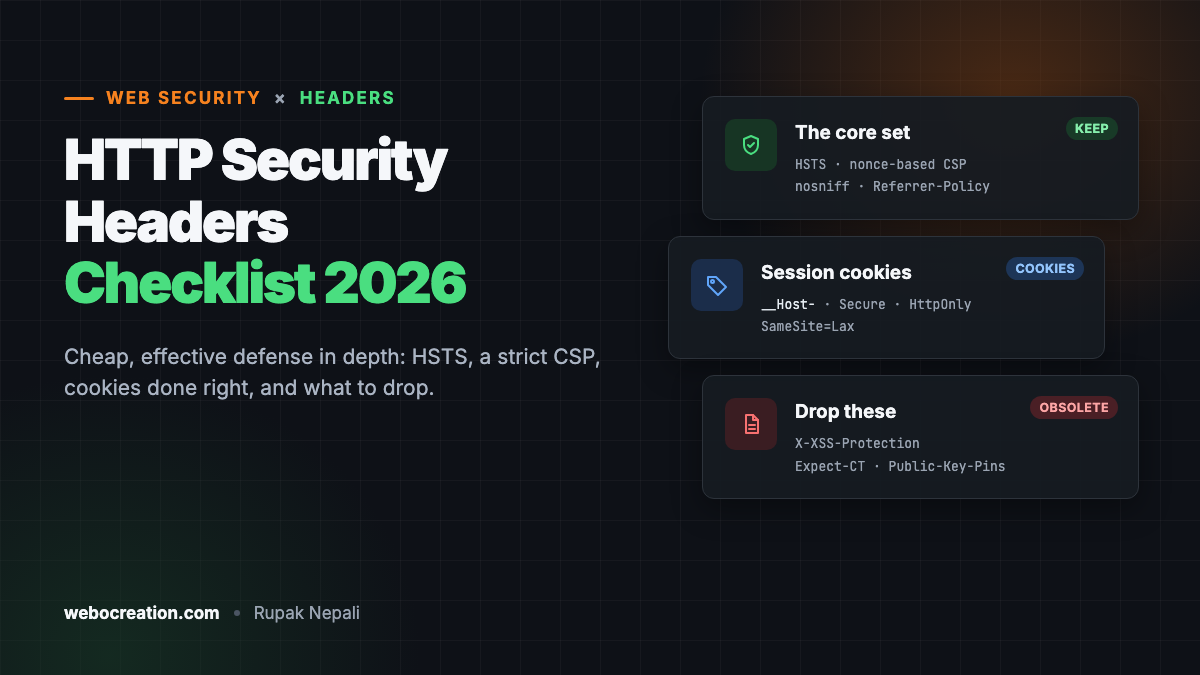
- Security headers are cheap, effective defense in depth.
- HSTS, a strict nonce-based CSP,
nosniff,Referrer-Policy, and framing controls are the core set. - Use a tight
img-srcandconnect-srcfor pages that render AI output. - Session cookies should use
__Host-,Secure,HttpOnly, andSameSite. - Drop obsolete headers like
X-XSS-Protection,Expect-CT, andPublic-Key-Pins.
Go deeper with the book
This article is adapted from Web Security in the Age of AI: Attacks, Defenses, Tools, and Bug Hunting for Modern Web Applications and LLM Systems by Rupak (see Appendix B, “Security Headers and Configuration Reference,” plus Chapters 2, 7, and 8).
The book pairs every attack with its fix across 27 chapters, from core vulnerabilities and professional tools to bug bounty hunting, attacking and defending LLM applications, and lessons from real breaches. It includes hands-on labs, review questions, a full testing checklist, a security headers reference, and an LLM red teaming playbook.
Related reading
- XSS Prevention: A Practical Guide for Modern Frameworks
- Why Web Security Still Matters in the Age of AI

Rupak Nepali is a web developer, manage Webocreation website and the author of six books:
Getting Started with OpenCart Module Development (Packt, 2013),
OpenCart Theme and Module Development (Packt, 2015),
OpenCart 4: Dev Guide for Themes & Extensions (2024),
OpenCart 4: User Manual (2025),
Cloudflare for the Enterprise Website (2026) and
The Technical Web Guide for Marketers (2026).
Rupak has built OpenCart stores and extensions since 2010, has published more than 600 tutorials on Webocreation, and shares free OpenCart extensions on GitHub.
Find Rupak on
GitHub | Amazon | LinkedIn | X | YouTube.