PCI‑Conscious Architecture: Where Payment Data Should (and Shouldn’t) Flow in OpenCart
 Rupak NepaliPublished Jun 5, 2026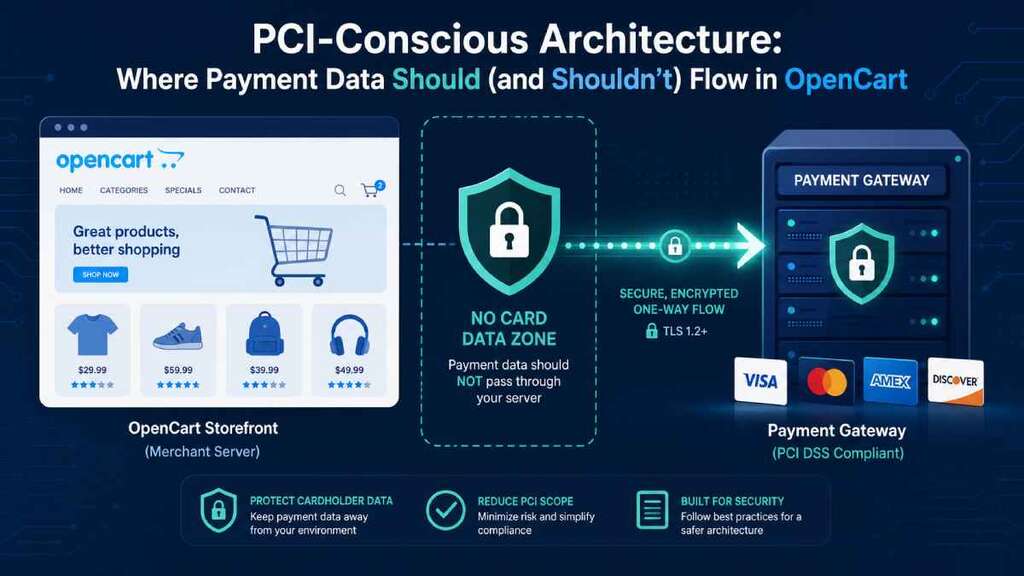
If you run an OpenCart store, you are in the payments business whether you like it or not.
That means the decisions you make about where card data flows in your architecture directly impact your PCI scope, your risk, and ultimately your chances of getting breached.
In this post, we’ll look at PCI‑conscious architecture for OpenCart: what “cardholder data” actually is, which integration patterns keep that data away from your infrastructure, and which common configurations quietly drag you into full PCI DSS scope.
We’ll stay practical and opinionated, with specific examples from OpenCart’s ecosystem and payment extensions.
Quick PCI DSS reality check for OpenCart merchants
The Payment Card Industry Data Security Standard (PCI DSS) is a set of security requirements for any entity that stores, processes, or transmits cardholder data such as the primary account number and related authentication data.
Compliance is mandatory for e‑commerce merchants that accept card payments, and failure to comply can result in fines, higher fees, or even loss of the ability to take cards.
PCI DSS defines different self‑assessment questionnaires (SAQs) depending on how your site handles payments.
For e‑commerce, the low‑scope options (like SAQ A) are only available when all payment pages are fully outsourced to a PCI‑validated provider via redirect or iFrame such that no payment page elements originate from your server.
If any part of the card entry page comes from your environment, you move into higher‑scope categories (such as SAQ A‑EP or full DSS) because your site can now be used to skim card data.
That’s the core idea of PCI‑conscious architecture: design things so sensitive data never has a reason to cross your infrastructure boundary in the first place.
What counts as “cardholder data” and “scope”?
PCI calls card numbers and related data “cardholder data” and treats certain fields as especially sensitive, such as the full PAN and CVV.
If these values flow through your servers, logs, databases, backups, or email, those systems are in PCI scope and must meet the relevant security requirements.
The PCI Council’s e‑commerce guidance is clear: even if you think you “outsource payments,” your own web server is still in scope if it can affect the page where card data is collected, for example via scripts, forms, or DOM manipulation.
This is because criminals routinely compromise merchant sites to inject JavaScript that silently copies card data as customers type, even when the actual processing is done by a gateway.
Conversely, if the entire payment page is hosted by a PCI‑validated provider and all form fields and scripts come from that provider, your server never sees cardholder data and has a much smaller compliance footprint.
That is exactly the architecture you want to aim for with OpenCart wherever possible.
Common OpenCart payment patterns and their PCI impact
Let’s walk through the main payment integration patterns you see in OpenCart and how they affect where card data flows.
1. Hosted payment page (full redirect)
In a typical hosted payment gateway, your OpenCart checkout redirects the customer to a page on the payment provider’s domain to enter card details, then returns them to your site after authorization.
The PCI SSC explicitly says that when the entirety of all payment pages is delivered directly from a PCI‑validated third party via redirect, the merchant may be eligible for the lowest‑scope SAQ A.
OpenCart payment plugins that implement a pure hosted page model keep card data on the provider’s infrastructure rather than your own.
Your responsibilities then focus on securing your own site so attackers cannot tamper with the redirect or trick users into a fake payment page.
From a PCI‑conscious architecture perspective, this is usually the safest pattern for small and mid‑sized OpenCart merchants.
2. Hosted iFrame / lightbox on your checkout
Some gateways provide a lightbox or iFrame embedded in your OpenCart checkout page that is still hosted and controlled by the payment provider.
Mastercard’s OpenCart integration, for example, offers a hosted checkout via lightbox or redirect where every sensitive field is collected in a secure hosted component that never stores card details in your database.
PCI treats an iFrame that is fully loaded from a PCI‑validated provider similarly to a redirect, as long as the entirety of the payment frame comes from that provider.
Even with this model, your checkout page becomes a “web redirection” surface that must be monitored for tampering because any script you add could try to skim data from or around the frame.
Done well, the hosted iFrame pattern keeps card data out of your environment while maintaining a seamless on‑site checkout experience.
3. Direct post / API forms on your domain
In a direct post or “API integration,” your OpenCart site renders the card form on your domain and posts the data directly from the browser to the processor’s API, often via JavaScript.
Merchants like this because they get full control over the payment page’s look and flow without a visible redirect.
However, PCI specifically calls out this pattern as higher risk because attackers can inject JavaScript on your page to grab a copy of card data before it is sent to the processor.
For this reason, these implementations usually fall into SAQ A‑EP or full PCI scope, meaning your web server and application must meet more comprehensive requirements.
In other words, even if card data does not transit your server directly, the fact that your code builds the form and can influence the payment flow drags your platform into the PCI blast radius.
This pattern should be approached only if you are prepared to invest heavily in secure coding, change‑control, and monitoring.
4. “Offline credit card” modules and local storage
A fourth pattern still seen in some OpenCart extensions is the “offline credit card” method where checkout simply collects the card number and CVV and stores or emails them for manual processing on a separate terminal.
One such extension advertises that it saves card data to the order record and can even send it in email, with the author explicitly warning that dealing with this data is “very sensitive and risky” and may be illegal in some jurisdictions.
OpenCart community discussions make it clear that if you accept credit card data onto your site at all, even if you don’t store it long‑term, you are in full PCI scope and must meet all relevant standards.
Auditors will look at your hosting environment, who has access, how you encrypt and protect data, and how you manage intrusion risk, which is expensive and complex for most merchants.
From a PCI‑conscious architecture standpoint, these “offline card” approaches are essentially anti‑patterns that you should avoid in modern OpenCart stores.
Where payment data should flow in an OpenCart architecture
The goal is simple: keep raw cardholder data on systems explicitly designed and certified to handle it, and nowhere else.
For most OpenCart merchants, that means:
- Use a reputable hosted payment gateway with full redirect or fully hosted iFrame so all card entry fields come from the provider.
- Ensure that no card number or CVV fields are present in any OpenCart templates, custom modules, or themes on your server.
- Favor gateways and extensions that explicitly state that no sensitive card information is stored in your database and that tokenization is used instead.
For example, the Mastercard Payment Gateway Services integration for OpenCart emphasizes that no sensitive credit card data is stored in your database and that all data is collected and encrypted by Mastercard, with your store only retaining a token.
That is exactly the kind of data flow you want: cardholder data from browser to gateway, tokens back to your store for subsequent charges, and nothing else.
With modern open banking and account‑to‑account payment plugins, sensitive card data may not be involved at all, but the same principle applies: your store should hand users to a secure environment for payment entry and receive only non‑sensitive references or confirmation.
Architecturally, your OpenCart application should treat payment details as something it never needs to see.
Where payment data must not flow
PCI‑conscious design is as much about the “no‑go zones” as the happy path.
For an OpenCart store, you should ensure that the following never contain full card numbers or CVV:
- OpenCart database tables, including orders, customers, and custom fields.
- Application logs, error logs, web server logs, and debugging output.
- Emails sent to customers or administrators, including order confirmations and failure notices.
- Analytics events, tags, or third‑party scripts that might accidentally capture form field values.
- Backups and exports of your database or file system, which could silently propagate sensitive data to multiple locations.
The OpenCart community repeatedly warns that storing or emailing card details, even in encrypted form, creates significant PCI obligations and legal risk for the merchant.
Any extension that offers to “store full card data for manual processing” or “email card details” should be treated as a red flag in 2026.
A sample PCI‑conscious OpenCart architecture
Here is what a sane, PCI‑aware architecture looks like for a typical OpenCart store:
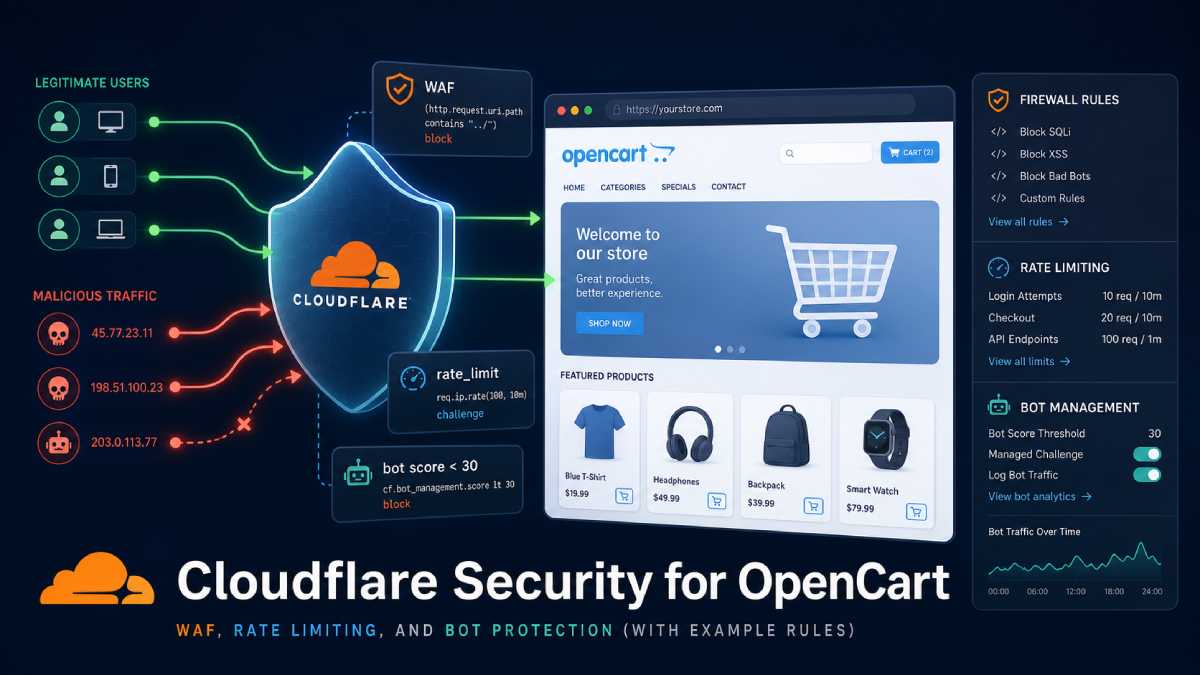
- Customer browsing and cartThe customer browses your OpenCart site served from your web host or cloud platform, ideally fronted by a CDN or WAF.
No payment fields exist anywhere on product, cart, or account pages, and your application uses HTTPS everywhere. - Checkout page on your domainAt checkout, your OpenCart page displays order summary, shipping, billing address, and other non‑sensitive details.
When the customer chooses “Pay now,” your site either redirects them to a hosted payment page or loads a hosted iFrame from the gateway for card entry. - Payment page hosted by providerThe payment provider’s infrastructure serves the actual form that collects card details and handles all validation, authorization, and fraud checks.
Your domain does not host the card form, does not serve the JavaScript that builds it, and does not receive card data in any HTTP requests. - Token and result sent backAfter a successful authorization, the provider redirects back to your OpenCart return URL or communicates via server‑to‑server callback with a transaction reference or token.
Your store stores only that token and minimal non‑sensitive metadata (such as last four digits and card brand as allowed) for display and possible future charges. - Monitoring and hardening your partYou protect your own environment with TLS, patch management, web application firewall, and regular external vulnerability scans as required by PCI.
You also monitor your checkout and redirect pages for unauthorized script changes because even in SAQ A, those pages must be protected from tampering.
In this design, the card data “lives” only in the customer’s browser and the payment provider’s PCI‑certified environment, not in your OpenCart stack.
Practical checklist for OpenCart merchants
If you want a fast way to make your architecture more PCI‑conscious, work through this checklist:
- Inventory your payment extensions: List every active payment method and note whether it uses hosted redirect, iFrame, direct post API, or local storage.
- Eliminate local card collection: Remove any “offline credit card” or custom modules that collect card numbers directly on your site or store them in your database or emails.
- Prefer hosted or iFrame gateways: Where possible, switch to gateways that provide fully hosted pages or iFrames and explicitly state that no sensitive card data is stored in OpenCart.
- Review templates and themes: Search your theme and extension code for any
<input>fields that resemble card number, expiry, or CVV and remove them unless they are part of a provider‑hosted component. - Secure your redirect and checkout pages: Apply strong authentication and access control to your admin, keep OpenCart and extensions up to date, and monitor for unauthorized code changes on pages that initiate payments.
- Understand your SAQ: Talk to your acquirer or payment provider to confirm which SAQ you should be completing based on your integration model and adjust your architecture if you want to reduce scope.
OpenCart’s own PCI compliance guidance emphasizes that while the platform can be used in a compliant way, it is the merchant’s responsibility to choose secure payment methods and maintain the environment.
The more you can keep raw card data out of your architecture, the simpler that responsibility becomes.
Closing thoughts
PCI‑conscious architecture is not about chasing the cheapest scanning vendor or ticking boxes on a questionnaire.
It’s about being intentional about where payment data is allowed to flow in your OpenCart stack and designing the system so that your application never needs to touch it.
By leaning hard on hosted payment pages or iFrames, avoiding legacy “offline card” patterns, and tightening the few pages that can influence the payment experience, you give attackers less surface area and auditors less to worry about.
That’s good for your customers, your brand, and your sleep.

Author of four Opencart book.
The recent are Opencart 4 developer book and Opencart 4 user manual