Ecommerce Tools Needed to Run an Online Store: What You Need at Launch, at First Orders and When You Grow
The tools an online store needs to run, grouped by job and by when you need them, from launch to growth, with what to look for in each and a starter stack for a small store.
 Rupak NepaliPublished Nov 26, 2026
Starting an online store means signing up for things: hosting, payments, email, analytics, shipping. Every guide lists fifty tools, and it’s easy to end up paying for twelve subscriptions before the first order. Most small stores need far fewer, chosen in the right order.
This guide lists the ecommerce tools a store needs to run, grouped by job, with what to look for in each and when you need it: on day one, once orders arrive, or when you grow. We name common options as examples, not endorsements. For tools that automate work between these systems, see our ecommerce automation tools directory.
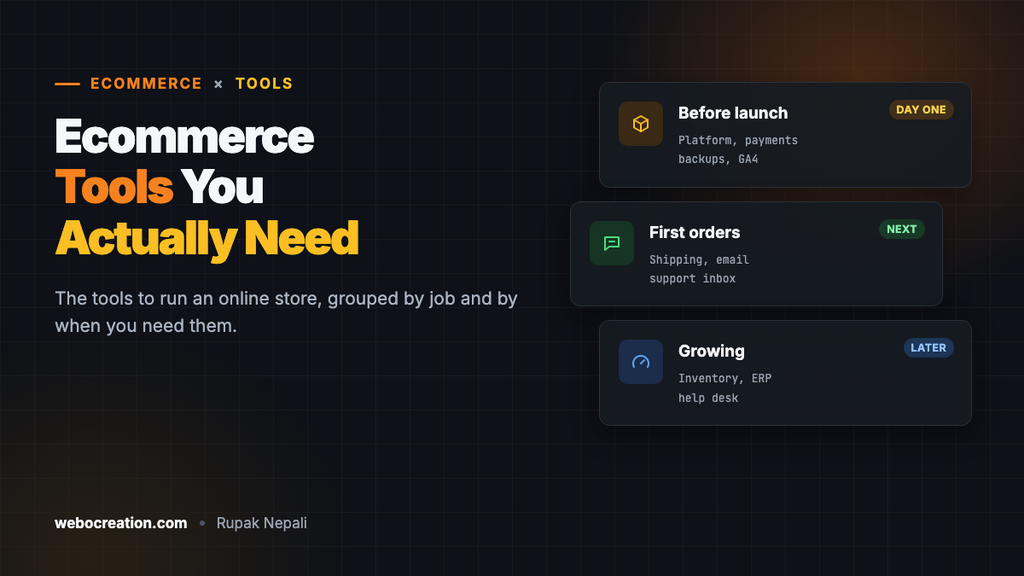
Ecommerce tools by stage
| Stage | You need |
|---|---|
| Before launch | Store platform, hosting, domain and DNS, payments, backups, analytics, transactional email |
| First orders | Shipping labels, email marketing, customer support inbox, accounting, reviews |
| Growing | Inventory or ERP, help desk, marketing automation, search, monitoring, a staging site |
1. Store platform and hosting
- Platform: self-hosted (OpenCart, WooCommerce, Magento Open Source) gives you control and no platform fees, but you run updates and security. Hosted (Shopify, BigCommerce, Squarespace, Webflow) does that for you for a monthly fee and less control.
- Hosting for self-hosted platforms: look for PHP and database versions your platform supports, SSH access, daily backups you can restore yourself, and a staging copy. Our guide to OPcache and Redis for OpenCart 4 shows what a server you control can do.
- Domain, DNS and CDN: a CDN such as Cloudflare in front of the store speeds up images and blocks a lot of bad traffic before it reaches your server.
2. Payments
- A card processor (Stripe, Adyen, Square or your bank’s gateway) plus PayPal covers most customers. Add local methods where you sell: iDEAL, Bancontact, Klarna and others.
- Prefer integrations where card data never touches your server: a redirect or an embedded payment form. It keeps your PCI scope small; our post on PCI-conscious architecture for OpenCart explains why.
- Check payout times, fees for refunds and chargebacks, and fraud tools such as 3-D Secure.
3. Shipping and fulfillment
- Rates at checkout: flat rates are fine to start; live carrier rates matter when parcels vary in size and weight.
- Labels and tracking: a shipping app or carrier account that prints labels and sends tracking numbers back to the store saves the most time once you ship daily.
- Returns: a clear returns page first; a returns portal later.
4. Email
- Transactional email (order confirmations, password resets) needs a reliable sending service with SPF, DKIM and DMARC set up. Store emails that land in spam cost you orders and support time.
- Marketing email (newsletters, abandoned cart, win-back) works best in a dedicated platform such as Klaviyo, Mailchimp or Brevo, connected to your store’s customers and orders.
5. Analytics and search visibility
- Google Analytics 4 with ecommerce events (view item, add to cart, purchase), so you can see where buyers drop off. Our GA4 ecommerce extension for OpenCart 4 sends them without editing the theme.
- Google Search Console and Bing Webmaster Tools, both free, for search performance and indexing problems.
- Microsoft Clarity (free) or another session recording tool to watch how people use the checkout.
- Google Merchant Center for free product listings in Google Shopping.
6. Customer support and reviews
- Start with one shared inbox. Move to a help desk (Help Scout, Freshdesk, Zendesk, Gorgias) when more than one person answers.
- Live chat only if someone can answer it. An AI assistant can answer product questions, but it needs guardrails: what it says is treated as what your store says.
- Ask for reviews after delivery and answer them in public.
7. Inventory, orders and accounting
- The store’s own stock is enough for one location. Once you sell in several channels or ship from several places, add an inventory system or ERP and sync stock to the store.
- Accounting software (QuickBooks, Xero, or a local equivalent) connected to your payment provider and store, so sales, fees and refunds reconcile without retyping.
- Order exports for the accountant or warehouse; our order export extension does this for OpenCart 4.
8. Security and operations
- Backups: automatic, stored off the server, and tested by restoring one.
- Uptime and error monitoring: a service that checks the home page and checkout every few minutes and alerts you.
- Admin security: two-factor login, one account per person, and a password manager (Bitwarden, 1Password) for shared logins.
- Updates: a staging copy where you test platform and extension updates before production.
9. Content and design
- A design tool (Canva, Figma) for banners, product images and social posts.
- An image optimizer, or a platform that resizes and converts images to WebP automatically.
- AI writing tools can help draft product descriptions, but review every claim; search engines and customers judge the result, not the tool.
A starter stack for a small store
- Platform and hosting with backups.
- Cloudflare in front.
- One card processor plus PayPal.
- Transactional email with SPF, DKIM and DMARC.
- GA4, Search Console and Merchant Center.
- A shared support inbox.
- Accounting software connected to the payment provider.
- Email marketing once you have customers to email.
Add the rest when a task takes more than an hour a week or a mistake costs you an order. That’s the signal a tool will pay for itself.
Related posts
- The ecommerce automation stack: tools, layers and budgets
- Users, permissions and 2FA in OpenCart 4
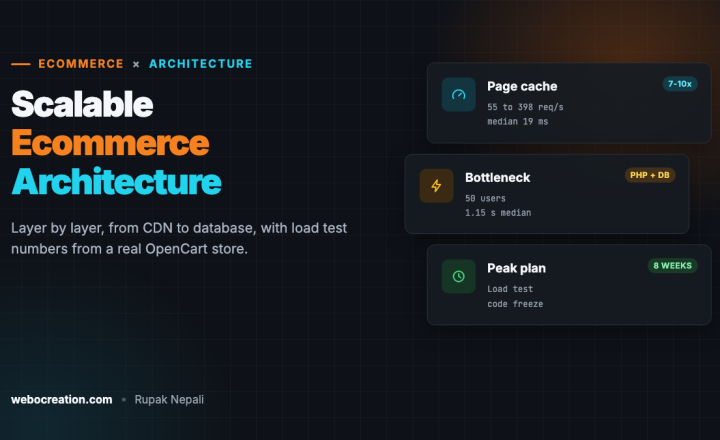
- Scalable ecommerce architecture for peak traffic

Rupak Nepali is a web developer, manage Webocreation website and the author of six books:
Getting Started with OpenCart Module Development (Packt, 2013),
OpenCart Theme and Module Development (Packt, 2015),
OpenCart 4: Dev Guide for Themes & Extensions (2024),
OpenCart 4: User Manual (2025),
Cloudflare for the Enterprise Website (2026) and
The Technical Web Guide for Marketers (2026).
Rupak has built OpenCart stores and extensions since 2010, has published more than 600 tutorials on Webocreation, and shares free OpenCart extensions on GitHub.
Find Rupak on
GitHub | Amazon | LinkedIn | X | YouTube.