The 30-Minute Weekly Routine for Running an Automated Store
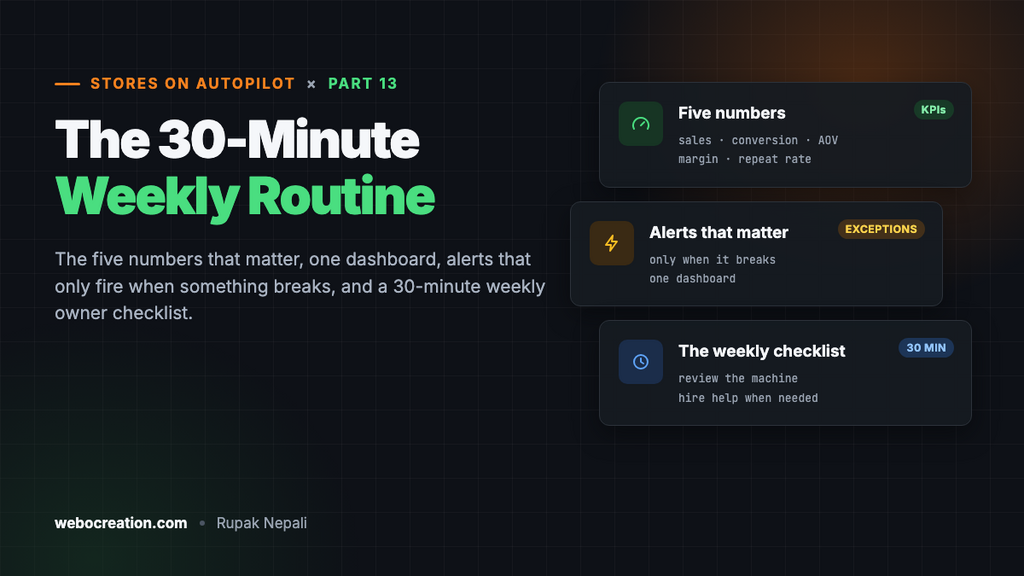
The five numbers that matter, one dashboard, alerts that only fire when something breaks, and a 30-minute weekly owner checklist.
 Rupak NepaliPublished Nov 22, 2026
Automation without review drifts. A feed breaks quietly, a flow stops sending, an ad campaign creeps over budget. The weekly owner routine is the pilot’s instrument check: a fixed time each week when you look at the whole machine, approve what needs approving and improve one thing.
The five numbers that matter
Dashboards can show hundreds of metrics. Most weeks, five tell you almost everything:
| Number | What it tells you | How it is calculated |
|---|---|---|
| Sales | Is the store growing? | Total revenue for the period |
| Conversion rate | Is the store persuading visitors? | Orders / sessions |
| Average order value (AOV) | Are customers buying more per order? | Revenue / orders |
| Repeat customer rate | Are customers coming back? | Customers with 2+ orders / all customers in a period |
| Gross margin | Are you making money on what you sell? | (Revenue – product cost – shipping – fees) / revenue |
Every automation in this series moves at least one of these. Checkout fixes raise conversion. Free-shipping thresholds and cross-sells raise AOV. Email flows and reviews raise repeat rate. Price rules and ad limits protect margin.
Compare each number with last week and the same week last year (for seasonality), not with yesterday. Daily numbers are noisy.
One dashboard for everything
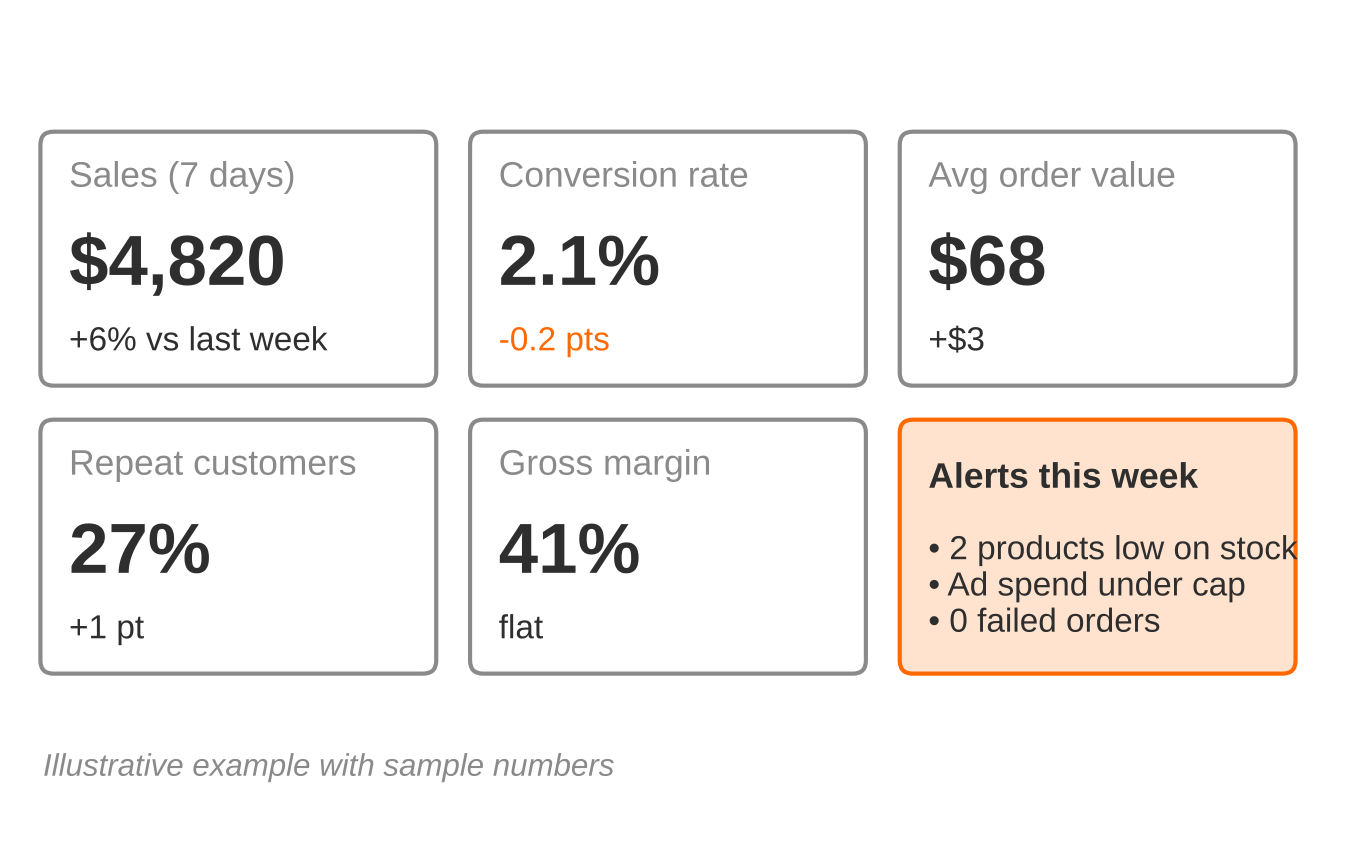
Your data lives in several places: the store, analytics, email, ads, support. Pull the key numbers into one page.
Practical options:
- Looker Studio (free): connects natively to GA4, Search Console and Google Ads, and to Google Sheets. Use a connector tool to write weekly store, email and support numbers into a Sheet, then chart them.
- Your email tool’s dashboard for flows and campaigns, and your help desk’s dashboard for service, linked from the main page.
- Paid dashboard tools that connect to stores, ads and email directly if you prefer not to build anything.
Keep the main page to one screen: the five numbers, a trend line for sales, and an alerts box.
Alerts that interrupt you only when something breaks
The point of autopilot is that you do not watch the instruments all day. Alerts watch for you. Every alert should be rare, important and actionable.
| Alert | Trigger | Channel |
|---|---|---|
| Store or checkout down | Uptime monitor fails twice | Phone push or SMS |
| No orders in an unusual period | Zero orders for X hours during normal trading | Email or chat |
| Payment failures spike | Failed payments above a threshold | Email or chat |
| Stuck orders | Processing for more than 2 business days | Daily email |
| Low stock | At or below reorder point | Daily email |
| Ad cost limit hit | CPA above break-even for 3 days | Email or chat |
| Low rating review | 3 stars or below | Email or chat |
| Feed errors | Merchant Center disapprovals rise | Weekly email |
| Flow not sending | Zero sends from a core flow in 48 hours |
Tip
If an alert fires often and you ignore it, fix the cause or change the threshold. Alerts you ignore train you to ignore the important ones.
The weekly checklist
Block 30 minutes at the same time each week. Monday morning works well because it catches weekend problems. Follow the same order every time:
Minutes 0-5: Review the numbers
- Read the five numbers against last week and last year.
- Note anything that moved more than 10% and decide if it needs a look.
Minutes 5-15: Approve
- Approve or reject agent recommendations (prices, content drafts, reorders).
- Approve new products waiting in the review queue.
- Reply to any low-rating reviews flagged during the week.
Minutes 15-25: Check the machine
- Glance at alerts from the week. Were any unresolved?
- Check that core flows sent and core feeds updated.
- Check ad spend against budget and the daily summaries.
- Read five random AI support conversations.
Minutes 25-30: Improve one thing
- Pick one improvement from your automation map or this week’s data, and schedule it. One small improvement a week adds up to more than 50 a year.
Monthly, add an hour for the deeper reviews mentioned throughout the series: flow metrics, SEO report, return reasons, contact reasons, subscriptions.
When to hire help or hand off to an agency
Automation stretches what one person can run, but it has limits. Consider help when:
- The weekly routine regularly takes more than two hours because of exceptions.
- You have more improvement ideas than time to build them.
- A specialist area (ads, email strategy, technical SEO, custom development) has become a growth bottleneck.
- Fulfillment volume is beyond what you can pack well; a 3PL may be cheaper than your time.
When you hire, your automation register (see What “Autopilot” Really Means) and this routine become the onboarding manual. A freelancer or agency can take over a documented system far faster than a messy one.
Build it: a dashboard and alert set for your store
- Create a Google Sheet with one row per week and columns for the five numbers plus sessions, orders, email revenue, ad spend and support contacts.
- Use a connector tool to fill the row every Monday from your store, GA4, email tool, ad platforms and help desk. Start by filling it manually if needed; automate one column at a time.
- Connect the Sheet, GA4 and Search Console to Looker Studio and build a one-page dashboard.
- Schedule the dashboard to arrive by email every Monday morning.
- Set up the alerts in the table in section 13.3, starting with uptime, stuck orders and low stock.
- Put a recurring 30-minute “Store review” event in your calendar with the checklist in the description.
Other platforms
Shopify Analytics includes many of the five numbers out of the box, and Shopify Flow can send alerts. WooCommerce Analytics provides revenue, orders and customer reports, and PrestaShop has a stats dashboard. All platforms connect to GA4 and Looker Studio, so the same dashboard design works everywhere.
Tools
| Need | Free option | Paid option |
|---|---|---|
| Dashboard | Looker Studio + Google Sheets | Ecommerce dashboard tools (e.g., Triple Whale, Glew, Databox) |
| Data collection | Manual weekly entry; n8n | Make, Zapier |
| Alerts | Email and chat via connector tools; uptime monitor apps | Monitoring and incident tools |
Guardrails
- Same time, same order, every week. Consistency is what makes it a routine.
- Trends, not days. Compare weeks and years.
- Few alerts, all actionable.
- One improvement a week, scheduled before you close the review.
Autopilot checklist
- ☐ My dashboard shows sales, conversion rate, AOV, repeat rate and margin.
- ☐ The dashboard arrives automatically every week.
- ☐ Alerts cover downtime, orders, payments, stock, ads, reviews, feeds and flows.
- ☐ Every alert is rare and actionable.
- ☐ A recurring 30-minute review is in my calendar with the checklist.
- ☐ I improve one thing every week.
- ☐ My automation register is up to date for anyone who joins me.
This article is part of the book Stores That Sell on Autopilot by Rupak Nepali.
Get every chapter, the printable checklists and the worksheets in one place. See the automations running live at demo.webocreation.com. Want it done for you? Ask about the Stores That Sell on Autopilot service.
← Previous: AI Agents and Agentic Commerce | Next: Case Study: Automating the Demo Store →
The Stores That Sell on Autopilot series
- Start here: Series overview
- Part 1: What "Autopilot" Really Means
- Part 2: The Autopilot Stack
- Part 3: Building an Automation-Ready Store
- Part 4: Catalog on Autopilot
- Part 5: Orders, Payments and Fulfillment
- Part 6: Inventory and Suppliers
- Part 7: Search Traffic That Compounds
- Part 8: Email and SMS Flows That Sell While You Sleep
- Part 9: Reviews, Social Proof and Referrals
- Part 10: Ads and Retargeting with Guardrails
- Part 11: Customer Service Without the Inbox
- Part 12: AI Agents and Agentic Commerce
- Part 13: The 30-Minute Weekly Owner Routine (you are here)
- Part 14: Case Study: Automating the Demo Store
- Resource: The Complete Ecommerce Automation Checklist
- Resource: Ecommerce Automation Tools Directory: Free and Paid Options
- Resource: Copy-Ready Email Templates for Ecommerce Flows
- Resource: OpenCart Automation Quick Reference: Menus, Events and Cron
Sources
- Zapier: SMB automation survey conducted by Centiment, May 2026. zapier.com

Rupak Nepali is a web developer, manage Webocreation website and the author of six books:
Getting Started with OpenCart Module Development (Packt, 2013),
OpenCart Theme and Module Development (Packt, 2015),
OpenCart 4: Dev Guide for Themes & Extensions (2024),
OpenCart 4: User Manual (2025),
Cloudflare for the Enterprise Website (2026) and
The Technical Web Guide for Marketers (2026).
Rupak has built OpenCart stores and extensions since 2010, has published more than 600 tutorials on Webocreation, and shares free OpenCart extensions on GitHub.
Find Rupak on
GitHub | Amazon | LinkedIn | X | YouTube.