Customer Service Without the Inbox: Self-Service, AI and Human Handoff
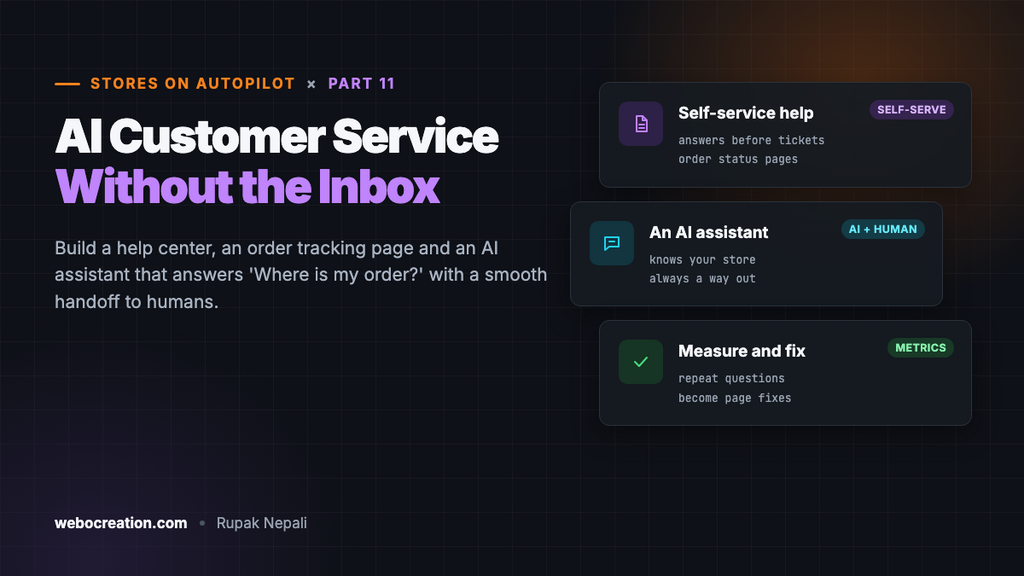
Build a help center, an order tracking page and an AI assistant that answers 'Where is my order?' with a smooth handoff to humans.
 Rupak NepaliPublished Nov 22, 2026
Customer service is where many owners lose their evenings. The same questions arrive again and again: Where is my order? Can I change my address? What is your return policy? Does this fit my model? A well-built service system answers most of them instantly and sends the rest to a human with everything they need.
The manual way
Every question lands in one inbox. The owner opens each email, looks up the order, writes a reply from scratch and moves on. Response times stretch from hours to days during busy periods. Customers send a second email asking why nobody answered the first.
Customers’ expectations are high. In an InMoment survey, about 2 in 5 customers expected brands to respond within five minutes of contacting them about an issue, and 7 in 10 wanted contact within an hour (InMoment).
Customers are ready for AI help, with a way out
Shoppers have accepted AI in service, as long as it works and a human is available. In Five9’s 2025 Customer Experience Report, 73% of US consumers said they were open to AI-powered interactions as long as they could escalate to a human (Five9, 2025). A 2025 CSG survey found 77% of consumers worldwide were comfortable with AI resolving a question or issue (CSG, 2025).
Retailers are already seeing results. During the 2025 holidays, Salesforce reported shoppers used retailers’ AI agents for customer service 126% more than in the prior two months, and the agents took 142% more actions, such as updating delivery addresses and starting returns (Salesforce, 2026).
By the numbers
73% of US consumers are open to AI customer service as long as they can reach a human when needed. (Five9 2025 Customer Experience Report)
The service stack
A good service system has three layers, in order:
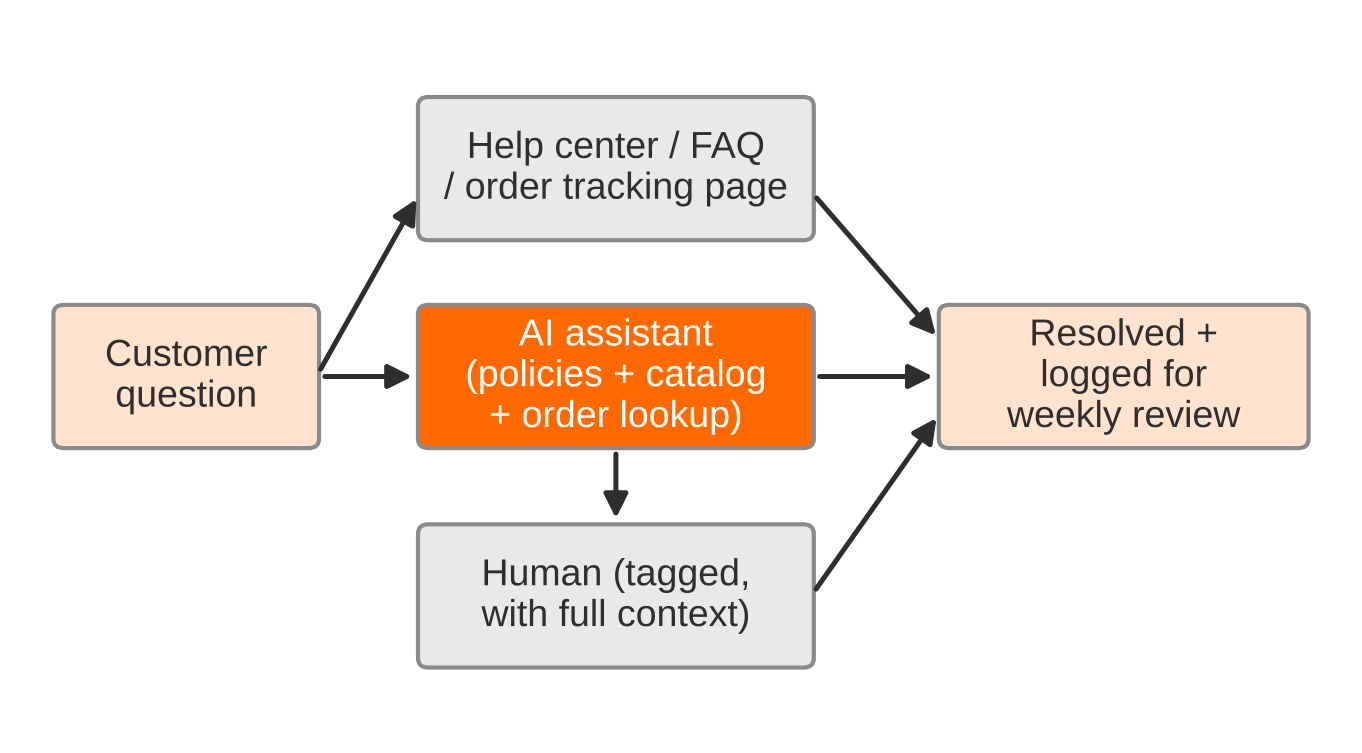
- Self-service: a help center, FAQ, order tracking page and returns portal that answer questions before they are asked.
- AI assistant: a chat or email assistant trained on your policies, catalog and order data that answers common questions instantly.
- Humans: you or your team, receiving only the questions that need judgment, with the full conversation and order details attached.
Build a self-service help center
Start by listing your top 20 questions from the last three months of email. You will likely find that a handful of topics cover most of them. Write a clear, short answer for each and organize them:
- Orders and shipping: delivery times, tracking, changing an address, international shipping
- Returns and exchanges: policy, how to start, refund timing
- Products: sizing, compatibility, care, warranty
- Payments: accepted methods, failed payments, invoices
- Account: password reset, order history, unsubscribing
Then make the answers easy to find:
- An order tracking page where customers enter an order number and email to see status and tracking. This alone can remove a large share of “Where is my order?” emails.
- Links in every transactional email to tracking and the help center.
- Product page FAQs for product-specific questions (they also help SEO, as our guide Search Traffic That Compounds explained).
- A returns portal (see Inventory and Suppliers).
An AI assistant that knows your store
An AI assistant can answer in seconds, at any hour, in many languages. It must be accurate.
Feed it the right knowledge:
- Your help center articles and policies
- Product data: names, attributes, compatibility, stock status
- Order lookup: with the customer’s order number and email, it can read status and tracking
- Your tone guidelines and a list of things it must never do
Give it clear rules. Example system instructions:
You are the support assistant for [Store Name].
- Answer only from the knowledge base and order data provided.
- If you are not sure, say so and offer to connect the customer to a person.
- Never promise refunds, discounts or delivery dates that are not in policy.
- For refunds over $[amount], damaged items, complaints or legal questions,
  hand off to a human with a summary.
- Verify order number AND email before sharing order details.
- Be brief, friendly and specific. Use the customer's name.
Hand off well. When the AI cannot help, the customer should never repeat themselves. The handoff passes the conversation, the order number, the customer’s question and the AI’s summary to the human queue.
Many help desk tools now include AI assistants that learn from your help center: Gorgias, Zendesk, Freshdesk, Tidio, Crisp, Intercom and others. Check that the tool connects to your store’s order data (directly or through an API) so the assistant can answer order questions, not just general ones.
Canned replies, tagging and routing
For questions that reach a human, make replies fast and consistent:
- Saved replies (macros) for common situations, with placeholders for name, order number and tracking link.
- Automatic tags based on keywords or AI classification: shipping, return, product question, complaint, wholesale.
- Routing rules: wholesale inquiries to you; returns to the returns queue; urgent complaints flagged high priority.
- Service hours and auto-replies that set expectations: “We reply within one business day. Track your order here.”
Measuring service
Track a few numbers monthly:
- First response time: how long until the customer gets a useful answer (AI or human).
- Resolution time: how long until the issue is solved.
- AI resolution rate: share of conversations the assistant resolved without a human.
- Contact rate: support conversations per 100 orders. This is the best measure of whether your store is clear.
- Customer satisfaction (CSAT): a one-question survey after each resolved conversation.
- Top contact reasons by tag.
Turning repeat questions into page fixes
Every repeated question is a sign that something on your store is unclear. Use the monthly tag report to fix the source:
| Repeated question | Fix |
|---|---|
| “Where is my order?” | Clearer shipping times on product pages; proactive shipping and delay emails |
| “Does this fit / work with…?” | Compatibility attribute and FAQ on the product page |
| “How do I return this?” | Returns link in the delivery email; self-service portal |
| “When will this be back in stock?” | Back-in-stock signup with expected date |
| “Is this the right size?” | Better size chart, fit notes from reviews |
A store that fixes its top three contact reasons every quarter will see its contact rate fall steadily, even as orders grow.
Build it: an AI chat assistant that answers “Where’s my order?”
- List your top 20 questions and write help center answers for each.
- Publish an order tracking page that takes order number and email.
- Choose a help desk or chat tool with an AI assistant and an OpenCart connection (native, extension or API through a connector tool).
- Load your help center, policies and product data into the assistant’s knowledge base.
- Connect order lookup so the assistant can retrieve status and tracking after verifying order number and email.
- Write the system instructions from section 11.5, including handoff rules.
- Test with 30 real past questions. Mark each answer correct, partly correct or wrong. Fix the knowledge base, not just the instructions.
- Launch on the help center and order pages first, then site-wide.
- Review a sample of conversations every week for the first month.
Other platforms
Shopify Inbox and help desk apps like Gorgias connect deeply to Shopify orders. WooCommerce works with the same help desks through plugins and its REST API. PrestaShop has modules for most major help desks. The three-layer stack and handoff rules apply on every platform.
Tools
| Need | Free option | Paid option |
|---|---|---|
| Help center | OpenCart Information pages | Help desk knowledge bases |
| Live chat + AI | Tidio and Crisp free tiers (limited) | Gorgias, Zendesk, Freshdesk, Intercom, Tidio Lyro |
| Order tracking page | Extension or carrier tracking links | Branded tracking apps |
| Saved replies | Email client templates | Help desk macros |
Guardrails
- Verify identity before sharing any order details.
- The AI cannot promise refunds, discounts or exceptions outside policy.
- Easy escalation to a human, always visible.
- Weekly conversation review of a sample of AI answers.
- Privacy: check where conversation data is stored and that your privacy policy names the tool.
Autopilot checklist
- ☐ My top 20 questions have help center answers.
- ☐ Customers can track orders without contacting me.
- ☐ Every transactional email links to tracking and help.
- ☐ An AI assistant answers from my knowledge base and order data.
- ☐ Handoff to a human passes full context.
- ☐ Saved replies, tags and routing rules are set.
- ☐ I review contact rate and top reasons monthly.
- ☐ I fix the top three repeat questions at the source each quarter.
This article is part of the book Stores That Sell on Autopilot by Rupak Nepali.
Get every chapter, the printable checklists and the worksheets in one place. See the automations running live at demo.webocreation.com. Want it done for you? Ask about the Stores That Sell on Autopilot service.
← Previous: Ads and Retargeting with Guardrails | Next: AI Agents and Agentic Commerce →
The Stores That Sell on Autopilot series
- Start here: Series overview
- Part 1: What "Autopilot" Really Means
- Part 2: The Autopilot Stack
- Part 3: Building an Automation-Ready Store
- Part 4: Catalog on Autopilot
- Part 5: Orders, Payments and Fulfillment
- Part 6: Inventory and Suppliers
- Part 7: Search Traffic That Compounds
- Part 8: Email and SMS Flows That Sell While You Sleep
- Part 9: Reviews, Social Proof and Referrals
- Part 10: Ads and Retargeting with Guardrails
- Part 11: Customer Service Without the Inbox (you are here)
- Part 12: AI Agents and Agentic Commerce
- Part 13: The 30-Minute Weekly Owner Routine
- Part 14: Case Study: Automating the Demo Store
- Resource: The Complete Ecommerce Automation Checklist
- Resource: Ecommerce Automation Tools Directory: Free and Paid Options
- Resource: Copy-Ready Email Templates for Ecommerce Flows
- Resource: OpenCart Automation Quick Reference: Menus, Events and Cron
Sources
- CSG: 2026 State of the Customer Experience (October 2025), via EMARKETER.
- Five9: 2025 Customer Experience Report, via EMARKETER.
- InMoment customer support expectations survey, via Customer Experience Dive.
- Salesforce: AI and agents account for $262 billion of 2025 holiday spend (January 2026). salesforce.com

Rupak Nepali is a web developer, manage Webocreation website and the author of six books:
Getting Started with OpenCart Module Development (Packt, 2013),
OpenCart Theme and Module Development (Packt, 2015),
OpenCart 4: Dev Guide for Themes & Extensions (2024),
OpenCart 4: User Manual (2025),
Cloudflare for the Enterprise Website (2026) and
The Technical Web Guide for Marketers (2026).
Rupak has built OpenCart stores and extensions since 2010, has published more than 600 tutorials on Webocreation, and shares free OpenCart extensions on GitHub.
Find Rupak on
GitHub | Amazon | LinkedIn | X | YouTube.