Automate Reviews, Social Proof and Referrals
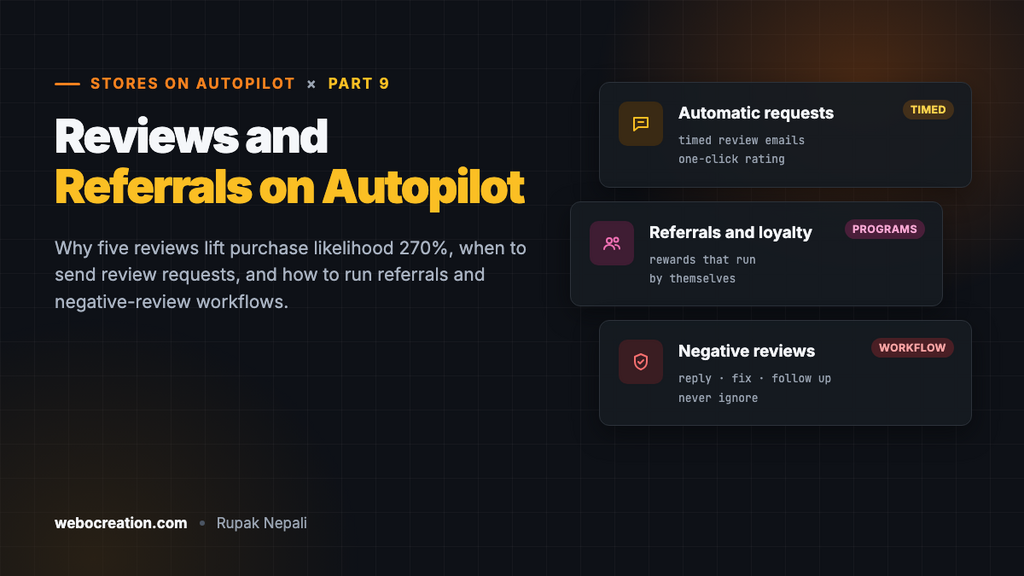
Why five reviews lift purchase likelihood 270%, when to send review requests, and how to run referrals and negative-review workflows.
 Rupak NepaliPublished Nov 22, 2026
People trust other customers more than they trust you. Reviews, photos and referrals do selling work that no product description can. The trouble is that happy customers rarely leave reviews on their own. Automation asks them at the right moment, every time.
The manual way
The owner remembers to ask for reviews now and then, usually after a big sale, by sending a generic email. A few customers respond. Most products have zero reviews. When a negative review arrives, the owner sees it days later and replies in frustration.
Why reviews matter so much
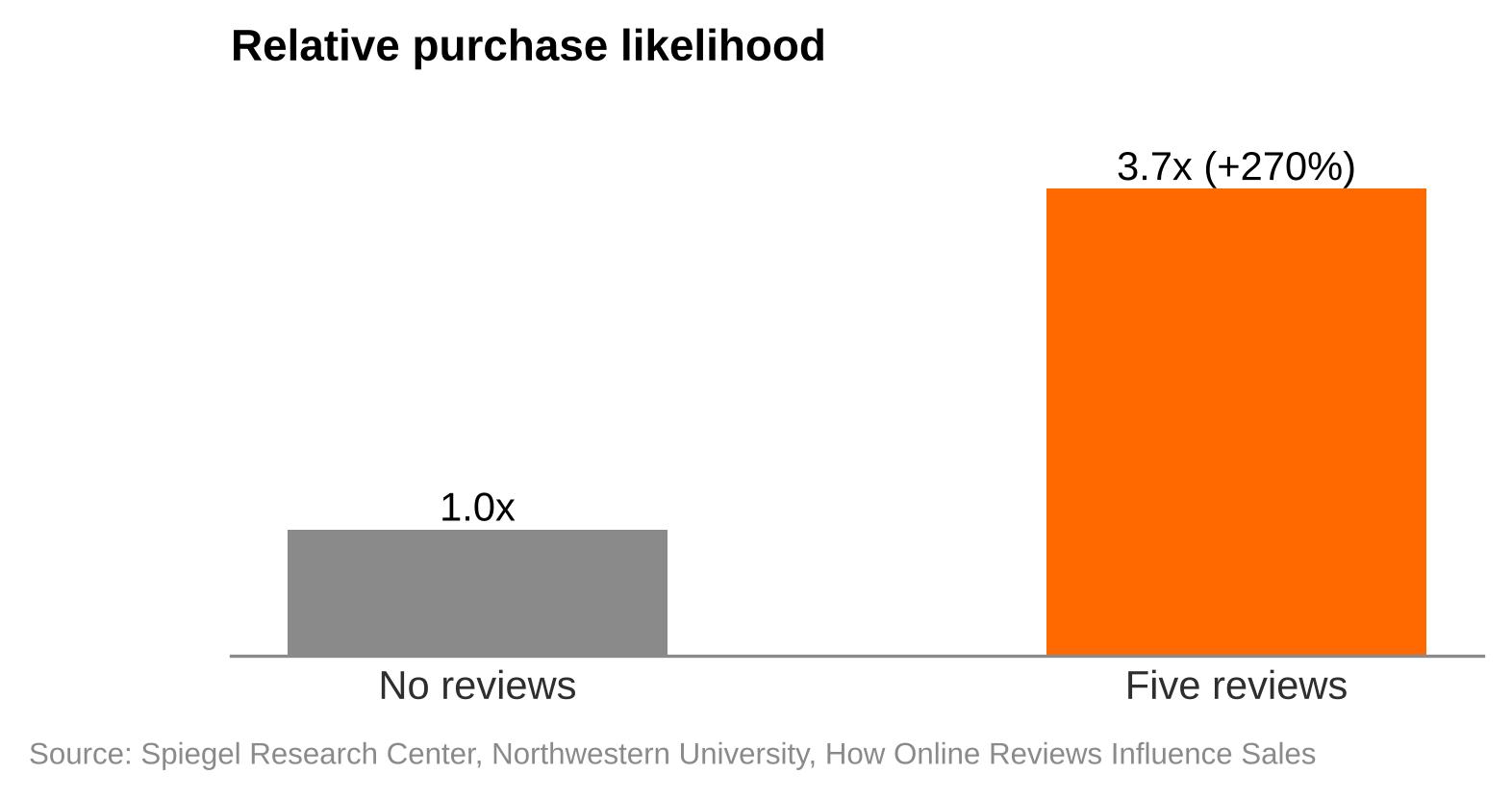
Northwestern University’s Spiegel Research Center, working with PowerReviews, analyzed millions of customer interactions and found that the purchase likelihood for a product with five reviews was 270% greater than for a product with no reviews. For higher-priced products, conversion increased 380%; for lower-priced products, 190% (Spiegel Research Center, 2017).
Three more findings from the same research shape how you should collect and show reviews:
- The first five reviews matter most. Nearly all of the increase in purchase likelihood came within the first ten reviews, and the first five drove most of it. That makes “get every product to five reviews” a clear, automatable goal.
- Perfect is suspicious. Purchase likelihood peaked for ratings between about 4.0 and 4.7 stars, then decreased as ratings approached 5.0. A few honest negative reviews make the positive ones believable.
- Verified buyers matter. Reviews from verified buyers averaged 4.34 stars, compared with 3.89 for anonymous reviewers. Ask real customers, and label their reviews as verified.
By the numbers
A product with five reviews is 270% more likely to be purchased than one with none, and the first five reviews drive most of the lift. (Spiegel Research Center, Northwestern University)
Automatic review requests
Timing. Ask after the customer has had time to use the product, not when it ships. Trigger the request from delivery confirmation (see Orders, Payments and Fulfillment) plus a delay that fits the product: 3 to 7 days for simple items, 14 to 30 days for things that take time to judge, like skincare or equipment.
Make it easy. Link directly to the review form for the exact product, pre-filled with the customer’s name and order. Better still, let them choose the star rating directly in the email.
Ask for photos. Photo reviews are more persuasive. Offer a small thank-you, such as entry into a monthly draw or loyalty points, for adding a photo. Keep it the same whether the review is positive or negative.
Follow up once. If there is no response, send one reminder five to seven days later. Then stop.
OpenCart’s built-in reviews. OpenCart includes product reviews (moderated under Catalog > Reviews). For automated requests, verified-buyer badges, photos and Google seller ratings, most stores add a review app or extension that sends the emails and syndicates reviews.
Note
In many countries, including the US under FTC rules, you must not offer rewards only for positive reviews, suppress negative reviews or post fake reviews. Ask every customer the same way and publish what they say, positive or negative.
Showing reviews everywhere they help
- Product pages: star rating near the title, full reviews below, with photo reviews first and a filter by rating.
- Category pages: star ratings on product cards.
- Search results: structured data (see Search Traffic That Compounds) for rich results on your own product pages.
- Google Shopping: product ratings appear in Shopping results when you meet Google’s program requirements, usually through a review platform that sends your reviews to Google.
- Emails: pull recent reviews into abandoned-cart and welcome emails (see Email and SMS Flows That Sell While You Sleep).
- Home page: a rotating strip of your best recent reviews with names and photos.
User-generated content and social posting
Customer photos and stories are content you did not have to create.
- Collect photos through review requests and by inviting customers to tag your store on social media.
- Ask permission before reusing a customer’s photo or post. Many review tools include a rights request.
- Schedule a regular “customer of the week” post using a social scheduler (Buffer, Later, Meta Business Suite) so social media keeps moving without daily effort.
- Reuse customer photos on product pages and in emails.
Referral and loyalty programs that run themselves
Referral program. Give customers a personal link or code. When a friend makes a first purchase with it, both get a reward. The software tracks referrals, issues codes and sends emails automatically. Good triggers for sharing: the post-purchase email and the moment after someone leaves a 4- or 5-star review.
Loyalty program. Points for purchases, reviews, birthdays and referrals, redeemable for discounts. Keep it simple; a complicated program nobody understands does not change behavior. OpenCart includes reward points per product and per customer group; loyalty apps add tiers, automated emails and dashboards.
Measure it. Track the share of orders from referrals, the repeat purchase rate of loyalty members compared with non-members, and the cost of rewards as a share of revenue.
Handling negative reviews with a workflow
Negative reviews are inevitable and useful. Handle them with a process, not emotion.
- Alert instantly on any review of 3 stars or lower (by email or chat message).
- Respond within one business day, publicly and politely. Thank them, acknowledge the problem, explain what you will do and move the details to a private channel.
- Fix the individual problem where you can: replacement, refund or help using the product.
- Tag the reason (product quality, shipping damage, wrong size, expectations not met).
- Review the tags monthly. If “smaller than expected” appears often, fix the size chart and photos. The review just improved your product page.
AI can help draft responses using your tone and policies, but a person should read and send each public reply to a negative review.
Build it: a review request that goes out after delivery is confirmed
- Choose a review tool with OpenCart support, or use your email tool plus OpenCart’s built-in reviews.
- Set the trigger: order status Complete (set automatically by delivery confirmation in our guide Orders, Payments and Fulfillment).
- Set a delay that fits your product type.
- Write the request email: short, personal, the product image and name, a star-rating row or a single “Write a review” button.
- Add a photo incentive that applies equally to all ratings.
- Add one reminder after seven days if there is no review. Exit the flow when a review is submitted.
- Set an alert for reviews of 3 stars or lower.
- After 30 days, check: what percentage of requests produced a review? Which products still have fewer than five?
- For products under five reviews, send a targeted request to all past buyers.
Other platforms
Shopify has its own Product Reviews app plus Judge.me, Yotpo, Okendo and others that trigger on fulfillment. WooCommerce includes reviews with a “verified owner” label and supports the same review tools. PrestaShop has a product comments module and third-party review integrations. The timing, fairness rules and five-review goal apply everywhere.
Tools
| Need | Free option | Paid option |
|---|---|---|
| Review requests | Email tool flow + OpenCart reviews | Judge.me, Trustpilot, Yotpo, Reviews.io |
| Google seller and product ratings | Google Customer Reviews (with requirements) | Review platforms that syndicate to Google |
| Social scheduling | Meta Business Suite, Buffer free tier | Buffer, Later |
| Referrals and loyalty | OpenCart reward points, coupon codes | ReferralCandy, Smile.io, Yotpo Loyalty |
Guardrails
- Ask everyone the same way and never filter out negative reviews.
- No fake or incentivized-positive reviews, ever.
- Alert and respond to low ratings within one business day.
- Track the five-review goal per product monthly.
- Get permission before reusing customer photos.
Autopilot checklist
- ☐ Review requests send automatically after delivery, timed for my products.
- ☐ Requests link straight to the product’s review form with photo upload.
- ☐ One reminder only, with exit on submission.
- ☐ Verified-buyer labels and photo reviews show on product pages.
- ☐ Ratings appear on category pages, in structured data and in emails.
- ☐ Low ratings alert me, and I reply within one business day.
- ☐ A referral or loyalty program runs automatically.
- ☐ Products with fewer than five reviews get a targeted request.
This article is part of the book Stores That Sell on Autopilot by Rupak Nepali.
Get every chapter, the printable checklists and the worksheets in one place. See the automations running live at demo.webocreation.com. Want it done for you? Ask about the Stores That Sell on Autopilot service.
← Previous: Email and SMS Flows That Sell While You Sleep | Next: Ads and Retargeting with Guardrails →
The Stores That Sell on Autopilot series
- Start here: Series overview
- Part 1: What "Autopilot" Really Means
- Part 2: The Autopilot Stack
- Part 3: Building an Automation-Ready Store
- Part 4: Catalog on Autopilot
- Part 5: Orders, Payments and Fulfillment
- Part 6: Inventory and Suppliers
- Part 7: Search Traffic That Compounds
- Part 8: Email and SMS Flows That Sell While You Sleep
- Part 9: Reviews, Social Proof and Referrals (you are here)
- Part 10: Ads and Retargeting with Guardrails
- Part 11: Customer Service Without the Inbox
- Part 12: AI Agents and Agentic Commerce
- Part 13: The 30-Minute Weekly Owner Routine
- Part 14: Case Study: Automating the Demo Store
- Resource: The Complete Ecommerce Automation Checklist
- Resource: Ecommerce Automation Tools Directory: Free and Paid Options
- Resource: Copy-Ready Email Templates for Ecommerce Flows
- Resource: OpenCart Automation Quick Reference: Menus, Events and Cron
Sources
- Spiegel Research Center, Northwestern University: How Online Reviews Influence Sales (2017). spiegel.medill.northwestern.edu

Rupak Nepali is a web developer, manage Webocreation website and the author of six books:
Getting Started with OpenCart Module Development (Packt, 2013),
OpenCart Theme and Module Development (Packt, 2015),
OpenCart 4: Dev Guide for Themes & Extensions (2024),
OpenCart 4: User Manual (2025),
Cloudflare for the Enterprise Website (2026) and
The Technical Web Guide for Marketers (2026).
Rupak has built OpenCart stores and extensions since 2010, has published more than 600 tutorials on Webocreation, and shares free OpenCart extensions on GitHub.
Find Rupak on
GitHub | Amazon | LinkedIn | X | YouTube.