RFM Segmentation for Online Stores: Find Your Champions and At-Risk Customers With One SQL Query
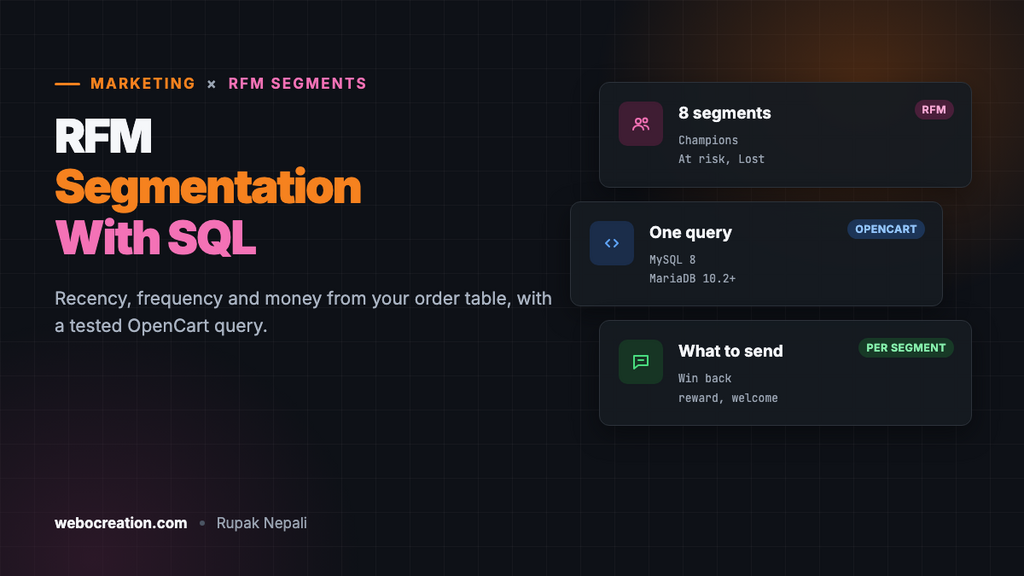
Sort customers by recency, frequency and money spent with one SQL query for OpenCart, see what the segments look like on 2,000 customers, and what to email each segment.
 Rupak NepaliPublished Nov 26, 2026
Most stores send the same newsletter to everyone: the customer who ordered last week, the one who has ordered 12 times, and the one who bought once two years ago. They don’t need the same message. The regular wants to hear about new products, the lapsed customer needs a reason to come back, and the two-year-old one-time buyer may not want to hear from you at all.
RFM segmentation sorts customers by three numbers your store already has: how recently they ordered, how frequently, and how much money they spent. This guide explains the method, gives a tested SQL query that builds RFM segments from an OpenCart 4 database, shows what the segments looked like on a sample of 2,000 customers, and suggests what to send each segment.
What RFM segmentation measures
| Letter | Measures | Why it matters |
|---|---|---|
| R, recency | Days since the last order | The best predictor of the next order: recent customers buy again |
| F, frequency | Number of orders | Separates habits from one-off purchases |
| M, monetary | Total spent | Tells you who is worth more effort |
Each customer gets a score from 1 to 5 for each letter, and combinations of scores become named segments such as Champions or At risk. You don’t need a customer data platform for this; the order table has everything.
Scores: fixed thresholds beat ranking for small stores
Many RFM guides rank customers into five equal groups (quintiles). That works for money, where few customers spend exactly the same amount. It breaks for frequency in most stores, because most customers have ordered exactly once. When we ranked our sample’s order counts into five groups with SQL’s NTILE(5), the 1,223 one-order customers were split across frequency scores 1, 2, 3 and 4 (383, 383, 382 and 75 customers) only to fill the groups, and 307 two-order customers landed in group 4. Customers with identical behavior got different scores.
So the query uses fixed thresholds for recency and frequency, which mean the same thing every time you run it, and quintiles only for money:
| Score | Recency (days since last order) | Frequency (orders) |
|---|---|---|
| 5 | 0 to 30 | 10 or more |
| 4 | 31 to 90 | 5 to 9 |
| 3 | 91 to 180 | 3 or 4 |
| 2 | 181 to 365 | 2 |
| 1 | Over 365 | 1 |
Change the thresholds to your buying cycle. A coffee subscription store might use 0 to 14 days for R5; a furniture store might use a year.
The segments
| Segment | Rule | Who they are |
|---|---|---|
| Champions | R 4-5 and F 4-5 | Recent and frequent: your best customers |
| Loyal | R 3-5 and F 3-5 | Regulars who bought in the last six months |
| New | R 5 and F 1 | First order in the last 30 days |
| Promising | R 4-5 and F 1-2 | Recent, but only one or two orders |
| At risk | R 1-2 and F 3-5 | Used to buy often, nothing for six months or more |
| Needs attention | R 3 and F 1-2 | Bought three to six months ago, once or twice |
| About to sleep | R 2 and F 1-2 | Six to twelve months, once or twice |
| Lost | R 1 and F 1-2 | Over a year ago, once or twice |
The SQL query for OpenCart
Run this in phpMyAdmin, Adminer or the MySQL command line on your OpenCart database (MySQL 8 or MariaDB 10.2 or newer). It only reads data. First check which statuses your store counts as complete, and put their IDs in @statuses:
-- RFM segments for OpenCart 4 (MySQL 8 / MariaDB 10.2 or newer).
-- Counts orders in the statuses listed in @statuses. Use your Complete statuses:
--   SELECT `value` FROM oc_setting WHERE `key` = 'config_complete_status';
-- Change the oc_ prefix if your store uses another one.
SET @statuses = '5,3';

WITH customer AS (
  SELECT LOWER(`email`) AS email,
         MAX(`date_added`) AS last_order,
         COUNT(*) AS orders,
         ROUND(SUM(`total`), 2) AS spent
  FROM oc_order
  WHERE FIND_IN_SET(`order_status_id`, @statuses)
    AND `email` <> ''
  GROUP BY LOWER(`email`)
),
scored AS (
  SELECT email, last_order, orders, spent,
         DATEDIFF(CURDATE(), last_order) AS days_since,
         CASE WHEN DATEDIFF(CURDATE(), last_order) <= 30 THEN 5
              WHEN DATEDIFF(CURDATE(), last_order) <= 90 THEN 4
              WHEN DATEDIFF(CURDATE(), last_order) <= 180 THEN 3
              WHEN DATEDIFF(CURDATE(), last_order) <= 365 THEN 2
              ELSE 1 END AS r,
         CASE WHEN orders >= 10 THEN 5
              WHEN orders >= 5 THEN 4
              WHEN orders >= 3 THEN 3
              WHEN orders = 2 THEN 2
              ELSE 1 END AS f,
         NTILE(5) OVER (ORDER BY spent) AS m
  FROM customer
)
SELECT email, last_order, days_since, orders, spent, r, f, m,
       CASE WHEN r >= 4 AND f >= 4 THEN 'Champions'
            WHEN r >= 3 AND f >= 3 THEN 'Loyal'
            WHEN r = 5 AND f = 1 THEN 'New'
            WHEN r >= 4 AND f <= 2 THEN 'Promising'
            WHEN r <= 2 AND f >= 3 THEN 'At risk'
            WHEN r = 3 THEN 'Needs attention'
            WHEN r = 2 THEN 'About to sleep'
            ELSE 'Lost' END AS segment
FROM scored
ORDER BY r DESC, f DESC, spent DESC;
A few choices in the query:
- Customers are grouped by email, not customer ID, so guest orders and account orders from the same person count together.
- Only complete orders count. Canceled, refunded and abandoned orders (status 0) are left out.
- Totals are in your default currency, which is how OpenCart stores
oc_order.total.
For a summary of how many customers and how much revenue sit in each segment, wrap the same query and group it. The file starts and ends like this:
-- Segment summary: how many customers and how much revenue in each segment.
SELECT segment, COUNT(*) AS customers, ROUND(SUM(spent), 2) AS spent, ROUND(AVG(orders), 1) AS avg_orders
FROM (
FROM scored
) AS rfm
GROUP BY segment
ORDER BY spent DESC;What the segments looked like on 2,000 customers
Our demo store doesn’t have enough orders to make segments interesting, so we tested the query on a copy of OpenCart 4.1.0.4’s oc_order table in a separate MariaDB 11.8 database, filled with 3,732 generated orders from 2,000 customers over two years (most bought once, a few bought 10 or more times, 7% of orders canceled). The numbers are from that sample, not a real store, but the shape is typical: lots of one-time buyers, a small group of regulars.
| Segment | Customers | Revenue | Share of revenue | Avg. orders |
|---|---|---|---|---|
| Lost | 752 | $57,224.35 | 25.5% | 1.2 |
| At risk | 146 | $40,308.85 | 18.0% | 4.2 |
| Loyal | 117 | $31,047.59 | 13.8% | 4.0 |
| About to sleep | 356 | $28,570.86 | 12.7% | 1.2 |
| Champions | 65 | $28,458.12 | 12.7% | 6.6 |
| Needs attention | 221 | $17,688.08 | 7.9% | 1.2 |
| Promising | 183 | $15,774.27 | 7.0% | 1.4 |
| New | 72 | $5,224.59 | 2.3% | 1.0 |
1,912 customers had at least one complete order; the other 88 had only canceled ones. Two things stand out. Champions are 3% of customers but 12.7% of revenue. And the At risk segment, 146 people who ordered 4.2 times on average and then stopped, held 18% of all revenue: that’s the group to call first.
On the real demo store the same query returned two customers, one Loyal (four orders) and one New, which is a useful check that it runs on a live OpenCart 4.1.0.4 schema.
Our first version of the rules had a gap: a customer who ordered once, 31 to 90 days ago, matched no rule and fell into Lost. We caught it by checking that every Lost customer had a recency score of 1. Run the same check after changing the rules.
What to send each segment
- Champions: early access, new products, a thank-you. No discounts needed; ask them for reviews.
- Loyal: cross-sell what they haven’t bought yet, and a referral offer.
- New: a welcome series: how to use the product, what other customers buy next, your returns policy.
- Promising: the second order is the hardest; a reminder or small incentive timed to their buying cycle.
- At risk: a personal “we miss you” email, a reason to come back, and ask what went wrong. Worth a phone call for big spenders.
- Needs attention and About to sleep: your best sellers and what’s new since they last bought.
- Lost: one or two win-back emails, then stop. Sending to people who don’t open hurts your sender reputation for everyone else.
Getting the segments into your email platform
- Run the query and export the result as CSV (phpMyAdmin and Adminer both have an Export button for query results).
- Import it into Klaviyo, Mailchimp or Brevo, matching on email, and map
segmentto a contact property or tag. - Only email customers who agreed to marketing. RFM tells you what to say, not whether you may say it.
- Re-run monthly. Segments move: that’s the point.
Tag the links in each segment’s emails with UTM parameters, as described in our UTM naming convention, so you can see which segment’s campaigns bring orders.
Related posts
- Email marketing, automation and lifecycle
- OpenCart and Klaviyo integration
- Buy it again for OpenCart 4
- Abandoned cart recovery in OpenCart 4

Rupak Nepali is a web developer, manage Webocreation website and the author of six books:
Getting Started with OpenCart Module Development (Packt, 2013),
OpenCart Theme and Module Development (Packt, 2015),
OpenCart 4: Dev Guide for Themes & Extensions (2024),
OpenCart 4: User Manual (2025),
Cloudflare for the Enterprise Website (2026) and
The Technical Web Guide for Marketers (2026).
Rupak has built OpenCart stores and extensions since 2010, has published more than 600 tutorials on Webocreation, and shares free OpenCart extensions on GitHub.
Find Rupak on
GitHub | Amazon | LinkedIn | X | YouTube.