Cost of Goods Sold in WooCommerce Core: Product Costs, Order Margins and Refunds (Tested on 11.3.1)
We tested the cost of goods sold feature in WooCommerce core: costs on products and variations, cost saved with each order, refunds, the REST API and CSV, plus the gaps to know.
 Rupak NepaliPublished Nov 24, 2026
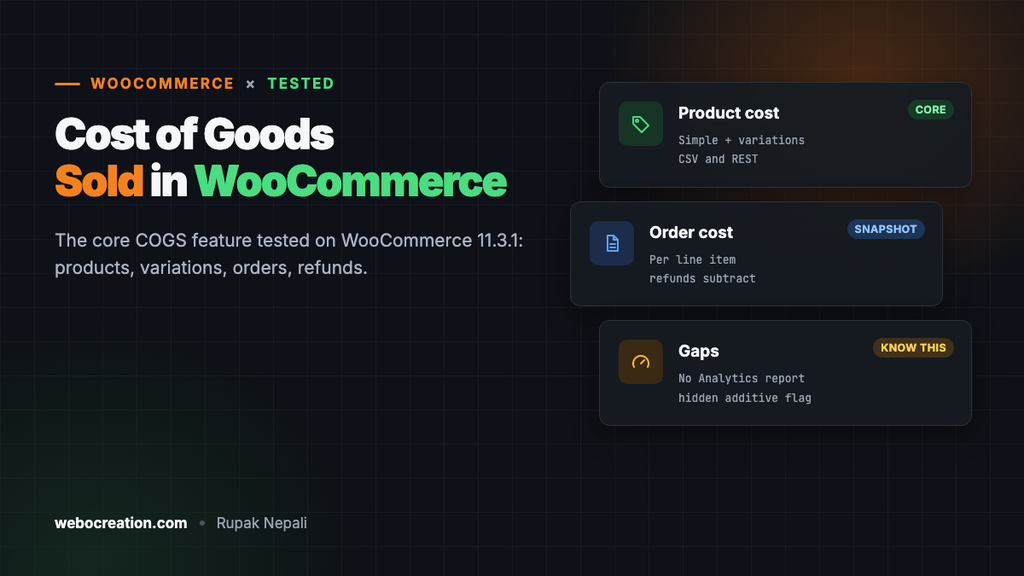
Revenue tells you how much came in. It doesn’t tell you whether a sale made money. For that, you need what each product cost you, and for years WooCommerce stores kept that in a spreadsheet or a paid plugin. Since WooCommerce 10.3 (October 2025) cost of goods sold is part of WooCommerce core: a cost field on every product and variation, and the cost saved with every order.
We tested the feature on WooCommerce 11.3.1 with WordPress 7.1.4 in a throwaway Docker site: simple products, variations, an order, a partial refund, the REST API, and the CSV export. Here’s how it works, the numbers we got, and two things it doesn’t do that you should know before relying on it.
Turn on cost of goods sold
The feature ships switched off. To turn it on:
- Go to WooCommerce > Settings > Advanced > Features.
- Tick Cost of Goods Sold (“Allows entering cost of goods sold information for products”).
- Click Save changes.
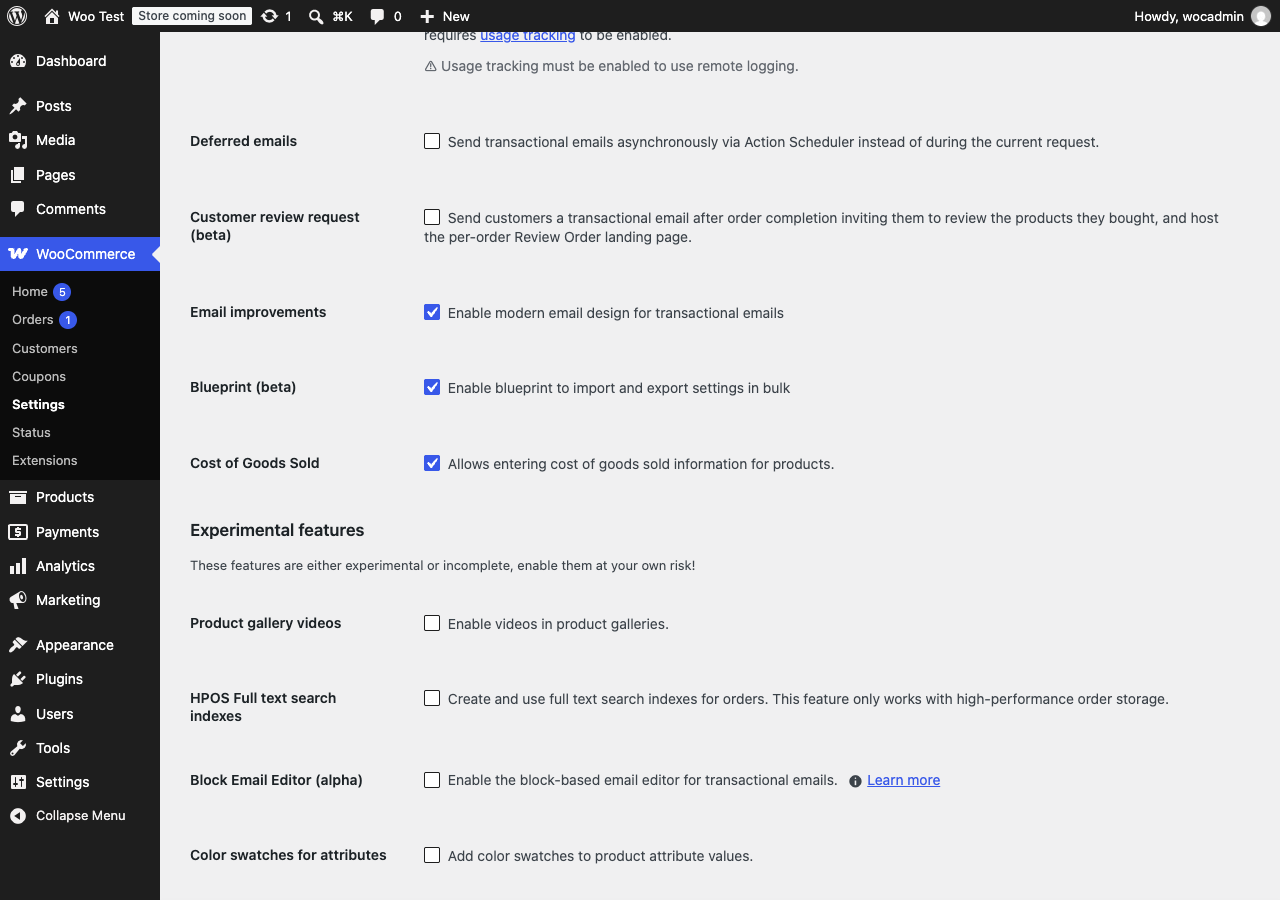
From the command line, the same switch is one option: wp option update woocommerce_feature_cost_of_goods_sold_enabled yes.
Enter product costs
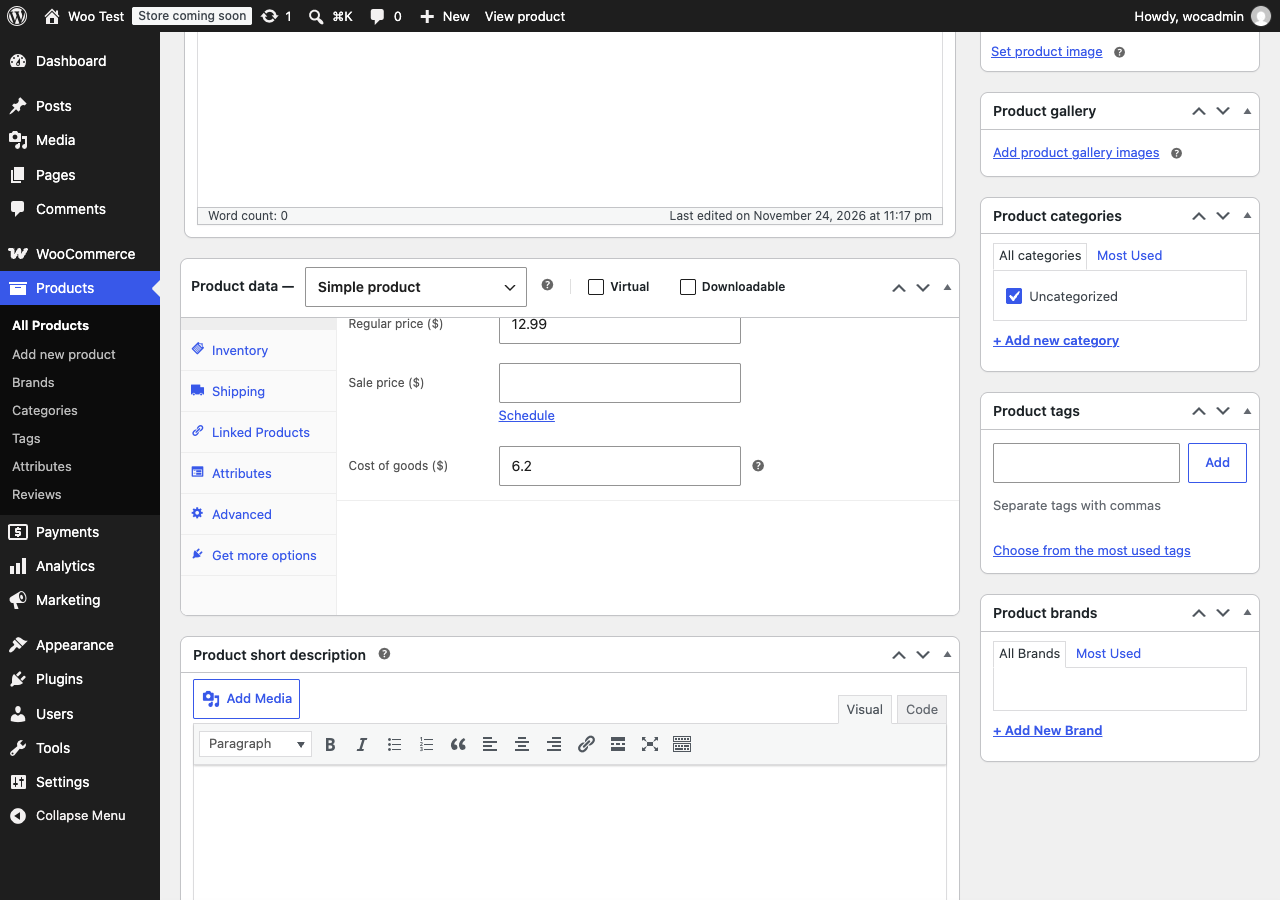
A Cost of goods field appears on the General tab of the product data box, under the prices. Enter what one unit costs you: purchase price, plus packaging or inbound shipping if you count those.
Variations
For variable products, the cost on the General tab of the parent is the default for all variations. Each variation has its own Cost field; leave it blank to use the parent’s cost, or fill it in to override it.
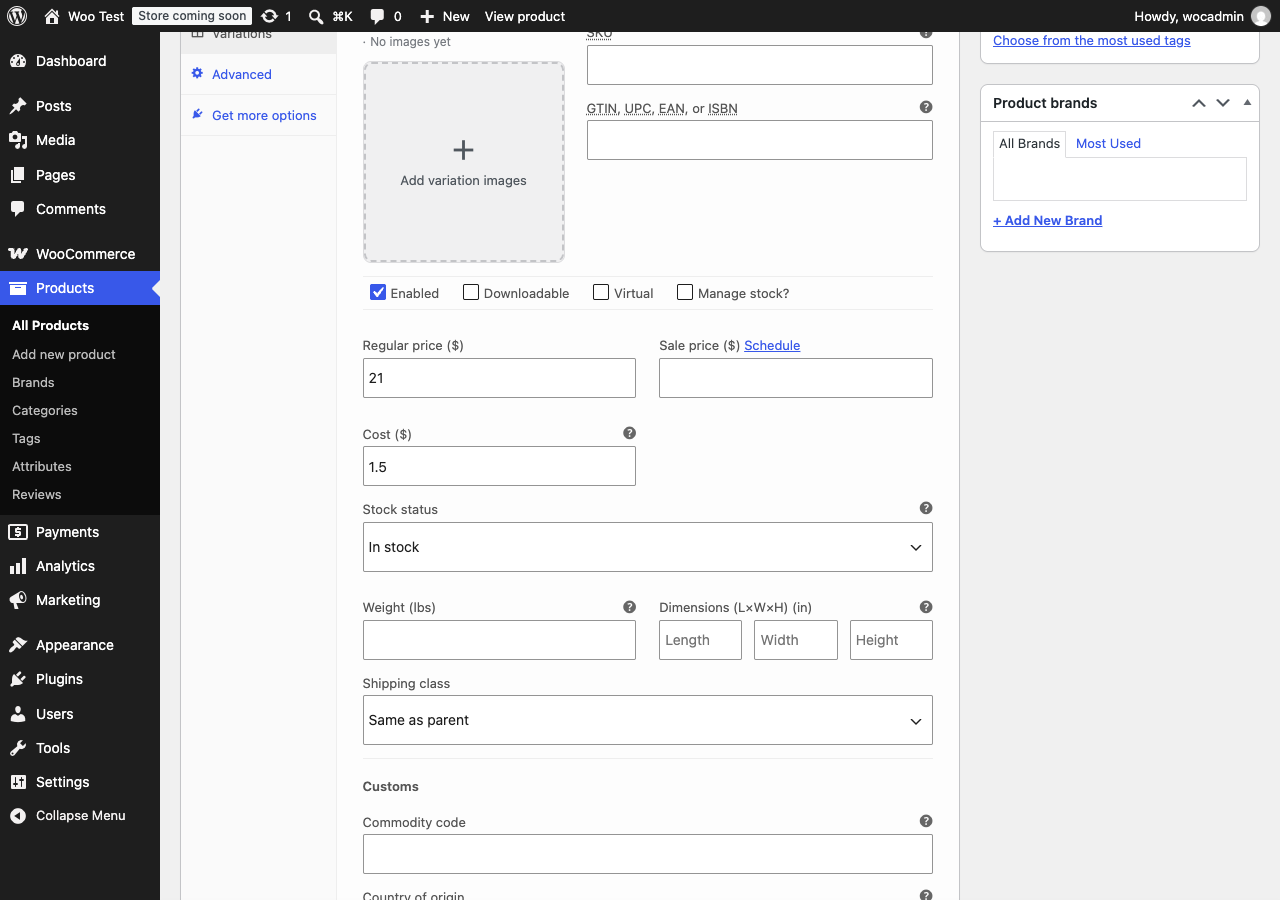
We set the parent “Logo T-shirt” to 4.00, left size M blank and gave size XL its own value. An order for size M recorded a cost of 4.00, the parent’s value. The REST API showed the same thing: "defined_value": null and "total_value": 4.
What happens on an order
When an order is created, WooCommerce copies the cost of each line into the order. Later cost changes on the product don’t rewrite old orders, which is what you want for accounting.
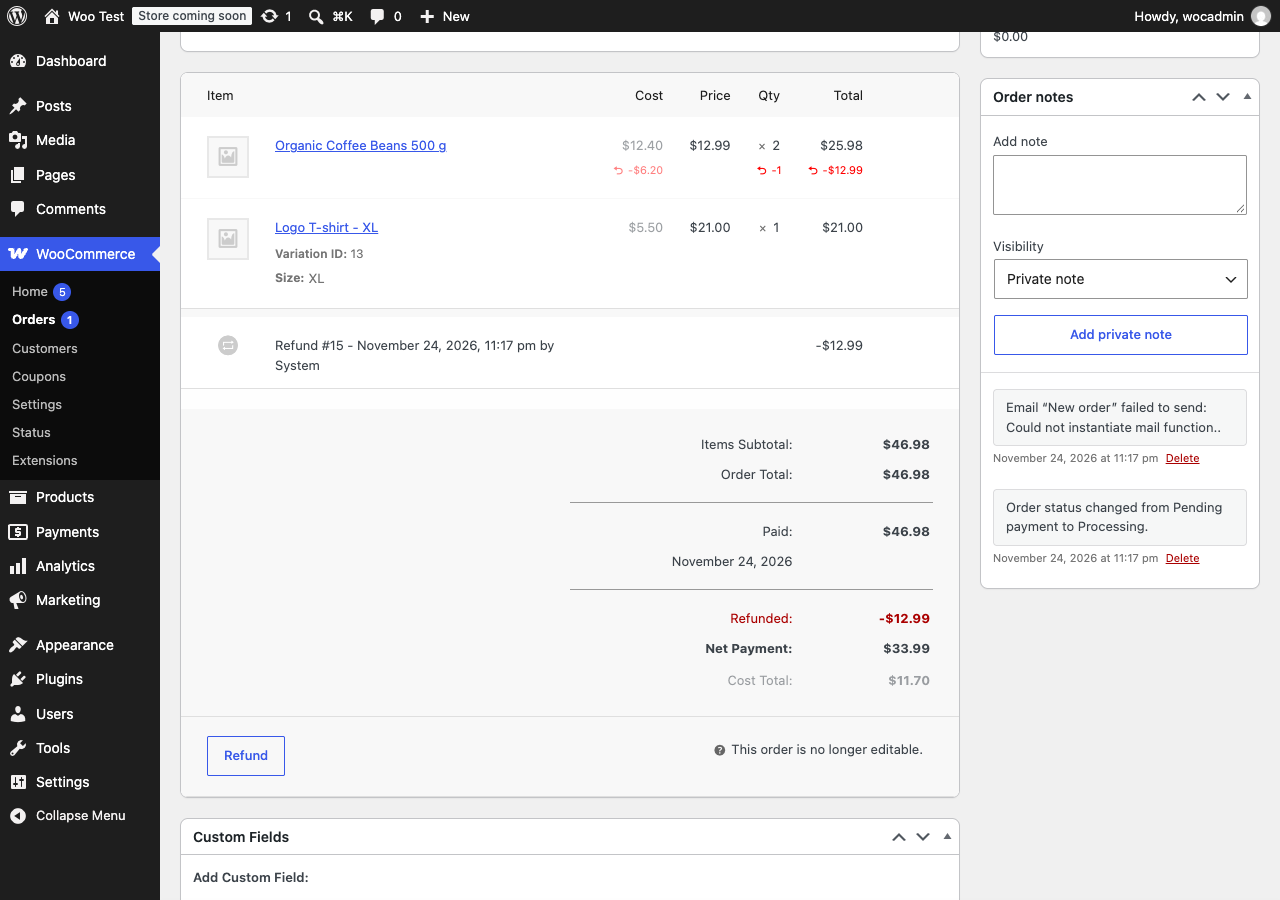
Our test order had 2 × coffee (cost 6.20 each) and 1 × XL T-shirt. The order screen shows a new Cost column and a Cost Total line:
| Step | Order total | Cost total |
|---|---|---|
| Order: 2 × coffee (6.20) + 1 × XL shirt | $46.98 | $17.90 |
| Refund 1 coffee ($12.99) | $33.99 net | $11.70 |
The refund recorded its own cost of −6.20, so the order’s cost total dropped from 17.90 to 11.70. Margin on what you kept: $33.99 − $11.70 = $22.29.
The hidden “additive” setting on variations
The XL line cost 5.50, not the 1.50 shown in the variation’s field. Here’s why: in code and the REST API, a variation’s cost can be additive, meaning it’s added to the parent’s cost instead of replacing it. We created that variation through the PHP API with set_cogs_value_is_additive( true ), so 4.00 + 1.50 = 5.50.
The admin variation form doesn’t show that flag, and saving the form doesn’t change it. So a variation created as additive by an import or an integration shows “1.5” in the admin while orders record 5.50. If your variation costs look too high in orders, check the REST API: GET /wp-json/wc/v3/products/{id}/variations/{variation_id} returns "defined_value_is_additive": true for these.
The REST API and CSV
Products and orders get a cost_of_goods_sold object in the REST API. For the coffee:
"cost_of_goods_sold": {"values":[{"defined_value":6.2,"effective_value":6.2}],"total_value":6.2}And for the order after the refund, with the first line item:
"cost_of_goods_sold": {"total_value":11.7}
"line_items"[0]."cost_of_goods_sold": {"value":12.4}
The product CSV exporter (Products > Export) has a Cost of goods column, so you can fill in costs for many products in a spreadsheet and import them back.
What it doesn’t do (yet)
- No profit reports in Analytics. The cost is stored with each order, but WooCommerce Analytics shows no cost or margin. We found no COGS fields in the Analytics report code of 11.3.1. For margin reports you still need a reporting extension, or export orders through the REST API and calculate there.
- One cost per unit. There’s no history of cost changes, no FIFO or average cost, and no per-supplier cost.
- Old orders stay empty. Orders placed before you entered costs have no cost data. Enter costs before you need the numbers.
- Simple products and variations. Other product types depend on the extension that provides them.
Is it worth turning on?
Yes, if you don’t track cost anywhere else. It costs nothing, the data is saved per order from the day you switch it on, and refunds are handled correctly. Even before Analytics reports margin, having the cost in every order means any report you build later has the data. If you already use a paid COGS plugin, check whether it reads core’s values before you have two sources of truth.
Related posts
- Speed up WooCommerce in 2026
- AI in WooCommerce 2026: MCP abilities, tested
- Add custom fields to the WooCommerce block checkout
- WooCommerce Brands in core, tested

Rupak Nepali is a web developer, manage Webocreation website and the author of six books:
Getting Started with OpenCart Module Development (Packt, 2013),
OpenCart Theme and Module Development (Packt, 2015),
OpenCart 4: Dev Guide for Themes & Extensions (2024),
OpenCart 4: User Manual (2025),
Cloudflare for the Enterprise Website (2026) and
The Technical Web Guide for Marketers (2026).
Rupak has built OpenCart stores and extensions since 2010, has published more than 600 tutorials on Webocreation, and shares free OpenCart extensions on GitHub.
Find Rupak on
GitHub | Amazon | LinkedIn | X | YouTube.