AI in WooCommerce 2026: Woo AI Is Gone, MCP Abilities Are In (Tested on WooCommerce 11.3.1)
Woo AI is deprecated. WooCommerce 11.3 exposes product and order abilities to AI assistants over MCP. We tested them, including a delete with no confirmation, and list what to lock down.
 Rupak NepaliPublished Nov 24, 2026
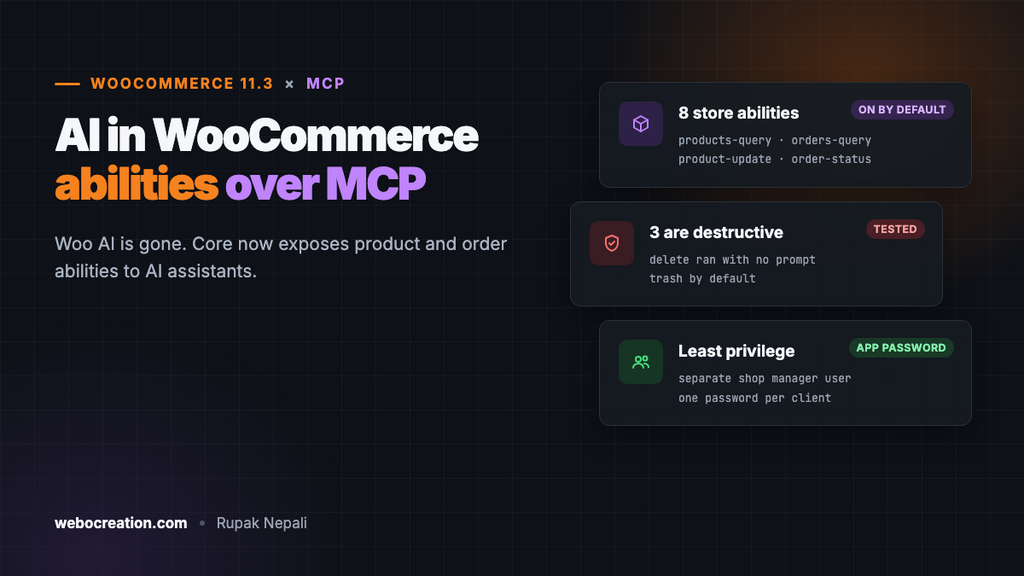
“AI for WooCommerce” used to mean a button that wrote product descriptions. That button is gone. What WooCommerce ships in core now is different: a set of store abilities (query products, create and update products, query orders, change order status) that AI assistants such as Claude or ChatGPT can call through the Model Context Protocol (MCP). It’s more useful and a lot more powerful, and some of those abilities are destructive.
We installed WooCommerce 11.3.1 on a fresh WordPress 7.1.5 site, connected to its MCP endpoint and called the abilities as a shop manager and as a customer account. This is what is there, how to switch it on, and what to lock down first.
What happened to Woo AI
WooCommerce has deprecated the Woo AI plugin. Its deprecation notice lists the features that are removed: Generate product name, Write with AI (product description and short description), Suggest categories with AI, and Background image removal. Stores on the WordPress.com eCommerce plan don’t need to do anything; self-hosted stores should remove the plugin.
If you still want AI-written product copy, it now comes from third-party plugins or from an AI assistant that edits products through MCP, which is what the rest of this post is about. Whatever writes your descriptions, Google’s view is the same: AI content is fine if it helps shoppers, and scaled pages that don’t are spam.
WooCommerce AI in 2026: abilities and MCP
WooCommerce registers its abilities through the WordPress Abilities API, which is part of WordPress core. The timeline from the WooCommerce developer blog:
- 10.3: WooCommerce MCP announced as a beta.
- 10.9 (June 2026): a first set of canonical product and order abilities.
- 11.3 (November 2026): core product and order abilities are on by default. The old MCP feature flag under WooCommerce > Settings > Advanced > Features is gone, and the old
/wp-json/woocommerce/mcpendpoint now returns HTTP 410.
The WooCommerce MCP documentation still labels the MCP implementation a developer preview, so expect changes between releases.
These are the abilities our 11.3.1 site registered, with the annotations WooCommerce gives each one:
| Ability | What it does | Read-only | Destructive |
|---|---|---|---|
woocommerce/products-query | Find products by ID, search, SKU, status, type | Yes | No |
woocommerce/product-create | Create a product | No | No |
woocommerce/product-update | Change a product (price, stock, text) | No | Yes |
woocommerce/product-delete | Trash, delete or restore a product | No | Yes |
woocommerce/orders-query | Find orders | Yes | No |
woocommerce/order-update-status | Change an order’s status | No | Yes |
woocommerce/order-add-note | Add a note to an order | No | No |
woocommerce/order-notes-query | Read order notes | Yes | No |
WordPress itself added three more: core/get-site-info, core/get-user-info and core/get-environment-info.
Connect an AI assistant to WooCommerce, step by step
- Update to WooCommerce 11.3 or later. There is no WooCommerce setting to switch on.
- Install the MCP Adapter plugin, which turns abilities into an MCP server:
wp plugin install mcp-adapter --activate(we got version 0.7.2). - Create a dedicated user for the assistant with the Shop manager role, not your administrator account.
- Create an Application Password for that user in Users > Profile > Application Passwords. WooCommerce’s docs say remote connections use a WordPress username and Application Password, not your account password and not a WooCommerce REST API key.
- Point your MCP client at
https://yourstore.com/wp-json/mcp/mcp-adapter-default-serverwith that username and Application Password. For a local site you can also run the server over WP-CLI:wp mcp-adapter serve --server=mcp-adapter-default-server --user=youruser.
One thing that tripped us up: WordPress only accepts Application Passwords over HTTPS. On our plain-HTTP test site every request returned 401 until we set WP_ENVIRONMENT_TYPE to local. On a live store, use HTTPS and leave that setting alone.
What an AI assistant actually sees
The MCP server doesn’t list one tool per ability. It offers three adapter tools, and the assistant uses them to discover abilities and run them:
mcp-adapter-discover-abilities
mcp-adapter-get-ability-info
mcp-adapter-execute-ability
A product search as the shop manager, through mcp-adapter-execute-ability with {"ability_name": "woocommerce/products-query", "parameters": {"search": "jacket"}}, returned (shortened):
{"success":true,"data":{"products":[{"id":11,"name":"Waterproof Hiking Jacket",
"type":"simple","status":"publish","price":"149.00","stock_status":"instock",
"stock_quantity":12,"manage_stock":true, ...}],"total_pages":1,"page":1,"per_page":10}}
What we tested on permissions
- A customer-level account (Subscriber role) with its own Application Password could connect, but both
product-deleteand the read-onlyproducts-queryreturnedPermission denied. Each ability checks the user’s WordPress capabilities. - The shop manager called
product-deleteon product 12 and got{"success":true,"data":{"deleted":true,"id":12}}straight away. Nothing on the server asked for confirmation. The product went to the trash, becauseforcedefaults to false. With"force": trueit would have been deleted permanently.
That second result is the important one. Any confirmation step has to come from your MCP client (keep its “ask before running tools” option on), not from WooCommerce. An assistant that reads untrusted text, such as a product review or a customer message, can be steered by instructions hidden in it. We showed how that works in prompt injection through product reviews.
Lock it down before you connect anything
- Use a separate user with the least access that works. If the assistant only answers questions about orders, give it a role that can read orders and not edit products.
- One Application Password per client, named after it, so you can revoke just that one.
- Keep confirmation on for destructive tools in your MCP client: product-update, product-delete and order-update-status.
- Don’t chain it to untrusted input. An assistant that reads customer emails and can also change orders is the setup prompt injection attacks look for.
- Read Securing MCP servers for the protocol-level rules (token audience, no token passthrough, least-privilege tools).
Other official AI projects
- WooCommerce AI (beta): WooCommerce’s developer blog links to a merchant assistant at woocommerce.com/ai, described with preview, approval and undo steps. We haven’t tested it.
- Claude commerce agent reference: in September 2026 WooCommerce published a reference build of Anthropic’s commerce agents for WooCommerce. The post says it is for experimentation and not maintained in an official capacity, and that it hands shoppers to the normal WooCommerce checkout; nothing places an order or takes payment on its own.
- We found no official WooCommerce integration with the Agentic Commerce Protocol or ChatGPT checkout on WooCommerce’s own sites. For the bigger picture, see AI agents and agentic commerce for store owners.
Related
- Speed up WooCommerce in 2026, benchmarked.
- WooCommerce Additional Checkout Fields, tested.

Rupak Nepali is a web developer, manage Webocreation website and the author of six books:
Getting Started with OpenCart Module Development (Packt, 2013),
OpenCart Theme and Module Development (Packt, 2015),
OpenCart 4: Dev Guide for Themes & Extensions (2024),
OpenCart 4: User Manual (2025),
Cloudflare for the Enterprise Website (2026) and
The Technical Web Guide for Marketers (2026).
Rupak has built OpenCart stores and extensions since 2010, has published more than 600 tutorials on Webocreation, and shares free OpenCart extensions on GitHub.
Find Rupak on
GitHub | Amazon | LinkedIn | X | YouTube.