The Drupal AI Module in 2026: What the 1.5 Release Includes, Which Submodules Are Current and How to Set It Up
What the Drupal AI module 1.5 includes, which submodules are current, deprecated or moved to their own projects, and how to set it up with your own AI provider.
 Rupak NepaliPublished Nov 24, 2026
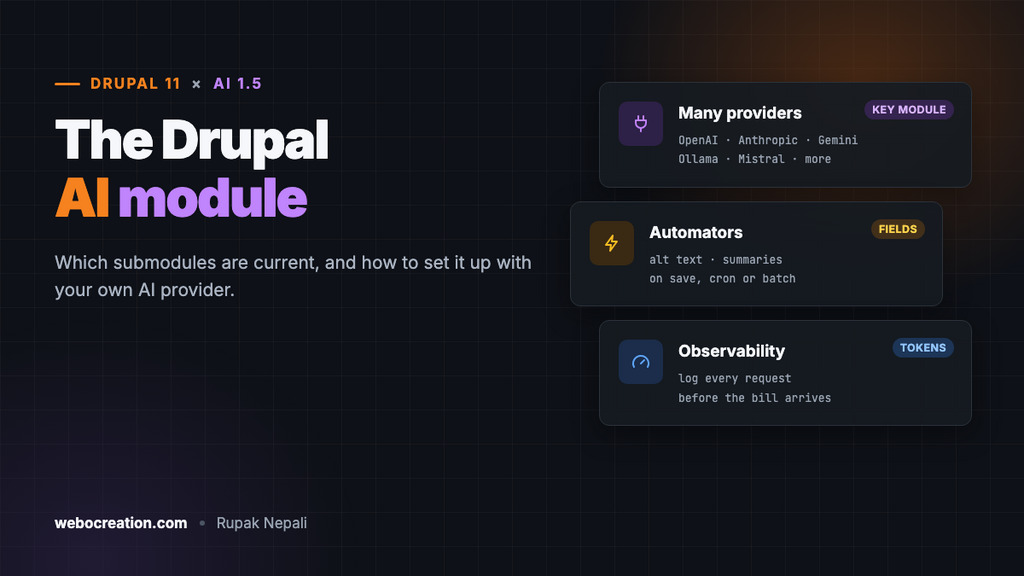
Drupal’s AI support isn’t one module that “adds ChatGPT”. It’s a framework: the AI module provides one common way to talk to AI providers, and a set of submodules uses it to fill in fields, help editors in forms, run chatbots and log what happened. Knowing which parts are current matters, because the project moves fast. Several features that early guides recommend have since been moved out into their own projects or marked for deprecation.
This guide is based on the AI module’s project page and documentation as of November 23, 2026, when the newest stable release was 1.5.3 (released November 19, 2026).
What the Drupal AI module is
The project page describes it as the core technical foundation for using language models in Drupal, with “a focus on foundational tools”. In practice that means three things:
- One API for many providers. Your site, and every AI submodule, talks to the AI module; the AI module talks to OpenAI, Anthropic, Google Gemini, Mistral, a local Ollama server or one of the other providers. Switching provider is a configuration change, not a rewrite.
- Operation types such as chat, embeddings, image generation and image-to-image, which providers implement.
- Submodules that use those operations for editors and site builders.
Versions and requirements
| Release line | Status (Nov 2026) | Composer |
|---|---|---|
| 1.5.x (1.5.3) | Current stable, covered by the security team | composer require 'drupal/ai:^1.5' |
| 1.4.x (1.4.12) | Supported until 1.6.0 is out | composer require 'drupal/ai:^1.4' |
| 1.3.x | Unsupported | Upgrade |
| 1.6.0-alpha1 | Alpha (adds a decision-making operation type) | Not for production |
The project page lists 1.5.3 as working with Drupal ^10.5 || ^11.2. The project’s own advice is that the highest minor version is preferred “since it has the most provider abstraction”. The only required dependency is the Key module, which stores your provider API keys.
The submodules, and which ones are current
| Submodule | What it does | Status |
|---|---|---|
| AI API Explorer | Send test requests to any provider and operation from the admin UI | Included |
| AI Automators | Fill a field from other fields: on save, by cron, in a batch or when an editor clicks | Included |
| Field Widget Actions | AI buttons inside entity forms (suggest a title, summary or tags) | Included (new in 1.2) |
| AI Observability | Log every AI request with tokens, errors and timings | Included |
| AI Logging | Store prompts, responses and request details | Included |
| AI Chatbot | The frontend for running AI assistants | Included |
| AI ECA | Use AI in Event-Condition-Action workflows | Included |
| AI CKEditor | AI on selected text in the editor | Marked deprecated in the 1.5 line |
| AI Assistants API | Now a wrapper around AI Agents | To be deprecated |
| AI Search, AI Content Suggestions, AI Translate, AI Validations | Vector search, editing suggestions, translation, AI validation rules | Moved to their own projects |
If a tutorial tells you to enable AI Search or AI Translate from inside the AI module, it was written for an older release: install those projects separately.
Set up the Drupal AI module
- Install the AI module and Key with Composer:
composer require 'drupal/ai:^1.5'(Key comes along as a dependency), then enable AI in Extend or withdrush en ai. If you don’t use the command line, Project Browser can install modules from the admin. - Install one provider module. Providers are separate projects, for example
drupal/ai_provider_openaiordrupal/ai_provider_anthropic. The docs say to “choose and enable an AI Provider module” and configure it according to its own instructions. - Add your API key as a key in Configuration > System > Keys, then select that key in the provider’s settings.
- Set default providers per operation type in the AI module’s general settings, so submodules know which model to use for chat, embeddings and so on.
- Test in AI API Explorer before switching on anything editors will use. You see the exact request and response and catch key or model errors early.
- Turn on AI Observability so you can see token usage per request before the bill arrives.
Three uses worth starting with
Image alt text
Release 1.2.0 added an Image Alt Text Generator automator type. Add an automator to your image field’s alt text so missing alt text is generated from the image, then let editors review it. It saves the most time on sites with large media libraries, and alt text is something editors tend to skip.
Summaries and suggested tags in the form
With Field Widget Actions, an editor clicks a button next to the summary or tags field and gets a suggestion from the body text. Nothing changes until they accept it, which keeps a person in control of published text.
Filling fields in bulk
Automators can run by cron or in a batch, for example to write meta descriptions for hundreds of existing pages. Try it on a copy of the site first: a batch job sends one request per item, and costs add up.
Things to watch
- Provider maturity differs. The OpenAI, Anthropic and amazee.ai providers have stable releases. Some others were still release candidates and not covered by security advisories when we checked. Look at the provider’s project page before you depend on it.
- Costs. Every automator run is an API call. AI Observability shows tokens per request; set spend limits in your provider’s console.
- Review before publishing. Generated text is a draft. Google is fine with AI-assisted content that helps readers, and treats mass-produced pages as spam: see Google’s AI content rules in 2026.
- Content sent to providers. Field values go to the AI provider you configure. For private or regulated content, choose a provider and region that fit your rules, or a self-hosted model through Ollama.
Related
- Drupal recipes: apply ready-made configuration, including AI recipes, with Drush.
- Drupal Canvas, the visual page builder.
- Upgrade Drupal 10 to Drupal 11 before installing current AI releases.

Rupak Nepali is a web developer, manage Webocreation website and the author of six books:
Getting Started with OpenCart Module Development (Packt, 2013),
OpenCart Theme and Module Development (Packt, 2015),
OpenCart 4: Dev Guide for Themes & Extensions (2024),
OpenCart 4: User Manual (2025),
Cloudflare for the Enterprise Website (2026) and
The Technical Web Guide for Marketers (2026).
Rupak has built OpenCart stores and extensions since 2010, has published more than 600 tutorials on Webocreation, and shares free OpenCart extensions on GitHub.
Find Rupak on
GitHub | Amazon | LinkedIn | X | YouTube.