Chapter 1: What a Web Delivery Manager Actually Does
Defines the web delivery manager role: accountable for the flow of web work from request to release across every site, with five core responsibilities.
 Rupak NepaliPublished Nov 26, 2026
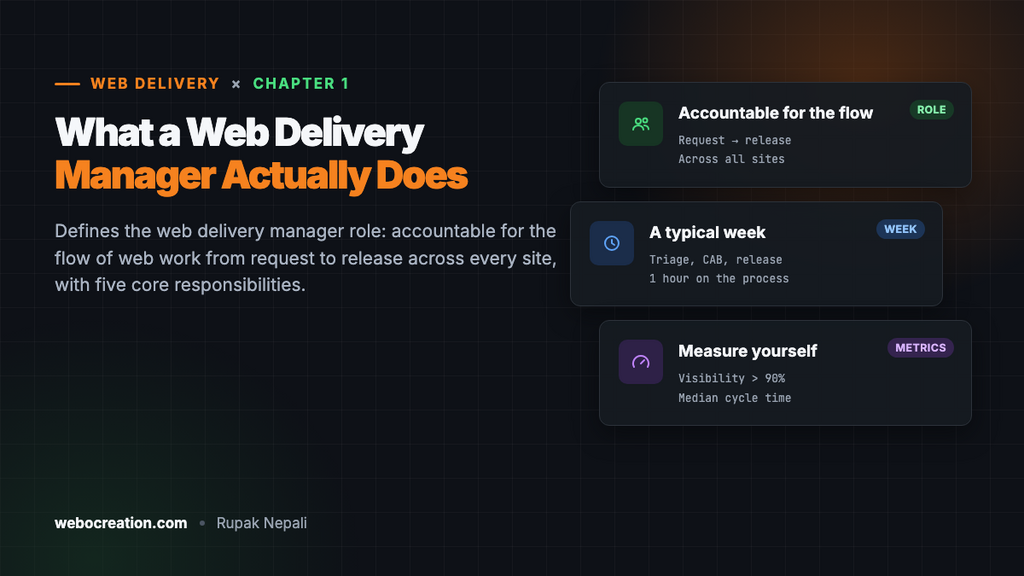
This is Chapter 1 of The Web Delivery Manager’s Playbook, a free series on running enterprise websites from request to release. Defines the web delivery manager role: accountable for the flow of web work from request to release across every site, with five core responsibilities.
Maya’s first Monday at Webocreation Group started with 47 unread emails. Eleven were requests for website changes. Three were from people asking whether their earlier requests had been done. One was an automated warning that a domain would expire in nine days, sent to a shared mailbox nobody checked. Another was from the head of product marketing, asking why the new pricing page was not live yet when “it was promised for last Friday.”
Nobody had promised it for last Friday. The request had been made in a hallway conversation with a developer, who said it “should be quick.” The developer then spent the week on an urgent fix to the careers site. The pricing page needed copy approval from legal, a new image from the design team and a redirect from the old URL. None of that had been started.
Maya’s job was not to build the pricing page. Her job was to make sure this kind of week stopped happening.
The web delivery manager role at a glance
Defining the role
A web delivery manager is accountable for the flow of web work from request to release across a website or a portfolio of sites. That sentence has three important parts.
Accountable for the flow. You are not necessarily the person doing the work. You are the person who makes sure work moves: that requests are captured, ranked, assigned, built, reviewed, approved, released and confirmed. When work stops moving, you find out why and fix it.
From request to release. Your scope starts before anyone writes code, at the moment someone asks for something, and ends after the change is live and verified. Most delivery failures happen at the edges: requests that were never written down, and releases nobody checked afterwards.
Across the portfolio. You care about all the sites, not just the flagship. The forgotten microsite on an old server is often the biggest risk you have.
It also helps to be clear about what the role is not. You do not own the business goals of the website; marketing or the business units do. You do not own the servers, the network or the security program; IT and security do. You own the system that connects them, so that goals turn into shipped work without anyone getting hurt along the way.
How the role differs from similar jobs
The web delivery manager overlaps with several familiar roles. The table below shows where the lines usually fall. Real companies blur them, and in a small team you may wear several of these hats.
| Role | Main focus | Time horizon | Success looks like |
|---|---|---|---|
| Project manager | A defined project with a start and an end | Weeks to months | Project delivered on time, on budget, in scope |
| Product owner | The value and direction of one product | Quarters to years | The product meets user and business goals |
| Webmaster | Keeping a site running and updated | Day to day | The site is up and the content is current |
| Web delivery manager | The system that turns requests into releases across all sites | Daily flow plus quarterly planning | Work moves predictably, releases are safe, risks are known |
The key difference is continuity. A project manager hands over at the end of the project. A web delivery manager owns an ongoing service. There is always another request, another release and another renewal date.
The five core responsibilities
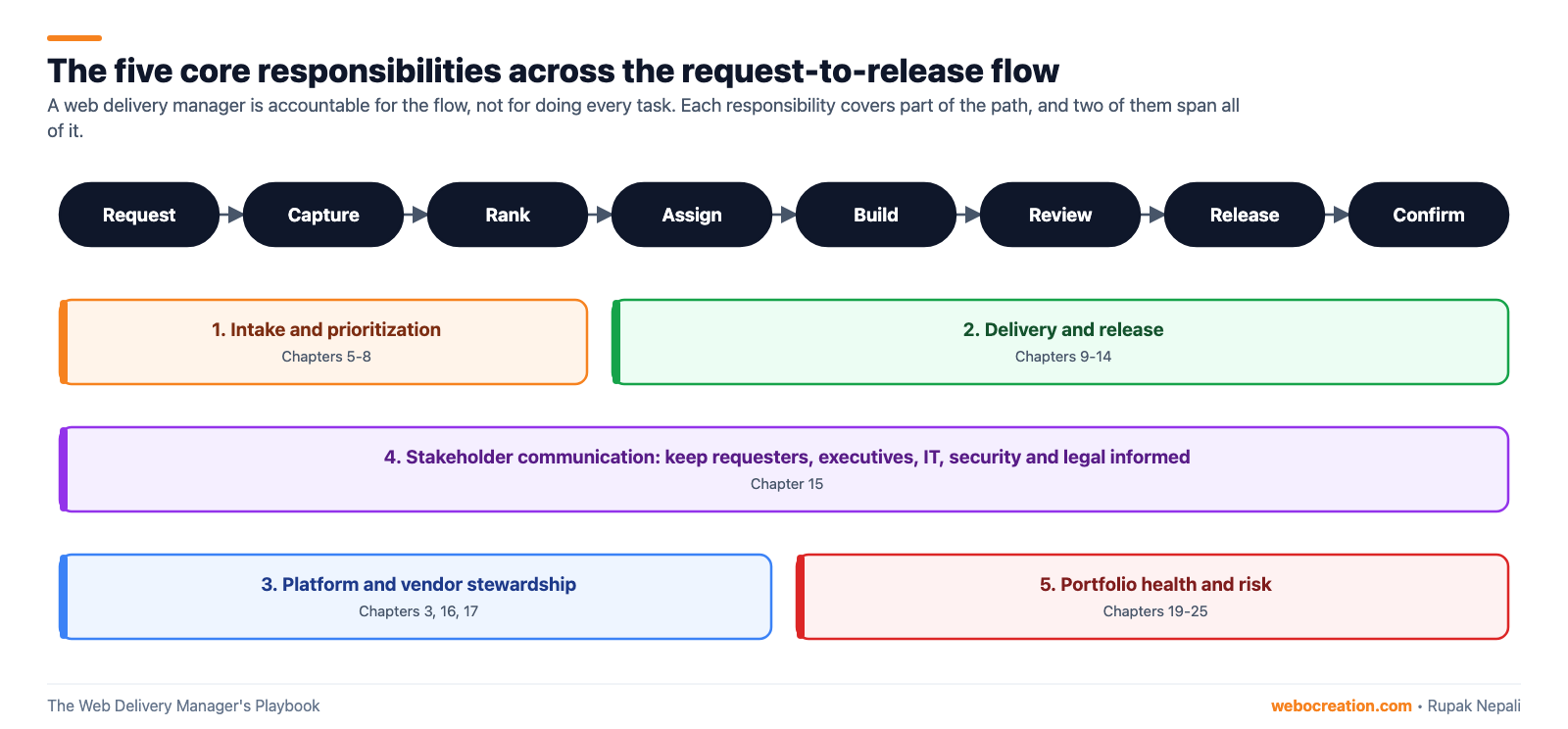
Almost everything a web delivery manager does falls into one of five areas. Most of this book is organized around them.
1. Intake and prioritization
You make sure every request enters through one front door, is described well enough to act on, and is ranked against everything else. You are the person who can answer “where is my request?” in under a minute, and who can explain why one request is ahead of another. Chapters 5 through 8 cover this area.
2. Delivery and release
You run the rhythm that turns ranked requests into finished work: sprints or a Kanban board, environments, testing, change approvals and launch day. You make sure releases are boring, because boring releases are safe releases. Chapters 9 through 14 cover this area.
3. Platform and vendor stewardship
You know every platform, license, domain and vendor the web program depends on. You track renewals, manage access and make sure no critical system depends on one person’s memory. Chapters 3, 16 and 17 cover this area.
4. Stakeholder communication
You keep requesters, executives, IT, security, legal and brand informed without drowning them. You turn technical status into business language, and business pressure into realistic plans. Chapter 15 covers this area.
5. Portfolio health and risk
You look across all the sites and ask what could go wrong: expiring certificates, unpatched systems, abandoned microsites, accessibility gaps, tags nobody approved. You keep a risk list and work it down. Chapters 19 through 25 cover this area.
A typical week
No two weeks are the same, but a healthy week for a web delivery manager has a recognizable shape. Here is a sample week for Maya once her operating model is in place.
| Day | Main activities |
|---|---|
| Monday | Team standup; weekly intake triage of new requests in ServiceNow; update the priority list; confirm this week’s release scope |
| Tuesday | Standup; stakeholder check-ins with two business units; review estimates for an upcoming campaign; agency status call |
| Wednesday | Standup; change advisory board (CAB) meeting for Thursday’s release; QA sign-off; prepare release notes |
| Thursday | Standup; release window; post-release checks; close the change request with evidence; send release summary |
| Friday | Standup; vendor renewal review; risk list update; plan next week; one hour of focused work on a process improvement |
Notice what is not on the list: writing code, designing pages or writing copy. You may still do some of that, especially on a small team. But if hands-on work fills your week, nobody is running the system, and the Monday morning inbox will fill up again.
Notice also the hour on Friday. A delivery manager who never improves the process will spend every week fighting the same fires. Protect time for fixing the system, even when the queue is long.
The skills that matter
People come to this role from many directions: development, project management, marketing, content, IT operations. Wherever you come from, five skills make the biggest difference.
Technical literacy. You need to understand how websites work well enough to ask good questions. What happens when DNS changes? Why does a fix work on staging but not on production? What does “we need to clear the cache” actually mean? Why would changing a URL break search rankings? You do not need to do the work, but you must be able to tell when an estimate is too optimistic or when a “quick change” touches something risky.
Clear writing. Much of your influence comes through writing: request templates, release notes, status reports, incident updates and process documents. Short sentences, plain words and a clear first line will save you hours of meetings.
Negotiation. You will say “not this week” more often than “yes.” The skill is saying it in a way that keeps relationships intact: showing the trade-off, offering an alternative, and letting the business make the call with full information.
Process design. You build systems: intake forms, workflows, checklists, approval paths. Good process design means making the right thing the easy thing. If your process is harder to follow than to ignore, people will ignore it.
Calm under pressure. When the site is down and the executive team is asking questions, people look to you. Your job is to slow things down enough to think clearly, get the right people working the problem, and keep everyone informed.
Where the role sits in the organization
Web delivery managers report into marketing, IT or a digital department, depending on the company. Each location has trade-offs.
Reporting into marketing puts you close to the business goals and the people who request most of the work. The risk is that technical health, security and maintenance get pushed aside by campaigns.
Reporting into IT gives you strong ties to infrastructure, security and change management. The risk is that marketing sees you as a gatekeeper, and starts building sites on its own to avoid you.
Reporting into a digital or product department often works best, because it treats the website as a product with its own goals. Not every company has such a department.
You cannot usually choose where you report. What you can do is build strong relationships with the side you do not report into. If you sit in marketing, make friends in IT and security. If you sit in IT, spend time with marketing and understand their calendar and pressures.
How to measure yourself
It is hard to measure a role whose output is “things went smoothly.” Start with a small set of signals you can track from day one:
- Request visibility. What share of web work went through the front door instead of side channels? Aim to get above 90 percent.
- Cycle time. How long does a typical small request take from submission to release? Track the median, not the average, so one huge project does not hide the trend.
- Release health. What share of releases went out without a rollback or an urgent follow-up fix?
- Surprises. How many expirations, outages or missed deadlines did you learn about too late? This number should fall every quarter.
- Stakeholder confidence. Ask your main requesters once a quarter, on a scale of one to five, how confident they are that web work will be delivered as promised.
Chapter 22 builds these into a full monthly report. For now, write down where things stand today. You will want that baseline in three months.
Webocreation Group: Maya’s first week
Maya did not try to fix everything in week one. She did three things.
First, she replied to every person who had a pending request, listed what she knew about it, and promised a real status by Friday. That alone changed the tone of the inbox.
Second, she renewed the expiring domain herself, then added it to a spreadsheet titled “Things That Can Expire.” By Friday the sheet had 23 rows.
Third, she met the head of product marketing about the pricing page. She did not defend the developer or blame the process. She laid out what the page needed (legal approval, an image, a redirect), who would do each part, and a realistic date. Then she asked one question: “Next time, can you send requests like this through one place, so I can see them and plan for them?” That question was the start of the intake process in Chapter 5.
Template: Role definition one-pager
Use this template to write down your role and share it with your manager and key stakeholders. Writing it down prevents months of confusion about what you do and do not own.
| Section | What to write |
|---|---|
| Purpose | One sentence: what the role exists to achieve |
| Scope | Which sites, platforms and teams are in scope; which are not |
| I own | Decisions and processes you are accountable for (for example: intake, release calendar, vendor renewals) |
| I support | Areas where you contribute but others decide (for example: brand standards, security policy) |
| I do not own | Areas that belong elsewhere (for example: server infrastructure, campaign strategy) |
| How to reach me | The front door for requests, and the channel for urgent issues |
| How I am measured | Three to five signals, with current baseline values |
| Review date | When you will revisit this definition, usually in six months |
Checklist
- Write a one-sentence purpose for your role and test it on your manager.
- List every site, platform and team you believe is in scope.
- Fill in the role definition one-pager and share it with two key stakeholders.
- Record today’s baseline for request visibility, cycle time, release health and surprises.
- Block one hour each week for improving the process, and protect it.
- Start a list of everything that can expire: domains, certificates, licenses, contracts.
Common traps
- Becoming the extra developer. If you were a developer, it is tempting to pick up tickets when the team is busy. Occasionally that helps. As a habit, it leaves nobody running the system.
- Becoming a ticket router. Forwarding requests to the right person is not delivery management. Your value is in ranking, unblocking, planning and closing the loop.
- Saying yes to everything. Every unplanned yes pushes back something you already promised. Make the trade-off visible instead.
- Rewarding heroics. Late-night saves feel good, but they hide broken processes. Celebrate the release that was boring, not the rescue.
- Skipping the definition. If you never write down what you own, you will end up owning everything nobody else wants.
Related reading
- DNS records explained for marketers: what breaks when you change them
- Free automated testing and monitoring of websites
- Chapter 2: The Web Operating Model

Rupak Nepali is a web developer, manage Webocreation website and the author of six books:
Getting Started with OpenCart Module Development (Packt, 2013),
OpenCart Theme and Module Development (Packt, 2015),
OpenCart 4: Dev Guide for Themes & Extensions (2024),
OpenCart 4: User Manual (2025),
Cloudflare for the Enterprise Website (2026) and
The Technical Web Guide for Marketers (2026).
Rupak has built OpenCart stores and extensions since 2010, has published more than 600 tutorials on Webocreation, and shares free OpenCart extensions on GitHub.
Find Rupak on
GitHub | Amazon | LinkedIn | X | YouTube.