WooCommerce Review Request Emails in Core: Ask for Reviews After Delivery (Tested on 11.3.1)
WooCommerce 11.3.1 can email customers a set number of days after an order is completed, with a page to review every product at once. Setup, the schedule and what we found testing it.
 Rupak NepaliPublished Nov 26, 2026
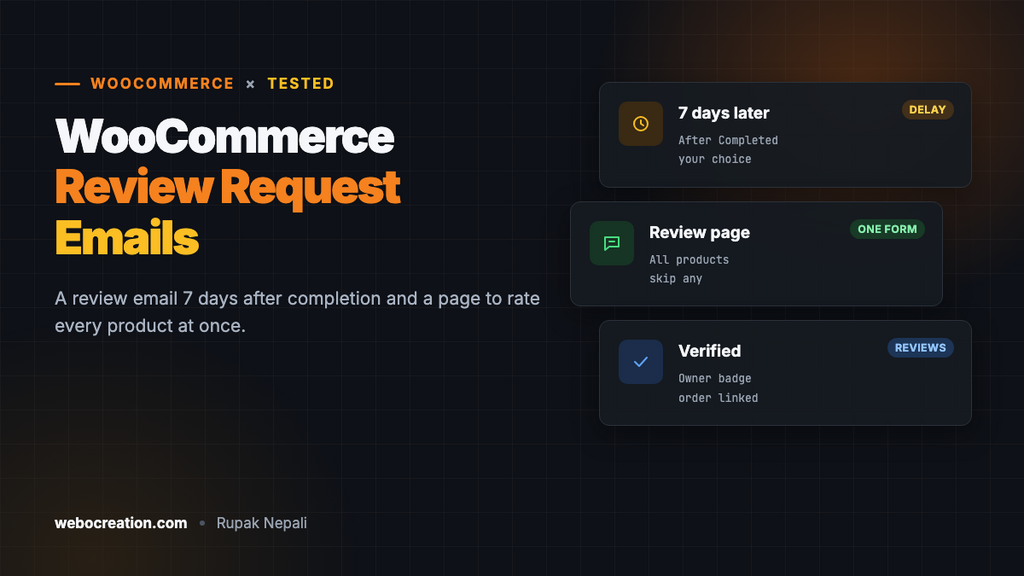
Most happy customers never leave a review because nobody asks them at the right time. A short email a week after delivery, with a link straight to a form for the products they bought, is the single most effective way to get more product reviews. WooCommerce used to leave this to plugins. WooCommerce 11.3.1 includes WooCommerce review request emails in core: a “Review request” email sent a set number of days after an order is completed, and a review page where the customer rates every product from that order at once.
We tested the feature on WooCommerce 11.3.1 with WordPress 7.1.4 in a throwaway Docker site: enabling it, the schedule, the email, the review page and the reviews it creates.
Turn on review request emails
- Go to WooCommerce > Settings > Advanced > Features, tick Customer review request (beta) and save.
- Go to WooCommerce > Settings > Emails, open Review request, tick Enable this email notification (it’s off by default) and save.
- Set the Delay (days): how many days after the order is marked complete the email goes out. The default is 7.
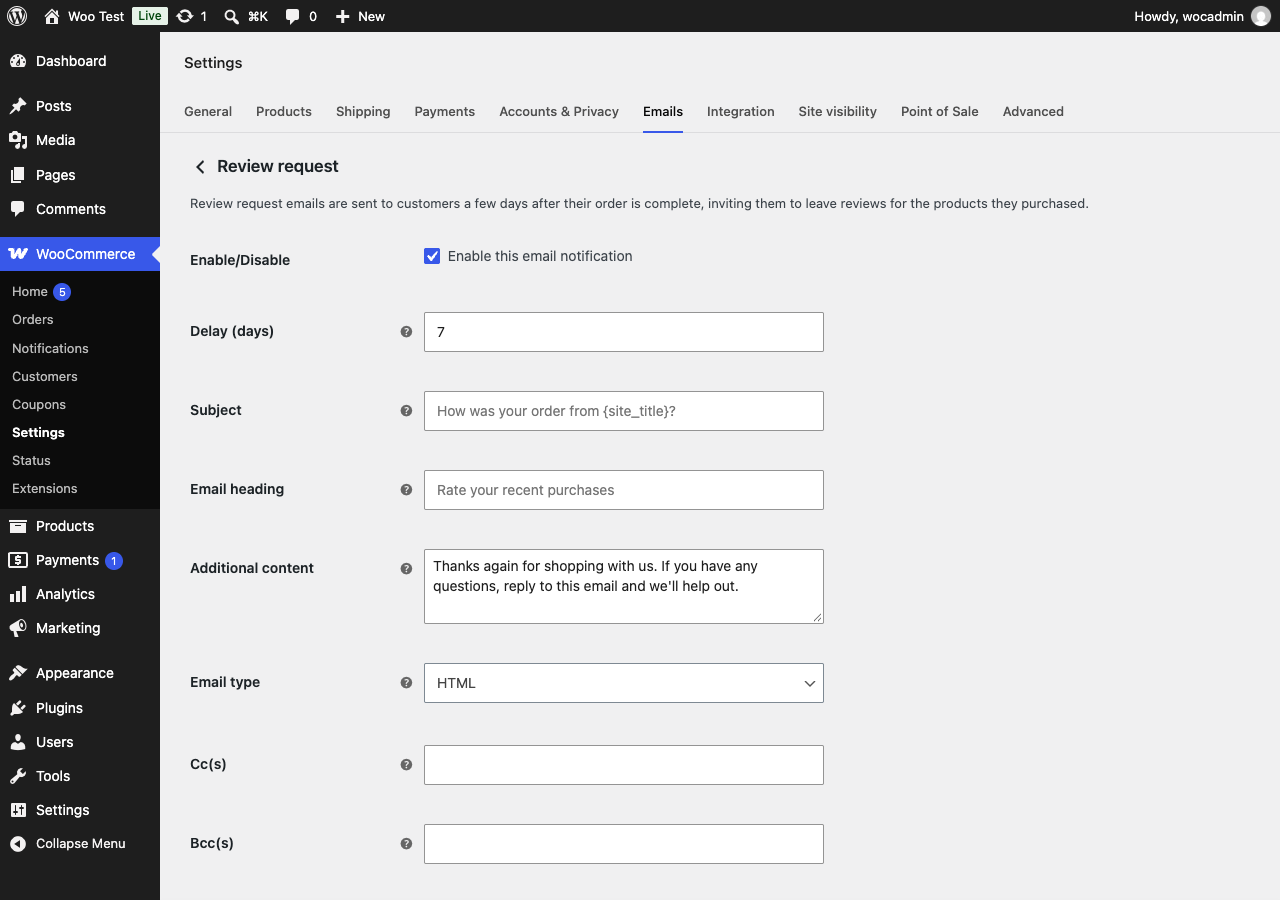
Pick the delay from your delivery times. The clock starts when the order is marked Completed, which many stores do at shipping, not delivery. If parcels take five days, a 7-day delay lands two days after they arrive; a 2-day delay asks people to review something they haven’t received.
What the customer receives
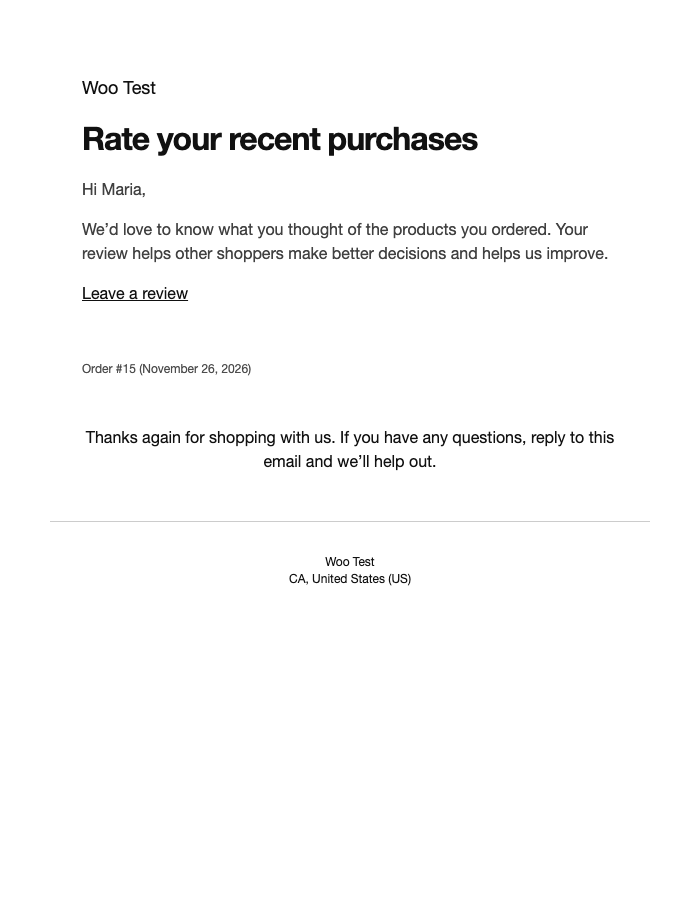
- Subject: How was your order from Woo Test? (the default “How was your order from {site_title}?”).
- Heading: Rate your recent purchases, a short “Hi Maria, we’d love to know what you thought of the products you ordered…”, and a Leave a review button with the order number and date.
- The button opens
/review-order/15/?key=wc_order_…. The order key in the link is the authorization, so customers don’t need to log in.
The review page
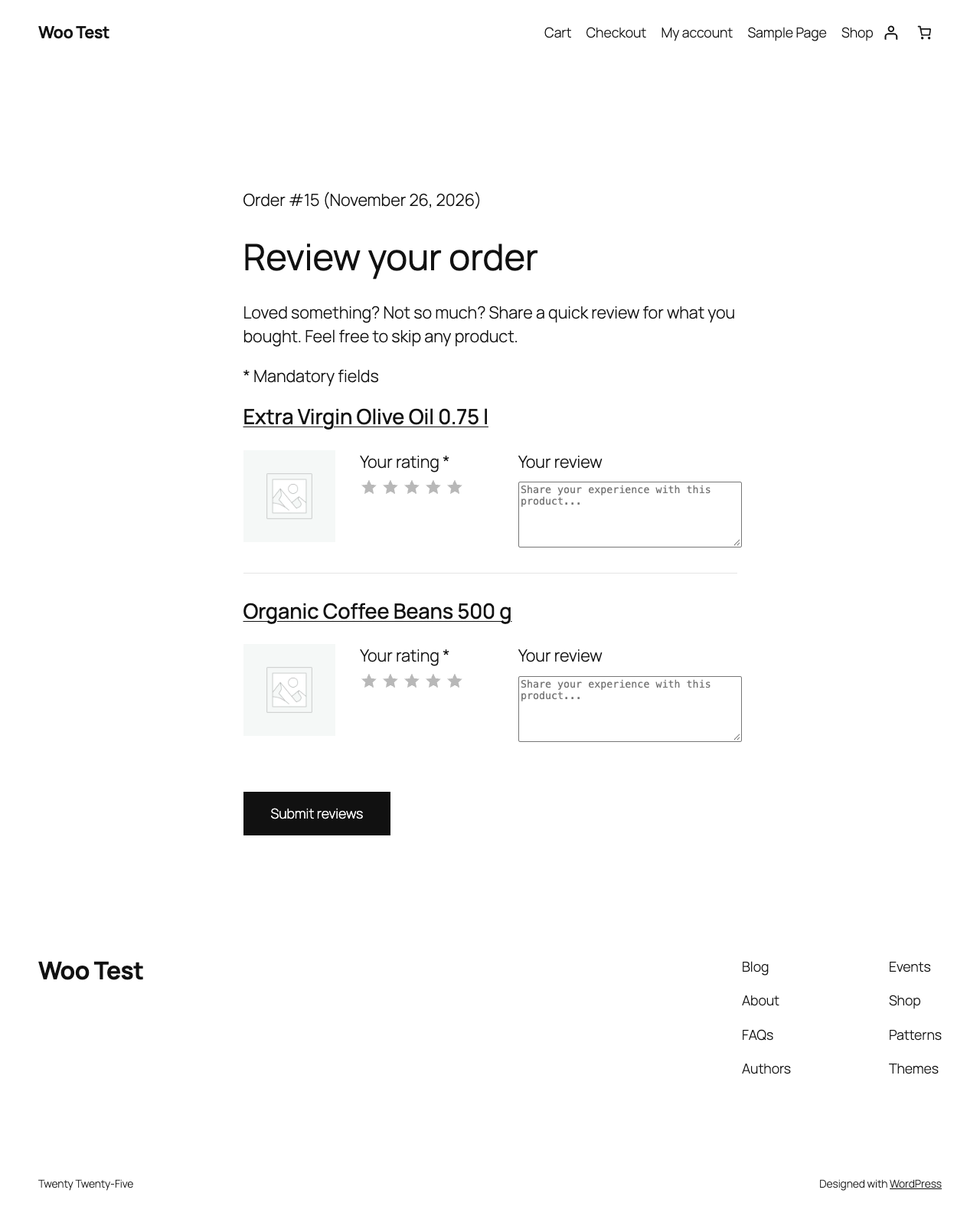
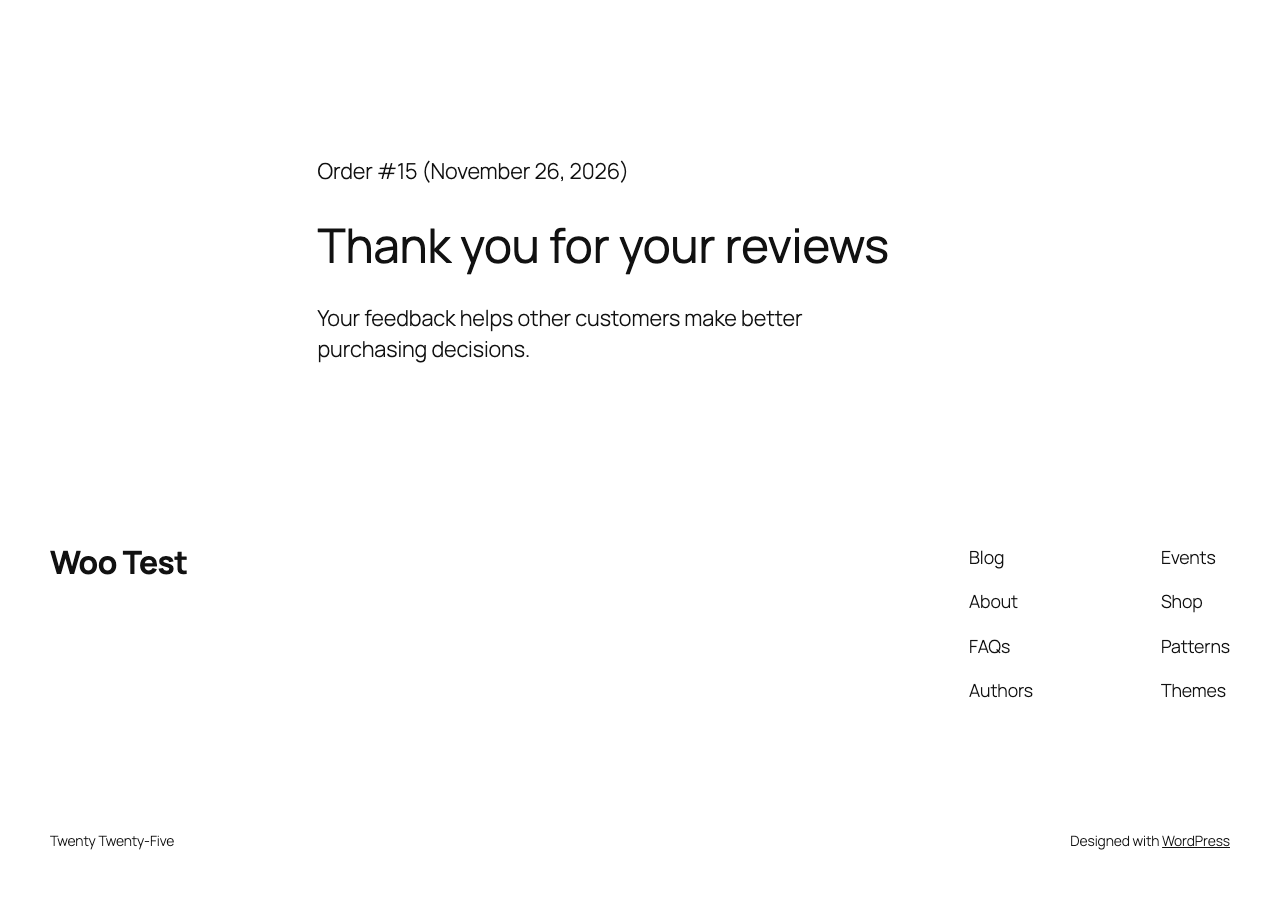
“Review your order” lists each product with a 1 to 5 star rating and a text box. “Feel free to skip any product.” After Submit reviews the page says “Thank you for your reviews”. Opening the link again shows the submitted reviews filled in, so customers can change them.
Each review is a normal WooCommerce product review with three extras: the rating, the verified owner flag, and the order it came from. On our test site, where comments weren’t held for moderation (Settings > Discussion), the review was published right away. We didn’t test a site that holds comments for approval, so check Products > Reviews after your first review comes in if you moderate.
How the schedule works
When an order changes to Completed, WooCommerce checks that the email is enabled, that the order hasn’t been scheduled before and that it has products that can be reviewed. It then schedules an Action Scheduler job, woocommerce_send_review_request, for the delay you set, and stores the time on the order. Our order completed on 26 November was scheduled for 3 December at the same minute.
WooCommerce logs every skipped order under WooCommerce > Status > Logs (source “review-request”) with the reason, which makes troubleshooting easy. Developers can opt individual orders out with the woocommerce_should_send_review_request filter, for example wholesale orders or orders with a support ticket.
What we found when testing
- Turn the email on before orders complete. Our first completed order was skipped, and the log said “Skipped scheduling review-request email for order 15: email is disabled.” Orders completed before you enable the email don’t get one later; you’d have to re-complete them.
- After enabling, re-completing the order scheduled the email for 7 days later. Running the job sent it straight to the customer’s address.
- Maria rated the olive oil 5 stars with a comment and skipped the coffee. One review was created for the olive oil, with
verified=1and the order ID; the coffee got none. - A link with a wrong order key showed a 404 page.
- The feature is labeled beta in 11.3.1. Watch it after updates.
Getting more and better reviews
- Ask everyone, not just customers you expect to be happy. Choosing who gets asked based on how they’ll probably review is a bad idea, as our post on the FTC fake reviews rule explains.
- Answer reviews, especially critical ones, in public.
- Keep the email short. The default copy is already good; add one line about what to mention (fit, taste, how long it lasted).
- If you also run OpenCart, our review request extension for OpenCart 4 works the same way.
Related posts
- WooCommerce back in stock notifications, tested
- WooCommerce Brands in core
- Prompt injection through product reviews

Rupak Nepali is a web developer, manage Webocreation website and the author of six books:
Getting Started with OpenCart Module Development (Packt, 2013),
OpenCart Theme and Module Development (Packt, 2015),
OpenCart 4: Dev Guide for Themes & Extensions (2024),
OpenCart 4: User Manual (2025),
Cloudflare for the Enterprise Website (2026) and
The Technical Web Guide for Marketers (2026).
Rupak has built OpenCart stores and extensions since 2010, has published more than 600 tutorials on Webocreation, and shares free OpenCart extensions on GitHub.
Find Rupak on
GitHub | Amazon | LinkedIn | X | YouTube.