Chapter 7: Estimating Web Work
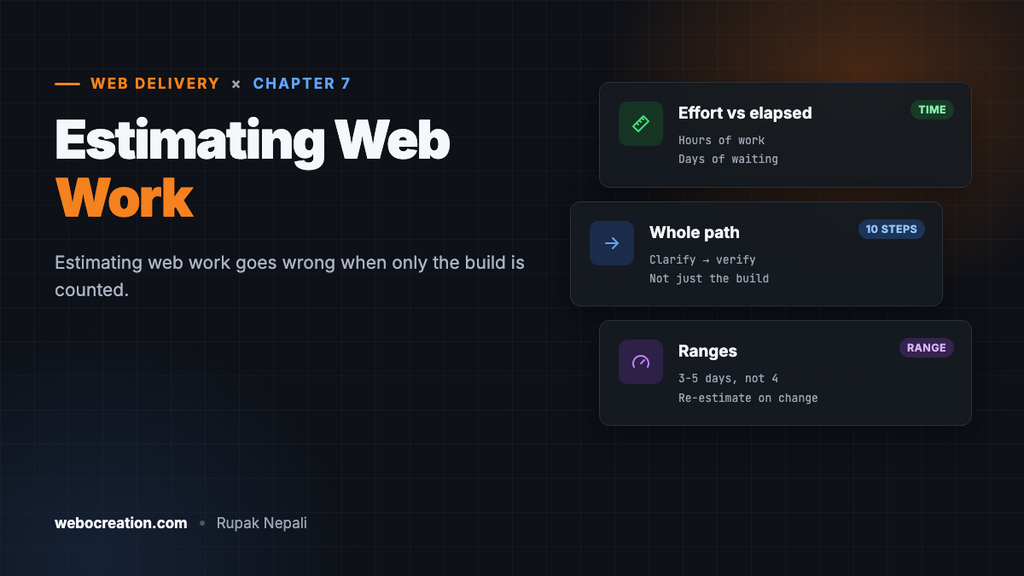
Estimating web work goes wrong when only the build is counted. Estimate the whole path, include waiting time, and give ranges instead of points.
 Rupak NepaliPublished Nov 26, 2026
This is Chapter 7 of The Web Delivery Manager’s Playbook, a free series on running enterprise websites from request to release. Estimating web work goes wrong when only the build is counted. Estimate the whole path, include waiting time, and give ranges instead of points.
The spring campaign request said “eleven landing pages using the existing template.” The developer who looked at it said it would take about four days. The campaign launched nine working days late.
Nobody had been careless. The four-day estimate for building the pages was close to accurate. What it left out was everything around the build: two rounds of copy changes, legal review of a pricing claim, a new form field that needed a CRM change, tracking pixels for three ad platforms, a privacy review of one of those pixels, redirects from last year’s campaign URLs, translated versions for two regions, QA on mobile devices, and a change request that missed the weekly approval meeting by a day.
The build was four days. The work was nineteen.
Estimating web work across the whole path
Why web estimates go wrong
Most estimating advice is written for software development. Web work has its own patterns, and most estimating failures come from a few of them:
- Estimating the build, not the work. Developers estimate the part they do. Content, design, review, approval, QA and release are left out, or assumed to happen in parallel at no cost.
- Waiting time is invisible. A legal review that takes 30 minutes of a lawyer’s time can still take five business days to come back.
- Optimism about content. “The content is ready” is one of the least reliable statements in web delivery. It is usually a draft.
- Unknown integrations. Anything that touches a CRM, a marketing automation tool, a payment system or a third-party API carries risk the developer cannot see from the request.
- Single-point estimates. “Four days” sounds precise. It hides the fact that the real range might be three days to three weeks.
Good estimating fixes these by estimating the whole path, separating effort from elapsed time, and giving ranges instead of single numbers.
Effort versus elapsed time
This is the most important distinction in web estimating.
Effort is the amount of working time a task needs: four hours of development, two hours of QA.
Elapsed time is the calendar time from start to finish: the request was accepted on Monday and went live the following Wednesday.
Requesters care about elapsed time. Developers usually estimate effort. The gap between them is made of waiting: for content, for approvals, for the next release window, for a vendor, for someone to come back from vacation.
When you give a requester a date, give elapsed time and show where the waiting is. “The build is about three days of work. With legal review and the weekly release window, the realistic live date is the 18th.” That sentence sets expectations correctly and shows the requester which parts they can speed up, such as getting legal approval earlier.
Choosing an estimating method
There are three common ways to estimate web work. Each fits a different situation.
| Method | How it works | Best for | Watch out for |
|---|---|---|---|
| T-shirt sizes | Sort work into XS, S, M, L, XL bands, each with an agreed effort range | Triage and roadmap planning; non-technical audiences | Teams must agree what each size means, in hours or days |
| Story points | Relative sizing (1, 2, 3, 5, 8, 13) compared with past work; converted to time using the team’s velocity | Teams running Scrum with a stable membership | Meaningless to stakeholders; never compare points between teams |
| Hours or days | Direct estimate of effort for each task | Small, well-understood tasks; fixed-price agency work | Feels precise but often is not; encourages padding |
Most web teams do well with T-shirt sizes for intake and planning, and either story points or hours inside the delivery team. The important thing is that stakeholders always see estimates translated into calendar time.
At Webocreation Group, Maya’s team agreed the following sizes, measured in total team effort, including content, design, development and QA:
| Size | Total effort | Typical examples |
|---|---|---|
| XS | Under 2 hours | Text change, image swap, simple redirect |
| S | Half a day to 2 days | New page from an existing template, small form change |
| M | 3 to 10 days | Campaign with several pages and a form, new template variation |
| L | 2 to 6 weeks | New microsite on an existing platform, major section redesign |
| XL | More than 6 weeks | New site on a new platform, CMS migration, full redesign |
XL work is too big to estimate as a single item. Break it into smaller pieces, or treat it as a project with its own plan (Chapter 8).
Estimate the whole path
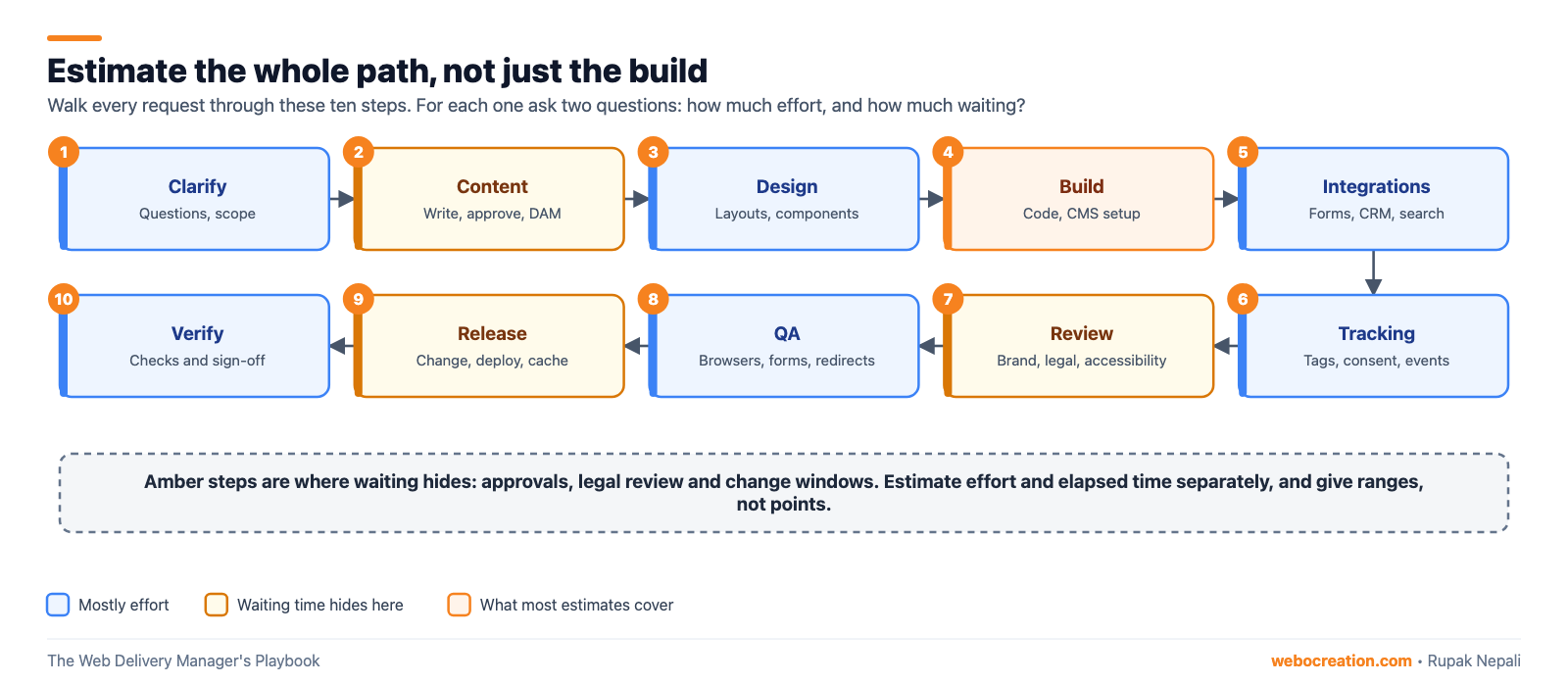
To avoid estimating only the build, walk every request through the full path from request to release. For each step, ask two questions: how much effort, and how much waiting?
- Clarify. Understanding the request, asking questions, agreeing scope.
- Content. Writing, editing and approving words; sourcing images and documents from the DAM.
- Design. Layouts, new components, image editing.
- Build. Development, configuration, CMS setup.
- Integrations. Forms, CRM, marketing automation, search, any third-party system.
- Tracking. Analytics, tags, consent configuration, testing that events fire.
- Review. Brand, legal, compliance, accessibility, privacy.
- QA. Browsers, devices, forms, links, redirects, performance.
- Release. Change request, approval, deployment, cache clearing.
- Verify. Post-release checks and requester sign-off.
Not every request needs every step. A text change might only touch content, QA and release. But walking the list takes a minute, and it is the best defense against the nineteen-day surprise.
The hidden work
Some tasks are left out of estimates so often that they deserve their own list. Maya keeps this list taped to the wall of the triage meeting room, and the team reads through it for every request sized M or larger.
- Content revisions. Plan for at least two rounds of changes after the first draft.
- Legal and compliance review. Any price, rate, statistic, claim, testimonial or comparison. Check the agreed turnaround time in your RACI.
- Accessibility. Alt text, heading structure, color contrast, keyboard navigation, captions on video, accessible forms.
- Redirects. Every changed or removed URL needs a redirect, and every redirect needs testing.
- SEO basics. Page titles, meta descriptions, canonical tags, structured data, sitemap updates.
- Analytics and tags. New events, conversion tracking, ad pixels, and privacy review of any new vendor.
- Translation and localization. Each language adds content, review and QA time.
- Responsive design and device testing. What looks fine on a desktop often breaks on a phone.
- Cache and CDN. Clearing caches, testing that changes appear, adjusting cache rules for new paths.
- Change approval. Lead time for the change request and the next approval meeting or release window.
- Environment setup. New staging configuration, test data, access for agency partners.
- Documentation and handover. Updating editor guides, runbooks and the inventory.
None of these is large on its own. Together, they are often half the real effort.
Give ranges, not points
A single number invites people to treat it as a promise. A range communicates uncertainty honestly. For anything sized M or larger, give estimates as a range with a likely value:
“Between 6 and 12 days of effort, most likely 8. Live date between the 14th and the 22nd, most likely the 16th, assuming legal review returns within two business days.”
Notice the assumption at the end. Every estimate rests on assumptions, and writing them down protects everyone. If the assumption breaks, if legal takes a week or the content arrives late, everyone can see why the date moved.
Wide ranges are a signal, not a failure. If a range is very wide, it usually means there is a specific unknown: an integration nobody has looked at, or content that has not been written. Name the unknown and, if it matters, spend a little time investigating it before committing to a date. Agile teams call this a spike: a small, time-boxed piece of research whose only output is a better estimate.
Re-estimate when things change
An estimate is a snapshot based on what you knew at the time. When scope changes, the estimate must change too. This sounds obvious, but in practice the date often stays fixed while the work grows.
Agree a simple rule with your stakeholders: any change to scope after work starts triggers a quick re-estimate, and the requester chooses whether to accept the new date, drop something else, or defer the change to a later release. This keeps the trade-off with the person who owns the business goal.
Learning from actuals
Estimates get better when you compare them with what actually happened. You do not need detailed time tracking. A lightweight approach works:
- Record the T-shirt size and the expected live date when a request is accepted.
- Record the actual live date when it is released.
- Once a month, look at the requests that finished much later than expected and ask why.
Patterns appear quickly. At Webocreation Group, the review showed that almost every late campaign had been delayed by legal review or late content, not by development. Maya used that finding to agree earlier legal involvement in campaign planning, and to add a “content final by” date to the campaign form. Development estimates hardly changed. The live dates became far more reliable.
Estimating with agencies
When an agency does the work, estimating changes shape. The agency estimates its own effort, often as a fixed price or a capped number of hours. Your job is to check that the estimate covers the whole path, not just the agency’s part.
Ask every agency estimate these questions:
- Does it include content revisions, and how many rounds?
- Does it include QA across browsers and devices, and accessibility testing?
- Who handles redirects, tracking and SEO basics?
- What does it assume about your team’s turnaround on reviews and approvals?
- What happens if scope changes?
The internal work around an agency project, such as legal review, change approval, environment access and your own team’s QA, is easy to forget because it is not on the invoice. Estimate it separately and include it in the timeline. Chapter 16 covers agency statements of work in more detail.
Template: Estimate worksheet
Use this worksheet for any request sized M or larger. For each step, estimate effort and waiting separately.
| Step | Needed? | Effort (range) | Waiting (range) | Who | Assumptions |
|---|---|---|---|---|---|
| Clarify scope | |||||
| Content and approval | |||||
| Design | |||||
| Build | |||||
| Integrations | |||||
| Tracking and tags | |||||
| Reviews (brand, legal, accessibility, privacy) | |||||
| QA | |||||
| Release and change approval | |||||
| Verify and sign-off | |||||
| Total |
Below the table, record the T-shirt size, the likely live date, the date range, and the list of assumptions. Then run through the hidden-work checklist from this chapter and add anything you missed.
Checklist
- Agree T-shirt size definitions in total team effort, with examples.
- Always translate estimates into calendar dates for stakeholders, showing where waiting happens.
- Walk every request sized M or larger through the full ten-step path.
- Post the hidden-work checklist where triage happens and use it.
- Give ranges with written assumptions for anything sized M or larger.
- Agree a re-estimate rule for scope changes with your stakeholders.
- Compare expected and actual live dates monthly and act on the patterns.
Common traps
- Estimating only the build. Content, reviews, QA and release are often half the work.
- Ignoring waiting time. Effort and calendar time are different. Requesters care about the calendar.
- Believing “the content is ready.” Ask to see it before you commit to a date.
- Single numbers for big work. Ranges with assumptions are more honest and more useful.
- Fixed dates with growing scope. When scope changes, re-estimate and let the requester choose.
- Comparing story points across teams. Points are relative to one team and mean nothing outside it.
Related reading
- Git, CI/CD and staging: a deployment workflow that does not break the live site
- Chapter 6: Prioritization That Survives Stakeholders
- Chapter 8: Roadmaps and Quarterly Planning

Rupak Nepali is a web developer, manage Webocreation website and the author of six books:
Getting Started with OpenCart Module Development (Packt, 2013),
OpenCart Theme and Module Development (Packt, 2015),
OpenCart 4: Dev Guide for Themes & Extensions (2024),
OpenCart 4: User Manual (2025),
Cloudflare for the Enterprise Website (2026) and
The Technical Web Guide for Marketers (2026).
Rupak has built OpenCart stores and extensions since 2010, has published more than 600 tutorials on Webocreation, and shares free OpenCart extensions on GitHub.
Find Rupak on
GitHub | Amazon | LinkedIn | X | YouTube.