The EU Withdrawal Button Rule for Online Shops: What Article 11a Requires Since June 2026
Since 19 June 2026 EU online shops need a withdraw from contract here button, a confirm withdrawal step and an acknowledgement. What the rule says, WooCommerce's feature tested, and a checklist.
 Rupak NepaliPublished Nov 26, 2026
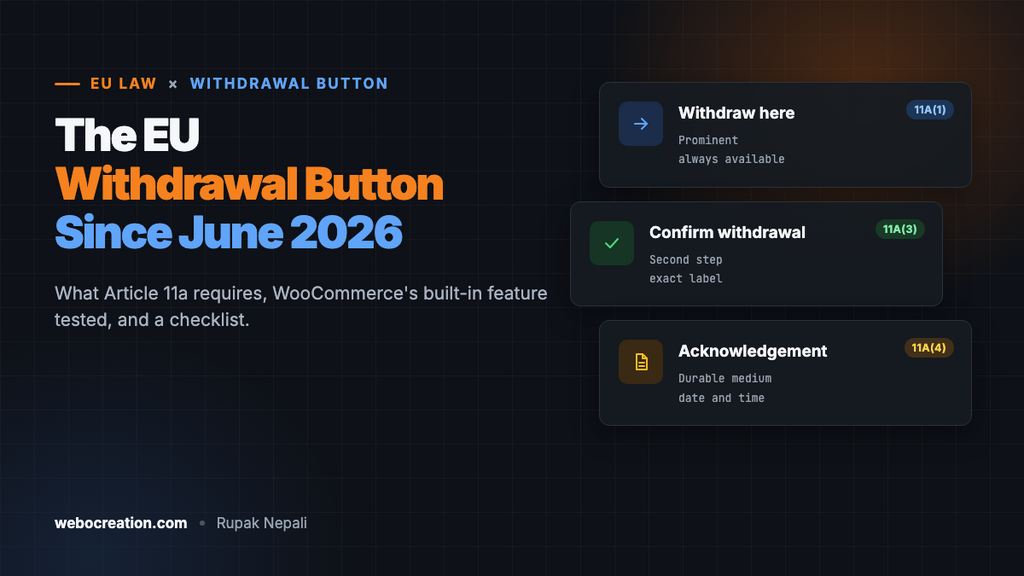
Buying online in the EU takes two clicks. Since 19 June 2026, withdrawing from that purchase has to be just as easy: every online shop that sells to EU consumers must offer an online withdrawal button, labeled “withdraw from contract here”, followed by a “confirm withdrawal” step and an acknowledgement sent on a durable medium. A returns email address hidden in the terms no longer meets the rule.
This guide explains what the EU withdrawal button rule requires, word for word from the directive, then shows how WooCommerce’s built-in Order withdrawal feature handles it (tested on WooCommerce 11.3.1) and what you still have to do yourself. It’s not legal advice; national laws implement the rule, and some add details.
Where the EU withdrawal button rule comes from
Directive (EU) 2023/2673 is mostly about financial services contracts concluded at a distance, which is why many shop owners missed it. But it also inserts a new Article 11a into the Consumer Rights Directive (2011/83/EU), and that article covers all distance contracts concluded through an online interface that come with a right of withdrawal: in practice, almost every B2C online sale of goods and many services. Member states had to adopt the rules by 19 December 2025 and apply them from 19 June 2026.
It applies to shops outside the EU too, when they target EU consumers and the contract falls under an EU country’s consumer law.
What Article 11a requires
| Paragraph | Requirement (quoted from the directive) | In practice |
|---|---|---|
| 11a(1) | A withdrawal function “labelled with the words ‘withdraw from contract here’ or an unambiguous corresponding formulation in an easily legible way”, “continuously available throughout the withdrawal period”, “prominently displayed on the online interface and easily accessible to the consumer” | A clear link or button, in your shop’s language, findable from every page (the footer is the usual place) and from the customer’s order, working for guests too |
| 11a(2) | The consumer can “easily provide or confirm” their name, “details identifying the contract”, and “details of the electronic means by which the confirmation of the withdrawal will be sent” | A short form: name, order number, email. Pre-fill for logged-in customers |
| 11a(3) | A confirmation function “labelled in an easily legible manner, and only with the words ‘confirm withdrawal’ or with an unambiguous corresponding formulation” | A second step with a “Confirm withdrawal” button, not “Submit” or “Send” |
| 11a(4) | The trader sends “an acknowledgement of receipt of the withdrawal on a durable medium, including its content and the date and time of its submission, without undue delay” | An automatic email with the full statement and the submission timestamp |
| 11a(5) | The withdrawal is in time if the statement was submitted before the withdrawal period expired | The submission time counts, not when you read it |
The directive also amends Article 6(1)(h): before the purchase, you must inform consumers about “the existence and placement of the withdrawal function”. Add a sentence and the link to your terms and your order confirmation emails.
The function doesn’t change who has a withdrawal right. Exceptions such as personalized goods, perishable goods or opened sealed goods still apply; you can still reject an ineligible withdrawal after it arrives. What you can’t do any more is make withdrawing harder than buying.
WooCommerce’s built-in Order withdrawal feature
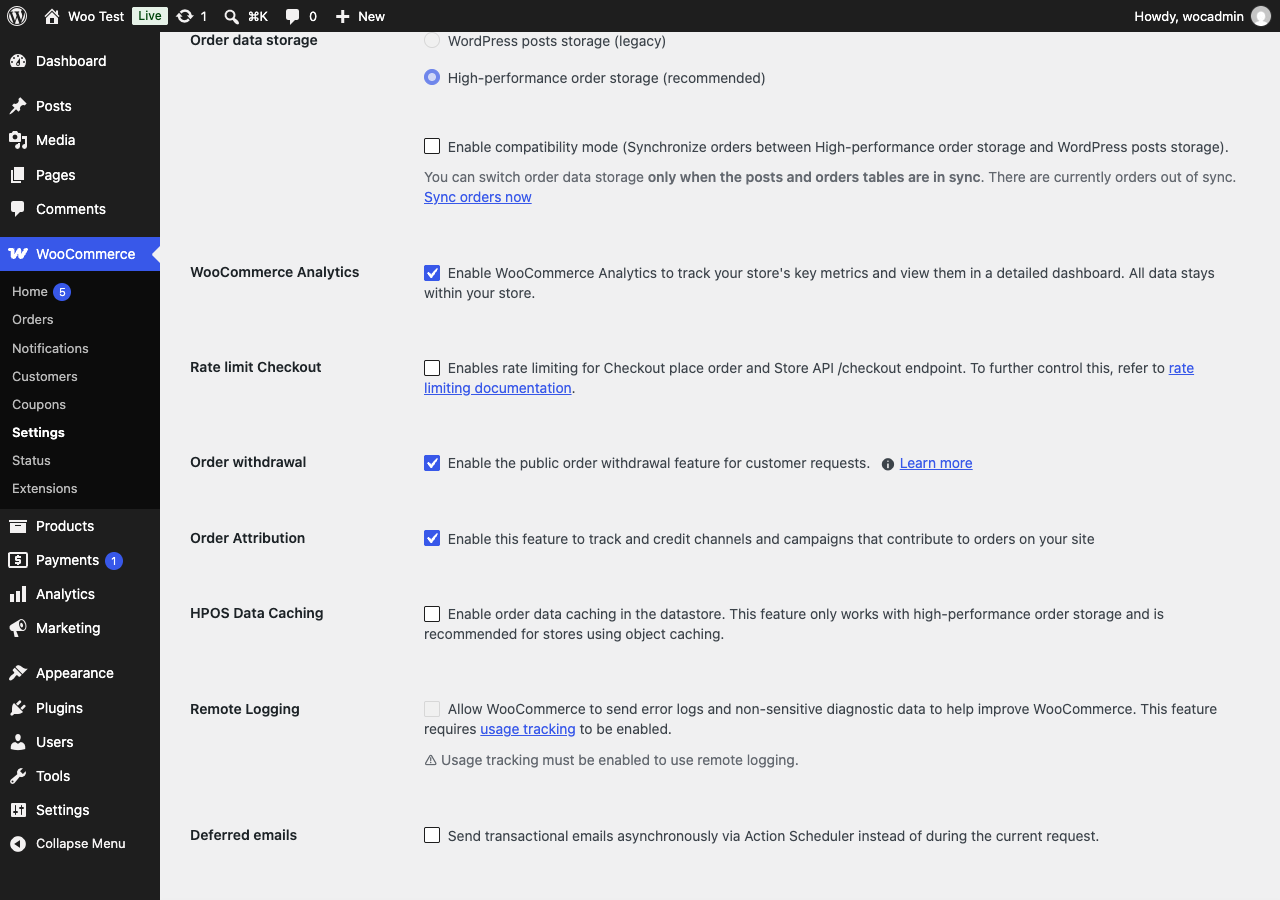
WooCommerce 11.3.1 includes an Order withdrawal feature. It’s off by default. Turn it on in WooCommerce > Settings > Advanced > Features (“Enable the public order withdrawal feature for customer requests”).
The withdrawal page
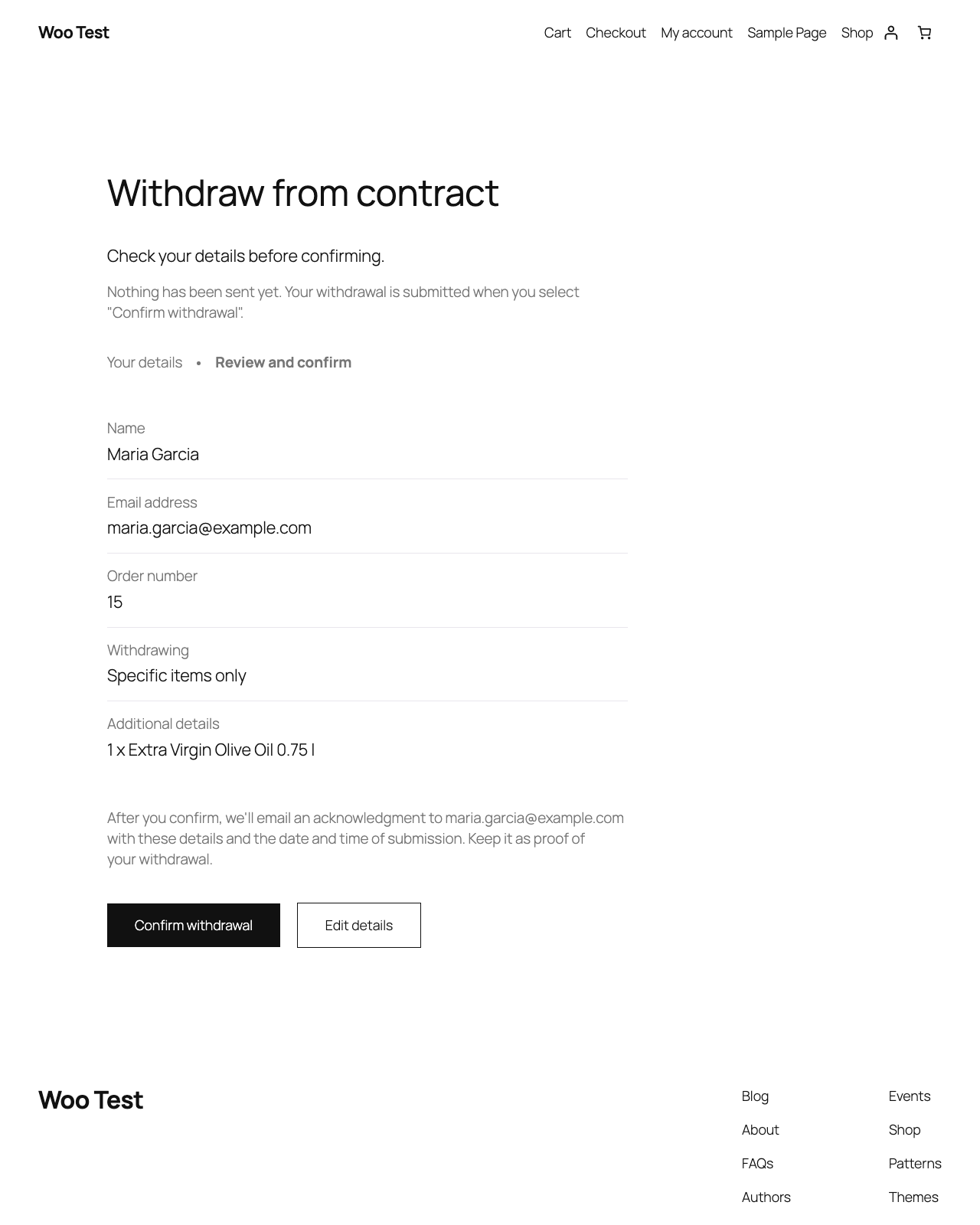
The feature adds a public page at /my-account/withdraw-order/ titled “Withdraw from contract”. It works for guests without logging in. The slug can be changed with the “Order withdrawal” account endpoint setting.
- Your details: first and last name, email address (entered twice), order number, “What do you want to withdraw?” (The full order or Specific items only) and additional details, which are required for specific items.
- Review and confirm: a summary with “Nothing has been sent yet. Your withdrawal is submitted when you select ‘Confirm withdrawal’.” and the buttons Confirm withdrawal and Edit details.
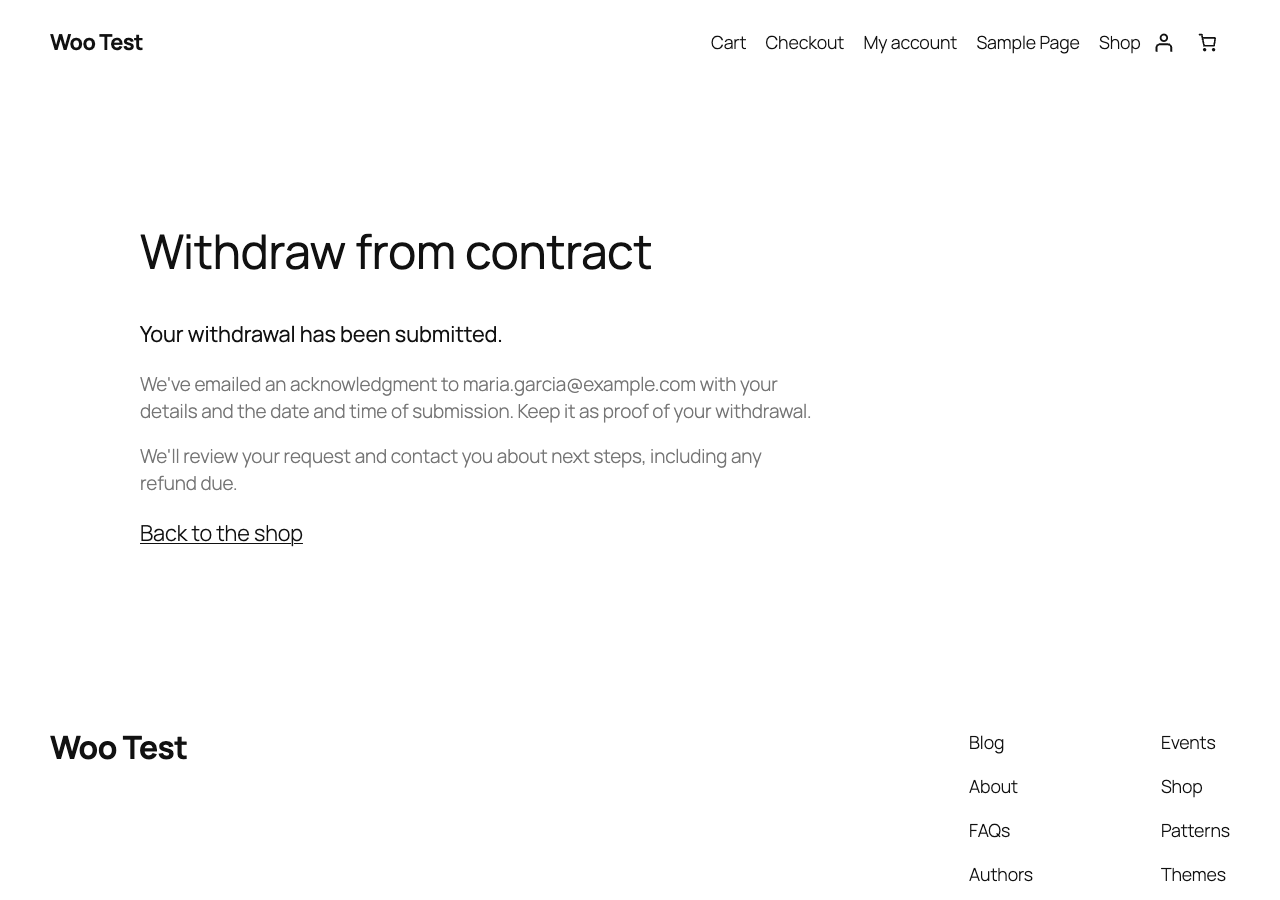
- Done: “Your withdrawal has been submitted. We’ve emailed an acknowledgment to … with your details and the date and time of submission. Keep it as proof of your withdrawal.”
The emails and the order
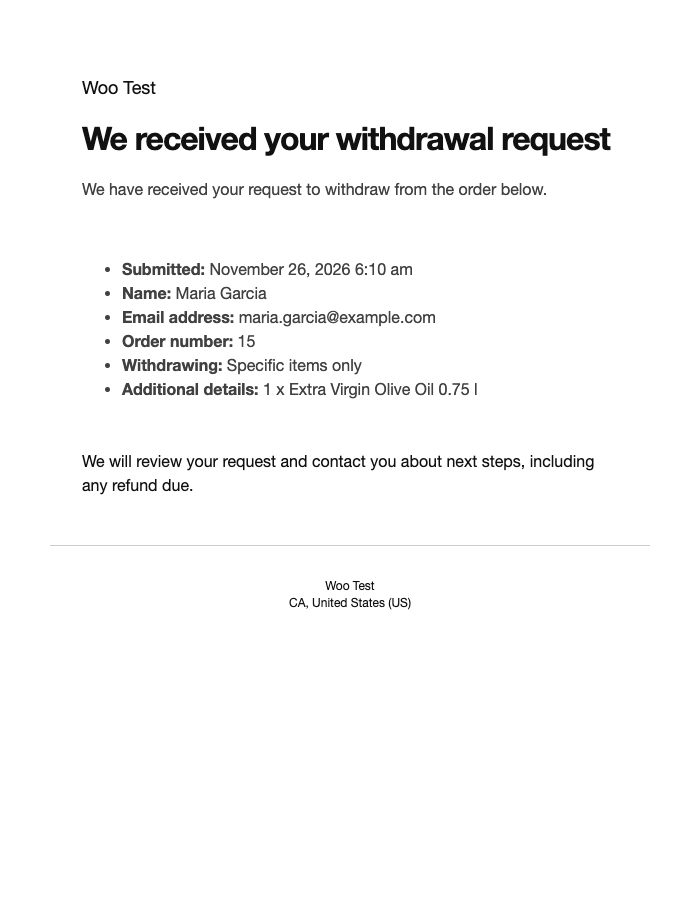
- The customer gets We received your withdrawal request with “Submitted: November 26, 2026 6:10 am”, name, email, order number, what’s being withdrawn and the details.
- The store gets [Store name]: Order withdrawal request for order 15 with a link to the matched order.
- When the order number and billing email match an order, WooCommerce adds the order note “Order withdrawal requested. Withdrawal type: Specific items only.” and an inbox notice.
- A second request for the same order is refused: “A withdrawal request has already been submitted for this order.”
- Orders placed more than 14 days ago still go through; the merchant just sees a warning that the order is older than the 14-day window.
What WooCommerce doesn’t do for you
In our test, nothing on the storefront linked to the withdrawal page: not the footer, not the account menu, not the order emails. A page nobody can find isn’t “prominently displayed”. After enabling the feature:
- Add a Withdraw from contract here link to your site footer (and the header or account menu if your theme allows), pointing to
/my-account/withdraw-order/. - Mention the function and its link in your terms and conditions and in your order confirmation email.
- Translate the labels if your shop isn’t in English.
- Decide who handles requests and how fast you refund (within 14 days of the withdrawal under EU rules).
OpenCart and other platforms
OpenCart 4 has no built-in withdrawal function. Our free EU withdrawal button extension for OpenCart 4 adds the footer link, the form, the “Confirm withdrawal” step, the acknowledgement email and an admin list. On other platforms, check the same five points from the table above; if any is missing, you’re not done.
A compliance checklist
- A “withdraw from contract here” link (or an unambiguous equivalent in your language) is visible on every page, for guests too.
- The form asks only for what’s needed: name, order details, email.
- The second step has a button saying “confirm withdrawal” (or an unambiguous equivalent) and nothing vaguer.
- An acknowledgement email with the content and the date and time goes out immediately, and you keep a copy.
- Your terms and order confirmation explain where the function is.
- Someone owns the process: checking eligibility, arranging returns, refunding on time.
Related posts
- The European Accessibility Act for online stores
- Customer order cancellation for OpenCart 4
- Custom fields in the WooCommerce block checkout

Rupak Nepali is a web developer, manage Webocreation website and the author of six books:
Getting Started with OpenCart Module Development (Packt, 2013),
OpenCart Theme and Module Development (Packt, 2015),
OpenCart 4: Dev Guide for Themes & Extensions (2024),
OpenCart 4: User Manual (2025),
Cloudflare for the Enterprise Website (2026) and
The Technical Web Guide for Marketers (2026).
Rupak has built OpenCart stores and extensions since 2010, has published more than 600 tutorials on Webocreation, and shares free OpenCart extensions on GitHub.
Find Rupak on
GitHub | Amazon | LinkedIn | X | YouTube.