Customer Order Cancellation for OpenCart 4: A Cancel Order Button Before You Ship, With Reasons and Restock (Free Extension)
A free OpenCart 4 extension that lets customers cancel orders from their account while they're Pending or Processing, with a reason, automatic restock, the core status email and an owner alert.
 Rupak NepaliPublished Nov 24, 2026
A customer orders the wrong size, notices five minutes later and wants to cancel. OpenCart 4 order cancellation isn’t something customers can do themselves: there is no cancel button, so they email you, you look up the order, change its status and reply. Multiply that by every “ordered by mistake” and it becomes a daily chore, and some of those customers file a chargeback instead of waiting.
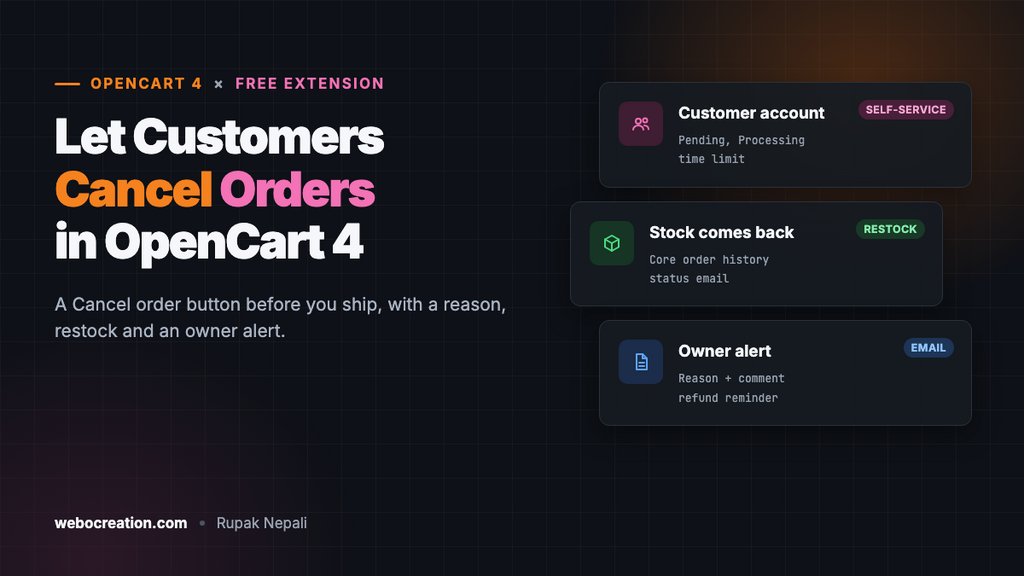
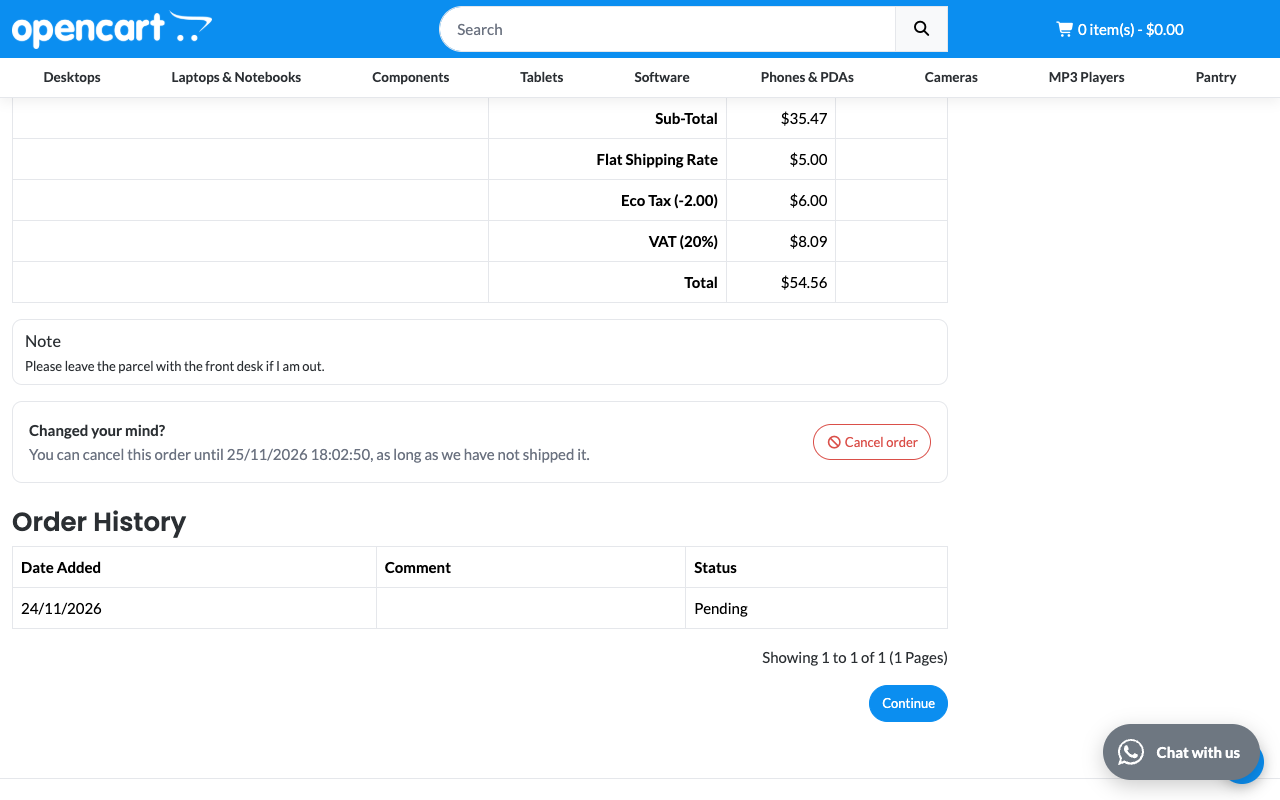
This free extension adds customer order cancellation to OpenCart 4. While an order is still in a status you choose (usually Pending or Processing) and inside a time limit, the customer sees a Cancel order button on the order page in their account. They pick a reason, confirm, and the order moves to Canceled through OpenCart’s normal order history: they get the status email, the stock goes back, and you get an alert with the reason. Tested on OpenCart 4.1.0.4.
Download: ordercancel.ocmod.zip (OpenCart 4.0.2.x to 4.1.x, free, no core file changes)
What the OpenCart 4 order cancellation extension does
- Shows a Cancel order button on Account > Order History > View for logged-in customers.
- Only while the order is in a status you allow (Pending and Processing by default) and inside a time limit (24 hours by default, 0 for no limit).
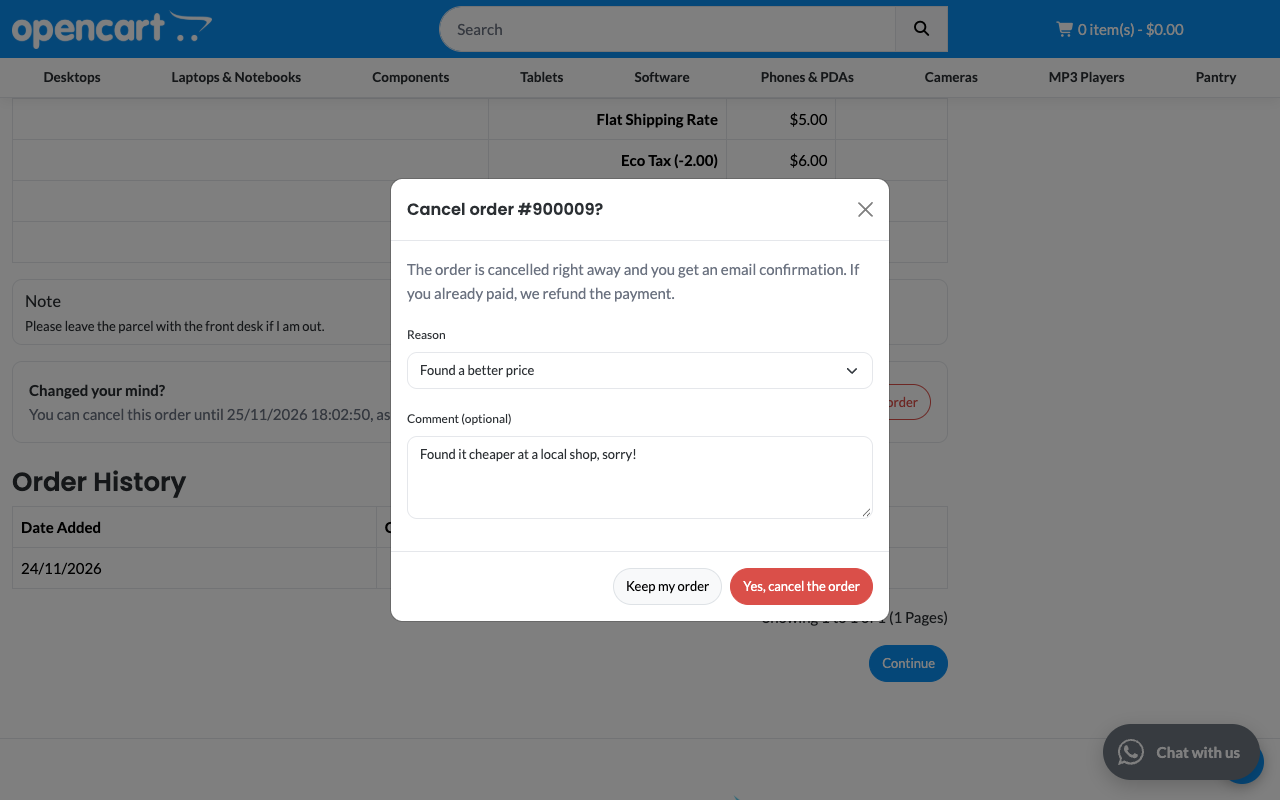
- Asks for a reason from your list (“Ordered by mistake”, “Found a better price”…) and an optional comment.
- Sets the order to the status you choose (Canceled by default) with the core order history, so the customer gets OpenCart’s normal “Order Update” email and stock is restocked the way OpenCart always does it.
- Emails the store owner and the extra alert addresses with the reason and a reminder to refund.
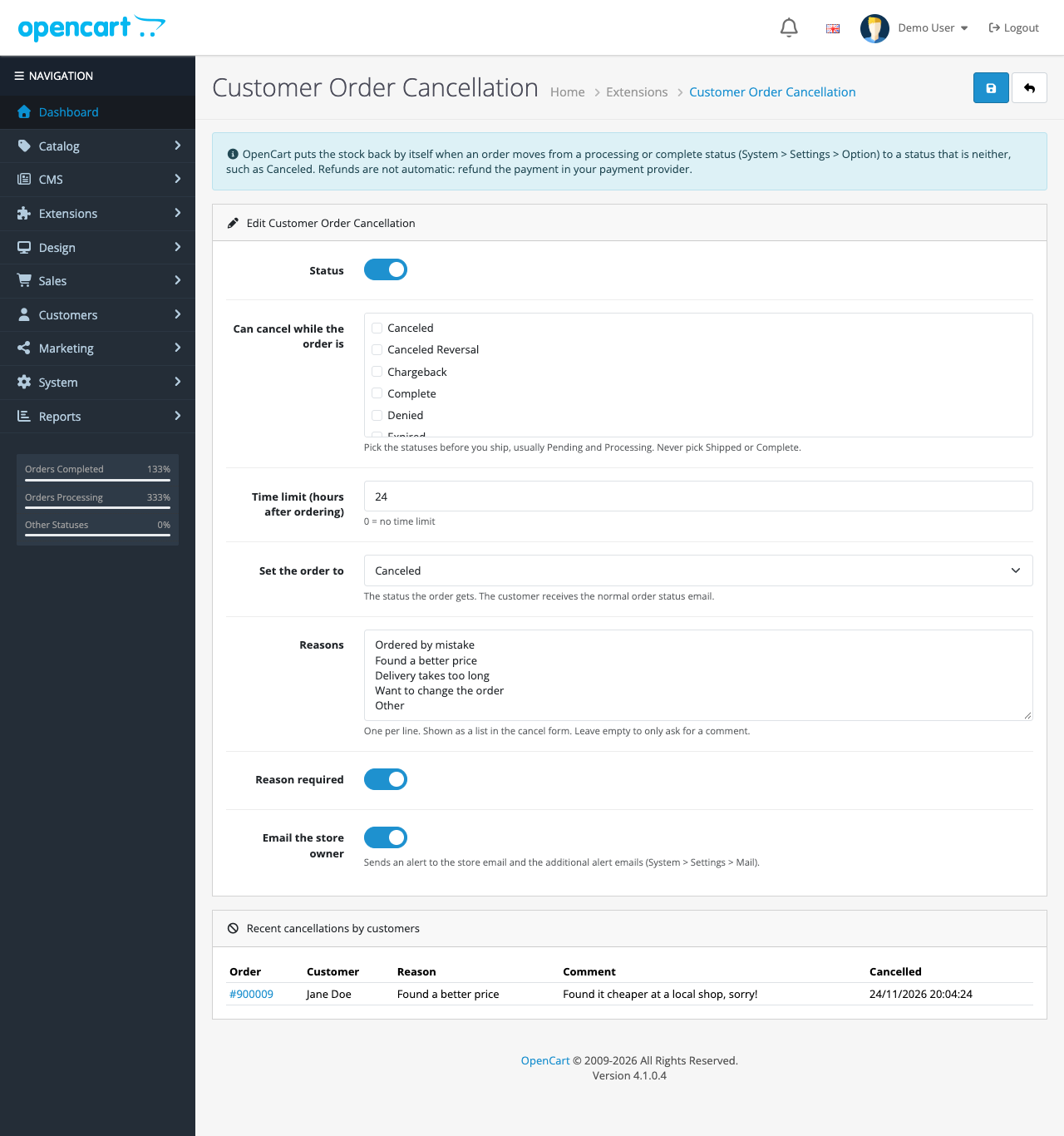
- Adds a red “Cancelled by the customer” card with the reason to the admin order page, and lists recent cancellations on the settings page.
Install the extension
- Download
ordercancel.ocmod.zip. - Go to Extensions > Installer, click Upload and choose the zip.
- Go to Extensions > Extensions, choose Modules, find Customer Order Cancellation and click Install.
- Click Edit, check the statuses, the time limit and the cancel status, switch Status on and click Save.
Settings
- Can cancel while the order is: tick the statuses before you ship. Never tick Shipped or Complete.
- Time limit: hours after the order was placed. After that the button disappears even if the order hasn’t shipped.
- Set the order to: usually Canceled. The settings page refuses a cancel status that is also one of the allowed statuses.
- Reasons: one per line. Leave empty to ask only for a comment.
- Reason required and Email the store owner.
How the stock comes back
The extension doesn’t touch stock itself. It calls OpenCart’s addHistory(), and the core does the rest: if the order’s old status is one of your processing or complete statuses (System > Settings > Option > Processing Order Status and Complete Order Status) and the new status is neither, OpenCart restocks the products and options and reverses coupon and reward point use.
// The core history call sends the customer the order status email and restocks when the order leaves a processing status.
$this->load->model('checkout/order');

$this->model_checkout_order->addHistory($order_id, (int)$this->config->get('module_ordercancel_cancel_status'), $history, true);
On our demo store, Pending is in the processing list, so cancelling the test order put the coffee back from 120 to 122 and the olive oil from 80 to 81. If your store doesn’t count Pending as processing, no stock was taken at checkout, so there is nothing to put back.
Who can cancel what
Every check runs again on the server when the customer confirms, not just when the button is drawn:
public function getDeadline(array $order_info): int {
    if (!$this->config->get('module_ordercancel_status') || !$order_info) {
        return -1;
    }

    if (!in_array((string)$order_info['order_status_id'], array_map('strval', (array)$this->config->get('module_ordercancel_statuses')), true)) {
        return -1;
    }

    $hours = (int)$this->config->get('module_ordercancel_hours');

    if (!$hours) {
        return 0;
    }

    $deadline = strtotime($order_info['date_added']) + $hours * 3600;

    return $deadline > time() ? $deadline : -1;
}- The order comes from the core
account/ordermodel, which only returns orders that belong to the logged-in customer. - The request must be a POST with the account’s
customer_token, like the core account pages, so another site can’t trigger it. - An order can be cancelled once. The cancellation table uses the order ID as its key.
We tried the obvious abuses with curl: cancelling a shipped order, cancelling the same order twice, cancelling a guest order from a customer account, a wrong token and a GET request. All five were refused.

What we found when testing
- The core order page grabs every form. The account order page binds its “reorder” script to
$('form'), every form on the page. Our first version used a form in the dialog, and submitting it also fired the reorder request, which showed “Warning: Product could not be found!”. The dialog now uses a plain container and its own click handler. If you add anything with a form to that page, you’ll hit the same thing. - Emails. With a local SMTP sink, the customer got the core “Your Store – Order Update 900009” email with the status Canceled and the reason as the comment, and the owner got “Order #900009 was cancelled by the customer” with the reason and the refund reminder.
- Guest orders can’t be cancelled because guests have no account page. They still need to contact you.
Refunds are still yours to do
Cancelling an order in OpenCart doesn’t refund the payment. If the customer paid by card or PayPal, refund it in the payment provider’s dashboard. The owner email and the admin card both say so. For cash on delivery or bank transfer there is nothing to refund.
Related posts
- Order tracking numbers for OpenCart 4
- OpenCart 4 invoices and packing slips
- Transactional email for OpenCart 4
- OpenCart 4 users, groups and permissions

Rupak Nepali is a web developer, manage Webocreation website and the author of six books:
Getting Started with OpenCart Module Development (Packt, 2013),
OpenCart Theme and Module Development (Packt, 2015),
OpenCart 4: Dev Guide for Themes & Extensions (2024),
OpenCart 4: User Manual (2025),
Cloudflare for the Enterprise Website (2026) and
The Technical Web Guide for Marketers (2026).
Rupak has built OpenCart stores and extensions since 2010, has published more than 600 tutorials on Webocreation, and shares free OpenCart extensions on GitHub.
Find Rupak on
GitHub | Amazon | LinkedIn | X | YouTube.