Product Quick Edit for OpenCart 4: Change Price, Quantity and Status in the Product List (Free Extension)
Edit product prices, quantities and status straight from the OpenCart 4 admin product list without opening each product. Free extension with permission checks, tested on 4.1.0.4.
 Rupak NepaliPublished Nov 26, 2026
Changing one price in OpenCart 4 takes five steps: open the product, find the Data tab, scroll to the price, change it, save, and go back to the list, which has forgotten your filter. For a stock count after a delivery or a quick price fix across ten products, that’s a lot of clicking.
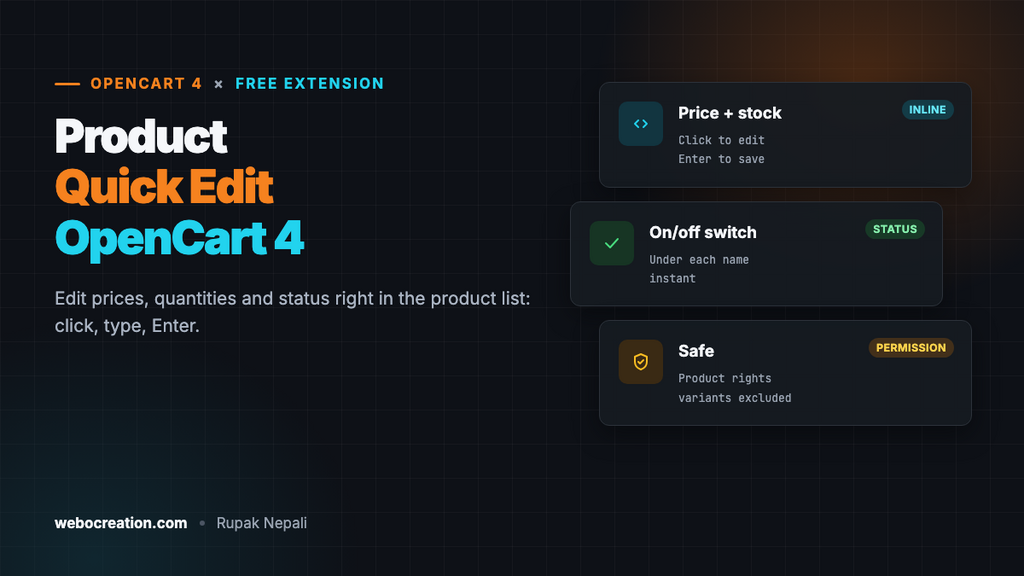
This free extension adds product quick edit to the OpenCart 4 product list: click a price or a quantity, type the new value and press Enter. A switch under each product name turns it on or off. Changes save immediately, without leaving the list. Tested on OpenCart 4.1.0.4.
Download: quickedit.ocmod.zip (OpenCart 4.1.x, free, no core file changes)
What the product quick edit extension does
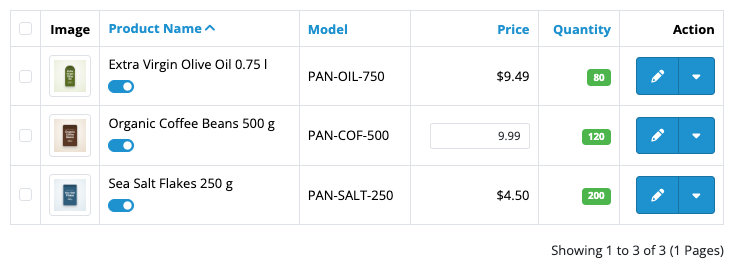
- Makes the Price and Quantity columns of Catalog > Products editable: click, type, Enter to save, Esc to cancel.
- Adds an on/off switch under each product name for the product’s status.
- Shows “Saved” next to the value, or the error (“Enter a valid number.”).
- Keeps a running special visible: only the regular price line changes.
- Clears the storefront’s product list cache, so the change shows on category pages right away.
- Works with filters and pagination, because the editors are added each time the list loads.
- Only for admin users who may modify products (the same “Catalog > Products” permission the product form needs).
Install the extension
- Download
quickedit.ocmod.zip. - Go to Extensions > Installer, click Upload and choose the zip.
- Go to Extensions > Extensions, choose Modules, find Product Quick Edit and click Install.
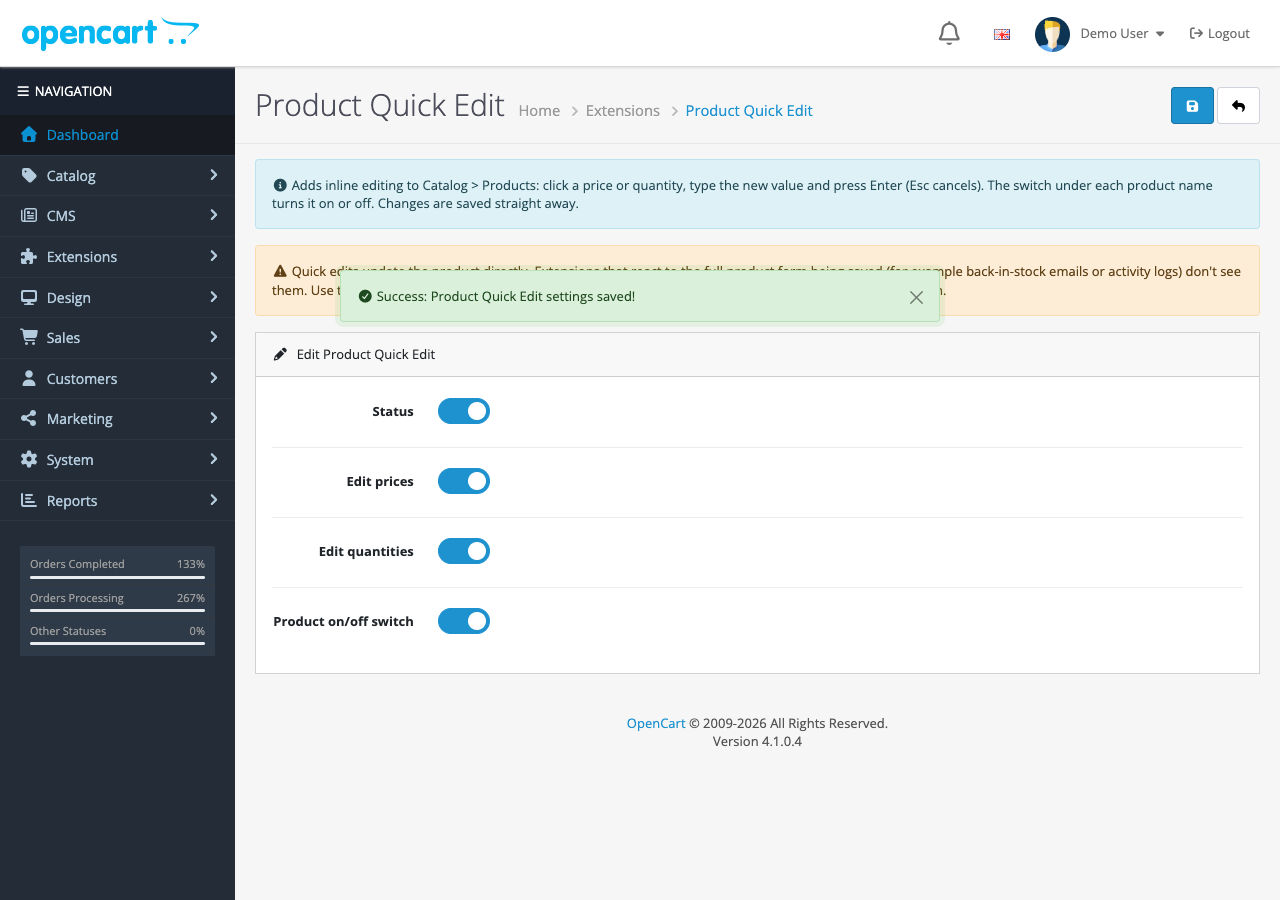
- Click Edit, switch Status on (and the price, quantity and status editors you want) and click Save.
- Open Catalog > Products. Prices and quantities now have a dashed underline.
How it works
A view event on admin/view/catalog/product_list adds a small script and the raw values of the listed products (the list itself only has formatted prices like “$12.99”). Each edit is posted to the extension’s own route, which checks permission, validates the value and updates that one column:
    if ($field == 'price' && is_numeric($value) && (float)$value >= 0) {
        $sql = "`price` = '" . (float)$value . "'";
    } elseif ($field == 'quantity' && preg_match('/^-?\d+$/', $value)) {
        $sql = "`quantity` = '" . (int)$value . "'";
    } elseif ($field == 'status' && in_array($value, ['0', '1'], true)) {
        $sql = "`status` = '" . (int)$value . "'";
    } else {
        $json['error'] = $this->language->get('error_value');
    }
}

if (!$json) {
    $this->db->query("UPDATE `" . DB_PREFIX . "product` SET " . $sql . ", `date_modified` = NOW() WHERE `product_id` = '" . $product_id . "'");

    // The storefront caches product lists; clear them so the change shows right away.
    $this->cache->delete('product');
Why products with variants are left out
OpenCart 4.1 has product variants: a master product and variants that inherit its values unless a value is overridden. When you save the master product in the full form, OpenCart copies the changed values to its variants. A direct update of the master’s price wouldn’t do that, and the variants would quietly keep the old price. So the extension skips masters and variants and shows “Products with variants, and variants, are edited in the full product form.” under their names.
What quick edits don’t trigger
The full product form runs editProduct(), and other extensions hook into it: back-in-stock emails when a quantity goes from 0 to more, activity logs, IndexNow pings, unit price or pre-order data. Quick edits update the product table directly, so those hooks don’t fire. For everyday price and stock fixes that’s fine; when you restock a product people are waiting for, use the full form so the back-in-stock emails go out. For hundreds of changes at once, a CSV import is faster still.
What we found when testing
- Organic Coffee Beans: price 12.99 changed to 13.49, the cell showed “$13.49 Saved”, and the database had 13.4900.
- Typing “abc” as a quantity showed “Enter a valid number.” and kept 120; then 118 saved.
- The switch turned Sea Salt Flakes off: the row dimmed like other disabled products, and its storefront page returned 404 until we switched it back.
- Pressing Esc in a price box restored “$12.99” without saving.
- A temporary variant of Sea Salt Flakes made both rows show the variants note and no editors.
Limitations
- Price, quantity and status only. Names, specials, discounts and SEO stay in the full form.
- The price is the product’s base price in your default currency, before tax, as in the Data tab.
- No undo. The product’s “date modified” is updated, but no history of the old value is kept. Limit who can edit products with user groups, as our users and permissions guide shows.
Related posts
- Bulk update prices and stock in OpenCart 4 with CSV
- SEO Toolkit for OpenCart 4
- Out-of-stock products last in OpenCart 4

Rupak Nepali is a web developer, manage Webocreation website and the author of six books:
Getting Started with OpenCart Module Development (Packt, 2013),
OpenCart Theme and Module Development (Packt, 2015),
OpenCart 4: Dev Guide for Themes & Extensions (2024),
OpenCart 4: User Manual (2025),
Cloudflare for the Enterprise Website (2026) and
The Technical Web Guide for Marketers (2026).
Rupak has built OpenCart stores and extensions since 2010, has published more than 600 tutorials on Webocreation, and shares free OpenCart extensions on GitHub.
Find Rupak on
GitHub | Amazon | LinkedIn | X | YouTube.