Senior Frontend Interview Guide, Part 13: Git and CI/CD Pipelines
Every enterprise frontend engineer works in shared repositories with many contributors and ships through automated pipelines. Interviewers probe Git to see whether you can collaborate safely, recover from mistakes, and keep history useful, and they probe CI/CD to see whether you understand how code…
 Rupak NepaliPublished Nov 9, 2026
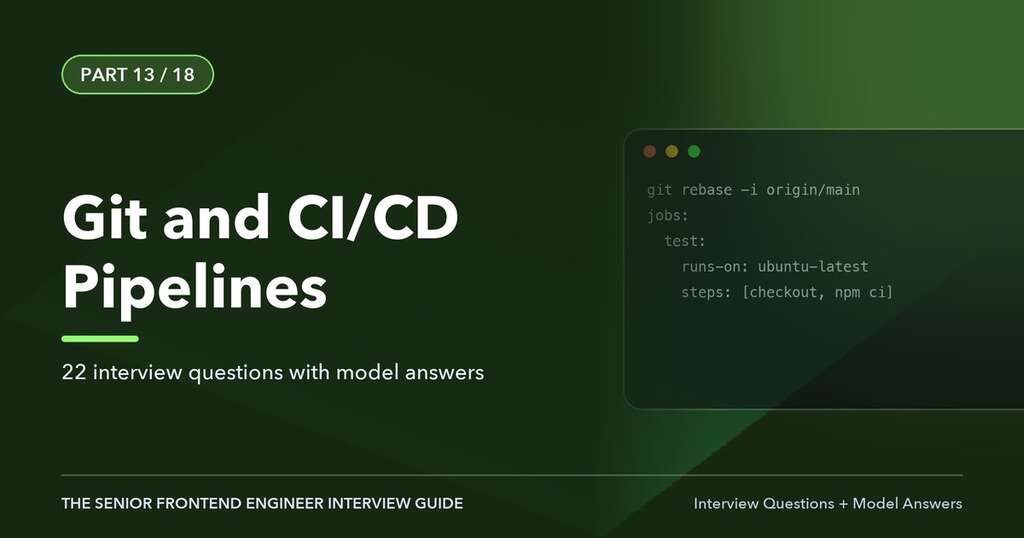
This article is Part 13 of 18 in The Senior Frontend Engineer Interview Guide, and includes 22 interview questions with model answers.
Every enterprise frontend engineer works in shared repositories with many contributors and ships through automated pipelines. Interviewers probe Git to see whether you can collaborate safely, recover from mistakes, and keep history useful, and they probe CI/CD to see whether you understand how code gets from a pull request to production with quality, security, and the ability to roll back. This chapter covers Git internals and everyday commands, branching strategies, pull request practices, monorepos, CI pipeline design, deployment strategies for frontends, and release practices in regulated environments.
How Git Works
Git is a content-addressable store of snapshots, not a list of diffs.
- Blob: the content of a file.
- Tree: a directory listing that maps names to blobs and other trees.
- Commit: a pointer to a tree (the snapshot), parent commit(s), author, committer, and message.
- Ref: a name pointing to a commit: branches (
refs/heads/main), tags, and remote-tracking branches (refs/remotes/origin/main). - HEAD: a reference to the current branch (or a commit, when “detached”).
Each object is identified by a hash of its content (SHA-1 historically; SHA-256 repositories are supported). A branch is just a movable pointer to a commit, which is why creating branches is cheap.
The Three Areas
| Area | Description | Commands |
|---|---|---|
| Working directory | Files on disk | edit files, git restore <file> |
| Staging area (index) | Snapshot being prepared for the next commit | git add, git restore --staged |
| Repository | Committed history | git commit, git log |
Everyday Commands
git switch -c feature/PAY-123-wire-cutoff     # create and switch to a branch
git add -p                                     # stage changes interactively, hunk by hunk
git commit -m "feat(payments): show wire cutoff time in ET"
git fetch origin                               # download remote changes without merging
git rebase origin/main                         # replay your commits on top of latest main
git push -u origin feature/PAY-123-wire-cutoff
git log --oneline --graph --decorate --all    # visualize history
git diff main...HEAD                           # changes on this branch since it diverged
git stash push -m "wip"                        # set aside uncommitted work
git stash pop
Merge versus Rebase
Both integrate changes from one branch into another.
- Merge creates a merge commit with two parents, preserving the exact history of when branches diverged and joined. It is non-destructive.
- Rebase rewrites your commits as if they had been made on top of the target branch, producing a linear history. It changes commit hashes.
Before:     A---B---C  main
                 \
                  D---E  feature

Merge:      A---B---C-------M  main
                 \         /
                  D-------E

Rebase:     A---B---C---D'---E'  feature (then fast-forward main)
The golden rule of rebasing: do not rebase commits that others have based work on (shared, pushed branches), because it rewrites history they depend on. Rebasing your own feature branch before merging is common. When you must update a pushed branch after rebasing, use git push --force-with-lease, which refuses to overwrite remote commits you have not seen, rather than --force.
Squash Merges
Many teams merge pull requests with “squash and merge”, collapsing a branch’s commits into one commit on main. It produces a clean history of one commit per change, at the cost of losing intermediate commits. Combined with Conventional Commit pull request titles, it feeds changelog generation.
Interactive Rebase
git rebase -i HEAD~5 lets you reorder, squash (squash/fixup), edit, reword, or drop commits before sharing. git commit --fixup <sha> followed by git rebase -i --autosquash is a tidy workflow for addressing review comments.
Recovering from Mistakes
| Situation | Command |
|---|---|
| Undo uncommitted changes to a file | git restore <file> |
| Unstage a file | git restore --staged <file> |
| Change the last commit message or add a forgotten file (not pushed) | git commit --amend |
| Undo the last commit but keep changes | git reset --soft HEAD~1 |
| Discard the last commit and changes entirely (local only) | git reset --hard HEAD~1 |
| Undo a pushed commit safely | git revert <sha> (creates an inverse commit) |
| Find a “lost” commit after a bad reset or rebase | git reflog, then git reset --hard <sha> or git branch rescue <sha> |
| Apply one commit from another branch | git cherry-pick <sha> |
| Find which commit introduced a bug | git bisect start, git bisect bad, git bisect good <sha> (optionally git bisect run npm test) |
| Find who last changed a line | git blame -L 40,60 src/file.ts |
reset modes: --soft moves the branch pointer only; --mixed (default) also resets the index; --hard also resets the working directory. revert is the safe way to undo shared history because it adds a commit rather than rewriting.
Resolving Conflicts
Conflicts happen when both sides changed the same lines. Git marks them:
<<<<<<< HEAD
const LIMIT_CENTS = 10_000_00;
=======
const LIMIT_CENTS = getLimitFromConfig();
>>>>>>> feature/configurable-limit
Resolve by understanding both intents (talk to the other author if unclear), editing to the correct combined result, running tests, then git add and git rebase --continue or git commit. Tools like git mergetool and IDE merge editors help. git rerere remembers resolutions for repeated conflicts. Small, frequently integrated pull requests are the best prevention.
Other Useful Features
.gitignorefor build output, dependencies, environment files, and editor files..gitattributesfor line endings and diff/merge drivers (for example,*.lock merge=oursis risky; better to regenerate lockfiles).- Hooks (via Husky and lint-staged) to run linting and formatting on staged files before commit, and commit message validation with commitlint.
- Tags for releases (
git tag -a v2.4.0 -m "Release 2.4.0"); signed tags and commits (GPG or SSH signing) are often required in regulated companies. - Worktrees (
git worktree add ../hotfix main) to work on two branches simultaneously. - Sparse checkout and partial clone for very large monorepos.
- Git LFS for large binary assets.
- Submodules exist but are generally avoided in favor of packages or monorepos.
Branching Strategies
Trunk-Based Development
Developers integrate small changes into main (the trunk) frequently, at least daily, through short-lived branches and pull requests. Incomplete features are hidden behind feature flags. main is always releasable. This is the strategy associated with high-performing teams in the DORA research and works best with strong CI and automated tests.
GitHub Flow
A lightweight model: branch from main, open a pull request, review, run CI, merge to main, deploy. Essentially trunk-based development with pull requests.
Git Flow
Long-lived develop and main branches, with feature/*, release/*, and hotfix/* branches. It suits software with scheduled, versioned releases (installed products, mobile apps with app-store reviews) but adds overhead and merge pain for continuously deployed web applications. Many enterprises are migrating from Git Flow to trunk-based development.
Release Branches
Even trunk-based teams sometimes cut short-lived release branches (release/2026.03) for stabilization or regulatory sign-off, with fixes made on main and cherry-picked to the release branch.
Pull Requests and Code Review
A good pull request:
- Is small and focused (a few hundred lines at most), making review effective.
- Has a clear title (often in Conventional Commits format:
feat(payments): add RTP status polling) and description: what, why, how to test, screenshots for UI changes, and links to the ticket. - Includes tests and updates documentation.
- Passes CI before requesting review.
Good reviewing focuses on correctness, security, accessibility, performance, readability, and test coverage, leaving style to automated formatters. Comments should be specific, kind, and actionable, distinguishing blocking issues from suggestions (“nit:”).
Branch protection rules typically require pull requests for main, passing status checks, at least one or two approvals, review from code owners (CODEOWNERS file), up-to-date branches or a merge queue, signed commits, and no force pushes. Merge queues (GitHub, GitLab) test the combined result of queued PRs to keep main green at high merge volume.
Conventional Commits and Semantic Versioning
feat(transfers): support scheduled recurring transfers
fix(auth): refresh token race when multiple tabs are open
docs: update MFA enrollment guide
chore(deps): bump axios to 1.8.4
feat(api)!: remove deprecated v1 payee endpoints

BREAKING CHANGE: v1 payee endpoints have been removed.
Tools like semantic-release or Changesets read these to determine version bumps (fix = patch, feat = minor, breaking = major) and generate changelogs, which is especially useful for shared libraries and design systems.
Monorepos
Many enterprises keep multiple apps and packages (shell, micro frontends, design system, shared utilities) in one repository.
| Monorepo | Polyrepo | |
|---|---|---|
| Code sharing | Easy; atomic changes across packages | Through published packages and version bumps |
| Consistency | Shared tooling and configs | Each repo can drift |
| CI | Needs affected-only builds and caching | Simple per repo, but cross-repo changes are slow |
| Ownership | CODEOWNERS by folder |
Repository permissions |
| Independent deploys | Possible with per-app pipelines | Natural |
Tools: Nx and Turborepo provide task orchestration, dependency graphs, affected commands (build and test only what changed), and local and remote computation caching. pnpm workspaces (or npm/Yarn workspaces) link local packages. Nx also enforces module boundaries with lint rules (for example, “feature libraries cannot import other features”). Monorepos and micro frontends are compatible: one repository can contain many independently deployed remotes.
Continuous Integration
Continuous integration means every change is merged frequently and verified automatically. A typical frontend CI pipeline for a pull request:
- Checkout and install dependencies with a lockfile (
npm ciorpnpm install --frozen-lockfile), with dependency caching. - Static checks: formatting (Prettier), linting (ESLint, Stylelint), type checking (
tsc --noEmit). - Unit and component tests with coverage.
- Build the production bundle.
- Bundle size check against budgets (size-limit, bundlewatch).
- Security scans: dependency audit (npm audit, Snyk, Dependabot), static application security testing (CodeQL, Semgrep, SonarQube), secret scanning, license compliance.
- Deploy a preview environment for the PR.
- End-to-end smoke tests and accessibility checks against the preview.
- Lighthouse CI for performance budgets.
- Report results as PR status checks and comments.
Example: GitHub Actions
name: ci
on:
  pull_request:
  push:
    branches: [main]

concurrency:
  group: ci-${{ github.ref }}
  cancel-in-progress: true

permissions:
  contents: read

jobs:
  verify:
    runs-on: ubuntu-latest
    steps:
      - uses: actions/checkout@v4
      - uses: pnpm/action-setup@v4
      - uses: actions/setup-node@v4
        with: { node-version: 22, cache: pnpm }
      - run: pnpm install --frozen-lockfile
      - run: pnpm nx affected -t lint typecheck test --parallel=3
      - run: pnpm nx affected -t build
      - uses: actions/upload-artifact@v4
        with: { name: dist, path: dist/ }

  e2e:
    needs: verify
    runs-on: ubuntu-latest
    strategy:
      matrix: { shard: [1, 2, 3, 4] }
    steps:
      - uses: actions/checkout@v4
      - uses: actions/setup-node@v4
        with: { node-version: 22 }
      - run: npm ci
      - run: npx playwright install --with-deps chromium
      - run: npx playwright test --shard=${{ matrix.shard }}/4
        env:
          BASE_URL: ${{ vars.PREVIEW_URL }}
      - uses: actions/upload-artifact@v4
        if: failure()
        with: { name: playwright-report-${{ matrix.shard }}, path: playwright-report/ }
Practices shown: cancel outdated runs, least-privilege permissions, dependency caching, affected-only tasks in a monorepo, sharded end-to-end tests, and uploading artifacts only on failure. In security-conscious organizations, pin third-party actions to full commit SHAs rather than tags.
Equivalent pipelines exist in GitLab CI (.gitlab-ci.yml with stages), Jenkins (Jenkinsfile, common in banks), Azure DevOps Pipelines, and CircleCI. The concepts transfer: stages, jobs, caching, artifacts, environments, approvals, and secrets.
Continuous Delivery and Deployment
- Continuous delivery: every change that passes the pipeline is releasable; deployment to production may require a manual approval.
- Continuous deployment: every passing change is deployed to production automatically.
Regulated financial organizations often practice continuous delivery with approvals, change tickets, and segregation of duties (the person who writes code cannot be the only one who approves its release).
Build Once, Deploy Many
Build the artifact once and promote the same artifact through environments (dev, QA, staging, production). Do not rebuild per environment, because a rebuild can produce a different artifact. This creates a problem for frontends, because build tools bake environment variables into bundles. Solutions:
- Runtime configuration: load
/config.json(or injectwindow.__CONFIG__from the server or at container start) containing API URLs and feature flag keys. - Relative URLs with a reverse proxy routing
/apito the right backend.
// config.ts
export async function loadConfig() {
  const res = await fetch('/config.json', { cache: 'no-store' });
  return (await res.json()) as { apiBaseUrl: string; idpIssuer: string; flagsKey: string };
}
Hosting and Deploying Static Frontends
A typical setup: build outputs static assets with content-hashed filenames, uploaded to object storage (Amazon S3, Azure Blob Storage, Google Cloud Storage) behind a CDN (CloudFront, Azure Front Door, Akamai, Cloudflare).
- Hashed assets (
main.3f9a1c.js) getCache-Control: public, max-age=31536000, immutable. index.html(andremoteEntry.jsor manifests in micro frontends) getCache-Control: no-cacheso clients always revalidate and pick up new releases.- Upload new assets first, then switch
index.html, so users never reference missing files. Keep previous assets for a while so users with open sessions can still lazy-load old chunks. - Invalidate CDN caches for non-hashed files after deploy.
- Server-rendered frontends (Next.js) deploy as containers (Docker on Kubernetes, ECS) or to platforms like Vercel, with the same principles.
Deployment Strategies
| Strategy | How | Benefit |
|---|---|---|
| Rolling | Replace instances gradually | No downtime |
| Blue-green | Two identical environments; switch traffic at once | Instant rollback by switching back |
| Canary | Route a small percentage of users to the new version, increase gradually | Limits blast radius; compare metrics |
| Feature flags | Deploy code dark, enable for segments | Decouples deploy from release; kill switches |
| A/B testing | Different variants to measure impact | Product experimentation |
For frontends, canary releases can be done at the CDN or edge (route a percentage of users to a new index.html or new remote version in the micro frontend manifest), and rollback means pointing back to the previous version.
Feature Flags
Feature flags (LaunchDarkly, Unleash, Flagsmith, ConfigCat, or in-house) let teams merge incomplete work safely, release gradually, run experiments, and disable faulty features instantly.
Good practices: evaluate flags server-side for anything security-sensitive (a flag hiding a UI does not prevent API access), name and document flags, set owners and expiry dates, remove stale flags (flag debt), and test both states.
Environment Variables and Secrets
- Anything compiled into the frontend bundle is public. Only non-sensitive configuration (API base URLs, public keys, flag client IDs) belongs there.
- CI secrets (deploy credentials, registry tokens) live in the CI secret store or a vault (HashiCorp Vault, AWS Secrets Manager), scoped to environments and protected branches.
- Prefer OIDC federation from CI to cloud providers (GitHub Actions to AWS IAM roles) over long-lived cloud keys.
- Enable secret scanning and push protection.
Observability After Deployment
Deployment is not done when the pipeline is green. Monitor:
- Error rates (Sentry, Datadog RUM, New Relic) tagged with release version.
- Core Web Vitals and business metrics (login success rate, transfer completion rate) per release.
- Source maps uploaded privately to the error tracker for readable stack traces.
- Alerts that trigger automatic or manual rollback.
The DORA metrics measure delivery performance: deployment frequency, lead time for changes, change failure rate, and time to restore service (mean time to recovery). Interviewers sometimes ask how you would improve them.
Supply Chain Security in Pipelines
- Lockfiles and
npm cifor reproducible installs. - Dependency review on pull requests; automated update PRs (Dependabot, Renovate) with grouped updates and auto-merge for safe patches after tests pass.
- SBOM generation (CycloneDX, SPDX) and artifact signing (Sigstore/cosign), provenance attestations (SLSA).
- Least-privilege CI tokens; avoid running untrusted pull request code with secrets (
pull_request_targetpitfalls in GitHub Actions).
Interview Questions and Answers
Q1. What is the difference between git merge and git rebase?
Merge combines branches by creating a merge commit that preserves both histories. Rebase replays commits onto a new base, producing linear history with new commit hashes. Rebase local feature branches to keep history clean, but never rebase shared branches others build on; use merge (or squash merge) to integrate into main.
Q2. What is the difference between git fetch and git pull?
fetch downloads commits and updates remote-tracking branches without changing your working branch. pull is fetch followed by a merge (or rebase, with --rebase or pull.rebase=true) into the current branch.
Q3. How do you undo a commit that has already been pushed to a shared branch?
Use git revert <sha>, which creates a new commit that inverts the changes, preserving history for everyone. Avoid reset and force pushing on shared branches.
Q4. Explain git reset --soft, --mixed, and --hard.
All move the current branch to a target commit. --soft keeps changes staged; --mixed keeps them in the working directory but unstaged; --hard discards them entirely. --hard is destructive, though reflog can usually recover committed work.
Q5. How would you find which commit introduced a bug?
Use git bisect: mark a known bad commit and a known good commit, and Git binary-searches the history while you test each midpoint, or automatically with git bisect run <test command>.
Q6. What is git reflog, and when is it useful?
A local log of where HEAD and branch tips have pointed, including commits no longer on any branch. It is the safety net for recovering from a bad reset, rebase, or deleted branch.
Q7. What is --force-with-lease?
A safer force push that only overwrites the remote branch if it still points to the commit you last fetched. If someone else pushed in the meantime, it refuses, preventing you from erasing their work.
Q8. Compare trunk-based development and Git Flow.
Trunk-based development integrates small changes into main frequently, uses feature flags for incomplete work, and keeps main releasable, enabling continuous delivery. Git Flow uses long-lived develop and release branches for scheduled releases, adding ceremony and merge conflicts. For continuously deployed web apps, trunk-based development is generally preferred.
Q9. What makes a good pull request?
Small scope, a clear title and description explaining why, linked ticket, tests, screenshots for UI changes, passing CI, and self-review before requesting reviewers. It should be easy to review in under an hour.
Q10. What would you include in a frontend CI pipeline?
Dependency installation from a lockfile with caching, formatting, linting, type checking, unit and component tests with coverage, a production build, bundle size budgets, security and secret scanning, a preview deployment, end-to-end smoke tests, accessibility checks, and Lighthouse budgets, reported as required status checks.
Q11. How do you manage environment-specific configuration for a frontend built once and deployed to many environments?
Load configuration at runtime from a config.json or a server-injected global rather than compile-time environment variables, or use relative API paths behind an environment-specific proxy. This keeps one immutable artifact promoted through environments.
Q12. How do you set caching headers for a deployed SPA?
Content-hashed assets get a long max-age with immutable. index.html and other entry points (micro frontend manifests, remoteEntry.js when not versioned) get no-cache so browsers revalidate. Deploy assets before switching the entry point and keep old assets available for users with open sessions.
Q13. What is a canary release, and how would you do one for a frontend?
Releasing a new version to a small percentage of users, monitoring errors and metrics, and gradually increasing exposure or rolling back. For a frontend, route a percentage of traffic to the new index.html at the CDN or edge, or update the micro frontend manifest for a segment of users, and compare error rates and Web Vitals by version.
Q14. What are feature flags, and what are the risks?
Runtime switches that enable or disable functionality without deploying. They decouple deployment from release, enable gradual rollout and kill switches, and support trunk-based development. Risks include flag debt, combinatorial testing complexity, and using client-side flags as a security control. Mitigate with ownership, expiry, cleanup, and server-side enforcement.
Q15. What are the DORA metrics?
Deployment frequency, lead time for changes, change failure rate, and time to restore service. They measure software delivery performance; small batches, automation, trunk-based development, and good monitoring improve them.
Q16. What is a monorepo, and what tools make it scale?
A single repository containing multiple projects. Tools like Nx and Turborepo provide dependency graphs, affected-only builds and tests, local and remote caching, and code generators; pnpm workspaces link packages; CODEOWNERS and lint-enforced module boundaries maintain ownership and architecture.
Q17. How do you keep CI fast?
Cache dependencies and build outputs (remote caching), run only affected tasks, parallelize and shard tests, cancel superseded runs, keep the PR pipeline focused with fuller suites on merge or nightly, and use faster tools (SWC, esbuild, Vitest) where appropriate.
Q18. How do you handle secrets in CI/CD?
Store them in the CI secret store or a vault, scope them to protected branches and environments, prefer short-lived OIDC credentials over static keys, never expose them to untrusted pull requests, mask them in logs, enable secret scanning, and never put secrets into frontend bundles.
Q19. What is a merge queue?
A mechanism that serializes merges into main by testing each pull request combined with the ones ahead of it in the queue before merging. It prevents main from breaking when two individually green PRs conflict semantically, and it scales high-volume repositories.
Q20. How would you roll back a bad frontend release?
If assets are versioned and immutable, roll back by pointing index.html or the micro frontend manifest back to the previous version and invalidating the CDN cache; with blue-green, switch traffic back. Use feature flags as an immediate kill switch for specific features. Then fix forward through the normal pipeline and hold a blameless post-incident review.
Q21. What are Conventional Commits used for?
A structured commit message format (type(scope): description, with BREAKING CHANGE footers) that enables automated semantic versioning, changelog generation, and readable history. Tools like commitlint enforce it and semantic-release or Changesets use it.
Q22. How do you protect the supply chain in a frontend pipeline?
Lockfiles and deterministic installs, dependency review and automated updates, vulnerability and license scanning, pinned CI actions, least-privilege tokens, SBOM generation, signed artifacts and provenance, and a private registry proxy.
Key Takeaways
- Git stores snapshots; branches are pointers. Know merge, rebase, revert, reset, reflog, bisect, and cherry-pick.
- Prefer trunk-based development with small pull requests, feature flags, and protected branches.
- A frontend pipeline verifies, builds once, deploys immutable versioned assets, and promotes the same artifact.
- Use canaries, blue-green, and flags to reduce release risk, and monitor every release.
- Treat secrets and the dependency supply chain as first-class security concerns.
← Part 12: Testing with Jest, React Testing Library, and Playwright · All chapters · Part 14: Financial Applications and Payment Systems →

Author of four Opencart book.
The recent are Opencart 4 developer book and Opencart 4 user manual