A Real Local Dev Workflow for Webflow Custom Code (esbuild, localhost and jsDelivr)
Write Webflow custom code in VS Code, serve it from localhost while you build, and ship versioned bundles from GitHub via jsDelivr. No publish to test.
 Rupak NepaliPublished Nov 13, 2026
Webflow’s custom code editor works for quick fixes. For real features it means no linting, no modules, no Git history, and publishing the whole site to test a one-character change.
This workflow fixes that:
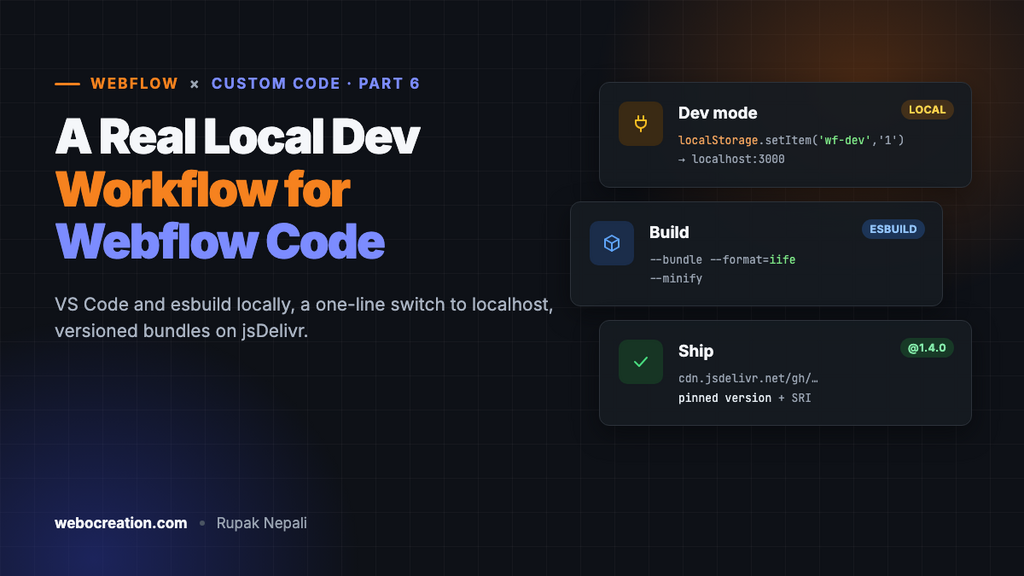
- While you work: the staging site loads your script from
localhoston your machine. Save in VS Code, refresh the browser, and see the change. No publish needed. - In production: the site loads a minified, versioned bundle from GitHub via jsDelivr, or from Webflow’s own asset CDN (see Host JavaScript on Webflow’s CDN).
- Switching between them takes one line in the browser console.
1. Project setup
mkdir webflow-scripts && cd webflow-scripts
npm init -y
npm install --save-dev esbuild
mkdir src
src/main.js:
import { initSlider } from './slider.js';
import { initPricing } from './pricing.js';

function boot() {
  initSlider();
  initPricing();
  console.log('[site] scripts booted');
}

window.Webflow = window.Webflow || [];
window.Webflow.push(boot);
You can use import freely here. esbuild bundles everything into one classic script, so the browser never sees module syntax.
package.json scripts:
{
  "scripts": {
    "dev": "esbuild src/main.js --bundle --format=iife --sourcemap --outdir=dist --servedir=dist --serve=3000 --watch",
    "build": "esbuild src/main.js --bundle --format=iife --minify --target=es2018 --outfile=dist/main.js && cp dist/main.js dist/main.txt"
  }
}
npm run devserveshttp://localhost:3000/main.jsand rebuilds when you save.npm run buildproduces a minifieddist/main.js, plus adist/main.txtcopy in case you want to host it as a Webflow asset.
2. The loader snippet
Put this in Site settings → Custom code → Footer code. It’s the only code that lives in Webflow:
<script>
  (function () {
    var PROD = 'https://cdn.jsdelivr.net/gh/your-user/webflow-scripts@1.4.0/dist/main.js';
    var DEV = 'http://localhost:3000/main.js';
    var useDev = false;
    try { useDev = localStorage.getItem('wf-dev') === '1'; } catch (e) {}

    var s = document.createElement('script');
    s.src = useDev ? DEV : PROD;
    s.defer = true;
    s.onerror = function () {
      if (useDev) {
        console.warn('[loader] localhost not reachable, falling back to production');
        var p = document.createElement('script');
        p.src = PROD;
        document.body.appendChild(p);
      }
    };
    document.body.appendChild(s);
    if (useDev) console.info('%c[loader] DEV mode: ' + DEV, 'color:#f60;font-weight:bold');
  })();
</script>
To switch your browser to dev mode, open DevTools on the staging site and run:
localStorage.setItem('wf-dev', '1');  // dev on
localStorage.removeItem('wf-dev');    // back to production
Visitors never have that key, so they always get the production bundle. You can even debug the live site against local code without affecting anyone else.
Will an HTTPS page load an HTTP localhost script?
Normally an https:// page can’t load http:// scripts (mixed content). Browsers make an exception for localhost and 127.0.0.1, which they treat as secure contexts. Recent versions of Chrome may show a local network access permission prompt the first time a public site requests localhost. Allow it for your staging domain. If your setup blocks it anyway, run esbuild with a local HTTPS certificate created with mkcert.
3. Shipping to production with jsDelivr
jsDelivr serves files straight from public GitHub repos with the correct application/javascript MIME type, so ES module and nosniff issues don’t apply.
npm run build
git add dist src
git commit -m "Pricing toggle: yearly discount badge"
git tag v1.4.0
git push && git push --tags
Then update the version in the loader’s PROD URL:
https://cdn.jsdelivr.net/gh/your-user/webflow-scripts@1.4.0/dist/main.js
Always pin a version
@1.4.0: immutable and cached for a long time. Use this in production.@mainor no version: follows the branch, but jsDelivr caches branch URLs for hours. You’ll wonder why your fix isn’t live. (You can purge viahttps://purge.jsdelivr.net/gh/..., but pinned versions avoid the problem.)@1: follows the latest1.x.xtag. Convenient, but a bad release goes straight to production.
Private repos
jsDelivr only serves public repos. If your code must stay private, upload dist/main.txt to Webflow Assets instead, or deploy dist/ to Cloudflare Pages or Netlify from a private repo.
4. Optional: Subresource Integrity
For pinned jsDelivr URLs you can add an integrity hash so the browser rejects a modified file:
cat dist/main.js | openssl dgst -sha384 -binary | openssl base64 -A
s.integrity = 'sha384-<hash>';
s.crossOrigin = 'anonymous';
Only set this for the PROD URL. The dev bundle changes on every save.
5. Project structure that scales
webflow-scripts/
├─ src/
│  ├─ main.js          # entry: decides what to init
│  ├─ utils/dom.js     # qs/qsa helpers, reinitWebflow()
│  ├─ features/
│  │  ├─ slider.js
│  │  ├─ pricing.js
│  │  └─ forms.js
├─ dist/
├─ package.json
└─ README.md           # which Webflow pages/attributes each feature needs
In main.js, only start features whose markup is on the page, so one bundle can serve every page without errors:
const features = {
  '[data-slider]': () => import('./features/slider.js').then((m) => m.init()),
  '[data-pricing]': () => import('./features/pricing.js').then((m) => m.init()),
};

Object.entries(features).forEach(([selector, load]) => {
  if (document.querySelector(selector)) load();
});
With --format=iife and no --splitting, esbuild inlines those dynamic imports into the single bundle, so it stays one file you can host anywhere.
The payoff
- Real editor, linting, TypeScript if you want it.
- Instant feedback without publishing Webflow.
- Git history for every change to your site’s behaviour.
- Rollback by changing one version number.
- Webflow designers can keep publishing without touching your code.
Set it up once and reuse the template for every Webflow project.
Webflow custom code series: 1. Host JavaScript on Webflow’s CDN · 2. MIME types and the asset CDN · 3. Where custom code runs · 4. CMS data in JavaScript · 5. JSON-LD on CMS pages · 6. Local dev workflow · 7. Forms to your own API · 8. Custom code via the Data API · 9. Third-party scripts and Core Web Vitals. Preparing for the exam too? See the Webflow Visual Developer Certification guide.

Author of four Opencart book.
The recent are Opencart 4 developer book and Opencart 4 user manual