Where Your Custom Code Actually Runs in Webflow: Load Order, Webflow.push and IX2
Site-wide head, page footer, Embed elements, CMS templates: a technical map of where Webflow injects custom code, in what order, and how to hook into Webflow's runtime safely.
 Rupak NepaliPublished Oct 17, 2026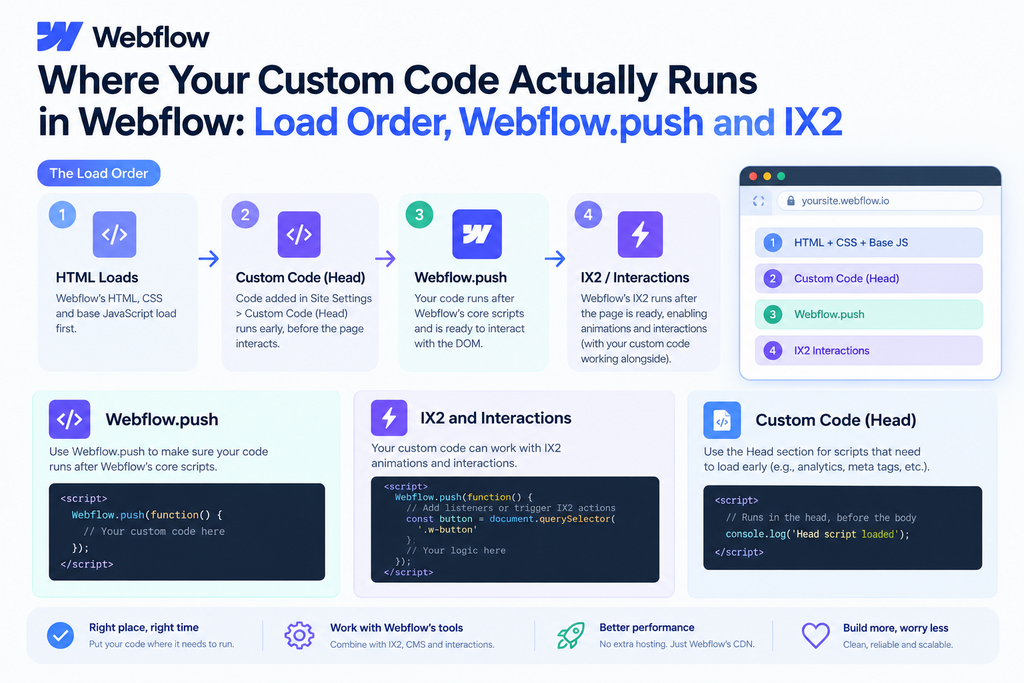
Most “my script doesn’t work in Webflow” bugs come from load order. A script runs before the element exists, before jQuery is loaded, or before Webflow’s interactions engine has started. Here’s what the published HTML of a Webflow page looks like and how to write code that runs at the right time.
The anatomy of a published Webflow page
Simplified, a published page looks like this:
<!DOCTYPE html>
<html data-wf-page="..." data-wf-site="...">
<head>
  <meta charset="utf-8">
  <title>...</title>
  <link href="https://cdn.prod.website-files.com/.../site.webflow.css" rel="stylesheet">
  <!-- Webflow's small inline script that adds w-mod-js / w-mod-touch classes -->

  <!-- ① Site settings → Custom code → Head code -->
  <!-- ② Page settings → Custom code → Inside <head> tag -->
</head>
<body>
  ... your page content ...
  <!-- ③ Embed elements render inline, exactly where you put them -->

  <script src="https://d3e54v103j8qbb.cloudfront.net/js/jquery-3.5.1.min.dc5e7f18c8.js"></script>
  <script src="https://cdn.prod.website-files.com/.../webflow.js"></script>

  <!-- ④ Site settings → Custom code → Footer code -->
  <!-- ⑤ Page settings → Custom code → Before </body> tag -->
</body>
</html>
The exact filenames and jQuery version vary, but the order holds. Three rules follow from it:
- Head code (① ②) runs before the DOM exists.
document.querySelector('.my-thing')returnsnullthere. - Embeds (③) run before jQuery and
webflow.jsload.$is undefined inside an Embed’s<script>at parse time. - Footer code (④ ⑤) runs after jQuery and
webflow.jshave loaded, but not necessarily after Webflow has initialised everything.
Rule of thumb: put behaviour in the footer
Put DOM-manipulating JavaScript in Footer code (site-wide) or Before </body> (per page). Use head code only for things that must happen early:
- analytics/tag managers that need the earliest possible start,
<link rel="preconnect">/<link rel="preload">hints,- anti-flicker snippets for A/B testing tools,
<style>blocks for critical custom CSS.
Using Webflow.push
webflow.js exposes a global Webflow object with a ready queue. Code passed to Webflow.push runs after Webflow’s own modules have initialised, which is the safest point to touch sliders, tabs, dropdowns and interactions.
<script>
  window.Webflow = window.Webflow || [];
  window.Webflow.push(function () {
    // Webflow components and jQuery are ready here
    $('.w-tab-link').on('click', function () {
      console.log('Tab changed to', this.dataset.wTab);
    });
  });
</script>
The window.Webflow = window.Webflow || [] line matters. It lets this snippet work even in head code or an Embed, before webflow.js has loaded: you push onto a plain array, and Webflow picks up the queued callbacks when it boots.
Embeds that need jQuery
Because Embeds render before jQuery loads, this fails:
<!-- Inside an Embed element -->
<script>
  $('.faq-question').on('click', ...); // ReferenceError: $ is not defined
</script>
Either wrap it in Webflow.push, or use plain DOM APIs with DOMContentLoaded:
<script>
  document.addEventListener('DOMContentLoaded', function () {
    document.querySelectorAll('.faq-question').forEach(function (q) {
      q.addEventListener('click', function () {
        q.parentElement.classList.toggle('is-open');
      });
    });
  });
</script>
Don’t load jQuery twice
Webflow already ships jQuery on every page. Adding another <script src="jquery.min.js"> in your footer replaces the global $, and Webflow’s components (sliders, tabs, lightboxes) lose the jQuery plugins they registered. The symptom is components that suddenly stop responding. Use the existing $.
Re-initialising interactions after you change the DOM
Webflow’s interactions engine (IX2) binds to elements when the page starts. If you inject HTML later, for example, items loaded via fetch, a “load more” button or a filter re-render, the new elements won’t have their hover or click interactions. Restart it:
function reinitWebflow() {
  if (!window.Webflow) return;
  window.Webflow.destroy();
  window.Webflow.ready();
  window.Webflow.require('ix2').init();
}

// After injecting new cards:
container.insertAdjacentHTML('beforeend', newCardsHtml);
reinitWebflow();
Webflow.require reaches into internal modules. It isn’t a documented, stable public API, so test after major Webflow updates and keep the call in one helper like the one above.
Other modules you can re-init the same way:
Webflow.require('slider').redraw();
Webflow.require('lightbox').ready();
Webflow.require('tabs').redraw();
Designer vs. published site
Custom code in site/page settings doesn’t run in the Designer canvas, and Embed scripts only run in preview mode or on the published site. Always test on the .webflow.io staging URL. If your code needs to know whether it’s in the Designer or on the live site, check for the canvas iframe:
const inDesigner = window.location.hostname.includes('webflow.com');
Where should code live? A decision table
| You need… | Put it in |
|---|---|
| Code on every page | Site settings → Footer code |
| Code on one static page | Page settings → Before </body> |
| Code on every item of a CMS collection | CMS template page settings → Before </body> |
| Code next to a specific component | Embed inside that component (wrap in Webflow.push) |
| Code reused in many components | Embed inside a Symbol/Component |
| A large script | Host the file (see post 1) and load it from footer code |
Debugging checklist
- Open DevTools → Console for
ReferenceErrorornullerrors. - Check the Elements panel to confirm your script appears where you expect in the final HTML.
- Log
typeof $,typeof Webflow, anddocument.readyStateat the top of your script. - If the problem only shows up after a filter or “load more”, it’s almost always IX2 needing a re-init.
Once you know the injection order, most Webflow custom code bugs become quick to fix.

Author of four Opencart book.
The recent are Opencart 4 developer book and Opencart 4 user manual